Introduction
Thank you for choosing the LEASTYLE LED Wireless Spotlights. This manual provides detailed instructions for the safe and efficient use of your new lighting product. These spotlights are designed for indoor use, featuring a rechargeable battery, adjustable color temperature (3000K/4000K/6000K), dimmable brightness, and convenient remote control operation. Please read this manual thoroughly before installation and use, and retain it for future reference.
What's in the Box
Carefully unpack all components and check against the list below. If any items are missing or damaged, please contact customer support.
- 2 × LED Spotlights
- 2 × Remote Controls
- 1 × Type-C Charging Cable
- 2 × Magnetic Adhesive Pads
- 2 × Metal Iron Pads
- 2 × Double-Sided Adhesive Pads
- 5 × Screws
- 1 × Instruction Manual
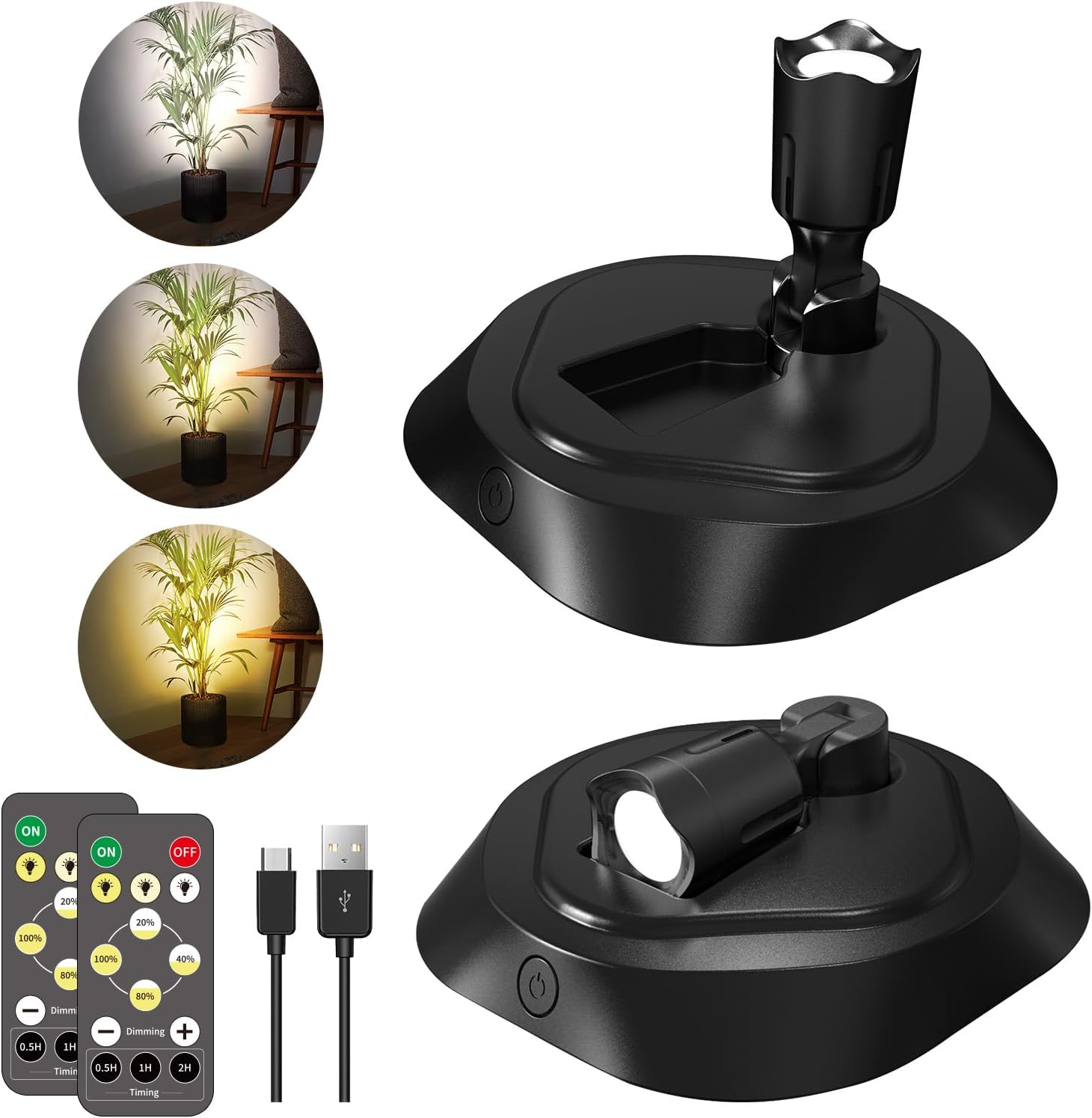
Image: Contents of the LEASTYLE LED Wireless Spotlight package, including two spotlights, two remote controls, and charging accessories.
Setup and Installation
The LEASTYLE LED Wireless Spotlights offer three installation methods: magnetic mounting, screw mounting, and adhesive mounting. Choose the method best suited for your surface and application.
General Installation Notes:
- Ensure the installation surface is clean and dry before applying adhesive.
- For adhesive methods, press firmly for a few seconds to enhance adhesion.
- If the surface is rough or wet, screw mounting is recommended for secure attachment.
- For mural or picture lighting, ceiling mounting is often required for optimal results.
Installation Methods:
- Magnetic Mounting: Attach the metal iron pad to the desired surface (wall or cabinet) using its adhesive backing. Then, attach the magnetic adhesive pad to the bottom cover of the spotlight. The spotlight can then be magnetically fixed to the metal iron pad. This allows for easy removal for charging.
- Screw Mounting: Push the bottom cover up to detach it from the spotlight. Use the provided screws to secure the bottom cover to the desired surface. Once the bottom cover is fixed, align the spotlight with the slot and push down to secure it.
- Adhesive Mounting: Apply the double-sided adhesive pad to the bottom cover of the spotlight. Ensure the surface where the spotlight will be placed is clean and dry. Press the spotlight firmly onto the surface.
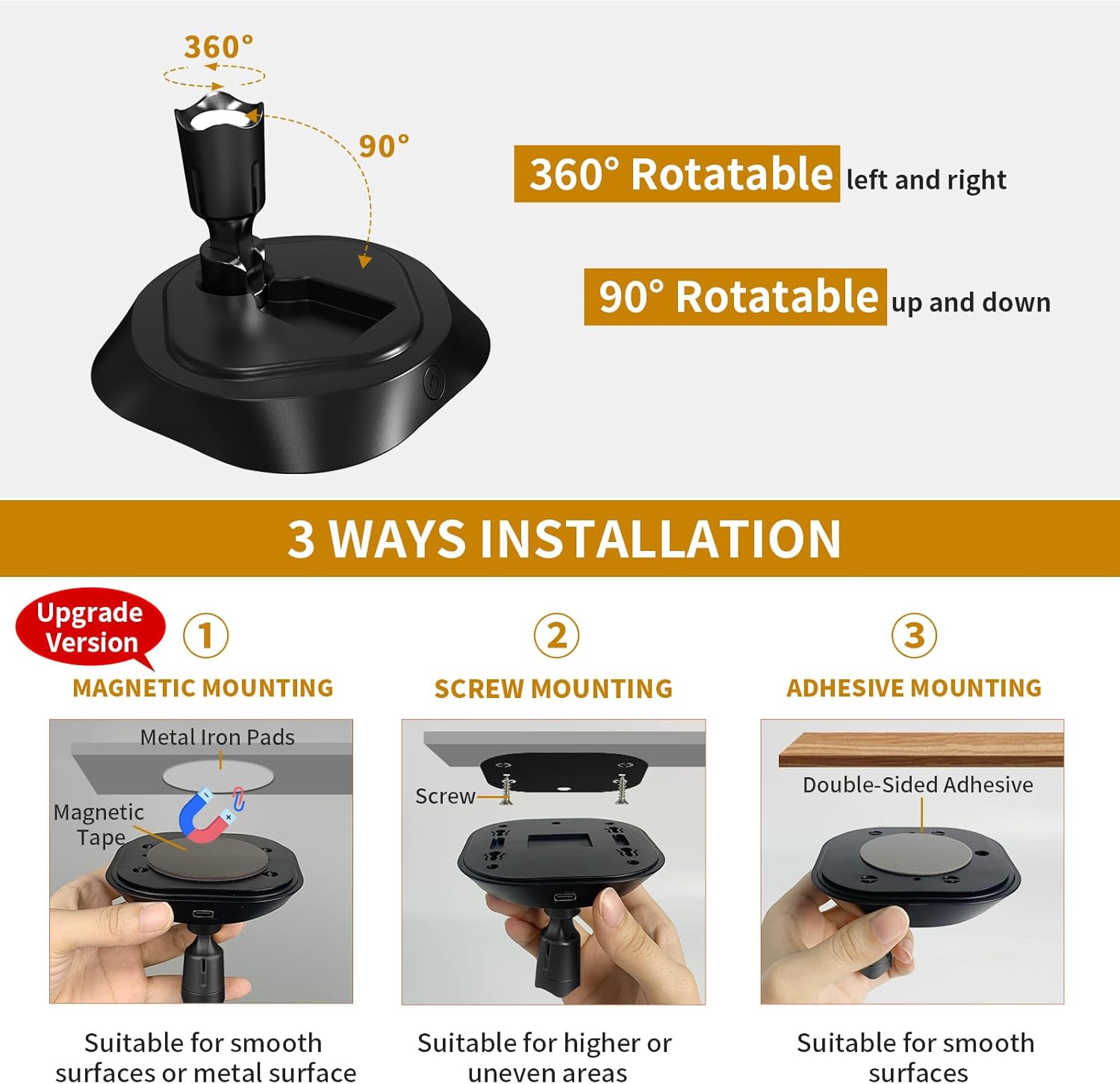
Image: Visual guide to the three available installation methods: magnetic, screw, and adhesive.
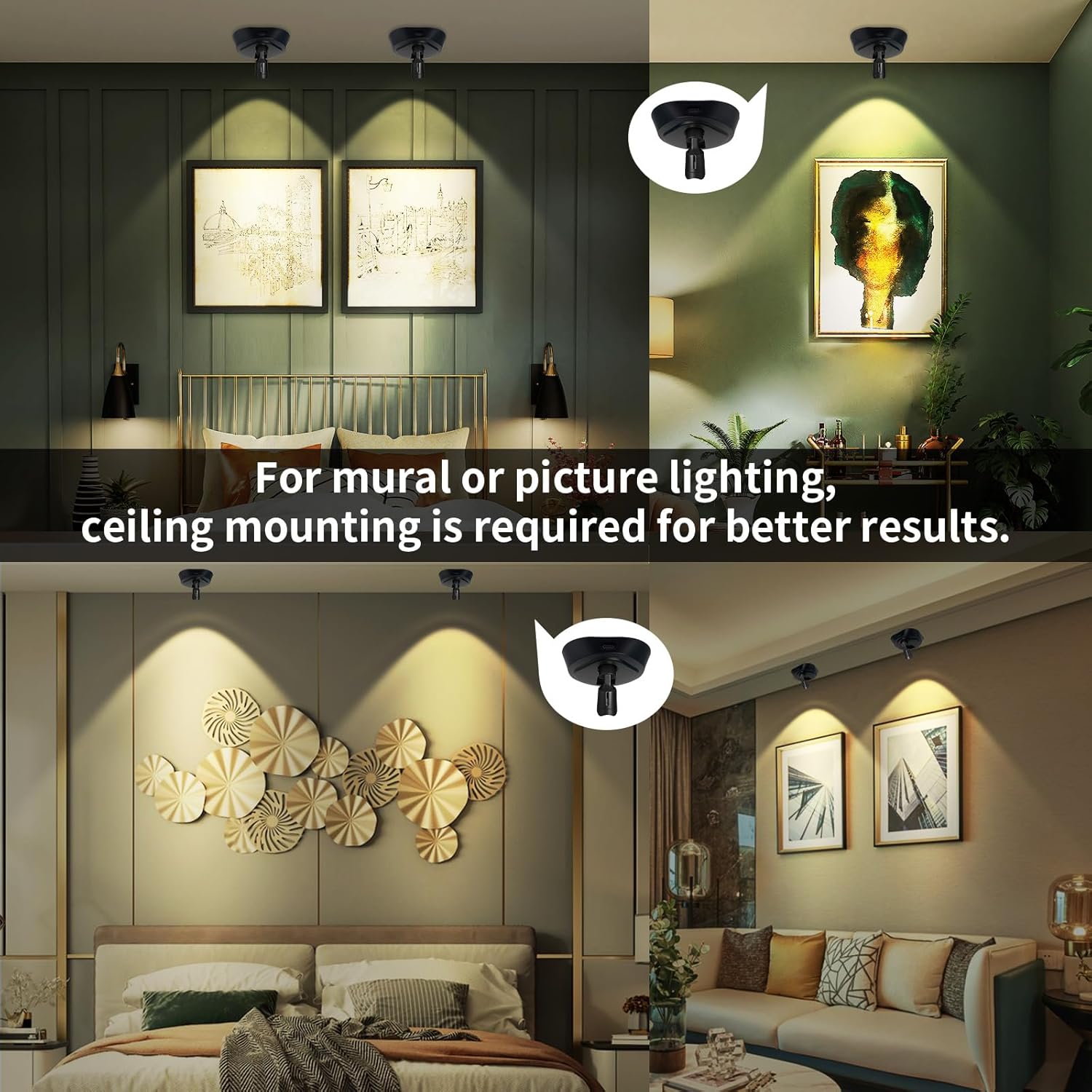
Image: Example of ceiling-mounted spotlights providing illumination for wall art.
Video: This video provides a step-by-step guide on how to install the LEASTYLE LED Wireless Spotlight using magnetic adhesive fixing, screw installation, and Velcro installation methods. It also shows how to remove the lamp body for charging.
Operating Instructions
Your LEASTYLE LED Wireless Spotlights can be controlled via the integrated button on the light body or the included remote control.
Button Control:
- Single Press: Adjusts the color temperature (cycles through 3000K Warm Light, 4000K Natural Light, and 6000K Cool Light).
- Long Press: Adjusts the brightness (dims or brightens the light).
Remote Control:
Before first use, remove the insulating sheet from the remote control's battery compartment.
- ON/OFF: Turns the spotlight on or off.
- Color Temperature Selection: Dedicated buttons for Warm White (3000K), Natural White (4000K), and Cool White (6000K).
- Brightness Adjustment: Buttons for 10%, 20%, 40%, 60%, 80%, 100% brightness levels. Use the '+' and '-' buttons for fine-tuning dimming.
- Timer Function: Set the light to automatically turn off after 0.5 hours, 1 hour, or 2 hours.
Memory Function:
The spotlight features a memory function. It will retain the last used color temperature and brightness settings when turned off and back on.
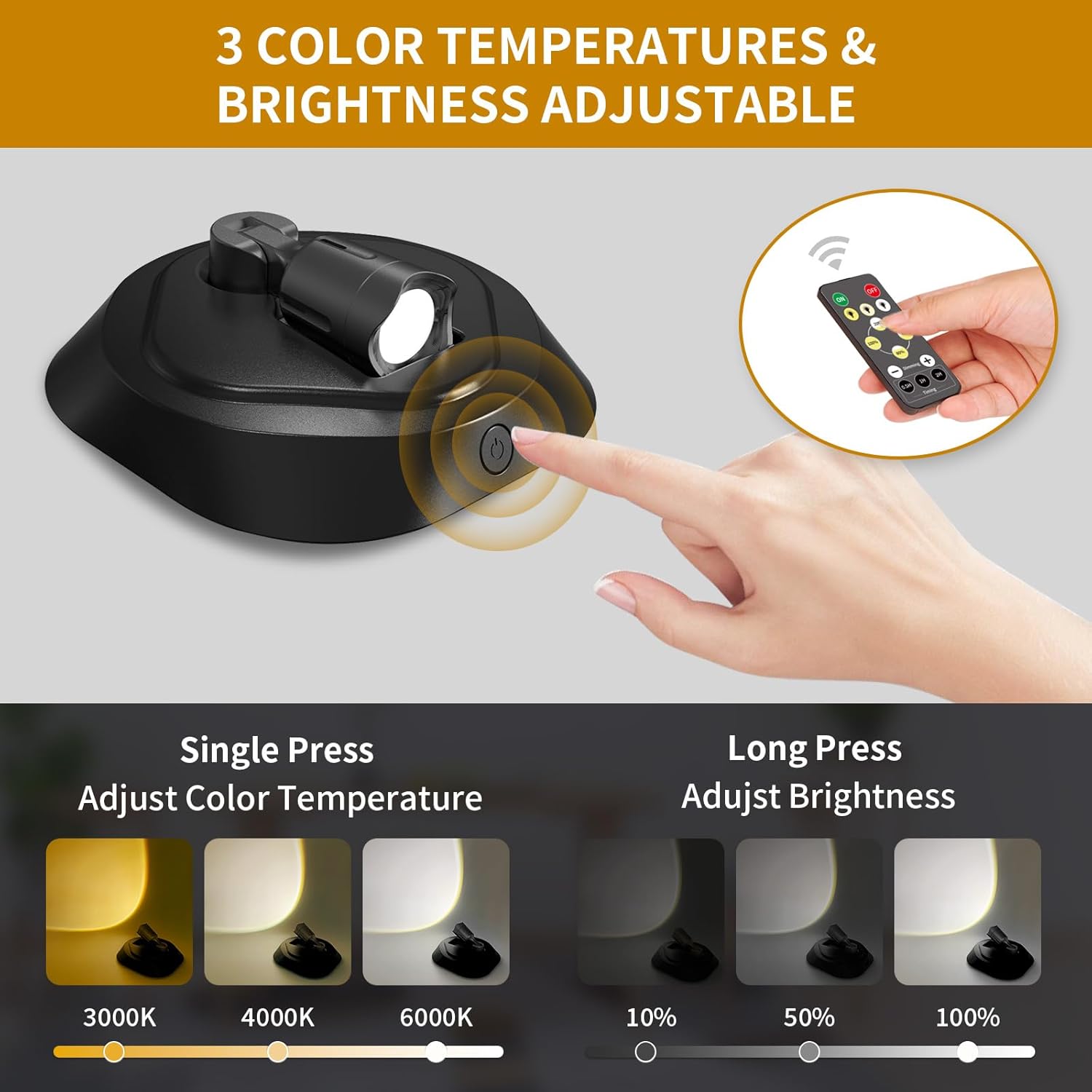
Image: How to adjust color temperature and brightness using the spotlight's integrated button.
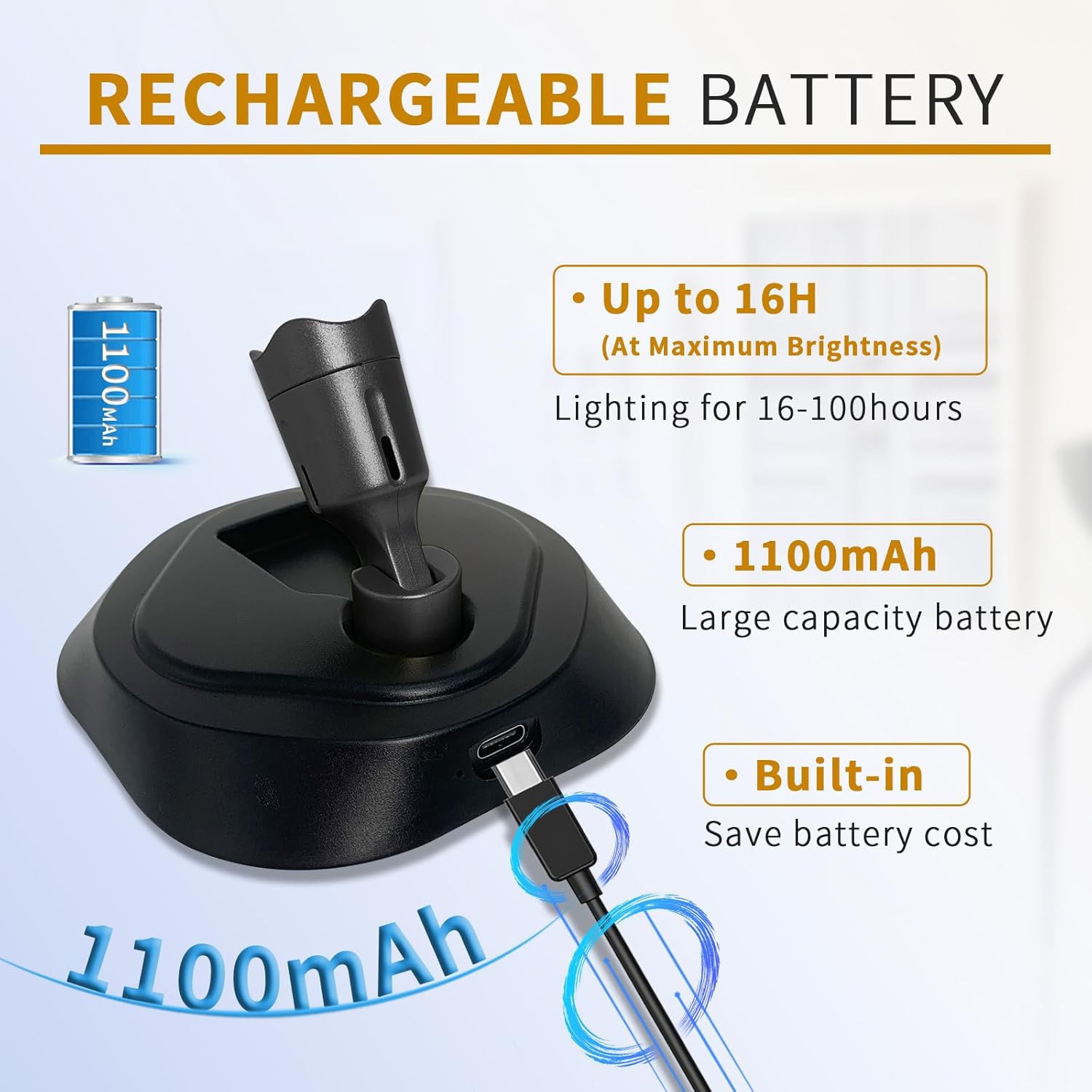
Image: Overview of the remote control functions for the LEASTYLE LED spotlight.
Video: This video demonstrates the key features of the LEASTYLE LED Wireless Spotlight, including its 360-degree rotatable head, 90-degree tilt, button controls for brightness and color temperature, and remote control functions for power, color modes, dimming, and timer settings.
Charging Instructions
The LEASTYLE LED Wireless Spotlights are equipped with a built-in 1100mAh rechargeable battery, eliminating the need for constant battery replacement. When the battery is low, the light output may decrease, or the light may not turn on.
- To charge, gently push the spotlight body upwards from its base to detach it.
- Connect the provided Type-C charging cable to the charging port on the spotlight body and to a standard USB power adapter (not included).
- The charging indicator light will illuminate during charging and turn off when fully charged.
- Once fully charged, reattach the spotlight body to its base by aligning it with the slot and pushing down until it clicks into place.
For optimal battery life, it is recommended to fully charge the spotlights before first use.
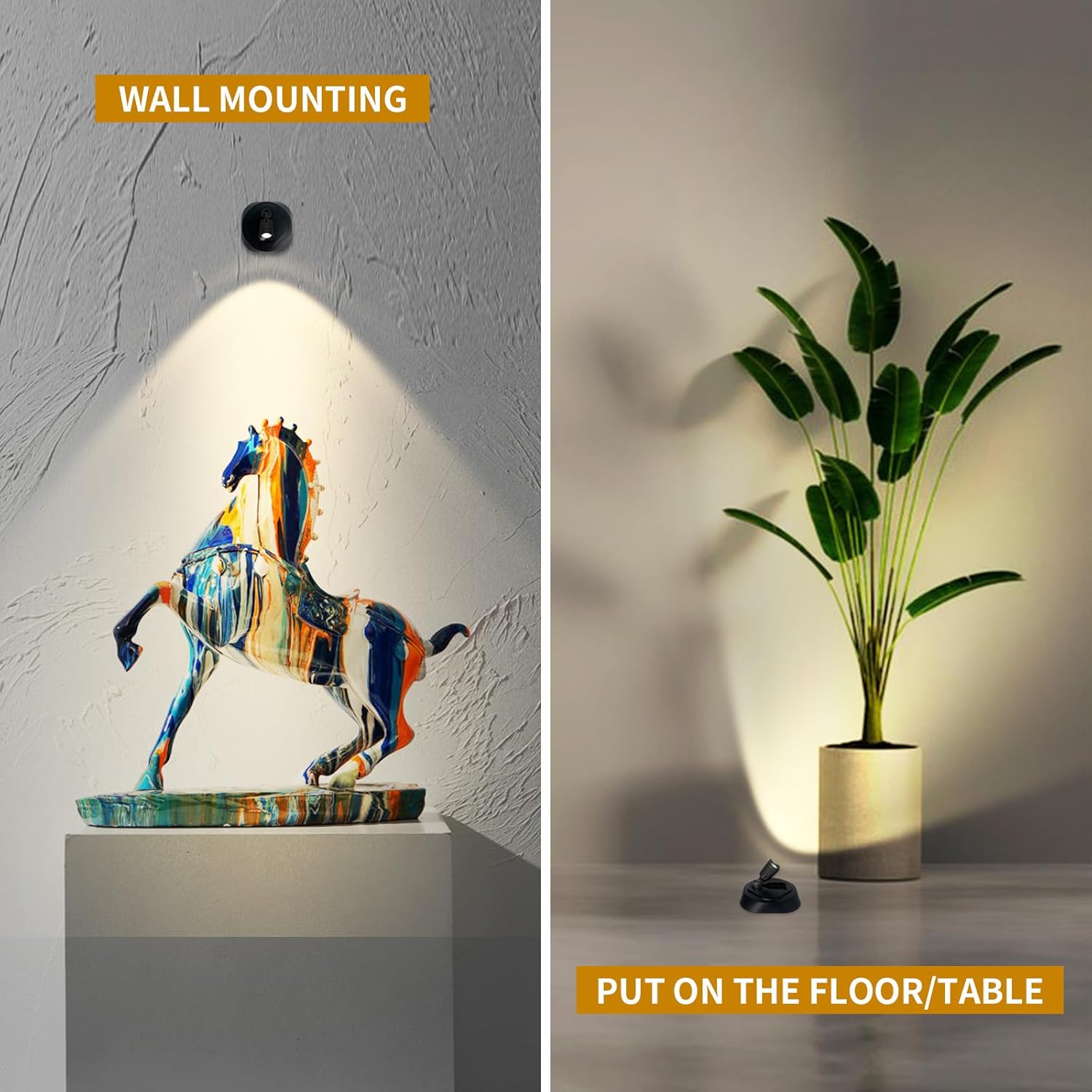
Image: The spotlight being charged via its USB-C port, highlighting the built-in rechargeable battery.
Maintenance
To ensure the longevity and optimal performance of your LEASTYLE LED Wireless Spotlights, follow these maintenance guidelines:
- Cleaning: Wipe the surface of the spotlight with a soft, dry cloth. Avoid using abrasive cleaners or solvents, as these can damage the finish.
- Battery Care: For best battery health, avoid completely draining the battery frequently. Recharge the spotlights when the light output noticeably diminishes. If storing for an extended period, charge the battery to about 50% every few months.
- Storage: Store the spotlights in a cool, dry place away from direct sunlight and extreme temperatures.
Troubleshooting
If you encounter any issues with your LEASTYLE LED Wireless Spotlights, please refer to the following troubleshooting tips:
| Problem | Possible Cause | Solution |
|---|---|---|
| Spotlight does not turn on. | Battery is depleted. | Charge the spotlight using the provided Type-C cable. |
| Remote control insulating sheet not removed. | Remove the plastic insulating sheet from the remote control's battery compartment. | |
| Remote control battery is low or dead. | Replace the remote control battery (CR2025, not included). | |
| Light is dim or flickers. | Low battery. | Recharge the spotlight. |
| Remote control not responding. | Obstruction between remote and spotlight. | Ensure a clear line of sight between the remote and the spotlight. |
| Remote control is too far from the spotlight. | Move closer to the spotlight. |
If the issue persists after trying these solutions, please contact LEASTYLE customer support for further assistance.
Specifications
| Feature | Detail |
|---|---|
| Brand | LEASTYLE |
| Model Name | TL011-3cct |
| Color | 3CCT Black |
| Material | Acrylonitrile Butadiene Styrene |
| Light Source Type | LED |
| Color Temperature | 3000K (Warm), 4000K (Natural), 6000K (Cool) |
| Brightness | 10%-100% Dimmable (Max 1000 Lumens) |
| Power Source | Battery Powered (Rechargeable) |
| Battery Type | 1 Lithium Polymer battery (included) |
| Battery Capacity | 1100mAh |
| Control Method | Remote Control, Button Control |
| Special Features | Adjustable Color Temperature, Dimmable, Lightweight, Magnetic Mounting, Timer |
| Installation Type | Magnetic Mount, Double-sided Adhesive, Screw Mounting |
| Indoor/Outdoor Usage | Indoor |
| Product Dimensions | 3"L x 2"W x 3"H |
| Item Weight | 10.8 ounces |
Warranty and Support
LEASTYLE products are designed for quality and reliability. For warranty information, technical support, or any questions regarding your LED Wireless Spotlights, please refer to the contact information provided with your purchase or visit the official LEASTYLE website.


