
1. Introduction
This manual provides essential instructions for the safe and efficient operation of your S-link MIGHT U150 1500VA Line-Interactive Uninterruptible Power Supply (UPS). Please read this manual thoroughly before installation and use, and retain it for future reference. The S-link MIGHT U150 is designed to protect your electronic equipment from power outages, surges, and sags, ensuring continuous power supply and data integrity.
2. Safety Instructions
Observe the following safety precautions to prevent injury and damage to the UPS or connected equipment:
- Electrical Safety: The UPS contains hazardous voltages. Do not attempt to disassemble the unit. Servicing should only be performed by qualified personnel.
- Grounding: Always connect the UPS to a grounded AC power outlet.
- Environment: Install the UPS in a well-ventilated area, away from direct sunlight, heat sources, dust, and moisture. Do not operate in environments with excessive humidity or extreme temperatures.
- Liquid Exposure: Do not allow liquids to enter the UPS. Avoid placing beverages or liquid containers on top of the unit.
- Overload: Do not overload the UPS. Ensure the total power consumption of connected equipment does not exceed the UPS's rated capacity (900W).
- Battery Handling: Batteries can present a risk of electrical shock and high short-circuit current. Observe proper precautions when handling batteries. Replace batteries only with the same type and quantity as specified by the manufacturer.
- Emergency Disconnect: In an emergency, press the power button to turn off the UPS and disconnect the power cord from the AC outlet.
3. Product Overview
The S-link MIGHT U150 is a 1500VA / 900W Line-Interactive UPS designed to provide reliable power protection for your sensitive electronics. Key features include:
- Line-Interactive topology for automatic voltage regulation (AVR).
- Equipped with two 12V9Ah batteries for extended backup time.
- Provides protection against power surges, spikes, and brownouts.
- Compact design suitable for home and office environments.
4. Setup and Installation
4.1 Unpacking
Carefully unpack the UPS and inspect it for any shipping damage. If any damage is found, do not operate the unit and contact your dealer.
4.2 Placement
Place the UPS on a flat, stable surface in a clean, dry, and well-ventilated area. Ensure there is adequate clearance around the unit for proper airflow, especially around the ventilation grilles and fan. Avoid placing the UPS near windows or areas with high humidity or extreme temperatures.
4.3 Connecting to Power and Devices
Refer to the image below for connecting the UPS to your power source and devices.
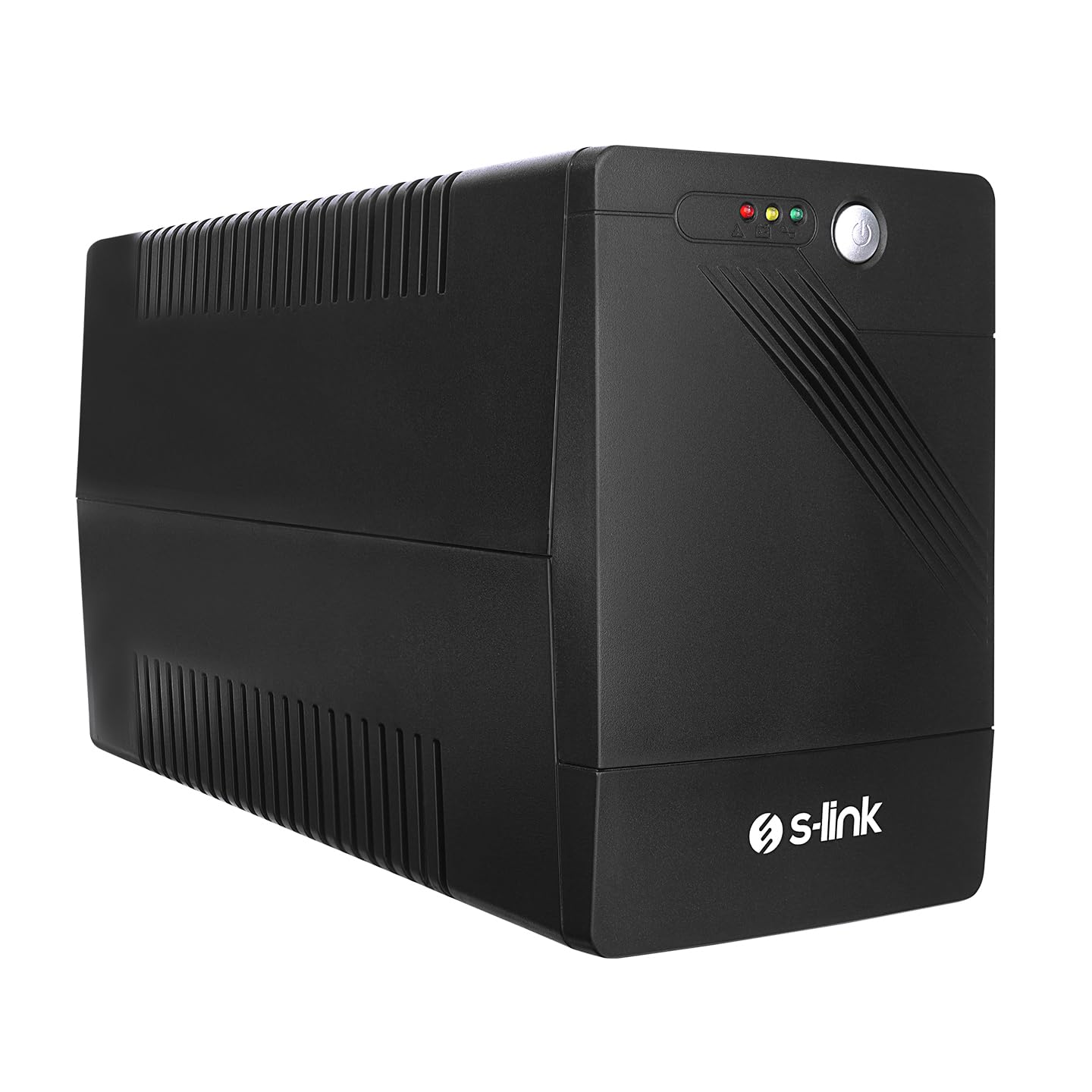
Image 4.3.1: Rear view of the S-link MIGHT U150 UPS. This image displays the main power input cable, the cooling fan with a "HI-POT PASSED" sticker, a reset button, and four standard power output sockets. The ventilation grilles are visible on the side panels.
- Connect UPS to AC Power: Plug the UPS's input power cord into a grounded wall outlet.
- Initial Battery Charge: Allow the UPS to charge for at least 8 hours before connecting any equipment. This ensures the batteries are fully charged and ready to provide optimal backup time.
- Connect Equipment: After the initial charge, plug your computer, monitor, and other critical electronic devices into the output sockets on the rear of the UPS. Do not connect laser printers or heaters to the UPS, as their high power consumption can overload the unit.
5. Operating Instructions
5.1 Turning On the UPS
Press and hold the power button on the front panel for approximately 2 seconds until you hear a beep. The UPS will perform a self-test, and the indicator lights will illuminate, indicating it is operating in AC mode.
5.2 Turning Off the UPS
To turn off the UPS, press and hold the power button for approximately 2 seconds until the indicator lights turn off. This will shut down the UPS and disconnect power to connected devices.
5.3 Indicator Lights and Alarms
The UPS typically features indicator lights and audible alarms to communicate its status:
- AC Mode (Green LED): Indicates the UPS is operating on utility power and providing conditioned power to connected devices.
- Battery Mode (Yellow LED + Beeping): Indicates a power outage. The UPS is supplying power from its internal batteries. The beeping alarm will sound periodically.
- Low Battery (Yellow LED + Rapid Beeping): Indicates the battery charge is critically low. Save your work and shut down connected equipment immediately.
- Fault/Overload (Red LED + Continuous Alarm): Indicates an internal fault or an overload condition. Disconnect non-essential equipment and restart the UPS. If the fault persists, contact support.
6. Maintenance
6.1 Battery Care
- Regular Charging: Keep the UPS connected to AC power to ensure the batteries remain fully charged.
- Battery Self-Test: Perform a battery self-test every 3-6 months (if available) to check battery health.
- Battery Replacement: Batteries typically last 3-5 years. When the backup time significantly decreases, it's time to replace the batteries. Contact qualified service personnel for battery replacement.
6.2 Cleaning
Clean the exterior of the UPS with a soft, dry cloth. Do not use liquid or aerosol cleaners. Ensure ventilation openings are free from dust and debris to maintain proper cooling.
6.3 Storage
If storing the UPS for an extended period, ensure the batteries are fully charged. Recharge the batteries every 3 months to prevent permanent damage. Store in a cool, dry place.
7. Troubleshooting
This section provides solutions to common UPS issues. If a problem persists, contact technical support.
| Problem | Possible Cause | Solution |
|---|---|---|
| UPS does not turn on. | No AC input power; Low battery; UPS fault. | Check power cord connection and wall outlet. Allow UPS to charge for 8 hours. If problem persists, contact support. |
| Short backup time. | Batteries not fully charged; Batteries are old/worn out; Overload. | Allow UPS to charge for 8 hours. Reduce connected load. Consider battery replacement if batteries are old. |
| UPS beeps continuously. | Overload; Battery mode (power outage); Low battery. | Reduce connected load. Check AC power supply. Shut down equipment if low battery. |
| UPS is in fault mode (Red LED). | Internal fault; Severe overload. | Disconnect all equipment, turn off UPS, then restart. If fault persists, contact support. |
8. Specifications
| Feature | Detail |
|---|---|
| Brand | S-Link |
| Model | MIGHT U150 |
| Capacity | 1500VA / 900W |
| Battery Type | Sealed Lead-Acid (12V9Ah x 2) |
| Battery Cell Composition | Zinc (as per product specification, typically lead-acid for UPS) |
| Material | Metal |
| Topology | Line-Interactive |
| ASIN | B0DCHGFVMX |
Note: Specifications are subject to change without prior notice.
9. Warranty and Support
For warranty information and technical support, please refer to the warranty card included with your product or visit the official S-Link website. Keep your purchase receipt as proof of purchase for warranty claims.
For further assistance, you may contact your local dealer or S-Link customer service.