Introduction
This user manual provides essential information for the safe and efficient operation of your new Samsung EcoBubble 9 kg Washing Machine, model WW90CGC04DAE. Please read this manual thoroughly before using the appliance and keep it for future reference.
The EcoBubble technology transforms detergent into bubbles, allowing it to penetrate fabrics quickly for effective cleaning even at low temperatures, saving energy and protecting fabric colors and textures. This model also features AI Energy Mode via SmartThings for optimized energy consumption.
Safety Information
Always follow basic safety precautions when using electrical appliances to reduce the risk of fire, electric shock, or injury to persons.
- Ensure the appliance is properly grounded.
- Do not allow children to play on or in the appliance.
- Do not install or store the appliance where it will be exposed to temperatures below freezing or exposed to the weather.
- Do not wash items that have been previously cleaned in, washed with, soaked in, or spotted with gasoline, dry-cleaning solvents, or other flammable or explosive substances.
- Unplug the appliance from the power supply before attempting any service or cleaning.
Setup
1. Unpacking and Inspection
Carefully remove all packaging materials. Inspect the washing machine for any damage. Remove all transport bolts from the rear of the machine before installation. Failure to do so will cause severe vibration and noise during operation.

Figure 1: Front view of the Samsung EcoBubble 9 kg Washing Machine.
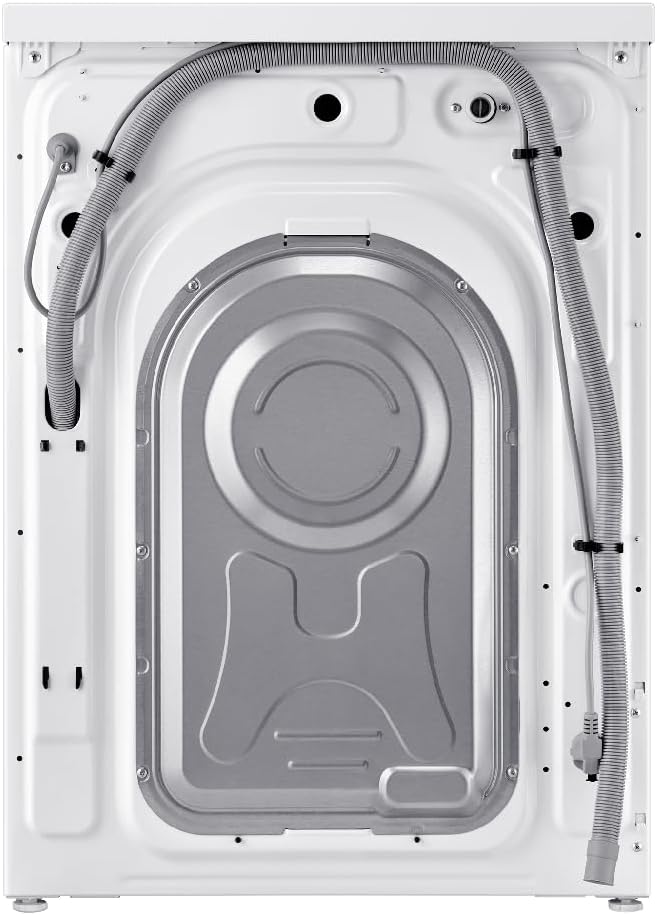
Figure 2: Rear view of the washing machine, highlighting the water inlet and drain hoses, and locations for transport bolts.
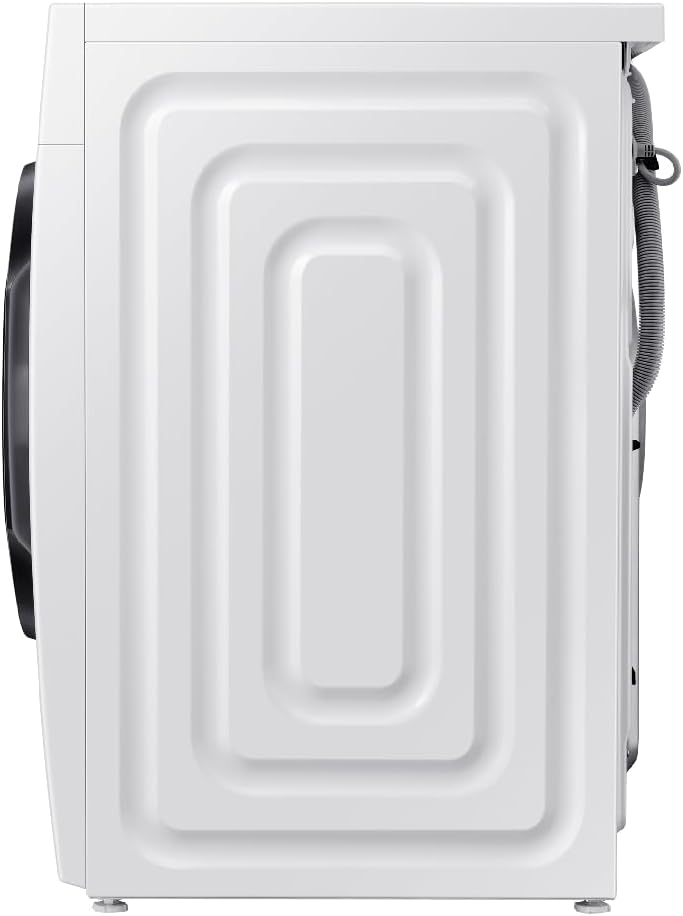
Figure 3: Side view of the washing machine, showing its compact design.
2. Location and Leveling
Place the washing machine on a firm, level surface. Adjust the leveling feet to ensure the machine is stable and does not wobble. Proper leveling is crucial to prevent excessive vibration and noise during operation.
3. Water Connection
Connect the hot and cold water inlet hoses to the corresponding taps and to the back of the washing machine. Ensure all connections are tight to prevent leaks. Position the drain hose into a standpipe or over the edge of a sink, ensuring it is securely fastened to prevent dislodging during drainage.
4. Power Connection
Plug the power cord into a grounded electrical outlet. Ensure the voltage and frequency match the specifications of your appliance.
5. Initial Use
Before the first wash, it is recommended to run a calibration cycle (if available, refer to the specific model's instructions) and then a wash cycle without laundry using a small amount of detergent to clean the drum.
Operating Instructions
1. Control Panel Overview
The control panel features a program selector dial, a digital display, and various function buttons for customizing your wash cycle.
Figure 4: The control panel, featuring the program dial, digital display, and function buttons.
2. Loading Laundry
Open the door and load laundry into the drum. Do not overload the machine; leave enough space for clothes to tumble freely. For optimal performance, ensure the load does not exceed the 9 kg capacity.

Figure 5: The washing machine with the door open, ready for loading laundry.
3. Adding Detergent and Softener
Pull out the detergent drawer and add the appropriate amount of detergent to the main wash compartment. Add fabric softener to the designated compartment if desired. Close the drawer gently.
4. Selecting a Program
Turn the program selector dial to choose the desired wash program. Available cycles include:
- Normal: For daily cottons and mixed fabrics.
- Heavy Duty: For heavily soiled items.
- Delicates: For sensitive fabrics requiring gentle care.
- Quick Wash: For lightly soiled items needing a fast cycle.
- Rinse: For rinsing and spinning only.
- EcoBubble: Utilizes bubble technology for effective cleaning at lower temperatures.
Additional options like temperature, spin speed, and rinse cycles can be adjusted using the function buttons.
5. Starting a Wash Cycle
Press the Start/Pause button to begin the selected wash cycle. The display will show the remaining time.
6. Special Features
- EcoBubble Technology: Creates bubbles that penetrate fabrics faster, allowing for effective cleaning even in cold water, which saves energy and protects clothes.
- AI Energy Mode (SmartThings): Monitor and control energy consumption through the SmartThings app. This mode can help reduce energy usage by up to 70% for certain cycles by optimizing wash performance and leveraging EcoBubble technology for cold water washing.
Maintenance
Regular maintenance ensures the longevity and optimal performance of your washing machine.
1. Cleaning the Exterior
Wipe the exterior surfaces with a soft, damp cloth. Do not use abrasive cleaners or solvents.
2. Cleaning the Detergent Drawer
Periodically remove the detergent drawer and rinse it under running water to remove any detergent residue or mold buildup.
3. Cleaning the Drum
Run a drum clean cycle (if available) or a hot wash cycle with no laundry and a cup of white vinegar or a washing machine cleaner to remove odors and residue.
4. Cleaning the Debris Filter
Locate the debris filter (usually at the bottom front of the machine). Place a shallow pan underneath to catch water, then slowly open the filter cap and remove any lint, coins, or foreign objects. Clean the filter and reinsert it securely.
Troubleshooting
Before contacting service, refer to the following table for common issues and their solutions.
| Problem | Possible Cause | Solution |
|---|---|---|
| Machine does not start | Power cord unplugged; Door not closed properly; Program not selected. | Check power connection; Ensure door is latched; Select a wash program. |
| No water filling | Water taps closed; Water inlet hose kinked; Water pressure too low. | Open water taps; Straighten hose; Check household water supply. |
| Excessive vibration/noise | Transport bolts not removed; Machine not level; Uneven load. | Remove transport bolts; Adjust leveling feet; Redistribute laundry. |
| Water not draining | Drain hose kinked or blocked; Debris filter clogged. | Check and clear drain hose; Clean debris filter. |
Specifications
Key technical specifications for the Samsung EcoBubble 9 kg Washing Machine WW90CGC04DAE.
| Parameter | Value |
|---|---|
| Model | WW90CGC04DAE |
| Capacity | 9 kg |
| Dimensions (H x W x D) | 85 cm x 60 cm x 55 cm |
| Weight | 67 kg |
| Max Spin Speed | 1400 RPM |
| Energy Efficiency Class | A |
| Energy Consumption (Eco 40-60) | 0.444 kWh/cycle |
| Water Consumption (Eco 40-60) | 50 L/cycle |
| Noise Level (Spinning) | 72 dB(A) |
For detailed product information and energy label data, please refer to the official EPREL database:
EPREL Product Information (QR Code Link)

Figure 6: EU Energy Label for the Samsung WW90CGC04DAE washing machine.

Figure 7: Product Information Sheet with detailed technical specifications.
Warranty and Support
Your Samsung washing machine is covered by a manufacturer's warranty. Please refer to the warranty card included with your purchase for specific terms and conditions, including the warranty period and coverage details.
For technical support, service requests, or to purchase genuine Samsung spare parts, please visit the official Samsung website or contact Samsung customer service in your region. Have your model number (WW90CGC04DAE) and serial number ready when contacting support.


