1. Introduction
The Roland JUNO-D6 Synthesizer is a light and portable keyboard designed for gigging musicians and budding creators. It features a professional-grade Roland sound engine and an intuitive panel layout for easy operation, allowing you to play in a band or craft new songs with its massive sound library.
Key features include:
- Gig-ready keyboard with pro sounds, an intuitive workflow, enhanced performance features, and support for USB-C mobile battery power.
- Instant access to essential sounds for live band performances, including acoustic and electric pianos, organs, synths, and other stage favorites.
- Flagship-class ZEN-Core engine with over 3800 ready-to-play sounds.
- Expand your creative possibilities with Sound Packs and Wave Expansions on Roland Cloud.
- Sample import function for playing and editing user WAV files.

Figure 1: Front view of the Roland JUNO-D6 Synthesizer.
2. Setup
2.1 Powering On
The JUNO-D6 can be powered via a standard AC adaptor (PSB-5U included) or through USB-C mobile battery power for on-the-go performance. Ensure the power source is securely connected before use.
2.2 Initial Connections
Connect your headphones to the 3.5mm jack for private practice or connect to external speakers via the L/MONO and R output jacks. For MIDI connectivity, use the dedicated MIDI IN/OUT ports or the USB Type C connector.

Figure 2: The JUNO-D6 offers seamless USB-C audio/MIDI connectivity to mobile devices and computers.

Figure 3: Rear view showing the various input and output ports.
2.3 Unboxing Contents
Your JUNO-D6 package includes the synthesizer unit, an AC Adaptor (PSB-5U), and a Power Cord.
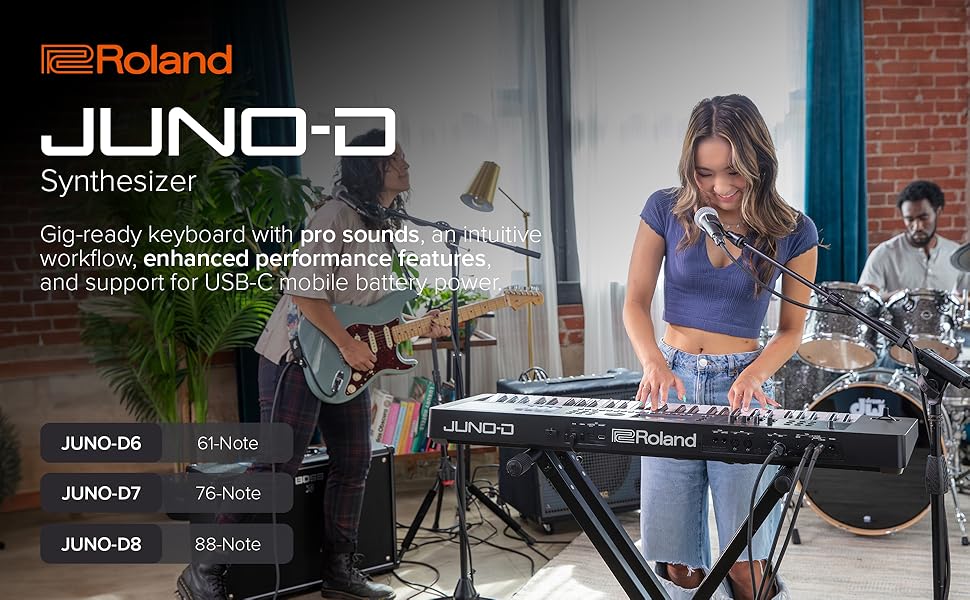
Figure 4: What's included in the box and product dimensions.
3. Operating
3.1 Sound Engine and Library
The JUNO-D6 is powered by Roland's flagship-class ZEN-Core engine, offering over 3800 ready-to-play sounds. These include a wide variety of instruments such as acoustic and electric pianos, organs, synths, orchestral sounds, and world instruments.

Figure 5: Easily select and play various instrument sounds.
Expand your creative possibilities by accessing Sound Packs and Wave Expansions available on Roland Cloud.
3.2 Intuitive Controls
The JUNO-D6 features a hands-on interface with streamlined controls, making it simple to find and shape your signature sound. Dedicated sliders and knobs allow for quick adjustments to sound parameters during performance.
3.3 Performance Features
The 61-note keyboard with synth action provides a responsive playing experience. The integrated eight-track sequencer allows for song creation and arrangement directly on the instrument. Additionally, the sample import function enables playing and editing of user WAV files.
3.4 Official Product Video
Video 1: An overview of the Roland JUNO-D series, highlighting its features and capabilities.
4. Maintenance
To ensure the longevity and optimal performance of your Roland JUNO-D6, regularly wipe the surface with a soft, dry cloth. Avoid using abrasive cleaners or solvents. Keep the instrument away from extreme temperatures, humidity, and direct sunlight. When not in use, cover the keyboard to protect it from dust.
5. Troubleshooting
If you encounter any issues with your JUNO-D6, first ensure all cables are securely connected and the power supply is stable. Refer to the Roland support website for detailed troubleshooting guides and FAQs. If the problem persists, contact Roland customer support for assistance.
6. Specifications
| Feature | Specification |
|---|---|
| Model Name | JUNO-D6 |
| Item Weight | 12.79 Pounds |
| Product Dimensions | 12.76"D x 39.57"W x 3.7"H |
| Number of Keys | 61 |
| Connectivity Technology | MIDI |
| Connector Type | USB Type C |
| Power Source | Battery Powered |
| Supported Software | Roland Cloud |
| Headphones Jack | 3.5mm Jack |
| Manufacturer | Roland |
7. Warranty and Support
For warranty information and technical support, please visit the official Roland website or contact their customer service department. Roland offers various protection plans for extended coverage.
- 3-Year Protection Plan
- 4-Year Protection Plan
- Complete Protect: One plan covers all eligible past and future purchases


