
Welcome
This manual provides essential information for using your new OPPO F27 5G smartphone. Please read it carefully to ensure proper operation and to maximize your device's capabilities.
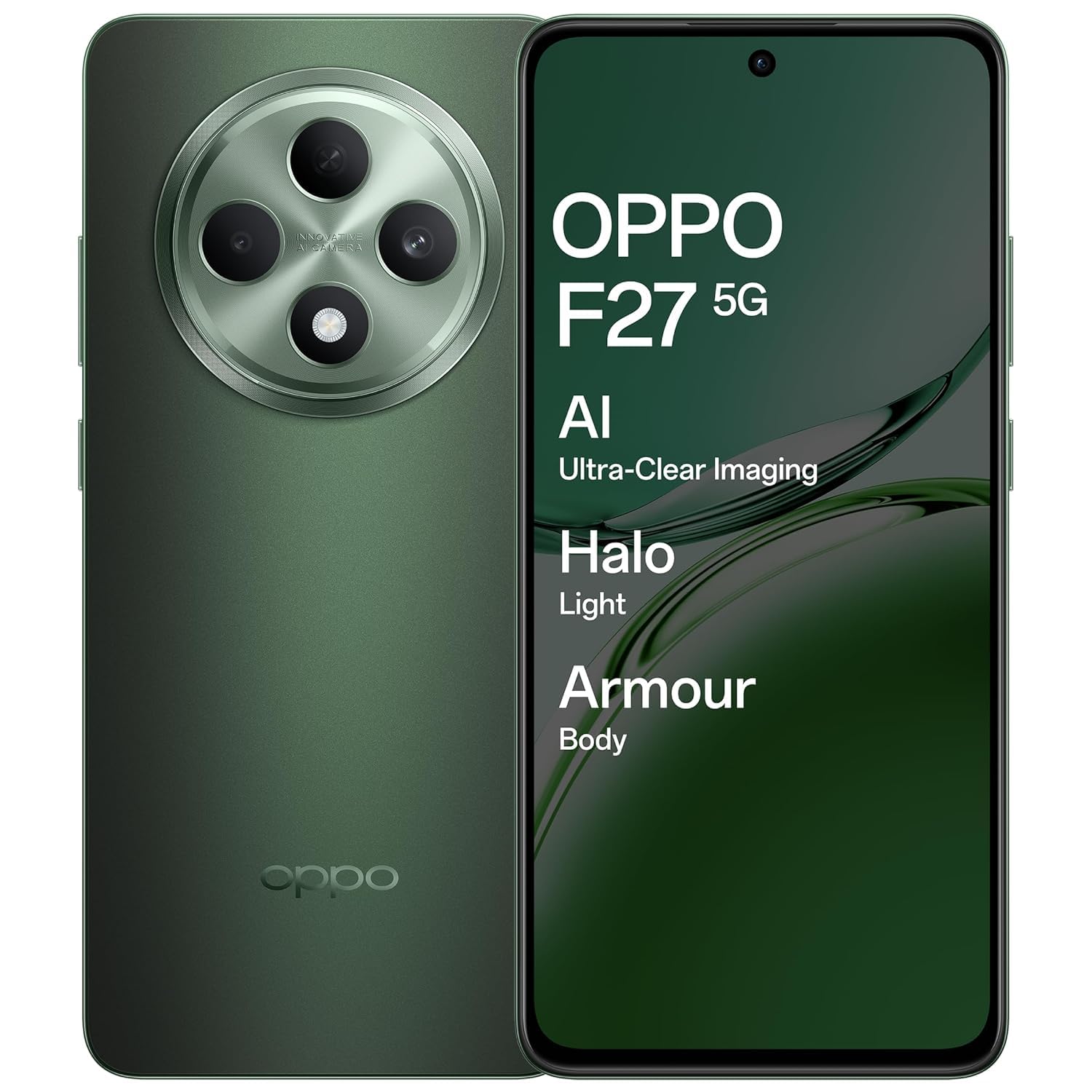
An image showing the OPPO F27 5G smartphone, highlighting its sleek design and display.
Package Contents
Verify that all items are present in your product package:
- OPPO F27 5G Smartphone
- Phone Case
- Power Adapter
- USB Cable
- SIM Tray Ejector
Initial Setup
1. Insert SIM Card
Locate the SIM card tray on the side of your device. Use the provided SIM tray ejector tool to open the tray. Insert your Nano-SIM card(s) and/or microSD card into the tray, ensuring correct orientation. Close the tray securely.
2. Power On
Press and hold the Power button (usually on the right side) until the OPPO logo appears. Follow the on-screen instructions to complete the initial setup, including language selection, Wi-Fi connection, and Google account login.
3. Charge the Battery
Before first use, it is recommended to fully charge your device. Connect the USB cable to the power adapter and then to your phone's USB-C port. Plug the power adapter into a wall outlet.
Basic Operation
Power On/Off/Restart
To power on, press and hold the Power button. To power off or restart, press and hold the Power button and Volume Up button simultaneously, then select the desired option from the menu.
Touchscreen Gestures
- Tap: Select an item or open an application.
- Touch and Hold: Access contextual menus or move items.
- Swipe: Navigate through screens or scroll lists.
- Pinch: Zoom in or out on images and web pages.
Making Calls
Open the Phone app, enter the number, and tap the call icon. To answer an incoming call, swipe up on the screen. To reject, swipe down.
Sending Messages
Open the Messages app, tap the new message icon, enter the recipient's number or select from contacts, type your message, and tap send.
Connecting to Wi-Fi
Go to Settings > Wi-Fi, turn Wi-Fi on, and select your desired network. Enter the password if prompted.
Connecting to Bluetooth Devices
Go to Settings > Bluetooth, turn Bluetooth on, and select the device you wish to pair with from the list of available devices.
Camera Usage
The OPPO F27 5G features a versatile camera system:
- Rear Camera: 50MP main sensor + 2MP depth sensor for clear photos.
- Front Camera: 32MP for high-resolution selfies.
AI Portrait Retouching
Utilize AI Portrait Retouching for enhanced portrait photos, automatically optimizing facial features and skin tones.
Video Recording
Switch to video mode in the camera app to record high-quality videos.
Display Information
Your device is equipped with a 6.67-inch FHD+ AMOLED 120Hz Ultra Bright Display.
- 120Hz Refresh Rate: Provides smoother scrolling and improved responsiveness.
- Ultra Bright Display: Ensures clear visibility even in bright outdoor conditions.
- Screen-to-body ratio of 92.2%: Offers an immersive viewing experience.
Display Settings
Adjust brightness, color temperature, and dark mode settings via Settings > Display & Brightness.
Battery Management
The OPPO F27 5G is powered by a 5000mAh Hyper Energy Battery, designed for extended usage.
45W SUPERVOOC Flash Charge
Use the provided 45W SUPERVOOC charger for rapid charging. This technology allows for quick power replenishment.
Smart Charging
The device features Smart Charging to optimize battery health and longevity over time.
Battery Optimization Tips
- Reduce screen brightness.
- Disable Wi-Fi, Bluetooth, and GPS when not in use.
- Close background applications.
- Enable power saving modes.
Device Care
Cleaning Your Device
Use a soft, lint-free cloth to clean the screen and body of your phone. Avoid using harsh chemicals or abrasive materials.
Software Updates
Regularly check for and install system updates via Settings > About device > Up to date to ensure optimal performance and security.
Storage Management
Periodically clear unnecessary files, cache data, and uninstall unused applications to free up storage space. Go to Settings > Storage for details.
Backup Data
Regularly back up your important data to a cloud service or computer to prevent data loss.
Common Issues and Solutions
Device Not Turning On
Ensure the battery is charged. Connect the charger and wait a few minutes before attempting to power on again. If unresponsive, try a force restart by holding the Power button and Volume Up button for about 10 seconds.
Charging Problems
Check the charging cable and adapter for damage. Ensure the USB-C port is clean and free of debris. Try a different charger if available.
Network Connectivity Issues
Toggle Airplane Mode on and off. Restart your device. Check SIM card insertion. Verify network settings in Settings > Mobile network.
Applications Crashing/Freezing
Close and reopen the application. Clear the app's cache (Settings > Apps > [App Name] > Storage usage > Clear cache). If the issue persists, uninstall and reinstall the app.
Factory Reset
Warning: A factory reset will erase all data on your phone. Back up important data before proceeding. Go to Settings > System settings > Back up and reset > Reset phone > Erase all data.
Technical Specifications
| Feature | Specification |
|---|---|
| Model Number | CPH2637 |
| Operating System | MediaTek Dimensity 6300 |
| RAM | 8 GB |
| Display | 6.67-inch FHD+ AMOLED, 120Hz Refresh Rate |
| Rear Camera | 50MP + 2MP |
| Front Camera | 32MP |
| Battery Capacity | 5000 mAh |
| Charging | 45W SUPERVOOC Flash Charge |
| Dimensions (LxWxH) | 16.3 x 7.6 x 0.8 cm |
| Weight | 187 g |
| Connectivity | Bluetooth, Cellular, Wi-Fi, NFC |
| Audio Jack | USB Type-C |
| Special Features | Built-In GPS, Dual SIM, Fast Charging Support, Mobile Hotspot Capability, Stereo Speakers |
Warranty and Customer Support
Warranty Information
Your OPPO F27 5G device comes with a standard manufacturer's warranty. Please refer to the warranty card included in your package for specific terms and conditions, including coverage period and limitations.
Customer Support
For technical assistance, service, or warranty claims, please contact OPPO customer support:
- Telephone: 18001032777
- Manufacturer Address: OPPO Mobiles India Pvt Ltd, 5th FLOOR, Tower B, BUILDING, N-8, DLF Cyber City, DLF Phase 2, Gurugram, Haryana 122002
Online Resources
Visit the official OPPO website for additional support, FAQs, and software downloads.


