
Important Safety Information
Please read and understand all instructions before assembly and use. Keep this manual for future reference.
- Ensure the desk is not loaded with more than 176 pounds (80 kg) to prevent damage or injury.
- Use the collision avoidance sensor and child lock features to prevent collisions and ensure safe usage.
- Keep children and pets away from the desk during operation.
- Do not sit or stand on the desk.
- Ensure all cables are properly managed to avoid entanglement during height adjustments.
Product Overview
The FitStand Adjustable Standing Desk provides a versatile and ergonomic workspace designed for comfort and productivity. Its robust construction and intelligent features make it an ideal choice for home and office environments.
Key Features:
- Spacious and Stylish Workspace: Features a large, robust wooden desktop measuring 79"x31", accommodating multiple monitors, gadgets, and personal items.
- Practical Accessories: Includes a cup holder, cable management box, and hook for organization and convenience.
- Durable Frame with Quiet Operation: Crafted from industrial-grade alloy steel, supporting up to 162 lbs (73 kg) with a smooth, 0.98"/second lift speed and quiet operation (under 50db).
- Effortless Ergonomic Transitions: Electric adjustment from 28.9" to 46.5" with three pre-set height options for seamless sitting and standing.
Product Visuals:
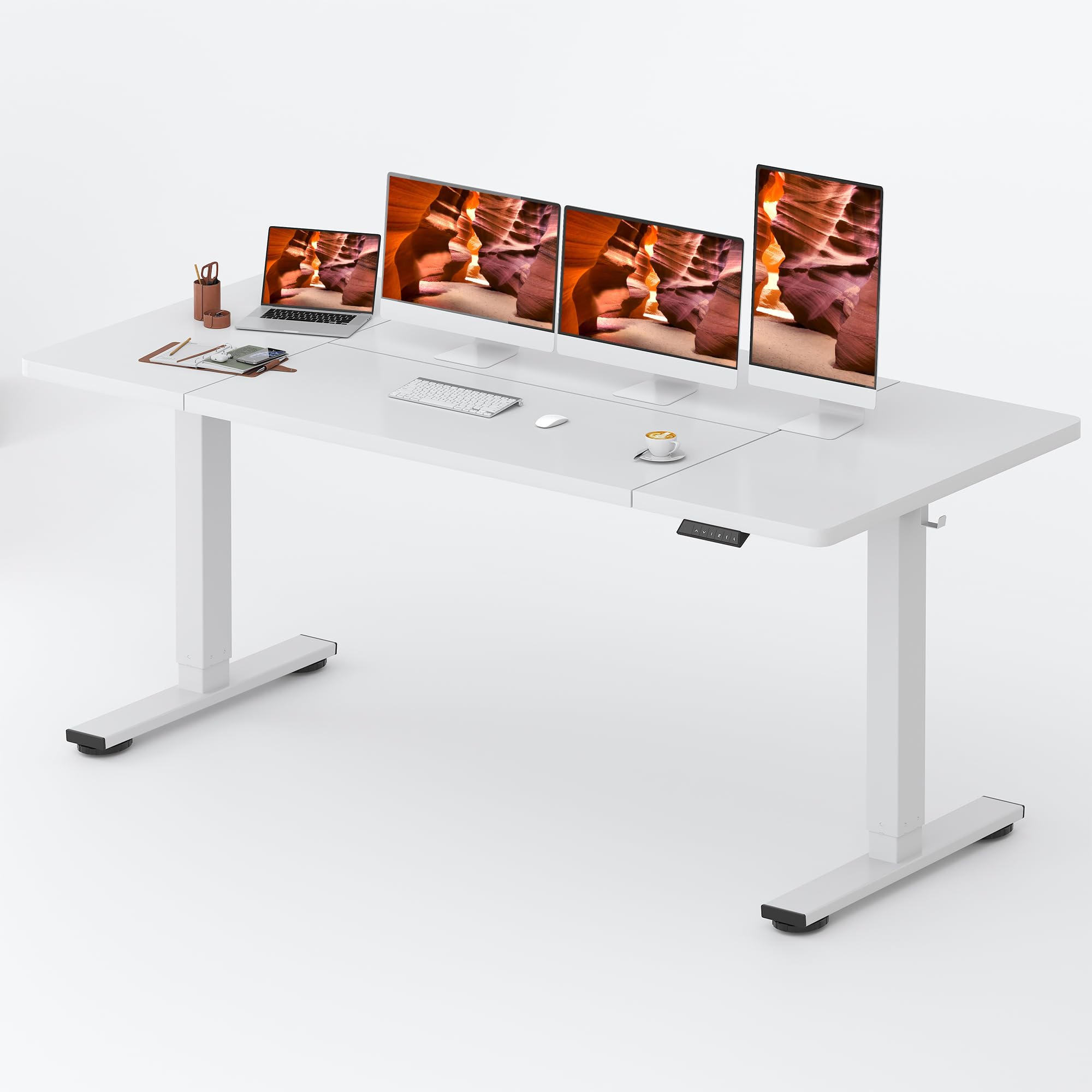


Setup Instructions
Your FitStand Adjustable Standing Desk will be delivered in two separate packages: one for the desktop and one for the desk frame. These may arrive at different times. Please ensure you have both packages before beginning assembly.
Assembly Overview:
Assembly is designed to be straightforward. It is recommended to have two people for certain steps, especially when handling the desktop and frame due to their size and weight. All necessary tools are included, though a power drill may expedite the process.
Operating Instructions
The FitStand Adjustable Standing Desk features an intuitive digital control panel for seamless height adjustments and personalized settings.
Height Adjustment:
- Use the Up (^) and Down (v) arrow buttons on the control panel to manually adjust the desk height. The current height will be displayed on the LED screen.
- The desk can be adjusted from a minimum height of 28.9 inches to a maximum height of 46.5 inches.
Memory Presets:
The control panel includes three memory preset buttons (1, 2, 3) to save your preferred sitting and standing heights.
- Adjust the desk to your desired height using the Up/Down arrows.
- Press the 'M' button (Memory) followed by one of the number buttons (1, 2, or 3) to save the current height.
- To recall a saved height, simply press the corresponding number button. The desk will automatically move to that position.
Anti-Collision System:
The desk is equipped with an anti-collision system. If the desktop encounters an obstacle during adjustment, it will automatically stop and reverse slightly to prevent damage.
Quiet Operation:
The desk operates with a low noise level, typically under 50db, ensuring a quiet work environment.


Maintenance
To ensure the longevity and optimal performance of your FitStand Adjustable Standing Desk, follow these simple maintenance guidelines:
- Cleaning: Wipe the desktop surface with a soft, damp cloth. Avoid harsh chemicals or abrasive cleaners that may damage the finish.
- Cable Management: Regularly check and organize cables to prevent tangling or damage during height adjustments.
- Inspection: Periodically inspect all screws and connections to ensure they are secure. Tighten if necessary.
- Weight Limit: Adhere strictly to the maximum weight recommendation of 176 pounds (80 kg) to prevent motor strain and structural damage.
Troubleshooting
If you encounter any issues with your FitStand Adjustable Standing Desk, please refer to the following common troubleshooting tips:
- Desk Not Moving: Check if the power cord is securely plugged into both the desk and a working wall outlet. Ensure no cables are obstructing the movement of the desk legs.
- Uneven Movement: Verify that the desk is placed on a level surface. Check if all adjustable feet are properly set and making firm contact with the floor.
- Error Codes: If an error code appears on the digital display, consult the full user manual (not provided here) for specific code meanings and solutions. Often, unplugging the desk for 10-15 minutes and plugging it back in can reset minor issues.
- Noise During Operation: A slight hum is normal during height adjustment. If you notice excessive or unusual noise, ensure all assembly screws are tightened and there are no obstructions.
Specifications
| Feature | Detail |
|---|---|
| Brand | FitStand |
| Model | 7931 |
| Color | White |
| Desktop Dimensions (D x W) | 31" x 79" |
| Height Adjustment Range | 28.9" to 46.5" |
| Maximum Weight Recommendation | 176 Pounds (80 kg) |
| Lift Speed | 0.98"/second |
| Noise Level | Under 50dB |
| Number of Height Positions | 3 (Memory Presets) |
| Top Material Type | Engineered Wood |
| Base Material | Metal (Alloy Steel) |
| Special Features | Cup Holder, Cable Management Box, Desk Hook, Anti-collision System |
| Required Assembly | Yes (Recommended 2 people) |
| UPC | 810072879134 |
Warranty & Support
The FitStand Adjustable Standing Desk comes with a manufacturer's limited warranty. For detailed warranty information, please refer to the documentation included with your product or visit the official FitStand website.
For customer support, troubleshooting assistance, or to inquire about replacement parts, please contact FitStand customer service through their official channels.
Visit the official FitStand Store for more products and information.