1. Introduction
This manual provides instructions for the MUNEFE A004 Earbuds Charging Case Replacement. This device is designed to provide extended power to your earbuds, offering both wired and wireless charging capabilities, along with seamless pairing synchronization.
The charging case features a built-in 620mAh lithium battery, ensuring your earbuds remain charged and ready for use. It serves as a genuine replacement, replicating the original charging case's appearance and functionality.
2. Product Overview
The MUNEFE A004 charging case is a compact and efficient solution for maintaining your earbuds' power. It supports both wired and wireless charging methods for convenience.
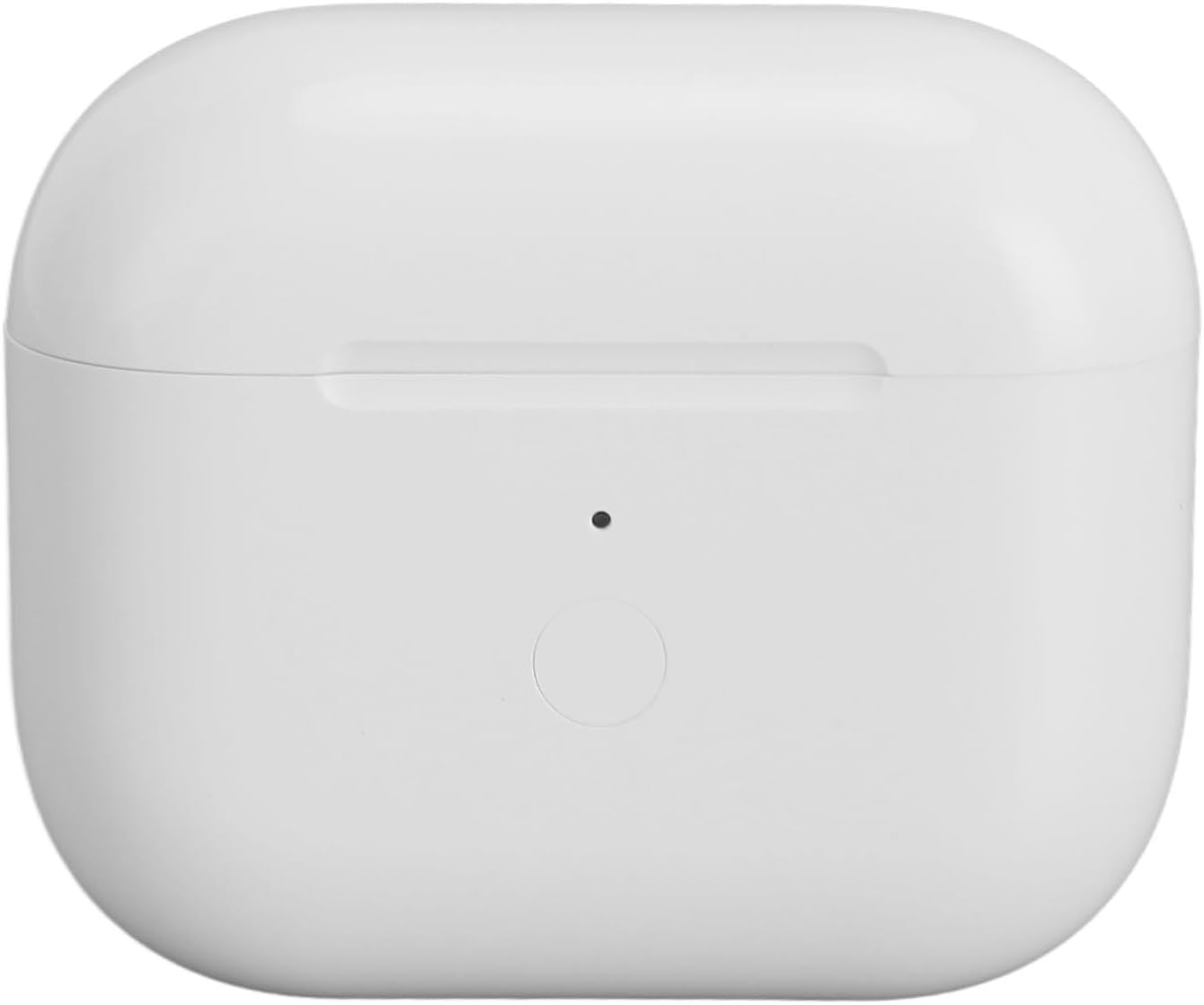
Image 2.1: The MUNEFE A004 Earbuds Charging Case in its closed state, showcasing its compact and sleek design.

Image 2.2: Dimensions of the MUNEFE A004 Earbuds Charging Case, illustrating its compact size for portability.
3. Setup and Initial Use
3.1 Initial Charging
Before first use, it is recommended to fully charge the MUNEFE A004 charging case. The case can be charged via wired connection or wirelessly.

Image 3.1: Illustration of the dual charging methods for the MUNEFE A004 case: wired charging via a cable and wireless charging on a compatible pad.
3.2 Inserting Earbuds
Carefully place your earbuds into their respective slots within the charging case. Ensure they are seated correctly to initiate charging.
4. Operation
4.1 Charging the Case and Earbuds
The charging case has a built-in 620mAh battery. A full charge takes approximately 2 hours and can fully charge your earbuds up to 5 times, providing approximately 30 hours of total listening time.

Image 4.1: Visual representation of the 620mAh battery capacity, indicating 5 full earbud charges and 30 hours of listening time.
The case supports both wired and wireless charging. For wired charging, connect a compatible USB cable to the charging port located at the bottom of the case.

Image 4.2: A close-up view of the charging port on the MUNEFE A004 case, used for wired charging.
4.2 Battery Level Indicator
The LED indicator light on the front of the charging case provides information about the battery level:
- Orange Light Flashes: 0%~9% battery remaining.
- Orange Light is Always On: 10%~29% battery remaining.
- Green Light is Always On: 30%~99% battery remaining.

Image 4.3: Diagram explaining the different states of the LED indicator light and their corresponding battery levels.
4.3 Pairing with Your Device
The charging case facilitates seamless pairing with your device. Follow these steps to connect your earbuds:
- Activate Bluetooth settings on your phone. Place the earbuds into the charging case and open the lid.
- With the lid open, press and hold the sync button on the back of the case until the white light appears, then release.
- On your phone, turn on the lid and select the connection option for your earbuds.
- Once connected, you can remove the earbuds from the case and begin using them.

Image 4.4: The charging case with an open lid, showing the sync button and an illustration of a phone displaying the connection prompt.
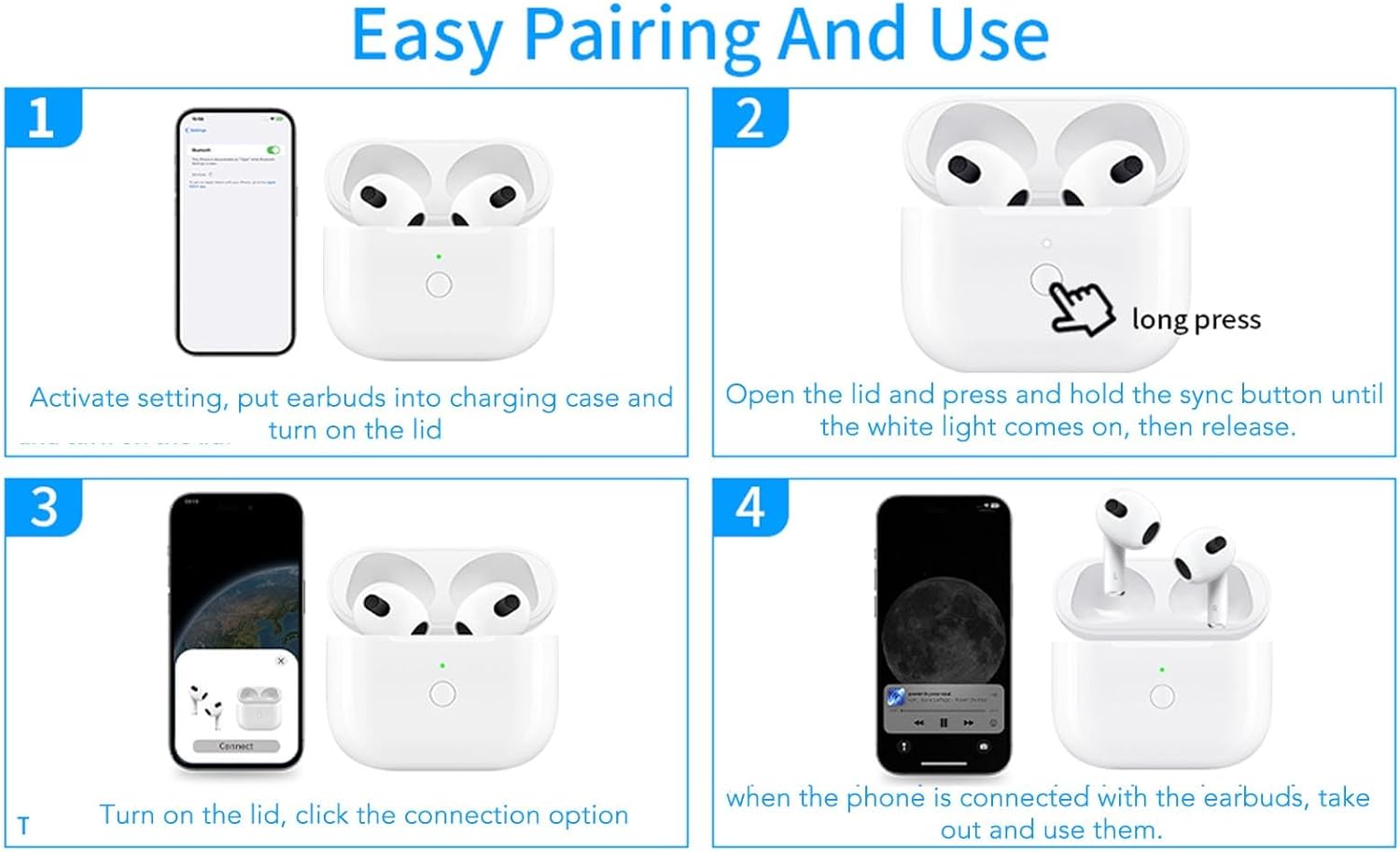
Image 4.5: A step-by-step visual guide demonstrating the easy pairing process for the earbuds with a mobile device.
5. Safety Information
The MUNEFE A004 charging case is designed with safety features to protect your device during charging. These include:
- Over-voltage control
- Over-current control
- Over-temperature control
- Over-charge protection
These protections ensure safe and fast charging, automatically stopping when the battery is full.

Image 5.1: Icons representing the various safety features integrated into the charging case, such as over-voltage and over-current protection.
6. Maintenance
To ensure the longevity and optimal performance of your MUNEFE A004 charging case, follow these maintenance guidelines:
- Keep the charging case clean and dry. Use a soft, dry cloth to wipe away dust or debris.
- Avoid exposing the case to extreme temperatures, direct sunlight, or moisture.
- Do not attempt to disassemble or repair the device yourself, as this may void any potential warranty and cause damage.
- Store the case in a safe place when not in use to prevent physical damage.
7. Troubleshooting
If you encounter issues with your MUNEFE A004 charging case, consider the following common solutions:
- Case not charging: Ensure the charging cable is securely connected to both the case and the power source. If using wireless charging, ensure the case is properly aligned on a compatible wireless charging pad.
- Earbuds not charging in case: Verify that the earbuds are correctly seated in their respective slots. Check for any debris obstructing the charging contacts on both the earbuds and the case.
- Earbuds not pairing: Ensure the charging case lid is open and the sync button has been pressed as per the pairing instructions (Section 4.3). Confirm that your device's Bluetooth is enabled and within range. Try resetting the Bluetooth connection on your device.
- Indicator light not working: If the case is fully charged and the light is off, this is normal. If the case is not charging and the light is off, try a different charging cable or power source.
If problems persist, please contact customer support for further assistance.
8. Specifications
| Feature | Specification |
|---|---|
| Item Type | Charging Case Replacement |
| Material | Plastic, Electronics |
| Model | A004 |
| Input (Wired) | 5V0.3A |
| Input (Wireless) | 5V0.5A |
| Charging Mode | Wired Charging or Wireless Charging |
| Battery Type | Built-in 620mAh Lithium Battery |
| Package Dimensions | 3.15 x 2.76 x 1.18 inches |
| Item Weight | 2.5 ounces |
| Manufacturer | MUNEFE |
| Special Features | Universal |
| Form Factor | Case |
| Shell Type | Hard |
9. Warranty and Support
For warranty information or technical support, please refer to the product packaging or contact MUNEFE customer service directly. Keep your purchase receipt as proof of purchase.


