
1. Introduction
Thank you for choosing the ChooChoo MC2402-WH Medicine Cabinet with LED Mirror. This wall-mounted cabinet is designed to provide convenient storage and illumination for your bathroom. Please read this manual carefully before assembly and use to ensure proper installation and safe operation.
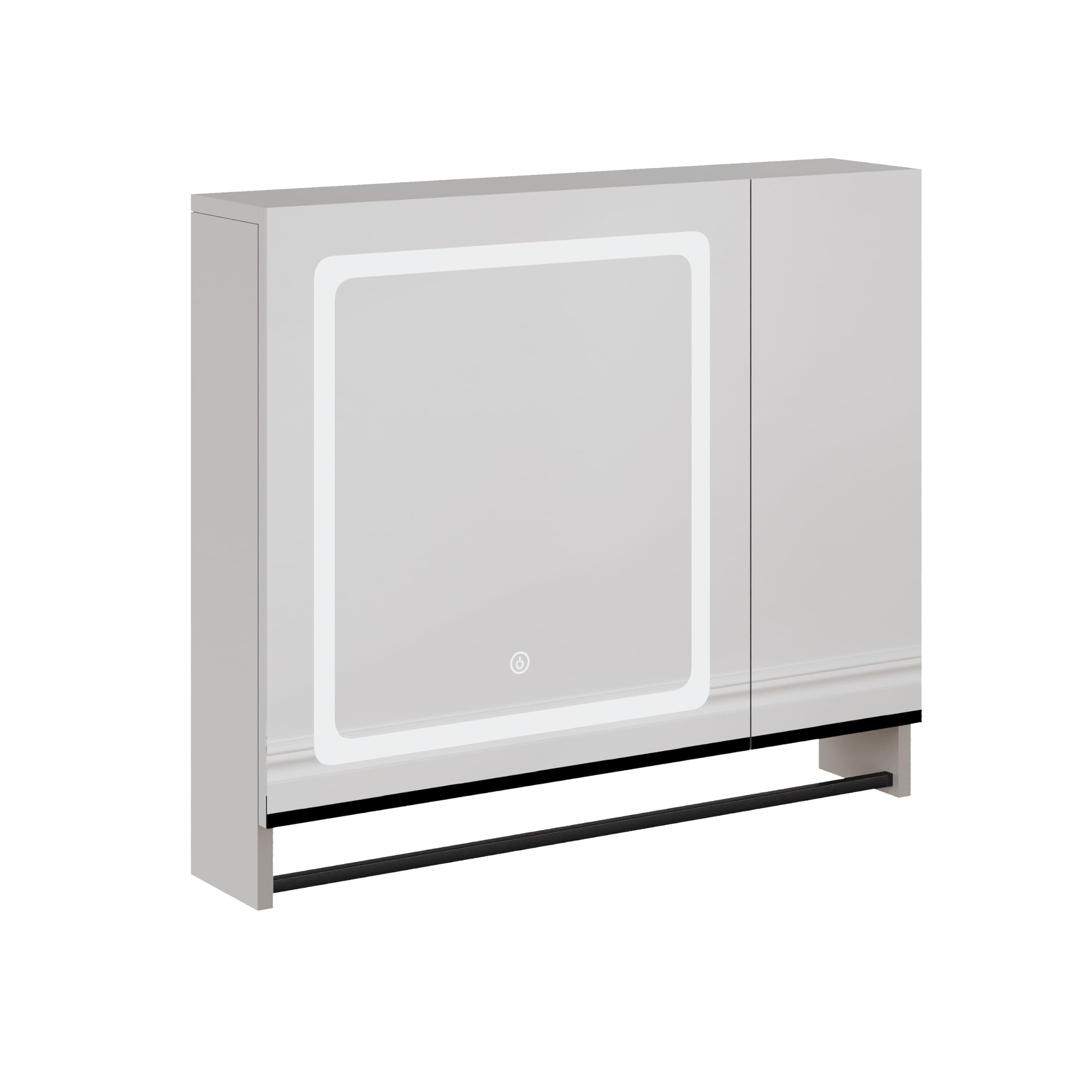
Image 1.1: ChooChoo MC2402-WH Medicine Cabinet with LED Mirror.
2. Safety Information
Please observe the following safety precautions to prevent injury or damage to the product:
- This product must be installed near an electrical outlet by a qualified electrician.
- Always disconnect the product from the power supply before cleaning or performing any maintenance.
- Keep the product away from water and heat sources.
- Do not attempt to repair or modify the product yourself. Contact customer support for assistance.
- Always use the provided assembly tools and follow instructions carefully to avoid injury.
- Ensure the wall is suitable for mounting and can support the weight of the cabinet and its contents.
3. Package Contents
Verify that all components are present before beginning assembly:
- 1 x ChooChoo MC2402-WH Wall Cabinet with LED Mirror
- Assembly Hardware Kit (screws, anchors, etc.)
- Instruction Manual
If any parts are missing or damaged, please contact customer support immediately.
4. Setup and Assembly Instructions
Assembly is required for this product. It is recommended to have two people for installation due to the weight and size of the cabinet. Ensure you have the necessary tools (e.g., drill, screwdriver, level) before starting.
4.1 Unpacking and Inspection
- Carefully remove all components from the packaging.
- Inspect all parts for any damage. Do not proceed with assembly if damage is found.
- Lay out all hardware and components on a clean, soft surface to prevent scratches.
4.2 Cabinet Assembly
Follow the detailed diagrams provided in the separate assembly guide (if included) or the general steps below:
- Assemble the main cabinet frame using the provided screws and connectors. Ensure all joints are secure.
- Install the adjustable shelf supports at your desired height.
- Insert the adjustable shelf into the cabinet.
- Attach the door hinges to the cabinet frame and then to the mirror door.
- Ensure the door opens and closes smoothly. Adjust hinges if necessary.

Image 4.1: Interior view of the ChooChoo MC2402-WH cabinet with shelves.
4.3 Wall Mounting
- Choose a suitable location on the wall, ensuring it is structurally sound and free from electrical wires or plumbing.
- Mark the desired height and position for the cabinet. Use a level to ensure it is straight.
- Drill pilot holes at the marked locations. Insert wall anchors if required for your wall type.
- Secure the mounting bracket (if separate) or the cabinet directly to the wall using the provided screws.
- For the electrical connection, ensure a qualified electrician connects the mirror's LED lighting to a suitable power source according to local electrical codes.
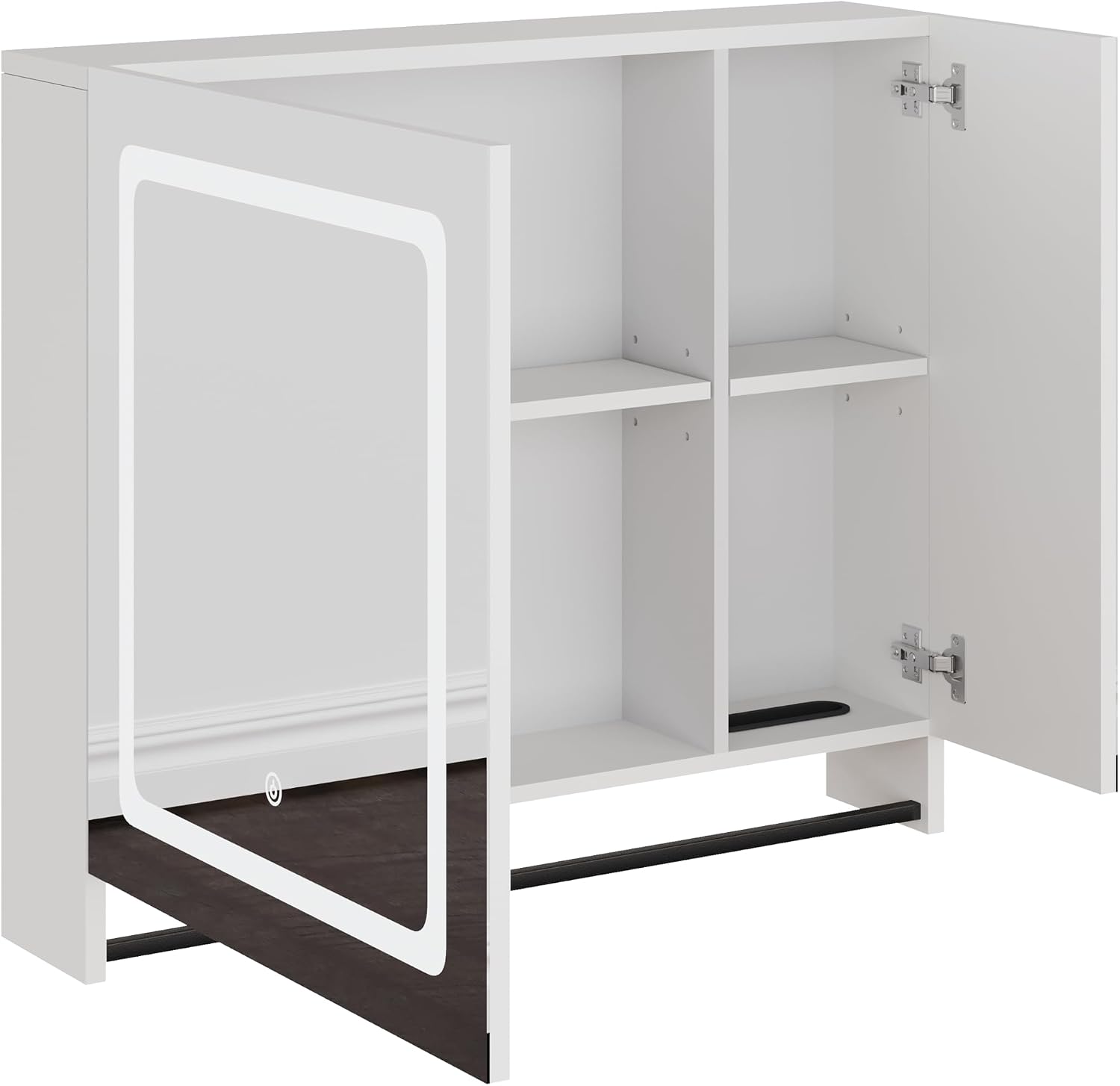
Image 4.2: Cabinet with door open, illustrating internal structure and wiring for LED mirror.
5. Operating Instructions
The ChooChoo MC2402-WH features an integrated LED mirror for enhanced visibility.
5.1 LED Mirror Operation
- Ensure the cabinet is properly installed and connected to a power source by a qualified electrician.
- Locate the touch sensor button on the mirror surface.
- Gently touch the sensor button to turn the LED light on or off.

Image 5.1: Illuminated LED mirror on the ChooChoo MC2402-WH cabinet.
6. Maintenance
Regular maintenance will help prolong the life and appearance of your medicine cabinet.
- Cleaning: Always disconnect power before cleaning. Use a soft, damp cloth with a mild, non-abrasive cleaner. Do not use harsh chemicals or abrasive materials that could damage the finish or mirror.
- Mirror Care: For streak-free cleaning, use a glass cleaner specifically designed for mirrors. Apply cleaner to a cloth, not directly to the mirror, to prevent liquid from seeping into edges.
- General Care: Keep the cabinet dry and avoid excessive moisture. Periodically check all screws and connections to ensure they remain tight.
7. Troubleshooting
If you encounter issues with your medicine cabinet, refer to the following common problems and solutions:
| Problem | Possible Cause | Solution |
|---|---|---|
| LED mirror light does not turn on. | No power supply; loose electrical connection; faulty touch sensor. | Check power outlet and circuit breaker. Ensure electrical connections are secure (consult a qualified electrician). Contact customer support if the sensor is faulty. |
| Cabinet door is misaligned or does not close properly. | Hinges are loose or improperly adjusted. | Adjust the screws on the hinges to align the door. Refer to the assembly guide for hinge adjustment details. |
| Cabinet feels unstable after mounting. | Improper wall mounting; loose screws; unsuitable wall material. | Ensure all mounting screws are tightened. Verify that appropriate wall anchors were used for your wall type. If unsure, consult a professional installer. |
For issues not listed here, please contact ChooChoo customer support.
8. Specifications
| Brand | ChooChoo |
| Model Number | MC2402-WH |
| Color | White |
| Product Dimensions (D x W x H) | 15.24 x 70.1 x 59.94 cm (6 x 27.6 x 23.6 inches) |
| Item Weight | 11.6 kg |
| Assembly Required | Yes |
| Mounting Type | Wall Mount |
| Main Material | Engineered Wood |
| Finish Type | High Gloss |
| Style | Modern |
| Number of Shelves | 1 (Adjustable) |
| Special Feature | Adjustable Shelf |
| Recommended Uses | Tools, Bathroom Storage |
9. Warranty and Support
For warranty information, technical support, or to order replacement parts, please contact ChooChoo customer service. Keep your purchase receipt as proof of purchase.
Contact information can typically be found on the product packaging or the official ChooChoo website.