
1. Introduction
The Musclez P114 Smart Watch is a versatile device designed to assist with daily activities, fitness tracking, and health monitoring. Featuring a 1.85-inch full touch screen, Bluetooth call functionality, and a range of sensors, it aims to provide a comprehensive smart wearable experience.

Figure 1: Musclez P114 Smart Watch, showcasing its main display with various metrics.
2. Setup
2.1 Unboxing and Components
Upon unboxing, verify the presence of the following items:
- Musclez P114 Smart Watch (1 unit)
- Magnetic Charging Cable (1 unit)
- User Manual (this document)
2.2 Charging the Device
Before initial use, fully charge your smartwatch. Connect the magnetic charging cable to the charging points on the back of the watch. Plug the USB end of the cable into a standard USB power adapter (not included). A full charge typically takes approximately 2.5 hours.

Figure 2: Magnetic charging cable connecting to the back of the smartwatch.
2.3 Power On/Off
- Power On: Press and hold the side button until the screen illuminates.
- Power Off: Press and hold the side button, then select the 'Power Off' option on the screen.
2.4 App Installation and Pairing
To unlock the full potential of your smartwatch, download the companion application on your smartphone. The app is compatible with both Android and iOS devices. Follow the on-screen instructions within the app to pair your smartwatch via Bluetooth.
Video 1: Overview of the Y6 Smart Watch, demonstrating various features and connectivity. This video is provided by a seller and is relevant to understanding the smartwatch's capabilities.
3. Operating the Smart Watch
3.1 Navigation
The 1.85-inch full touch screen allows for intuitive navigation:
- Swipe Up/Down: Scroll through menus and notifications.
- Swipe Left/Right: Access quick panels or different feature screens.
- Tap: Select an item or confirm an action.
- Side Button: Press to return to the home screen or wake the device.
3.2 Bluetooth Calls & Notifications
Once paired with your smartphone, the smartwatch supports Bluetooth calling and message notifications.
- Answering Calls: Incoming calls will display on the watch screen. Tap the green icon to answer.
- Making Calls: Use the dial pad or access your synced contacts directly from the watch.
- Message Reminders: Receive notifications from various applications (e.g., WeChat, QQ, Email, Facebook, Twitter, WhatsApp, LinkedIn, Instagram, Messenger, Snapchat, Line, KakaoTalk, Viber, Skype, Telegram) directly on your wrist.

Figure 3: Bluetooth call features and contact management on the smartwatch.
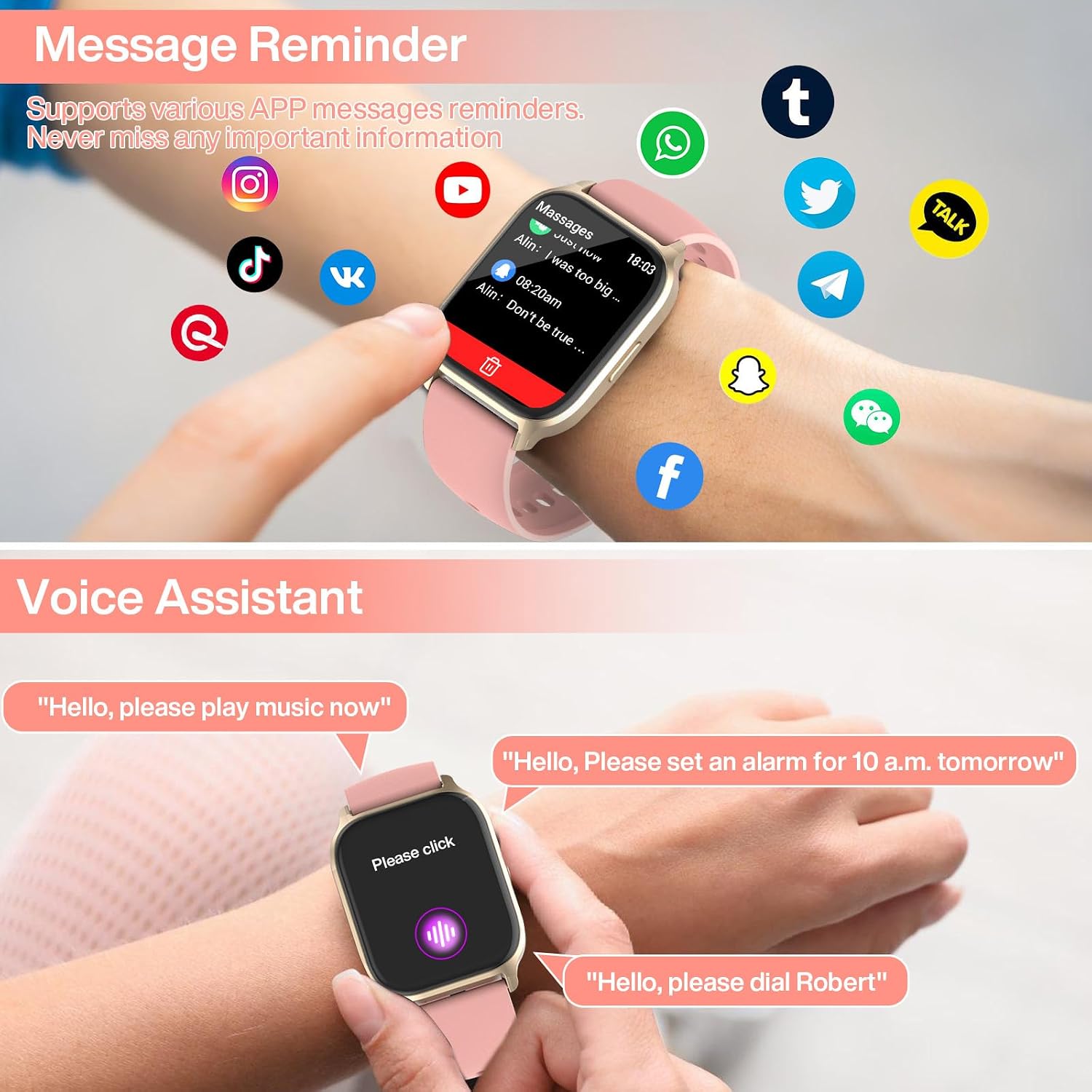
Figure 4: Message reminders and voice assistant functionality.
3.3 Voice Assistant
Activate the voice assistant feature to perform tasks such as playing music, setting alarms, or dialing contacts using voice commands.
3.4 Music and Camera Control
Control your smartphone's music playback and camera shutter directly from your smartwatch.
3.5 Weather Display
View real-time weather updates on your watch screen after connecting to the companion app.
3.6 Watch Face Customization
Personalize your smartwatch with over 200 DIY dials available through the companion app. You can also use your own photos as watch faces.

Figure 5: Customizing watch faces via the companion app.
Video 2: A brief preview demonstrating the smartwatch's interface and features, including app icons and navigation. This video is provided by a seller and is relevant to the smartwatch's functionality.
4. Health Monitoring
The Musclez P114 Smart Watch is equipped with sensors to monitor various health metrics:
- Heart Rate Monitor: Continuously tracks your heart rate throughout the day.
- Blood Oxygen (SpO2) Monitor: Measures your blood oxygen saturation levels.
- Blood Pressure Monitor: Provides estimates of your blood pressure.
- Sleep Monitor: Analyzes your sleep patterns, including light and deep sleep stages.
- Stress Monitor: Helps track your stress levels.
- Sedentary Reminder: Prompts you to move after periods of inactivity.
- Drinking Reminder: Helps you maintain hydration by reminding you to drink water.
- Menstrual Health Tracking: Provides features for tracking menstrual cycles.

Figure 6: Various health monitoring features displayed on the smartwatch.
Video 3: A seller-provided video highlighting the smartwatch's health monitoring capabilities, including heart rate, blood pressure, and blood oxygen tracking.
5. Activity Tracking
The smartwatch supports over 100 sports modes to accurately monitor and analyze real-time data for your workouts.
- Sports Modes: Includes walking, running, mountain climbing, cycling, basketball, badminton, football, skipping rope, and many more.
- Data Tracking: Monitors steps, distance, and calories burned during your activities.

Figure 7: Tracking various sports activities with the smartwatch.
Video 4: A seller-provided video showcasing the TGW01 Sport Watch, demonstrating its motion tracking features and various sports modes.
6. Maintenance
6.1 Waterproof Rating
The smartwatch is IP68 waterproof and dustproof, allowing it to withstand sweating, rain, and hand-washing. It is not recommended for hot water activities, diving, or prolonged submersion.

Figure 8: IP68 waterproof rating and battery life details.
6.2 Battery Life
The device offers a long battery life, providing up to 5 days of continuous use and 25 days of standby time on a single 2.5-hour charge.
6.3 Cleaning and Care
To maintain your smartwatch, regularly wipe the screen and strap with a soft, dry cloth. Avoid using harsh chemicals or abrasive materials.
7. Troubleshooting
If you encounter issues with your Musclez P114 Smart Watch, consider the following:
- Connectivity Issues: Ensure Bluetooth is enabled on your smartphone and the watch is within range. Restart both devices and try pairing again.
- Charging Problems: Verify that the magnetic charging cable is correctly aligned with the watch's charging contacts and that the USB power source is functional.
- Inaccurate Sensor Readings: Ensure the watch is worn snugly on your wrist, not too tight or too loose. Clean the sensor area on the back of the watch.
- App Syncing Issues: Check your internet connection and ensure the companion app is updated to the latest version.
- Screen Unresponsive: Try restarting the watch by pressing and holding the side button.
For persistent issues, refer to the support section of the companion app or contact customer service.
8. Specifications
| Feature | Specification |
|---|---|
| Model | P114 (Y3) |
| Display | 1.85 Inches TFT-LCD Full Touch Screen |
| Resolution | 240 x 286 |
| Battery Capacity | 270 Milliamp Hours (Lithium Polymer) |
| Charging Time | 2.5 Hours |
| Battery Life | Up to 5 days (working), 25 days (standby) |
| Connectivity | Bluetooth |
| Compatibility | Android, iOS |
| Waterproof Rating | IP68 |
| Memory Storage | 128 MB |
| Material | ABS+PC+glass+silicone |
| Special Features | Bluetooth Call, Message Notice, Activity Tracker, Pedometer, Calorie Burned Counter, Sleep Monitor, Heart Rate Monitor, Oxymeter (SpO2), 100 Sport Modes, Menstrual Health Tracking, Voice Assistant, Alarm Clock, Weather, Drinking Reminder, Sedentary Reminder, Music Control, Camera Control, Timers |