
Introduction
This instruction manual provides essential information for the safe and efficient use of your FitStand Adjustable Standing Desk. Please read this manual thoroughly before assembly and operation, and retain it for future reference.
The FitStand Adjustable Standing Desk is designed to enhance your work productivity and comfort by allowing seamless transitions between sitting and standing positions. Its robust construction and intelligent features make it an ideal solution for any home office environment.
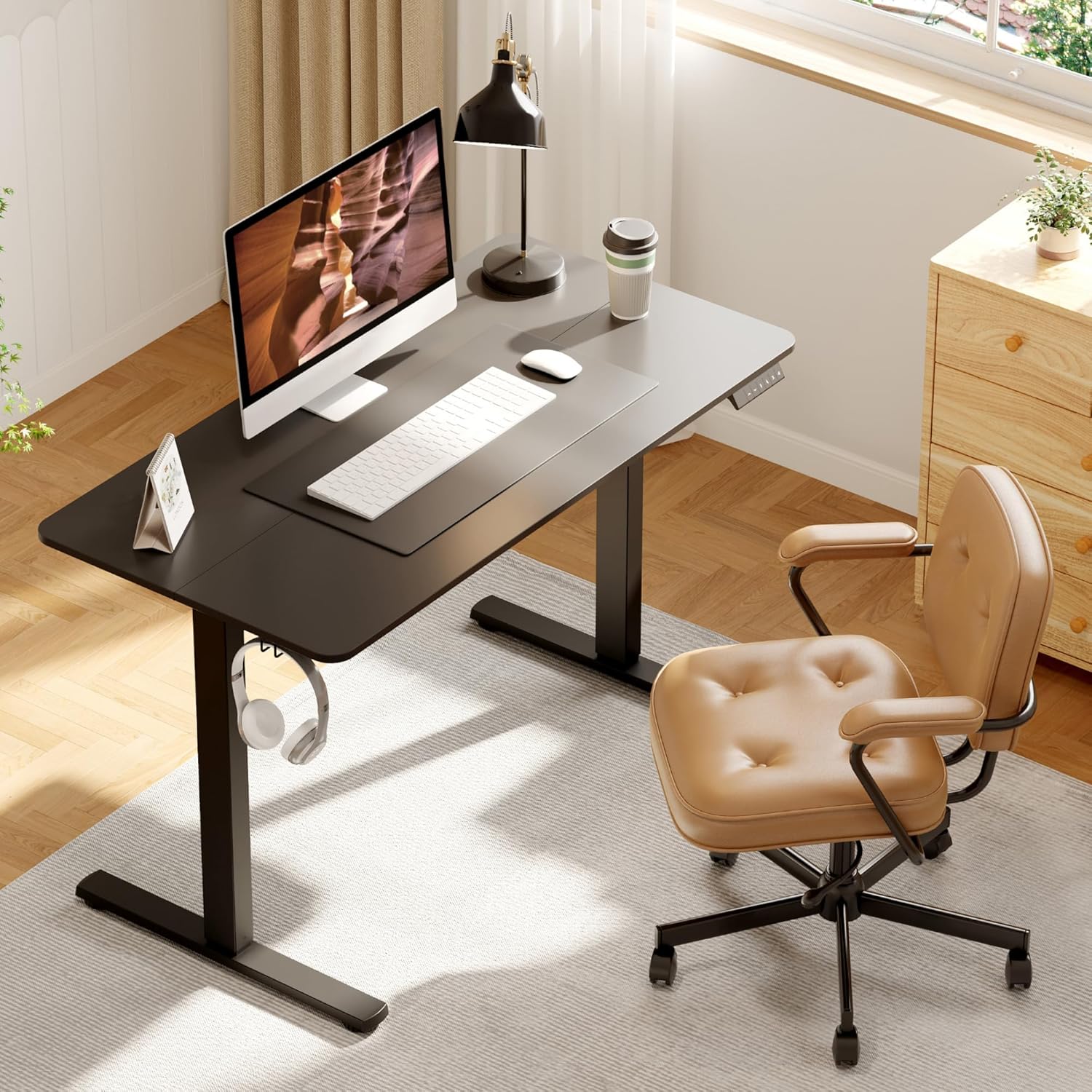
Image: The FitStand Adjustable Standing Desk in a typical home office setup, showcasing its spacious black desktop and sturdy black frame.
Safety Information
- Always follow assembly instructions carefully to ensure structural integrity.
- Avoid overloading the desk. Refer to the specifications section for maximum weight capacity.
- Ensure all cables are properly managed and secured to prevent entanglement during height adjustments.
- Keep children and pets away from the desk during operation to prevent accidents.
- Do not place liquids directly on the control panel or near electrical components.
- If the desk encounters an obstruction during adjustment, the anti-collision system will stop movement. Remove the obstruction before resuming operation.
- Do not attempt to disassemble or repair the motor or control system yourself. Contact qualified personnel for service.
Setup
Unpacking and Component Check
Carefully unpack all components and verify against the packing list. Ensure no parts are missing or damaged. The desk features two spliced panels for easier handling during installation.
Assembly
Follow the detailed assembly instructions provided in the separate assembly guide. It is recommended that two people assemble the desk due to the weight of the components. Pay close attention to the orientation of parts, especially when joining the two desktop panels and attaching the leg frames.

Image: Product dimensions, illustrating the 47.24" width, 23.62" depth, and adjustable height range of 28.7" to 46.5".
Cable Management
The desk includes a cable hole on the desktop for convenient routing of power and data cables. Utilize the provided hooks on each side of the desk to manage headphones, bags, or other accessories, keeping your workspace tidy.

Image: A close-up view of the desk's underside, highlighting the friendly curved table corners and the integrated hooks for hanging items like headphones.
Operating Instructions
Height Adjustment
The desk features an electric motor for smooth height adjustments. Use the 'Up' and 'Down' arrow buttons on the digital control panel to manually adjust the desk to your desired height. The current height is displayed on the LED screen.
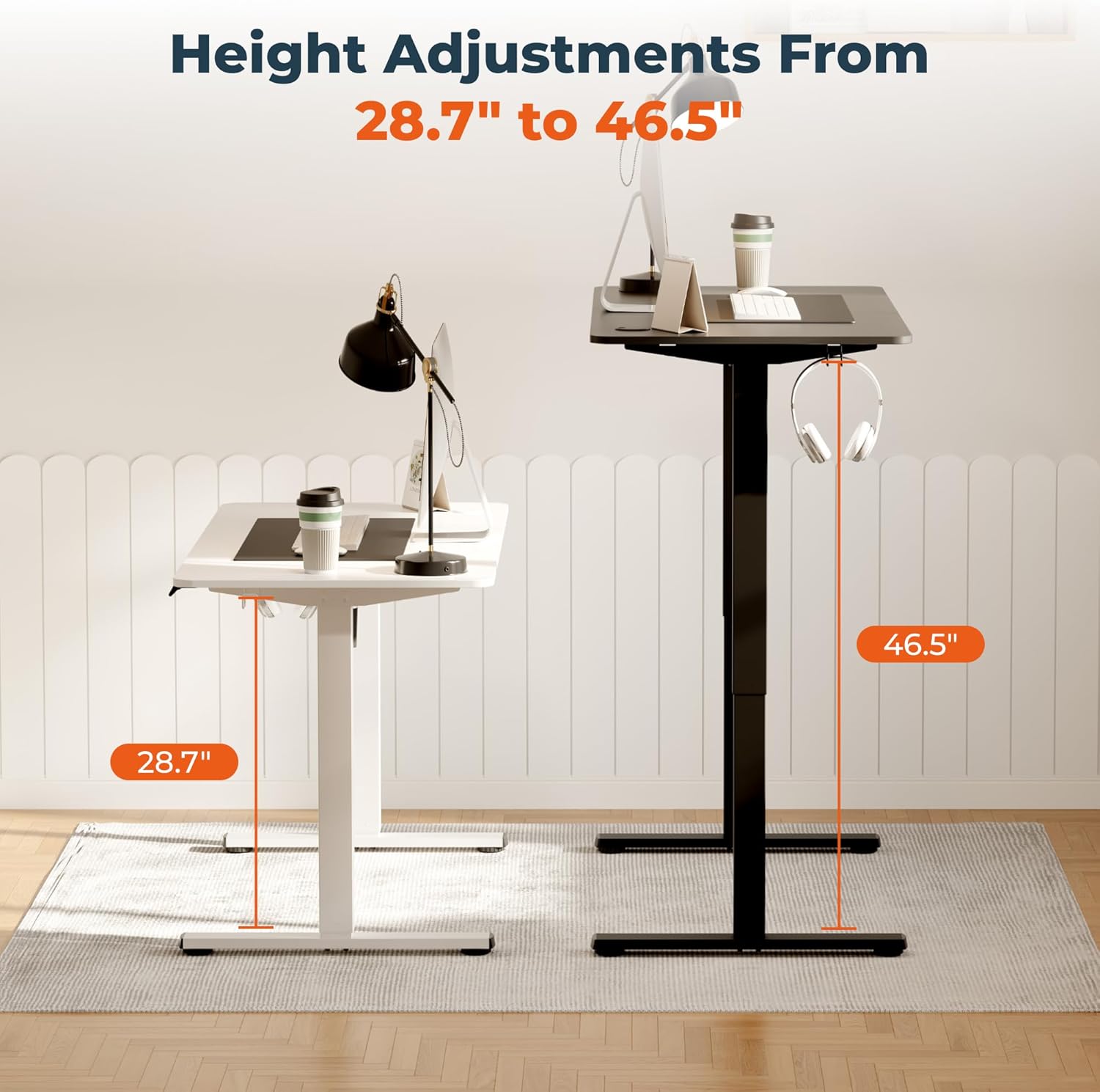
Image: A visual comparison of the desk at its lowest (28.7") and highest (46.5") adjustable settings, demonstrating its ergonomic range.
Memory Presets
The control panel allows you to save up to 4 preferred height settings. To set a memory preset:
- Adjust the desk to your desired height using the 'Up' or 'Down' buttons.
- Press the 'M' button, then immediately press one of the numbered preset buttons (1, 2, 3, or 4). The display will confirm the setting.
- To recall a saved height, simply press the corresponding numbered preset button. The desk will automatically move to that height.
Anti-Collision System
The desk is equipped with an anti-collision system that automatically stops movement if it detects an obstruction during height adjustment. This feature helps prevent damage to the desk or other objects. Remove any obstruction and resume operation.
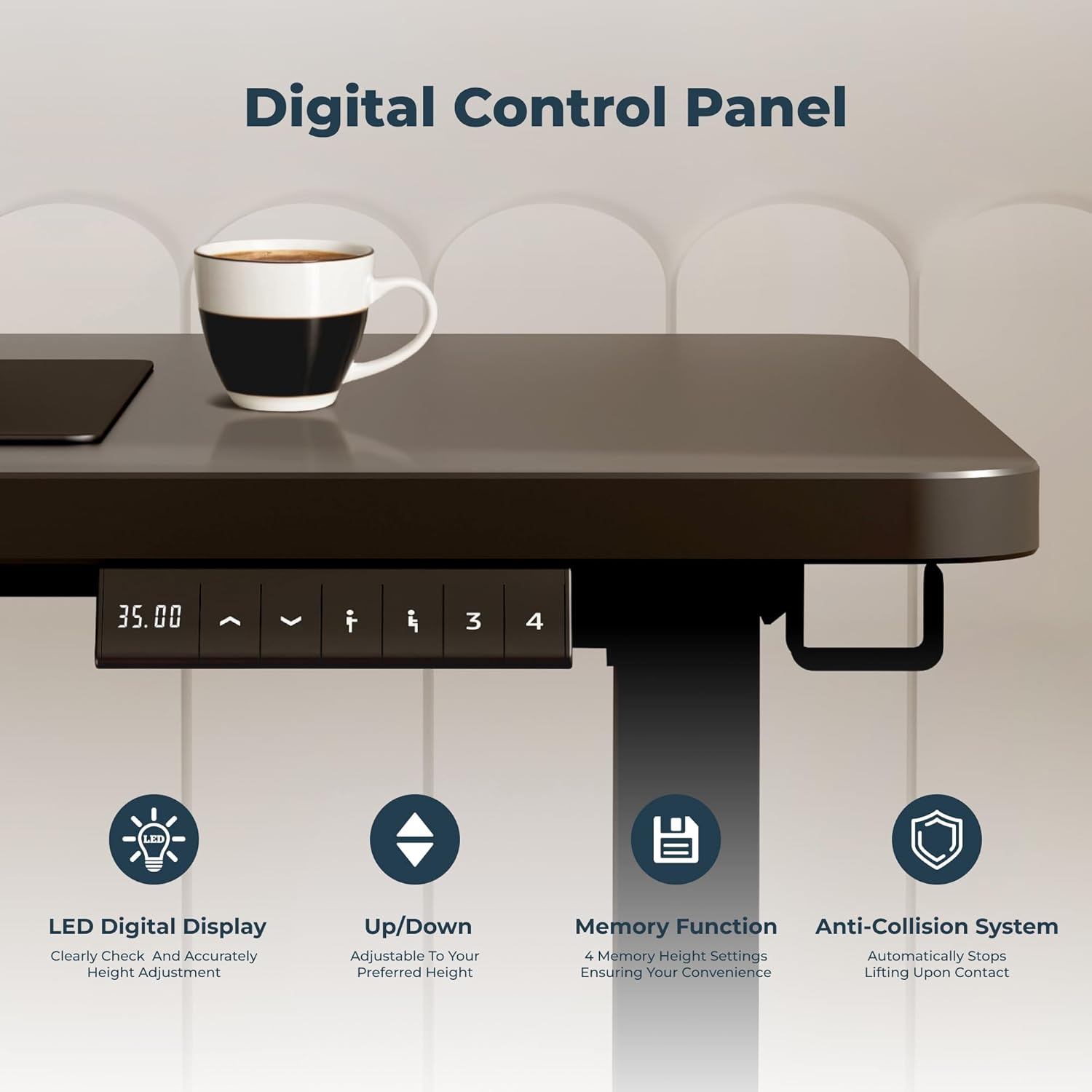
Image: A detailed view of the digital control panel, illustrating the LED display for height, up/down controls, memory function buttons (1-4), and the anti-collision system indicator.
Maintenance
- Cleaning: Use a soft, damp cloth to clean the desktop and frame. Avoid abrasive cleaners or harsh chemicals that may damage the finish.
- Regular Checks: Periodically check all screws and connections to ensure they are tight. Retighten if necessary.
- Cable Inspection: Inspect power cords and other cables for any signs of wear or damage. Replace immediately if damage is found.
- Motor Care: The motor is designed for maintenance-free operation. Do not lubricate or attempt to open the motor housing.
Troubleshooting
If you encounter any issues with your FitStand Adjustable Standing Desk, please refer to the following common solutions:
- Desk not adjusting: Check if the power cord is securely plugged into both the desk and the wall outlet. Ensure there are no obstructions preventing movement.
- Uneven height: If the desk appears uneven, check that the adjustable feet are properly leveled. Refer to the assembly guide for leveling instructions.
- Error code on display: If an error code appears, try unplugging the desk from the power source for 10-15 seconds, then plug it back in. If the error persists, contact customer support.
- Noise during operation: A low humming sound is normal during adjustment. Excessive or unusual noise may indicate an issue. Ensure all connections are secure and there are no loose parts.
Specifications
| Feature | Detail |
|---|---|
| Brand | FitStand |
| Model Number | 4724 |
| Product Dimensions | 24"D x 47"W x 29"H (Minimum) |
| Minimum Height | 28.7 Inches |
| Maximum Height | 46.5 Inches |
| Tabletop Thickness | 0.75 Inches |
| Top Material Type | Engineered Wood |
| Base Material | Metal (Alloy Steel) |
| Color | Black |
| Number of Height Positions | 4 (Preset) |
| Special Feature | Adjustable Height, Memory Preset, Anti-Collision System |
| Required Assembly | Yes |
| Recommended Number of People for Assembly | 2 |
Warranty
The FitStand Adjustable Standing Desk comes with a Limited Warranty. For specific details regarding coverage, duration, and terms, please refer to the warranty card included with your product or contact FitStand customer support.
Support
For further assistance, technical support, or warranty claims, please visit the official FitStand Store on Amazon or contact their customer service directly. You can find more information and contact details at the FitStand Store.