
Mibro XPAW019
Mibro Lite 3 Pro Smartwatch User Manual
Model: XPAW019
Brand: Mibro
Introduction
This manual provides comprehensive instructions for the Mibro Lite 3 Pro Smartwatch. Please read this manual carefully before using the device to ensure proper operation and to maximize its features. Keep this manual for future reference.

Figure 1: Mibro Lite 3 Pro Smartwatch
The Mibro Lite 3 Pro Smartwatch features a 1.32" AMOLED display, 10-axis motion sensor, Bluetooth calling, GPS, and extensive health monitoring capabilities. It is designed for an active lifestyle with 150+ sport modes and 5ATM water resistance.
1. Setup
1.1 Package Contents
- Mibro Lite 3 Pro Smartwatch
- Charging Cable
- User Manual (this document)
- Additional Strap (if included with your model)
1.2 Charging the Device
Before first use, fully charge the smartwatch. Connect the magnetic charging cable to the charging contacts on the back of the watch and plug the USB end into a standard USB power adapter (5V/1A recommended).
- A full charge typically takes approximately 2 hours.
- The watch display will show the charging status.
1.3 Powering On/Off
- Power On: Press and hold the side button until the Mibro logo appears.
- Power Off: Press and hold the side button, then select "Power Off" on the screen.
1.4 App Installation and Pairing
To unlock the full potential of your Mibro Lite 3 Pro, download and install the official Mibro Fit app on your smartphone.
- Scan the QR code in the watch's settings or search for "Mibro Fit" in your smartphone's app store (Google Play Store for Android, Apple App Store for iOS).
- Open the Mibro Fit app and create an account or log in.
- Follow the on-screen instructions in the app to add your device. Ensure Bluetooth is enabled on your smartphone.
- Select "Mibro Lite 3 Pro" from the list of available devices in the app.
- Confirm the pairing request on both your watch and smartphone.
Once paired, the watch will synchronize data with your phone, including time, date, and notifications.
2. Operating the Smartwatch
2.1 Basic Navigation
- Touch Screen: Swipe up, down, left, or right to navigate through menus and screens. Tap to select items.
- Side Button: Press to return to the watch face, or long-press for power options.
- Crown (Rotary Button): Rotate to scroll through lists or adjust settings (if applicable to your model).
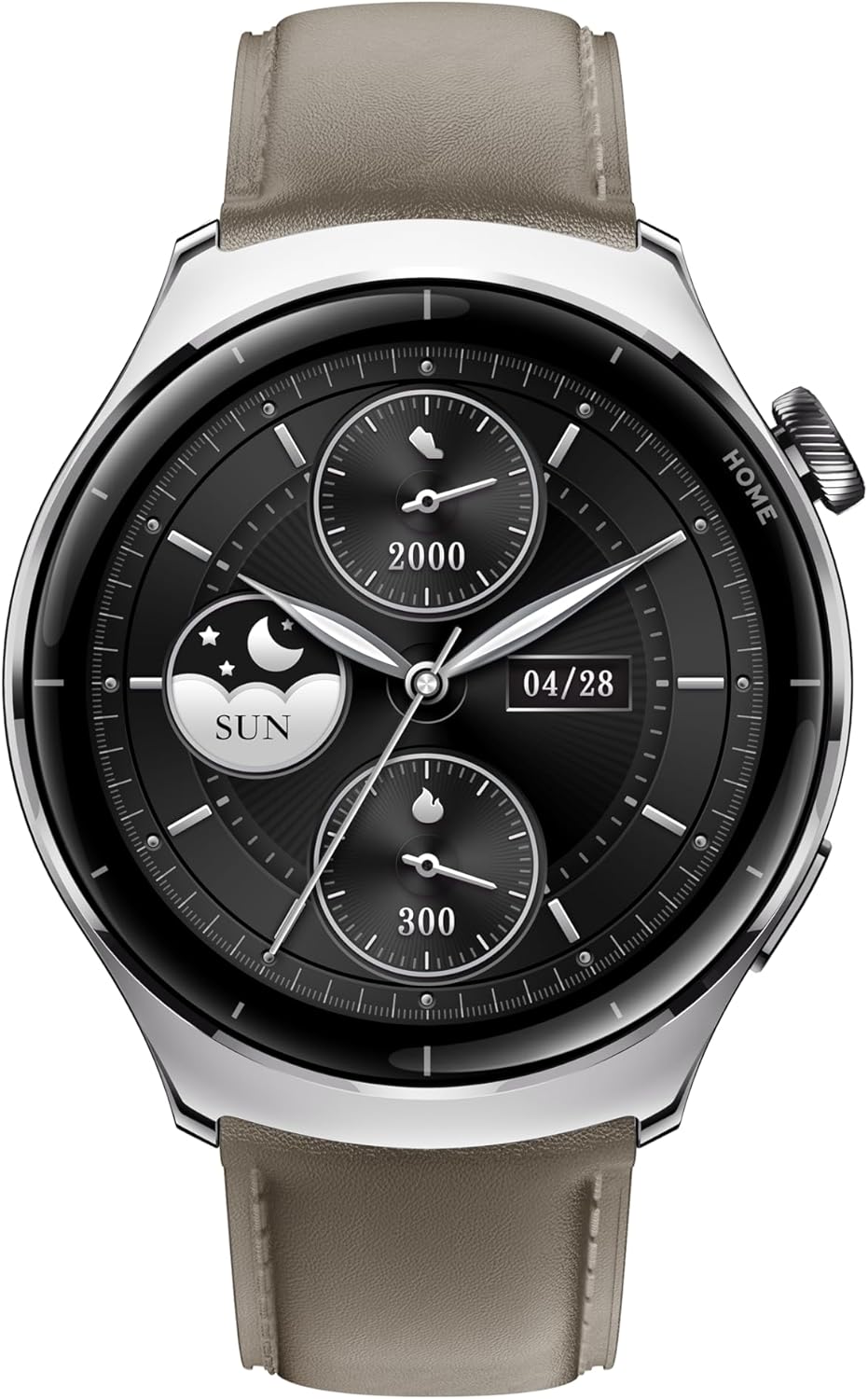
Figure 2: Watch Face and Display
The 1.32" AMOLED display provides vibrant visuals with a resolution of 466x466 pixels, 1000 nit peak brightness, and a 60fps refresh rate for smooth interaction.
2.2 Bluetooth Calling
The Mibro Lite 3 Pro supports Bluetooth calling, allowing you to make and receive calls directly from your wrist when connected to your smartphone.
- Ensure the watch is paired with your phone and Bluetooth calling is enabled in the app settings.
- To make a call, access the dialer or contacts from the watch menu.
- To answer an incoming call, tap the green answer icon on the watch screen.
2.3 Sport Modes and GPS Tracking
The smartwatch offers over 150 sport modes and built-in GPS for accurate activity tracking.

Figure 3: 150+ Sport Modes and GPS Tracking
Select your desired sport mode from the watch menu to begin tracking. The watch will record metrics such as duration, distance, calories burned, and heart rate. GPS tracking maps your route and provides detailed performance metrics.
2.4 Health Monitoring
The Mibro Lite 3 Pro provides comprehensive health monitoring features.
- Heart Rate Monitoring: Equipped with a 4PD heart rate sensor for continuous and precise heart rate tracking. View your real-time heart rate on the watch or detailed trends in the app.
- Blood Oxygen (SpO2) Monitoring: Measure your blood oxygen levels.
- Sleep Tracking: Monitors your sleep patterns, including deep sleep, light sleep, and REM sleep.
- Stress Detection: Tracks stress levels throughout the day.
- Women's Health Tracking: Provides features for menstrual cycle tracking.

Figure 4: Health Monitoring Features
Access these features through the watch menu or the Mibro Fit app for detailed insights and historical data.
3. Maintenance
3.1 Cleaning the Smartwatch
- Wipe the watch screen and body with a soft, lint-free cloth.
- For stubborn stains, dampen the cloth slightly with water. Do not use harsh chemicals or abrasive cleaners.
- Regularly clean the charging contacts on the back of the watch to ensure proper charging.
3.2 Water Resistance (5ATM)
The Mibro Lite 3 Pro is water-resistant up to 5 ATM (50 meters). This means it can be used for shallow-water activities like swimming in a pool or ocean. It is not suitable for diving, high-pressure water activities, or hot water environments (e.g., hot showers, saunas).
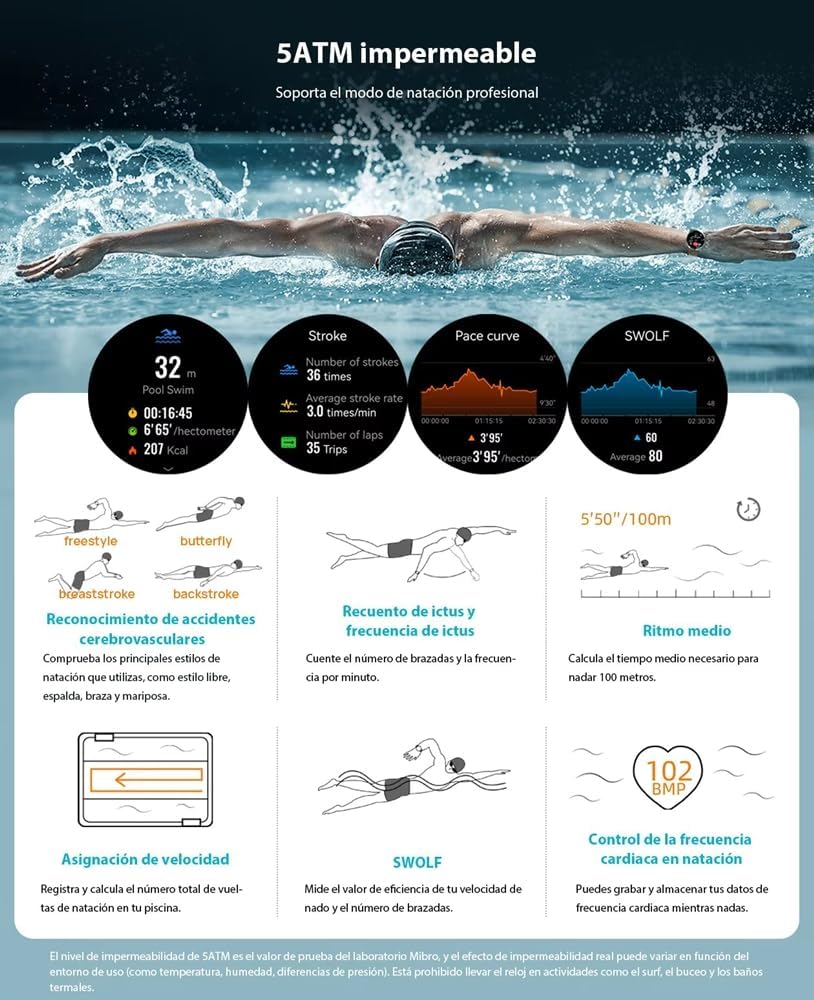
Figure 5: 5ATM Water Resistance
After exposure to saltwater, rinse the watch with fresh water and dry it thoroughly.
4. Troubleshooting
| Problem | Possible Cause | Solution |
|---|---|---|
| Watch does not power on. | Low battery. | Charge the watch for at least 30 minutes. |
| Cannot pair with smartphone. | Bluetooth is off; app not running; watch not in pairing mode. | Ensure Bluetooth is on, restart the app, restart the watch, try pairing again. |
| Inaccurate heart rate readings. | Watch too loose/tight; sensor dirty; excessive movement. | Adjust watch strap for snug fit, clean sensor, remain still during measurement. |
| Short battery life. | Frequent GPS use; AOD enabled; high brightness; many notifications. | Reduce GPS usage, disable AOD, lower brightness, manage notifications. |
If the problem persists, please refer to the Mibro Fit app's help section or contact customer support.
5. Specifications
| Feature | Detail |
|---|---|
| Model Name | Mibro Lite 3 Pro |
| Model Number | XPAW019 |
| Display | 1.32" AMOLED Screen, 466*466 Resolution, 1000 nit peak brightness, 60fps refresh rate |
| Motion Sensor | 10-Axis Motion Sensor |
| Connectivity | Bluetooth (for calling and data sync) |
| GPS | Built-in GPS tracking |
| Sport Modes | Over 150 modes |
| Water Resistance | 5 ATM (up to 50 meters) |
| Heart Rate Sensor | 4PD Photoplethysmography (PPG) |
| Battery Capacity | 350 mAh Lithium Polymer |
| Battery Life | Up to 15 days (typical usage) |
| Product Dimensions | 4.47 x 4.47 x 1.19 cm |
| Weight | 51 g |
| Operating System | Android (compatible) |
| Memory Storage | 2 GB |

Figure 6: Extended Battery Life
The smartwatch is designed for long-lasting performance, with up to 15 days of battery life under typical usage conditions.
6. Warranty and Support
6.1 Warranty Information
The Mibro Lite 3 Pro Smartwatch comes with a standard manufacturer's warranty. Please refer to the warranty card included in your product packaging for specific terms and conditions, including warranty period and coverage details.
Extended warranty options may be available from your retailer or third-party providers. (e.g., 1-Year Extended Warranty by Salama Care, 2-Year Extended Warranty by Salama Care).
6.2 Customer Support
For technical assistance, troubleshooting, or warranty claims, please contact Mibro customer support through their official website or the contact information provided in your product documentation.
You can also visit the Mibro Store on Amazon for additional product information and support resources.
Related documentsXPAW019


Ask a question about this manual
Ask about setup, troubleshooting, compatibility, parts, safety, or missing instructions. Manuals+ will review the question and use this page’s manual context to help answer it.