
1. Introduction
The WISUALARM Carbon Monoxide (CO) Detector is designed to provide continuous monitoring of carbon monoxide levels in your environment. This device features advanced electrochemical sensor technology, a 10-year sealed lithium battery, and a high-volume integrated buzzer to ensure reliable and timely alerts. It is compliant with EN 50291 standards, offering stable performance and minimizing false alarms.
Carbon monoxide is a colorless, odorless, and tasteless gas that can be fatal. It is produced by the incomplete combustion of fuels. Installing a CO detector is crucial for safety in areas with fuel-burning appliances such as furnaces, water heaters, fireplaces, and gas stoves.
2. Package Contents
- 2 x WISUALARM Carbon Monoxide Detectors (with internal battery)
- 1 x Set of Screws
- 1 x User Manual
- Adhesive Pads
3. Product Overview
Familiarize yourself with the components of your CO detector:

Figure 1: Front view of two WISUALARM Carbon Monoxide Detectors. Each unit features a speaker grille, the WISUALARM brand logo, "Carbon Monoxide Alarm" text, a circular TEST/SILENCE button, and three LED indicators labeled Alarm (red), Fault (yellow), and Power (green).

Figure 2: Exploded view illustrating the internal components of the WISUALARM Carbon Monoxide Detector. Key components highlighted are the 85dB buzzer, the 10-year lithium battery, and the 10-year lifetime electrochemical sensor, all contributing to the device's long operational lifespan.

Figure 3: Dimensions of the WISUALARM Carbon Monoxide Detector. The device measures approximately 2.82 inches (7.17 cm) in height, 4.58 inches (11.64 cm) in width, and 1.11 inches (2.83 cm) in depth, indicating its compact and space-saving design.
4. Installation and Setup
Proper placement and installation are critical for the effective operation of your CO detector.
4.1 Choosing a Location
- Install at least one CO detector on each level of your home, especially near sleeping areas.
- For optimal detection, place the detector in rooms with fuel-burning appliances (e.g., furnace room, kitchen with gas stove, living room with fireplace).
- CO is slightly lighter than air and mixes readily with air. For best results, install the detector on a wall, approximately 1.5 meters (5 feet) from the floor, or on the ceiling.
- Ensure the detector is at least 1 meter (3 feet) away from fuel-burning appliances to avoid false alarms during startup.
4.2 Locations to Avoid
- Do not install in garages, kitchens, or furnace rooms where high levels of CO are normally present.
- Avoid placing near windows, doors, or vents where drafts could interfere with detection.
- Do not install in extremely dusty, dirty, or greasy areas.
- Avoid areas with high humidity, such as bathrooms.
- Do not obstruct the detector with furniture or curtains.
4.3 Mounting the Detector
The detector can be mounted on a wall or placed freestanding.

Figure 4: Flexible installation options for the WISUALARM Carbon Monoxide Detector. The image shows one detector mounted on a wall and another placed freestanding on a coffee table in a living room, demonstrating that the device can be installed according to user preference.
Wall Mounting (Recommended)
- Choose a suitable location on a wall, away from obstructions.
- Use the provided screws and anchors to secure the mounting bracket (if applicable, or directly mount if holes are on the unit) to the wall.
- Attach the CO detector to the mounted bracket or directly to the wall using the screw holes on the back of the unit.
Freestanding Placement
- Place the detector on a flat, stable surface at the recommended height (e.g., a bedside table or shelf).
- Ensure it is not easily knocked over and is away from direct heat sources or drafts.
5. Operating the Detector
5.1 Power On
The detector is powered by a built-in 10-year lithium battery. It will automatically activate upon initial setup or when the battery tab is removed (if applicable). The green Power LED will illuminate, indicating the device is operational.
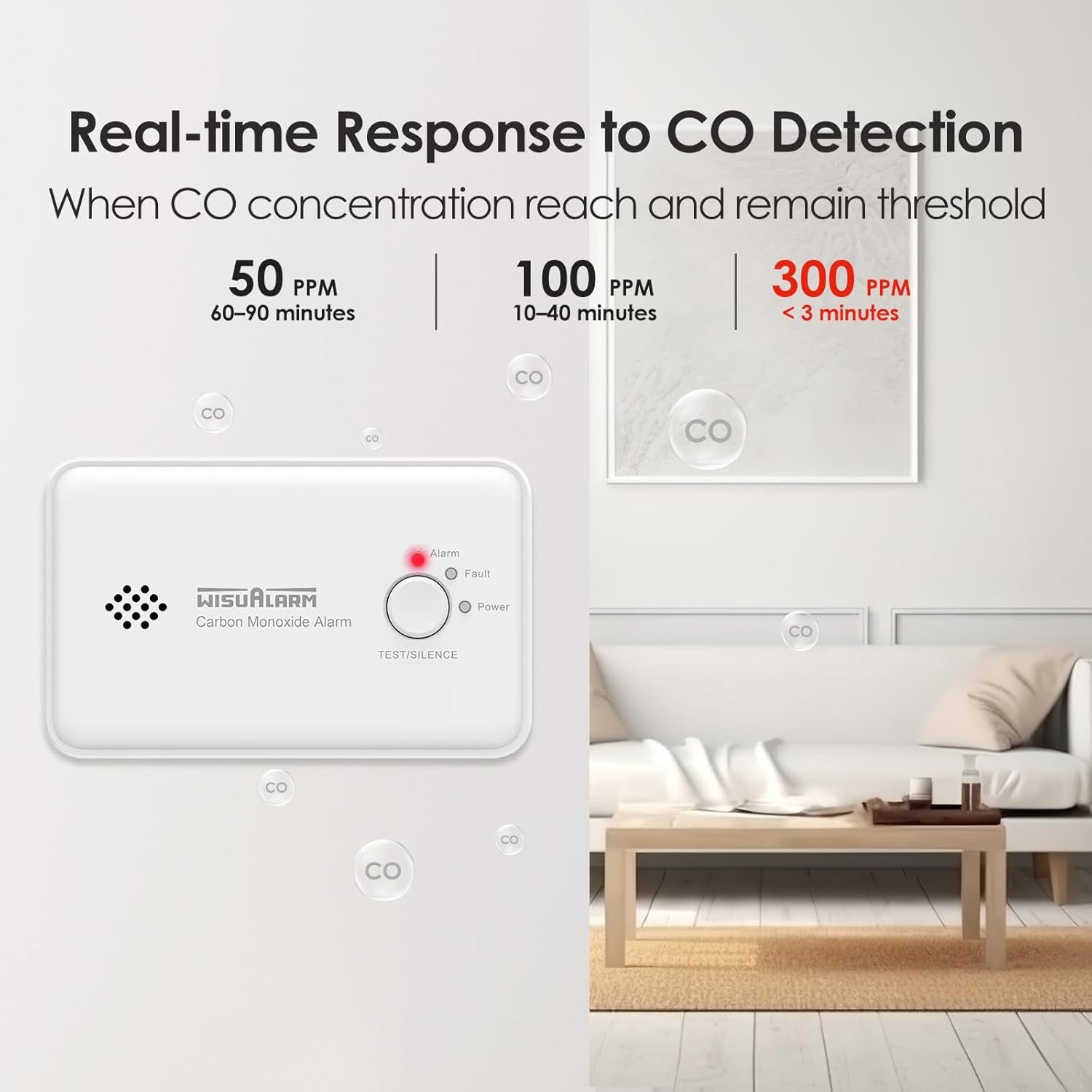
Figure 5: The WISUALARM Carbon Monoxide Detector positioned on a nightstand in a bedroom, illustrating its role in providing constant CO detection to guard home safety from poisonous gas, even while sleeping.

Figure 6: The WISUALARM Carbon Monoxide Detector highlighting its 10-year lifespan. This image emphasizes that both the product and its internal battery are designed to last for a decade, providing long-term protection without frequent battery replacement.
5.2 LED Indicators and Alarm Signals
The detector uses three LED indicators and an audible alarm to communicate its status:

Figure 7: Visual and audible alarm indicators of the WISUALARM Carbon Monoxide Detector. The diagram shows three LED lights: Red for an active alarm, Yellow for a fault condition, and Green for normal power operation. The device also emits an alarm sound exceeding 85dB.
| Indicator | LED Status | Audible Signal | Meaning |
|---|---|---|---|
| Power | Green LED flashes every 60 seconds | None | Normal operation, device is powered on and functioning correctly. |
| Alarm | Red LED flashes rapidly | Loud 85dB alarm (4 quick beeps, pause, repeat) | Carbon Monoxide detected at dangerous levels. Immediate action required. |
| Fault | Yellow LED flashes | Single chirp every 30 seconds | Malfunction or low battery. Refer to Troubleshooting. |
5.3 Test/Silence Button
Press the TEST/SILENCE button to:
- Test the alarm: In normal operation, press and hold the button for a few seconds. The alarm will sound, and the red LED will flash, confirming the unit is working.
- Silence a nuisance alarm: If the alarm sounds due to a known, temporary source of CO (e.g., car exhaust from an attached garage), press the button to silence the alarm for a short period (typically 5-10 minutes). The alarm will reactivate if CO levels remain high.
Figure 8: The WISUALARM Carbon Monoxide Detector providing constant CO detection. This image shows the detector on a nightstand, highlighting its continuous monitoring capability to protect against carbon monoxide, even during sleep.
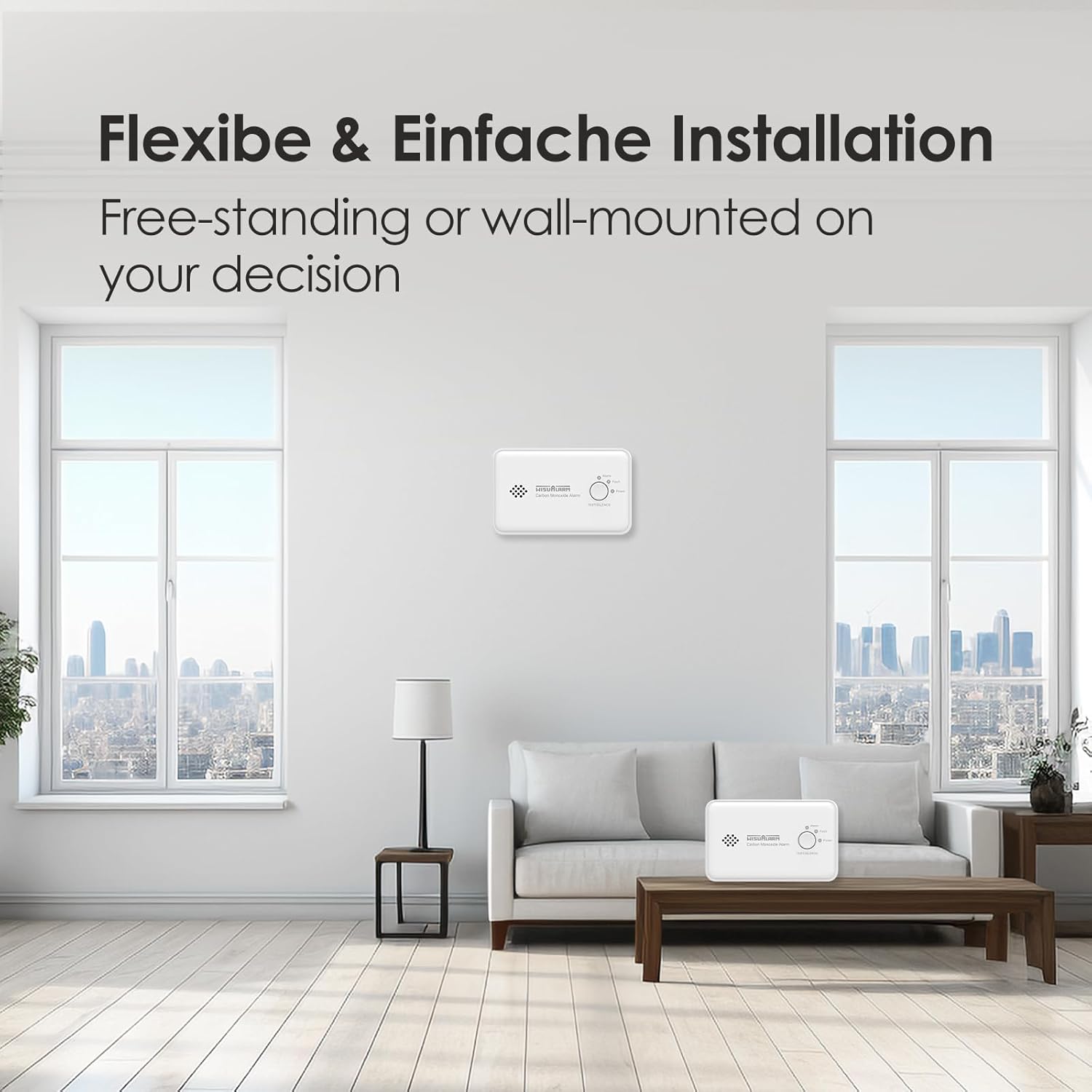
Figure 9: Real-time response thresholds for CO detection. This graph illustrates how quickly the WISUALARM detector responds to different carbon monoxide concentrations: 50 PPM (parts per million) triggers an alarm within 60-90 minutes, 100 PPM within 10-40 minutes, and 300 PPM in less than 3 minutes. The image also shows the detector in a living room setting.
6. What to Do When the Alarm Sounds
If the carbon monoxide alarm sounds, follow these steps immediately:
- Evacuate immediately: Move everyone, including pets, to fresh air outdoors.
- Do not re-enter: Do not re-enter the premises until the emergency services (fire department) have arrived, the premises have been aired out, and your alarm remains in its normal condition.
- Call for help: From a safe location, call your emergency services (e.g., 911 or your local fire department).
- Identify the source: After the premises have been aired out, have a qualified technician inspect all fuel-burning equipment and appliances for sources of CO.
7. Maintenance
Regular maintenance ensures the continued reliability of your CO detector.
7.1 Weekly Test
Test your CO detector weekly by pressing and holding the TEST/SILENCE button until the alarm sounds. This confirms the alarm and LEDs are functioning correctly.
7.2 Cleaning
- Clean the detector regularly (at least once a month) to remove dust and debris.
- Use a soft, damp cloth to wipe the exterior. Do not use cleaning solvents or polishes.
- Do not paint the detector. Paint can clog the sensor openings and interfere with the unit's ability to detect CO.
7.3 Battery Life
The detector is equipped with a sealed 10-year lithium battery. The battery is designed to last for the entire lifespan of the detector. When the battery is nearing the end of its life, the yellow Fault LED will flash, and the unit will chirp periodically, indicating it's time to replace the entire unit.
8. Troubleshooting
| Problem | Possible Cause | Solution |
|---|---|---|
| Alarm sounds frequently without apparent CO source. | Nuisance alarm, detector too close to CO source (e.g., car exhaust, fireplace startup), or high humidity. | Press TEST/SILENCE button to temporarily silence. Relocate detector if consistently triggered by non-emergency sources. Ensure proper ventilation. |
| Yellow Fault LED flashes and unit chirps. | Low battery or internal fault. | The battery is sealed and not replaceable. If the unit is chirping due to low battery, it indicates the end of its 10-year lifespan. Replace the entire detector. If it's a fault, contact customer support. |
| No response when TEST/SILENCE button is pressed. | Unit not powered on, battery depleted, or internal fault. | Ensure the unit is activated. If it's an older unit, the battery may be depleted, requiring replacement of the entire detector. If new, contact customer support. |
9. Specifications
| Feature | Detail |
|---|---|
| Model Number | C03 (2pcs) |
| Sensor Type | Electrochemical |
| Power Source | Built-in 10-year Lithium Battery (2 CR123A equivalent) |
| Alarm Loudness | 85 dB at 3 meters |
| Operating Temperature | Up to 40 Degrees Celsius |
| Operating Humidity | ≤ 95% RH (non-condensing) |
| Dimensions (L x W x H) | 12.2 x 14.8 x 4 cm (4.8 x 5.8 x 1.6 inches) |
| Weight | 250 Grams (0.55 lbs) |
| Compliance | EN 50291 certified by TUV laboratory |
10. Warranty and Support
WISUALARM provides quality assurance for its products.
- Warranty Period: All quality-related issues are covered for 5 years from the date of purchase.
- Customer Support: For installation or functional questions, contact the WISUALARM team for prompt solutions. You can send messages via Amazon or search for "wisualarm" online.
- Important Note: Ensure you use your product as instructed in this manual to maintain warranty validity.
For more information, visit the official WISUALARM brand page or contact their customer service.

Figure 10: WISUALARM Company Logo. This logo represents the brand dedicated to providing advanced fire safety products and solutions.


