
Introduction
The NEBO Mini Larry 500 is a compact, rechargeable COB work light and mini flashlight designed for versatility and durability. It features two distinct light modes, a powerful magnetic base, and a removable steel clip for various applications. This manual provides essential information for the proper setup, operation, and maintenance of your Mini Larry 500 flashlight.
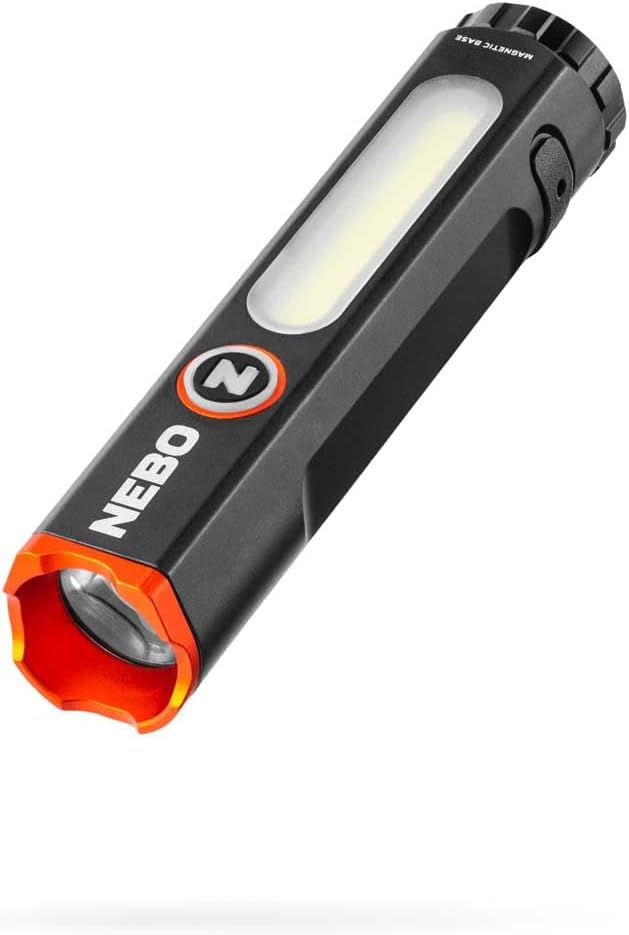
Image: The NEBO Mini Larry 500 Pocket Flashlight, showcasing its compact design and dual light sources.
Setup
Charging the Device
The Mini Larry 500 is equipped with an internal Lithium-ion rechargeable battery. Before first use, fully charge the device.
- Locate the USB-C charging port on the side of the flashlight. It is typically covered by a protective rubber flap.
- Open the rubber flap to expose the USB-C port.
- Connect the included USB to USB-C charging cable to the flashlight's USB-C port.
- Connect the other end of the cable (USB-A) to a standard USB power source (e.g., computer, wall adapter, power bank).
- The charging indicator light will illuminate to show charging status. A full charge typically takes approximately 2 hours.
- Once fully charged, disconnect the cable and securely close the rubber flap to maintain the device's waterproof rating.

Image: Close-up of the USB-C charging port on the NEBO Mini Larry 500, with the charging cable connected.
Operating Instructions
Power Button and Light Modes
The NEBO Mini Larry 500 features a single power button to control its functions and switch between light modes.
- Flashlight Mode: Press the power button once to activate the front-facing flashlight. This mode offers a focused beam.
- High: 500 lumens
- Low: 220 lumens
- Work Light Mode: From Flashlight Mode, press the power button again to switch to the side-mounted COB work light. This mode provides a wider, diffused illumination.
- High: 450 lumens
- Low: 240 lumens
- Cycling Modes: Continue pressing the power button to cycle through the available brightness settings within each mode (High/Low for flashlight, High/Low for work light).
- Turning Off: To turn off the device, press the power button when the desired mode is active. The Smart Power Control feature allows for seamless transitions and turns off the light after a few seconds in any mode.

Image: The NEBO Mini Larry 500 demonstrating its 2-in-1 functionality, highlighting both the LED flashlight and COB work light.
Magnetic Base
The Mini Larry 500 features a powerful magnetic base, allowing for hands-free operation. Simply attach the base to any ferrous metal surface for convenient illumination.

Image: The NEBO Mini Larry 500 utilizing its magnetic base to attach to a metal surface, providing hands-free lighting.
Removable Steel Clip
A durable steel clip is included for easy portability and versatile attachment options. It can be used to secure the flashlight to a pocket, belt, or even converted into a cap light.
- Pocket/Belt Carry: Slide the clip onto your pocket or belt for secure everyday carry.
- Cap Light Conversion: The double-clip design allows the flashlight to be attached to the brim of a cap, converting it into a headlamp for directional lighting.

Image: The NEBO Mini Larry 500 securely clipped into a pant pocket, demonstrating its portability.
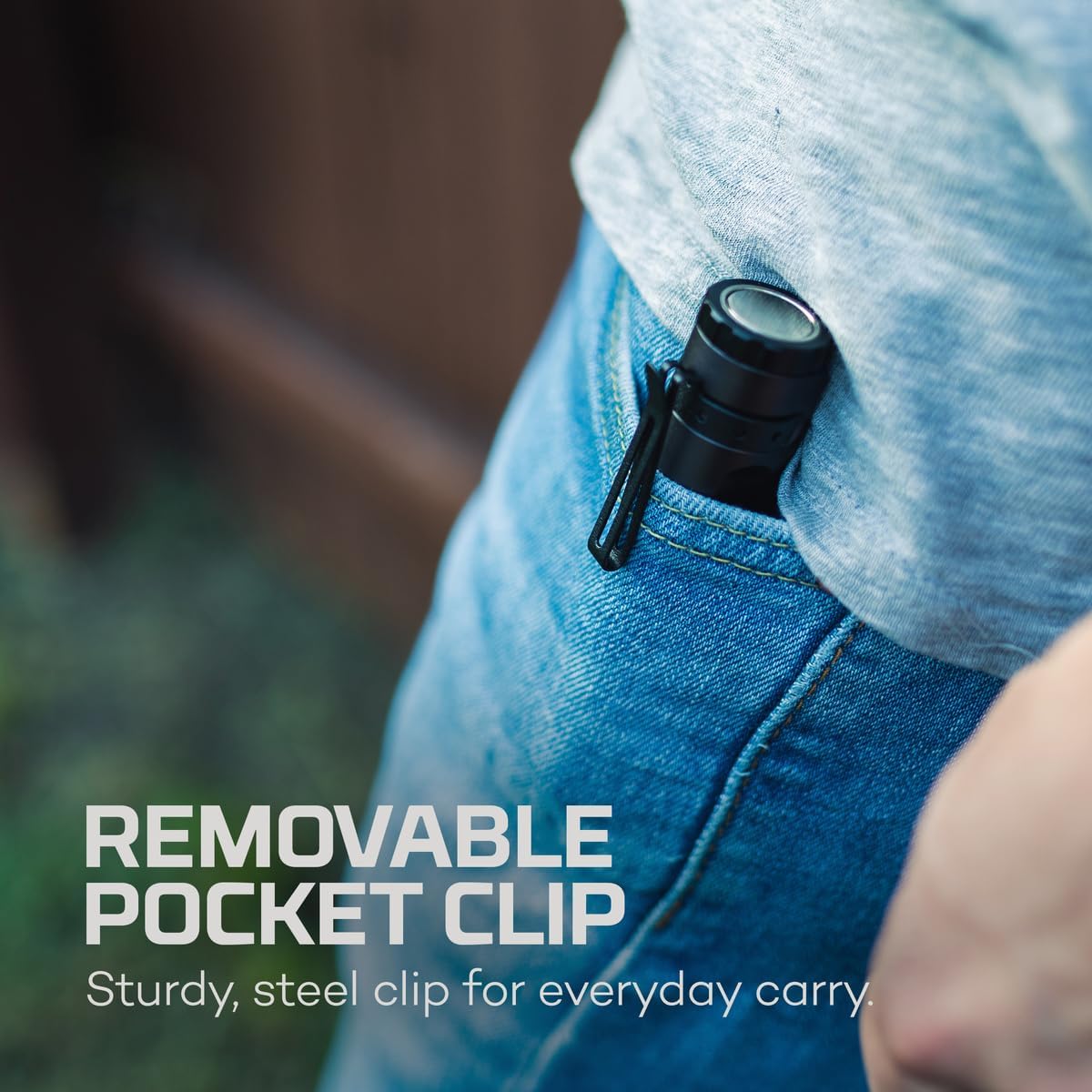
Image: The NEBO Mini Larry 500 attached to the brim of a baseball cap, illustrating its use as a cap light.
Maintenance
Cleaning
To maintain optimal performance and appearance, clean your Mini Larry 500 periodically.
- Wipe the exterior with a soft, damp cloth.
- Avoid using abrasive cleaners or solvents, as these can damage the finish or internal components.
- Ensure the USB-C port cover is clean and free of debris before closing to maintain its waterproof seal.
Battery Care
The integrated Lithium-ion battery requires proper care for longevity.
- Recharge the flashlight regularly, even if not in frequent use, to prevent deep discharge.
- Store the flashlight in a cool, dry place when not in use.
- Avoid exposing the device to extreme temperatures.
Troubleshooting
- Light not turning on:
- Ensure the battery is charged. Connect the flashlight to a power source using the USB-C cable.
- Press the power button firmly.
- Light is dim or flickers:
- The battery may be low. Recharge the device fully.
- Charging not working:
- Verify the USB-C cable is securely connected to both the flashlight and the power source.
- Try a different USB-C cable or power adapter.
- Ensure the charging port is clean and free of debris.
- Water ingress:
- Ensure the USB-C port cover is fully sealed before exposing the device to water. While IP67 rated, improper sealing can compromise water resistance.
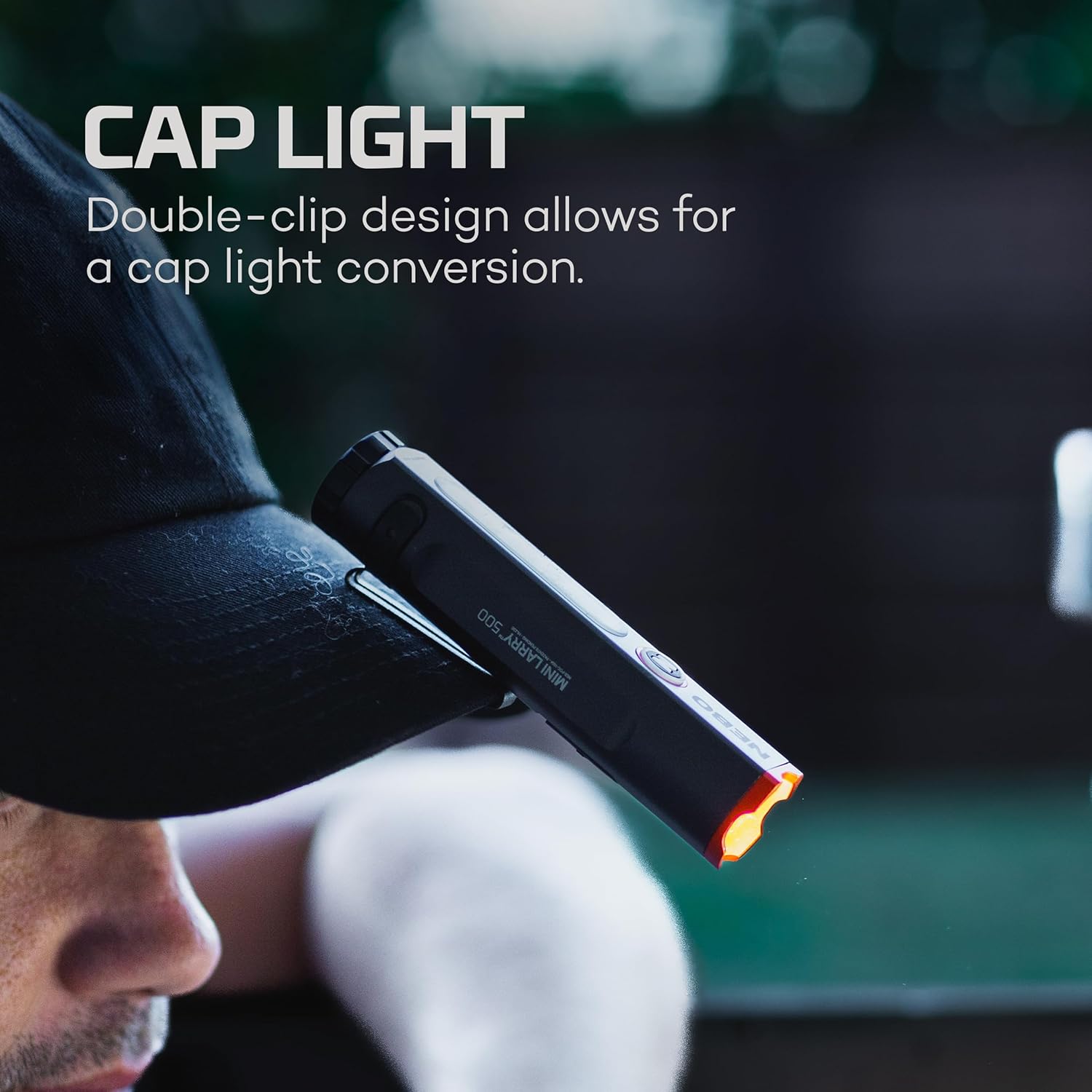
Image: The NEBO Mini Larry 500 being subjected to water splashes, illustrating its IP67 waterproof capability.
Specifications
| Feature | Detail |
|---|---|
| Model | NEB-POC-1004 |
| Dimensions (L x W x H) | 4.19" x 1.34" x 0.94" (10.64 cm x 3.4 cm x 2.39 cm) |
| Weight | 0.2 lbs (approx. 90.7 grams) |
| Battery | 800 mAh (3.7V) Internal Lithium-ion rechargeable |
| Charging Time | Approximately 2 hours (via USB-C) |
| Flashlight Mode (High) | 500 Lumens |
| Flashlight Mode (Low) | 220 Lumens |
| Work Light Mode (High) | 450 Lumens |
| Work Light Mode (Low) | 240 Lumens |
| Waterproof Rating | IP67 (Waterproof up to 1 meter for 30 minutes) |
| Material | Aircraft-grade aluminum |
| Included Components | USB to USB-C charging cable |
| UPC | 645397940630 |
Warranty and Support
For warranty information or technical support regarding your NEBO Mini Larry 500 Pocket Flashlight, please refer to the official NEBO website or contact their customer service department. Keep your proof of purchase for any warranty claims.
Official NEBO Website: nebo.acgbrands.com