
SGNICS X13 Earbuds
SGNICS X13 Earbuds User Manual
Model: X13 Earbuds
Brand: SGNICS
Introduction
This manual provides detailed instructions for the SGNICS X13 Bluetooth Earbuds. These wireless sports earbuds feature Bluetooth 5.3 for stable connection, ear hooks for a secure fit, IPX6 waterproofing, and an extended 48-hour playtime with the charging case. Please read this manual carefully to ensure proper use and maintenance of your earbuds.

Image: The SGNICS X13 Earbuds and their charging case. The earbuds are black with ear hooks, and the case is sleek and black.
Setup
1. Initial Charging
Before first use, fully charge the earbuds and the charging case. Connect the USB-C cable to the charging case and a power source. The LED display on the case will indicate the charging status.

Image: The SGNICS X13 Earbuds resting inside their open charging case, displaying a '100' on the LED screen, indicating a full charge.
2. Pairing with a Device
- Open the charging case. The earbuds will automatically power on and enter pairing mode.
- On your device (e.g., smartphone, tablet), enable Bluetooth.
- Search for "X13 Earbuds" or a similar name in the list of available Bluetooth devices.
- Select the earbuds to connect. A voice prompt will confirm successful pairing.
3. Wearing the Earbuds
The X13 Earbuds are designed with flexible ear hooks for a secure fit, especially during physical activity. Choose the correct size of silicone eartips (S/M/L) for optimal comfort and sound isolation.
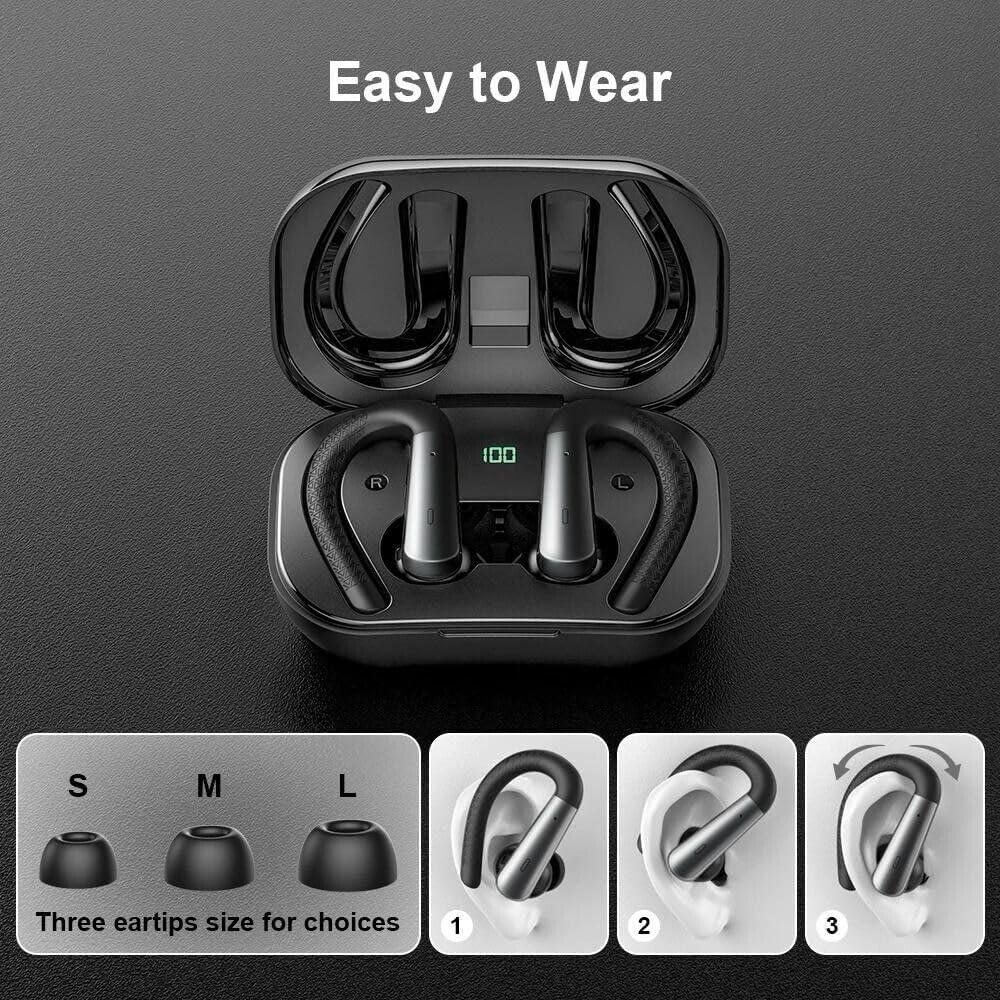
Image: A visual guide demonstrating the three available eartip sizes (S, M, L) and a three-step process for correctly placing the earbud with its ear hook into the ear for a secure fit.
Operating Instructions
Power On/Off
- Power On: Open the charging case, and the earbuds will automatically power on. Alternatively, press and hold the touch control area on each earbud for 3 seconds.
- Power Off: Place the earbuds back into the charging case and close the lid. They will automatically power off. Alternatively, press and hold the touch control area for 5 seconds.
Music Playback
- Play/Pause: Single tap the touch control area on either earbud.
- Next Track: Double tap the right earbud.
- Previous Track: Double tap the left earbud.
- Volume Up: Triple tap the right earbud.
- Volume Down: Triple tap the left earbud.
Call Management
- Answer/End Call: Single tap the touch control area on either earbud.
- Reject Call: Press and hold the touch control area on either earbud for 2 seconds.
Voice Assistant
- Activate Voice Assistant: Press and hold the touch control area on either earbud for 2 seconds (when not on a call).
Charging the Earbuds and Case
The earbuds provide 9 hours of playback on a single charge, and the 500mAh charging case extends this to 48 hours. The case supports USB-C fast charging, taking approximately 1.5 hours for a full charge.
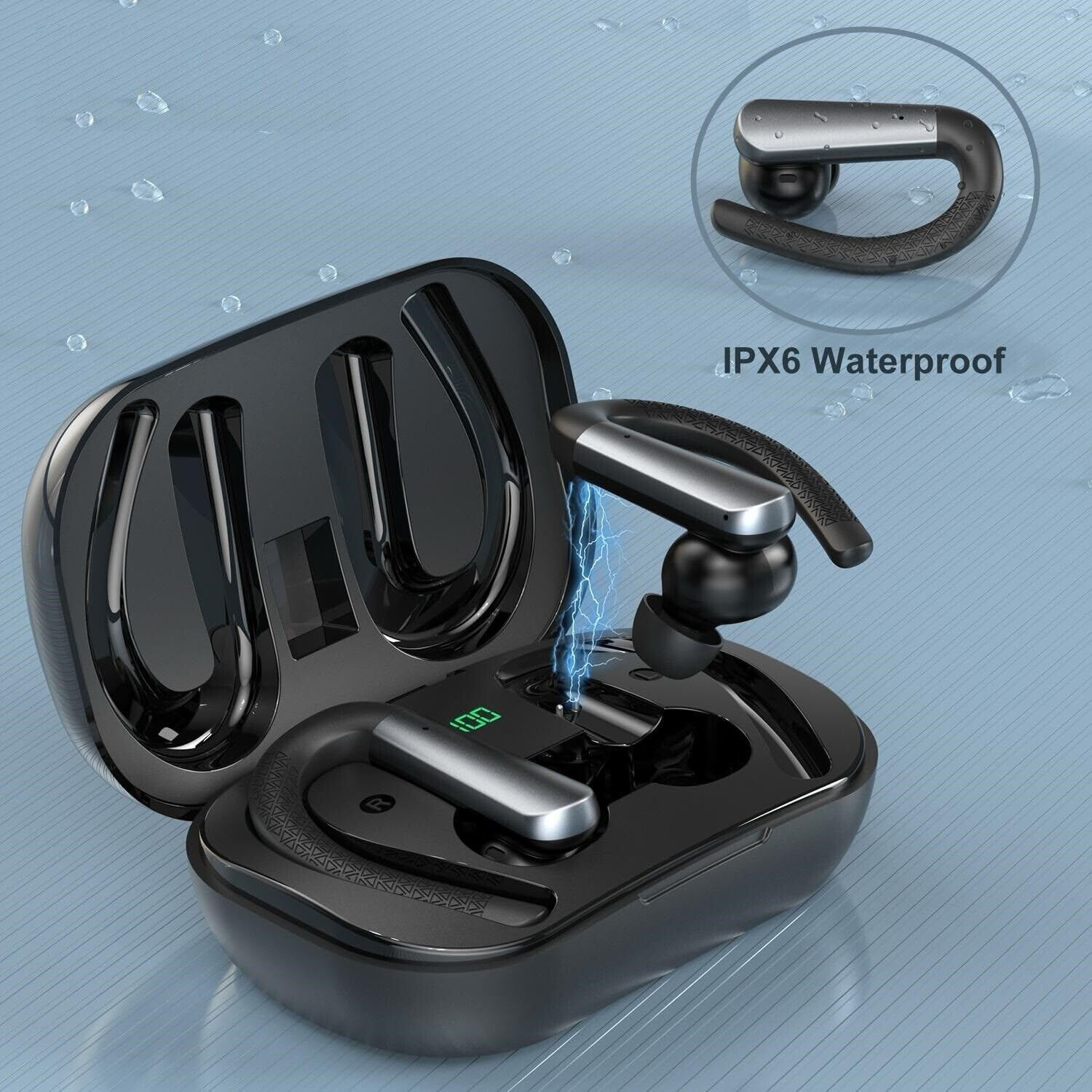
Image: An SGNICS X13 Earbud being charged within its case, with a visual effect of electricity flowing, emphasizing its IPX6 waterproof rating.
Maintenance
Cleaning
The earbuds are IPX6 waterproof, protecting them from sweat and rain. To clean, gently wipe the earbuds and charging case with a soft, damp cloth. Do not use harsh chemicals or abrasive materials. Ensure the charging ports are dry before charging.

Image: The SGNICS X13 Earbuds covered in water droplets, visually representing their IPX6 waterproof and sweatproof capabilities.
Storage
When not in use, store the earbuds in their charging case to protect them and keep them charged. Store in a cool, dry place away from extreme temperatures.
Troubleshooting
- Earbuds not pairing: Ensure both earbuds are charged. Place them back in the case, close the lid, then open it again to re-enter pairing mode. On your device, forget the earbuds from your Bluetooth list and try pairing again.
- Only one earbud working: Place both earbuds back into the charging case. Close the lid and wait a few seconds, then open it again. This should re-sync them.
- No sound: Check the volume level on both your device and the earbuds. Ensure the earbuds are properly connected to your device.
- Charging issues: Ensure the charging cable is securely connected to both the case and the power source. Check if the charging port is clean and free of debris.
- Poor call quality: Ensure the earbuds are within Bluetooth range of your device. Avoid environments with strong electromagnetic interference.
Specifications
| Model Name | X13 Earbuds |
| Connectivity Technology | Wireless |
| Wireless Communication Technology | Bluetooth 5.3 |
| Water Resistance Level | IPX6 Waterproof |
| Playtime (Earbuds) | Up to 9 hours |
| Total Playtime (with Charging Case) | Up to 48 hours |
| Charging Case Battery Capacity | 500mAh |
| Charging Time (Case) | Approx. 1.5 hours (USB-C) |
| Microphone | 4 microphones with Environmental Noise Canceling |
| Form Factor | In Ear with Ear Hooks |
| Material | ABS+PC |
| Color | Black |
| Noise Control | Active Noise Cancellation |
| Compatible Devices | iPhone, Android phones, tablets, and other Bluetooth-enabled devices with iOS 9.0/Android 4.4 or above. |
What's in the Box
- SGNICS X13 Earbuds
- Charging Case
- USB-C Charging Cable
- Ear Cushions (pre-installed)
- Eartips (S, M, L sizes)
Warranty and Support
For warranty information and customer support, please refer to the product packaging or contact SGNICS directly through the retailer's platform where the product was purchased. Keep your purchase receipt as proof of purchase.
Ask a question about this manual
Ask about setup, troubleshooting, compatibility, parts, safety, or missing instructions. Manuals+ will review the question and use this page’s manual context to help answer it.