
Introduction
Thank you for choosing the SGNICS X13 Bluetooth Earbuds. These wireless earbuds are designed for an active lifestyle, featuring secure ear hooks, IPX6 waterproofing, and advanced Bluetooth 5.3 technology for stable connectivity and clear audio. This manual provides detailed instructions on how to set up, operate, and maintain your earbuds to ensure optimal performance and longevity.

Image: SGNICS X13 Bluetooth Earbuds with their charging case.
What's in the Box
Your SGNICS X13 package includes the following items:
- SGNICS X13 Bluetooth Earbuds (Left and Right)
- Charging Case
- USB-C Charging Cable
- Ear Cushions (S, M, L sizes)
Product Overview
The SGNICS X13 earbuds are designed for comfort and performance. Each earbud features an ergonomic ear hook for a secure fit during physical activity, and the charging case includes an LED display to indicate battery status.

Image: The SGNICS X13 earbuds resting in their open charging case, displaying a '100' on the LED screen, indicating a full charge.
Components
- Earbuds: Left and Right, with integrated ear hooks and touch control areas.
- Charging Case: Houses and charges the earbuds, features a USB-C port and LED battery indicator.
- Eartips: Silicone eartips in Small, Medium, and Large sizes for a customized fit.
Setup
1. Charging the Earbuds and Case
Before first use, fully charge the earbuds and the charging case.
- Connect the provided USB-C cable to the charging port on the case and to a power source.
- The LED display on the case will show the charging progress. A full charge for the case takes approximately 1.5 hours.
- Place the earbuds into the charging case. They will begin charging automatically. The earbuds provide up to 9 hours of playback on a single charge, and the charging case extends total playback time to 48 hours.
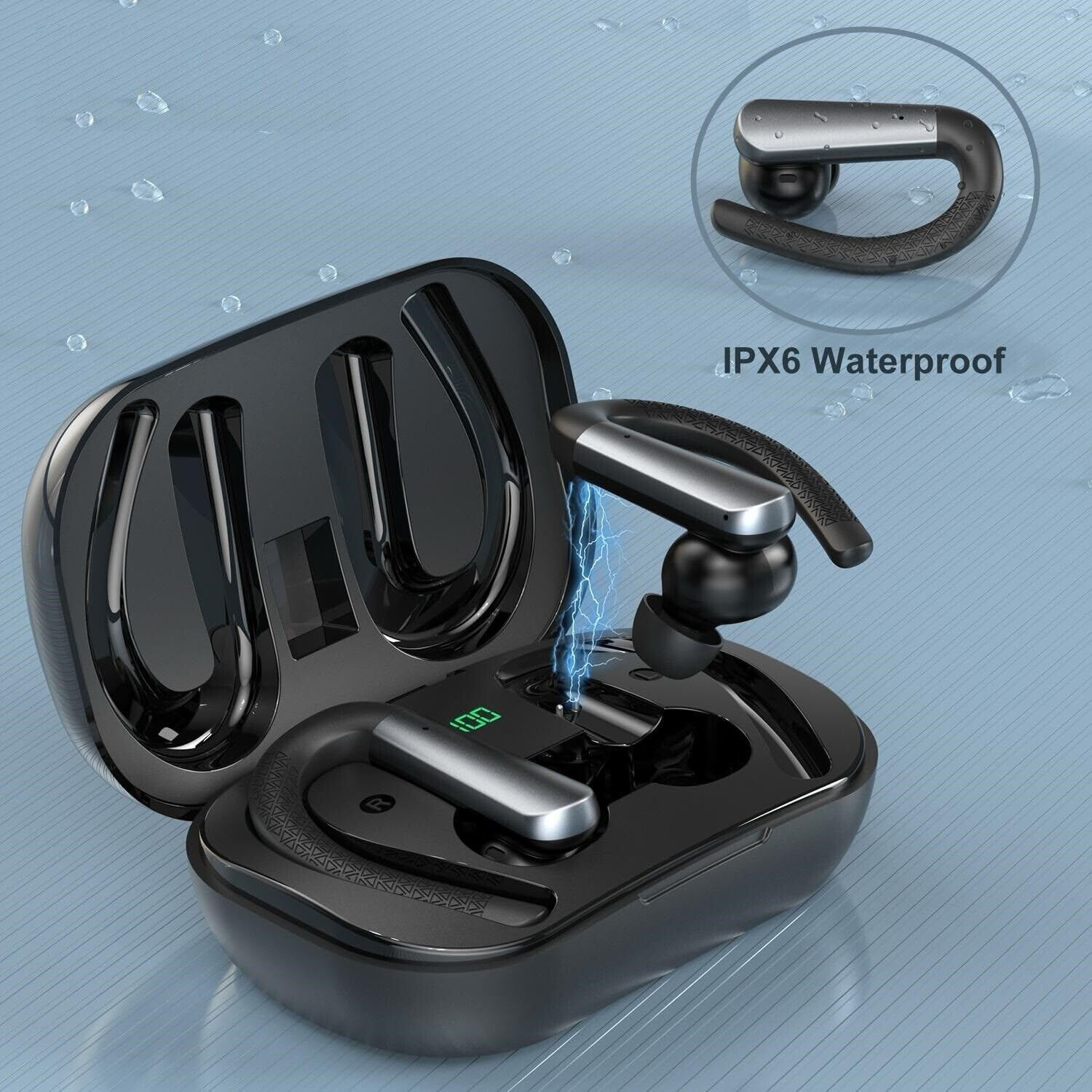
Image: An earbud being charged within its case, indicated by a lightning bolt graphic.
2. Pairing with a Device
The earbuds utilize Bluetooth 5.3 for a stable and fast connection.
- Ensure the earbuds are charged.
- Open the charging case and remove both earbuds. They will automatically enter pairing mode.
- On your device (e.g., smartphone, tablet), go to Bluetooth settings and turn Bluetooth on.
- Search for available devices and select "SGNICS X13" from the list.
- Once connected, you will hear a confirmation tone, and the earbuds will be ready for use.
Operating Instructions
Wearing the Earbuds
For optimal sound quality and a secure fit, choose the correct eartip size and adjust the ear hooks.
- Select the eartips (S/M/L) that provide the best seal and comfort for your ears.
- Place the earbud into your ear canal.
- Gently hook the ear hook over the top of your ear, adjusting it until it feels secure and comfortable.
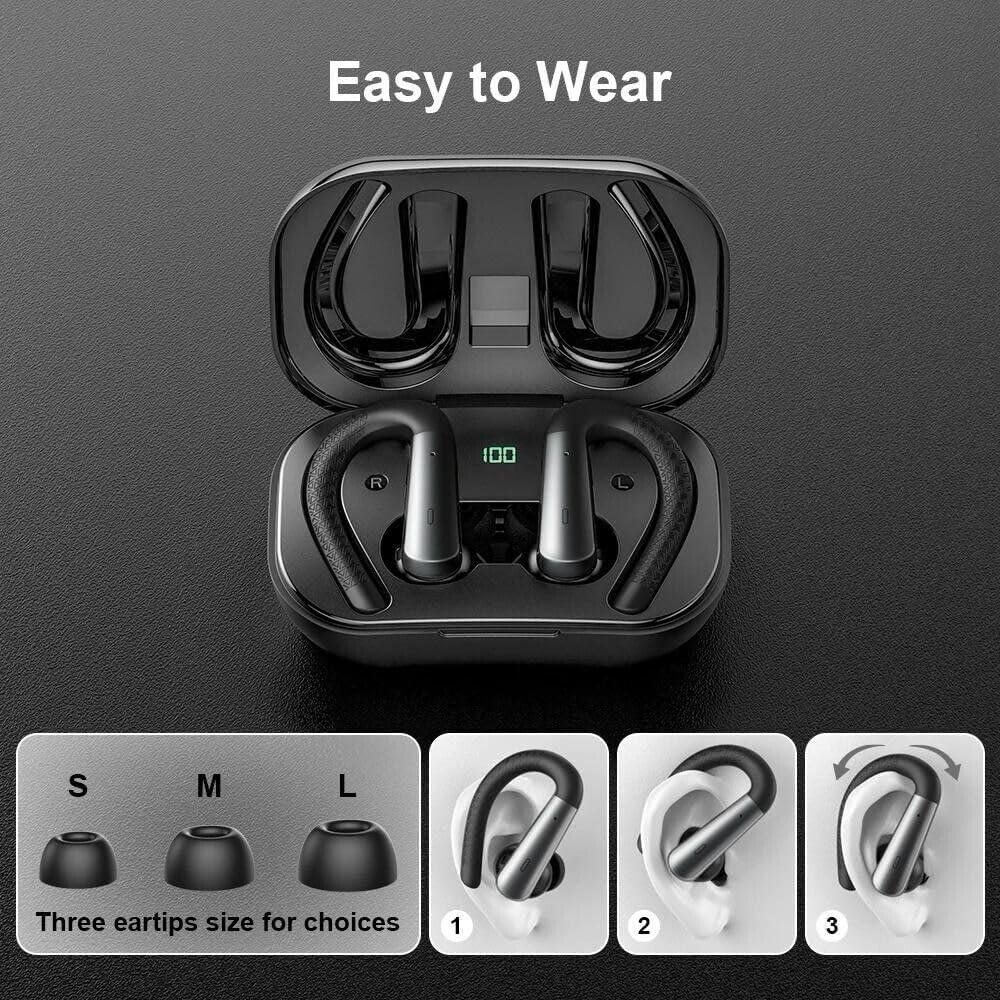
Image: A visual guide demonstrating the correct way to wear the earbuds, including options for small, medium, and large eartips.
Touch Controls
The earbuds feature touch-sensitive controls for media playback and call management. Specific functions may vary slightly depending on your device and application.
- Play/Pause: Single tap on either earbud.
- Next Track: Double tap on the right earbud.
- Previous Track: Double tap on the left earbud.
- Answer/End Call: Single tap on either earbud during an incoming call.
- Reject Call: Press and hold either earbud for 2 seconds during an incoming call.
- Activate Voice Assistant: Triple tap on either earbud.
Making and Receiving Calls
The integrated microphones with environmental noise canceling technology ensure clear call quality.
- Ensure earbuds are connected to your phone.
- Use the touch controls as described above to manage calls.
Maintenance
Water Resistance (IPX6)
The SGNICS X13 earbuds are rated IPX6 waterproof, meaning they are protected against high-pressure water jets from any direction. This makes them suitable for sports and workouts where sweat and light rain may occur. They are not designed for submersion in water.

Image: An artistic representation of the earbuds surrounded by water droplets, highlighting their IPX6 waterproof capability.
Cleaning and Storage
- Regularly clean the eartips and earbud surfaces with a soft, dry, lint-free cloth.
- Do not use abrasive cleaners or immerse the earbuds or charging case in water.
- Store the earbuds in their charging case when not in use to protect them and keep them charged.
- Avoid exposing the earbuds to extreme temperatures or direct sunlight for extended periods.
Troubleshooting
If you encounter issues with your SGNICS X13 earbuds, please refer to the following common solutions:
- No Sound/Cannot Connect:
- Ensure earbuds are charged.
- Make sure Bluetooth is enabled on your device.
- Try unpairing and re-pairing the earbuds with your device.
- Restart your device.
- Only One Earbud Working:
- Place both earbuds back into the charging case, close the lid, and then remove them again to force a re-sync.
- Ensure both earbuds are charged.
- Charging Issues:
- Check the USB-C cable and power adapter for damage.
- Ensure the charging contacts on the earbuds and in the case are clean and free of debris.
Specifications
| Feature | Detail |
|---|---|
| Model Name | X13 Earbuds |
| Connectivity Technology | Wireless (Bluetooth) |
| Bluetooth Version | 5.3 |
| Water Resistance Level | IPX6 (Waterproof) |
| Battery Life (Earbuds) | Up to 9 Hours |
| Total Playtime (with Case) | Up to 48 Hours |
| Charging Time (Case) | Approx. 1.5 Hours |
| Control Method | Touch |
| Microphone | Included, with Environmental Noise Canceling |
| Earpiece Shape | Ear Hooks |
| Material | ABS+PC |
| Compatible Devices | iOS 9.0/Android 4.4 or above (various iPhone, Samsung Galaxy, Huawei, Xiaomi, etc.) |
Warranty and Support
For warranty information or technical support, please contact SGNICS customer service through the retailer where you purchased the product or visit the official SGNICS website. Please have your product model (X13) and purchase details ready.