
Introduction
This manual provides detailed instructions for the proper use and maintenance of your SGNICS X13 Bluetooth 5.3 Earbuds. Please read this manual thoroughly before using the product to ensure optimal performance and longevity.
What's in the Box
Verify that all items are present in your package:
- SGNICS X13 Earbuds (Left and Right)
- Charging Case
- USB-C Charging Cable
- Silicone Eartips (S, M, L sizes)
- User Manual (this document)

Image: SGNICS X13 Earbuds in their charging case, displaying the digital battery indicator.
Setup
1. Charging the Earbuds and Case
Before first use, fully charge the earbuds and the charging case.
- Place the earbuds into the charging case. Ensure they are correctly seated; the LED indicator on the earbuds will light up to confirm charging.
- Connect the USB-C charging cable to the charging port on the case and the other end to a USB power adapter (not included).
- The LED display on the charging case will show the battery percentage. A full charge typically takes about 1.5 hours for the case.
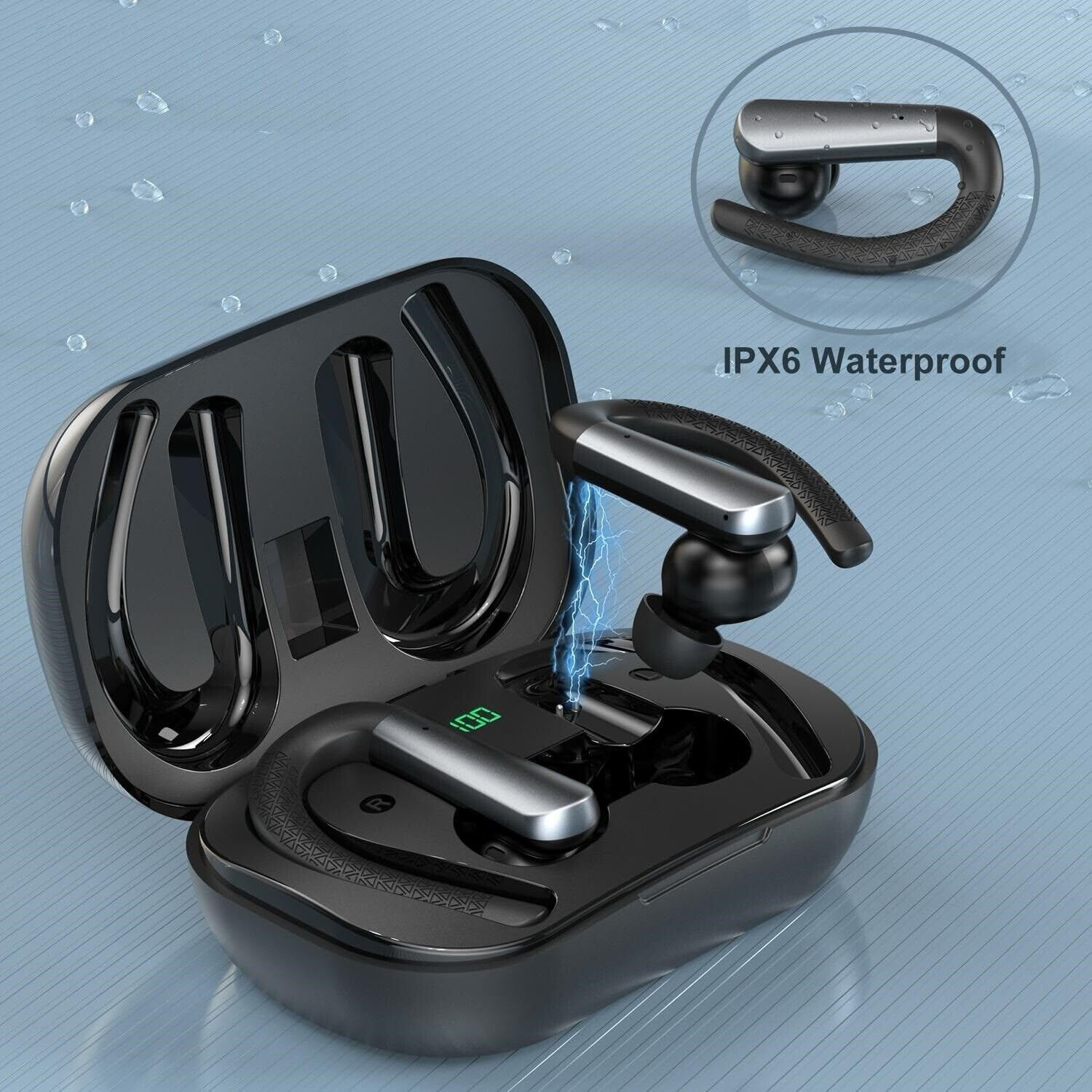
Image: An SGNICS X13 earbud being placed into its charging case, illustrating the charging process with a lightning bolt icon.
2. Pairing with Your Device
The earbuds will automatically enter pairing mode when removed from the charging case.
- Open the charging case and remove both earbuds. They will automatically power on and attempt to pair with each other.
- On your device (smartphone, tablet, etc.), go to Bluetooth settings and enable Bluetooth.
- Search for available devices and select "X13 Earbuds" from the list.
- Once connected, you will hear a confirmation tone, and the earbuds' indicator lights will turn off or flash slowly.
- If pairing fails, place the earbuds back into the case, close the lid, wait a few seconds, and repeat the process.
3. Wearing the Earbuds
For optimal sound quality and secure fit, choose the correct eartip size and adjust the ear hooks.
- Try the different sizes of silicone eartips (S/M/L) to find the most comfortable and secure fit that seals your ear canal.
- Place the earbud into your ear and gently rotate it until it fits snugly.
- Adjust the flexible ear hook over your ear to secure the earbud in place, especially during physical activity.
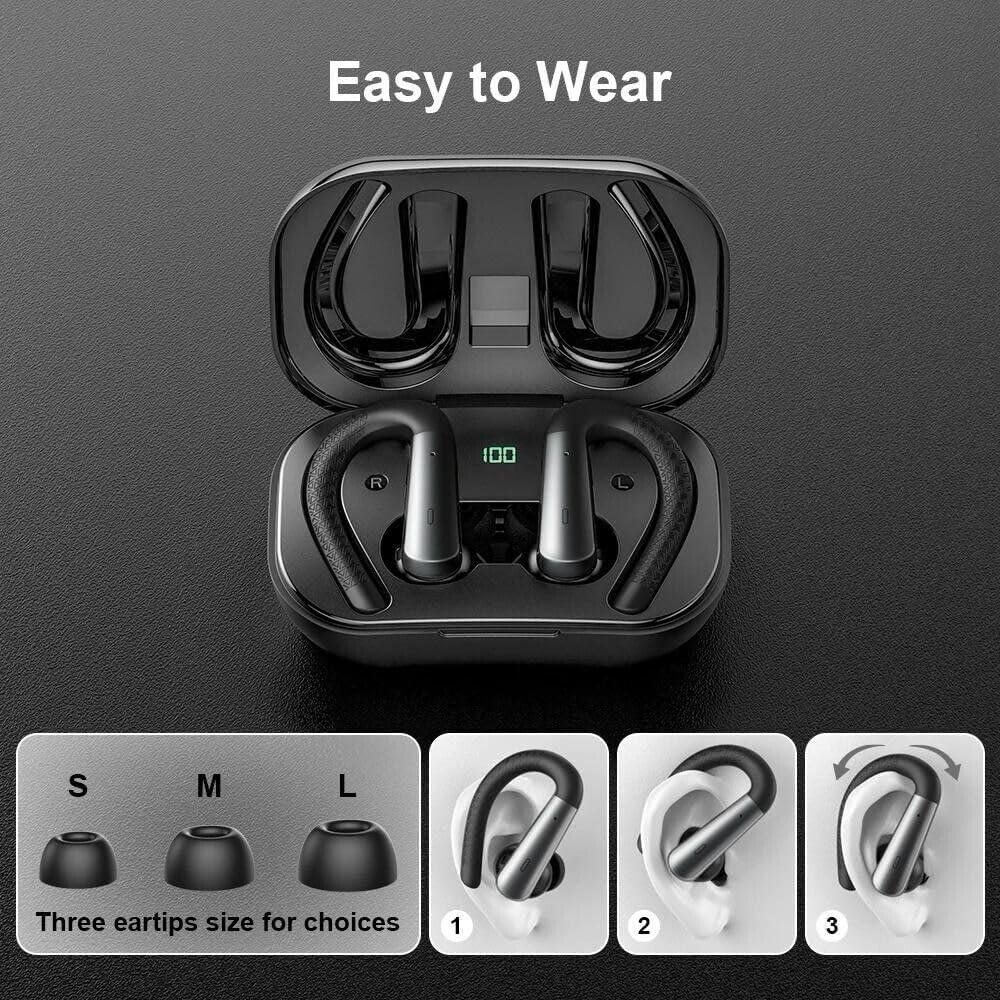
Image: Illustration showing three sizes of eartips (S, M, L) and a three-step guide on how to properly wear the ear hooks for a secure fit.
Operating Instructions
Touch Controls
The SGNICS X13 Earbuds feature touch-sensitive controls on each earbud for easy management of music and calls.
| Function | Action |
|---|---|
| Play/Pause Music | Single tap on either earbud |
| Next Track | Double tap on the right earbud |
| Previous Track | Double tap on the left earbud |
| Answer/End Call | Single tap on either earbud |
| Reject Call | Press and hold either earbud for 2 seconds |
| Activate Voice Assistant | Triple tap on either earbud |
| Volume Up | Press and hold the right earbud |
| Volume Down | Press and hold the left earbud |
Maintenance
Cleaning
Regular cleaning helps maintain sound quality and hygiene.
- Use a soft, dry, lint-free cloth to wipe the earbuds and charging case.
- For eartips, remove them from the earbuds and clean with a mild soap solution, then rinse thoroughly with water and dry completely before reattaching.
- Do not use abrasive cleaners, alcohol, or chemical solvents.
Storage
When not in use, store the earbuds in their charging case to protect them and keep them charged.
- Store in a cool, dry place, away from extreme temperatures and direct sunlight.
- Avoid storing the earbuds with metallic objects to prevent damage to the charging contacts.

Image: SGNICS X13 Earbuds shown with water droplets, highlighting their IPX6 waterproof and sweatproof capabilities.
Troubleshooting
If you encounter issues with your SGNICS X13 Earbuds, refer to the following common solutions:
| Problem | Solution |
|---|---|
| Earbuds not pairing with device |
|
| Only one earbud working |
|
| Poor sound quality or intermittent connection |
|
| Charging case not charging |
|
Specifications
| Feature | Detail |
|---|---|
| Brand | SGNICS |
| Model Number | X13 Earbuds |
| Bluetooth Version | 5.3 |
| Earbud Playtime | Up to 9 hours |
| Total Playtime (with Case) | Up to 48 hours |
| Charging Time (Case) | Approx. 1.5 hours (USB-C) |
| Water Resistance Rating | IPX6 (Sweatproof and Splashproof) |
| Control Method | Touch Control |
| Microphone | Built-in, with Environmental Noise Canceling |
| Frequency Range | 20Hz - 20,000Hz |
| Audio Driver Type | Dynamic Driver |
| Material | ABS+PC |
| Additional Features | Lightweight, Ear Hooks for Secure Fit, LED Battery Display on Case |
| Compatible Devices | iOS devices (iPhone 15/14/13/12/11/X/8/7/6/5 series), Android devices (Samsung Galaxy S23/S22/S21/S20/S10/S9/Note series, Huawei, Xiaomi, ZTE, Lenovo, OPPO, Vivo, SONY, HTC, LG), and other Bluetooth-enabled smartphones and tablets with iOS 9.0/Android 4.4 or above. |
Safety Information
- Do not disassemble or modify the product.
- Keep away from extreme temperatures, humidity, and corrosive substances.
- Avoid dropping or subjecting the earbuds to strong impacts.
- Do not expose to open flames or dispose of in fire.
- Keep out of reach of children and pets.
- Prolonged exposure to loud volume may cause hearing damage. Adjust volume to a safe level.
Warranty and Support
SGNICS products come with a standard manufacturer's warranty. For specific warranty terms, registration, or technical support, please refer to the warranty card included in your package or visit the official SGNICS website. Please retain your proof of purchase for warranty claims.
For further assistance, you may contact SGNICS customer support through the contact information provided on their official website or through your purchase platform.