
Introduction
Thank you for choosing the SGNICS F57L Smart Watch. This device is designed to enhance your daily life by providing comprehensive health tracking, communication features, and smart assistance directly from your wrist. With its 1.91-inch HD touch screen and versatile functionalities, the F57L is an elegant activity tracker suitable for Android and iOS phones. This manual provides essential information for setting up, operating, maintaining, and troubleshooting your new smart watch.
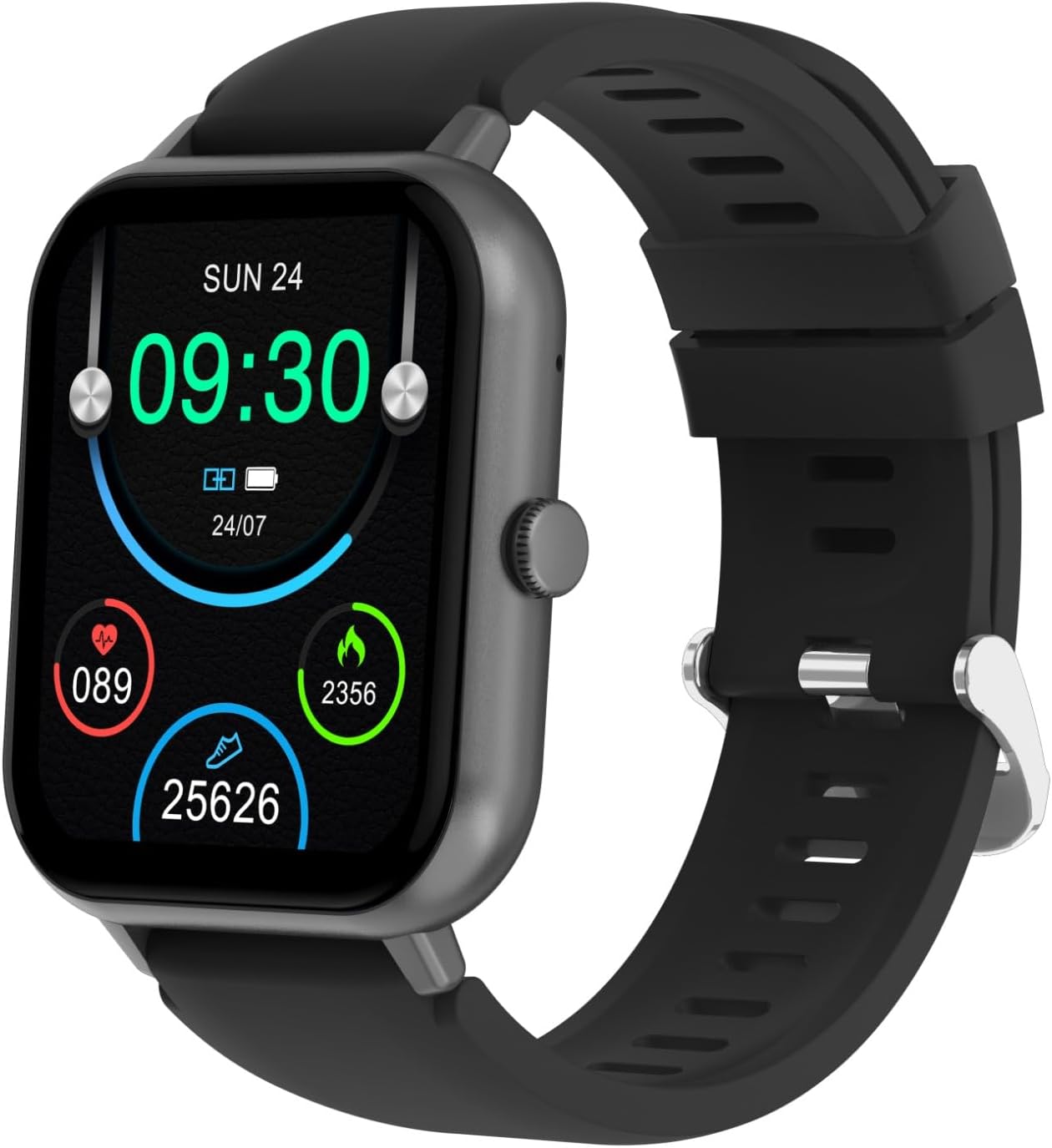
Figure 1: Front view of the SGNICS F57L Smart Watch, displaying the time, battery status, heart rate, calorie count, and step count on its vibrant screen.
Setup Guide
1. Charging the Device
Before first use, fully charge your SGNICS F57L Smart Watch.
- Connect the provided charging cable to the charging port on the back of the watch.
- Plug the USB end of the cable into a standard USB power adapter (not included) or a computer's USB port.
- The watch display will indicate charging status. Allow approximately 2 hours for a full charge.

Figure 2: Rear view of the SGNICS F57L Smart Watch, highlighting the heart rate sensor and magnetic charging contacts.
2. Pairing with Your Smartphone
To unlock all features, pair your smart watch with your Android or iOS smartphone via Bluetooth.
- Download the official SGNICS companion app from your phone's app store (Google Play Store for Android, Apple App Store for iOS). Search for "SGNICS Smart Watch" or refer to the QR code in the quick start guide (if provided with product).
- Ensure Bluetooth is enabled on your smartphone.
- Open the SGNICS app and follow the on-screen instructions to create an account or log in.
- Within the app, navigate to the device pairing section and select "Add Device" or similar.
- The app will search for nearby devices. Select "F57L" from the list of discovered devices.
- Confirm the pairing request on both your phone and the smart watch if prompted.
- Once paired, the watch will synchronize data with the app, and you will receive notifications.
Operating Instructions
Basic Navigation
The SGNICS F57L features a highly responsive 1.91-inch HD touch screen for intuitive navigation.
- Swipe Up/Down: Scroll through menus and notifications.
- Swipe Left/Right: Access quick functions or different data screens (e.g., heart rate, steps, weather).
- Tap: Select an item or confirm an action.
- Press Side Button: Return to the home screen or power on/off the device (long press).

Figure 3: Close-up view of the SGNICS F57L Smart Watch display, illustrating the clear presentation of time and various activity metrics.
Health and Activity Tracking
The watch automatically tracks your daily activity and health metrics 24/7 using advanced sensors.
- Heart Rate: Monitors your heart rate continuously. View real-time data on the watch or detailed trends in the app.
- Sleep Monitor: Tracks your sleep patterns, including deep sleep, light sleep, and awake times.
- Pedometer: Counts your steps, distance traveled, and calories burned throughout the day.
Wrist Calls & Notifications
Once connected via Bluetooth, you can manage calls and receive notifications directly on your wrist.
- Make/Receive Calls: Use the watch's built-in microphone and speaker to make or answer calls without taking out your phone.
- Message Alerts: Receive notifications for incoming calls, SMS messages, and alerts from social media apps (e.g., WhatsApp, Facebook, Instagram). The watch will vibrate to alert you.
50+ Sports Modes
The F57L supports over 50 sports modes to accurately track your workouts.
- Accessing Modes: Navigate to the "Sports" or "Workout" section on your watch.
- Supported Activities: Includes running, dancing, yoga, cycling, hiking, and many more.
- Tracking: During a workout, the watch tracks duration, distance, calories burned, and heart rate, helping you optimize your training.
Life Assistant Features
Your SGNICS F57L Smart Watch acts as a personal assistant, offering various convenient features.
- AI Voice Assistant: Interact with your watch using voice commands to ask questions, set reminders, or control smart devices.
- Music Playback Control: Control music playing on your phone (play, pause, skip tracks).
- Stopwatch & Countdown: Built-in tools for timing activities.
- Calculator: Perform basic calculations directly on your wrist.
- Weather Display: Get real-time weather updates.
- Remote Photography: Use your watch as a remote shutter for your phone's camera.
- Find My Phone: Locate your misplaced phone by making it ring.
Customization (DIY UI)
Personalize your watch face to match your style.
- Access the watch face gallery through the companion app.
- Choose from hundreds of pre-designed dials or create your own custom watch face using your photos.
Maintenance
Proper care ensures the longevity and optimal performance of your SGNICS F57L Smart Watch.
- Cleaning: Regularly wipe the watch screen and strap with a soft, dry, lint-free cloth. For stubborn smudges, slightly dampen the cloth with water. Avoid using harsh chemicals or abrasive materials.
- Charging Contacts: Keep the charging contacts on the back of the watch clean and dry to ensure efficient charging.
- Storage: When not in use for extended periods, store the watch in a cool, dry place. It is recommended to charge the watch to about 50% before long-term storage.
- Avoid Extreme Conditions: Do not expose the watch to extreme temperatures (hot or cold), direct sunlight for prolonged periods, or corrosive liquids.

Figure 4: Side view of the SGNICS F57L Smart Watch, illustrating its sleek profile and the single functional side button.
Troubleshooting
If you encounter issues with your SGNICS F57L Smart Watch, refer to the following common solutions.
| Problem | Possible Cause | Solution |
|---|---|---|
| Watch won't turn on | Low battery; device frozen. | Charge the watch for at least 30 minutes. If still unresponsive, perform a forced restart by long-pressing the side button for 10-15 seconds. |
| Cannot pair with phone | Bluetooth off; watch not discoverable; app issue. | Ensure Bluetooth is on for both devices. Restart both the watch and phone. Clear the app's cache or reinstall the app. Forget the device in phone's Bluetooth settings and try pairing again. |
| Notifications not received | App permissions; notification settings; Bluetooth disconnected. | Check app notification permissions on your phone. Ensure notifications are enabled within the SGNICS app. Verify Bluetooth connection is stable. |
| Inaccurate health data | Improper fit; sensor obstruction. | Ensure the watch is worn snugly but comfortably on your wrist, about one finger's width above the wrist bone. Clean the heart rate sensor on the back of the watch. |
Specifications
| Feature | Detail |
|---|---|
| Brand Name | SGNICS |
| Model Name | F57L |
| Color | Black |
| Material | Zinc |
| Manufacturer | SGNICS |
| Model Year | 2024 |
| Included Components | 1 * Band, 1 * Charging Cable, 1 * Smart Watch F57L, 1 * User Manual |
| Standing Screen Display Size | 1.91 Inches |
| Connectivity Technology | Bluetooth |
| Wireless Communication Standard | Bluetooth |
| GPS | No GPS |
| Shape | Rectangular |
| Target Audience | Teens, Seniors, Adults |
| Special Features | 50+ Sports Modes, AI voice assistant, Alarm Clock, Music Player, Notifications, Pedometer, Sleep Monitor |
Warranty Information
The SGNICS F57L Smart Watch comes with a 60-day warranty from the date of purchase. This warranty covers manufacturing defects and malfunctions under normal use. It does not cover damage caused by misuse, accidents, unauthorized modifications, or normal wear and tear. Please retain your proof of purchase for warranty claims.
Customer Support
For further assistance, technical support, or warranty inquiries, please contact SGNICS customer service.
- Refer to the contact information provided on the product packaging or the official SGNICS website.
- When contacting support, please have your product model (F57L) and purchase details ready.