
Introduction
This manual provides comprehensive instructions for the SGNICS F57L Smart Watch. Please read this manual carefully before using the device to ensure proper operation and to maximize its features. Keep this manual for future reference.
Package Contents
Verify that all items are present in your package:
- 1 x SGNICS F57L Smart Watch
- 1 x Watch Band
- 1 x Charging Cable
- 1 x User Manual (this document)
Product Overview
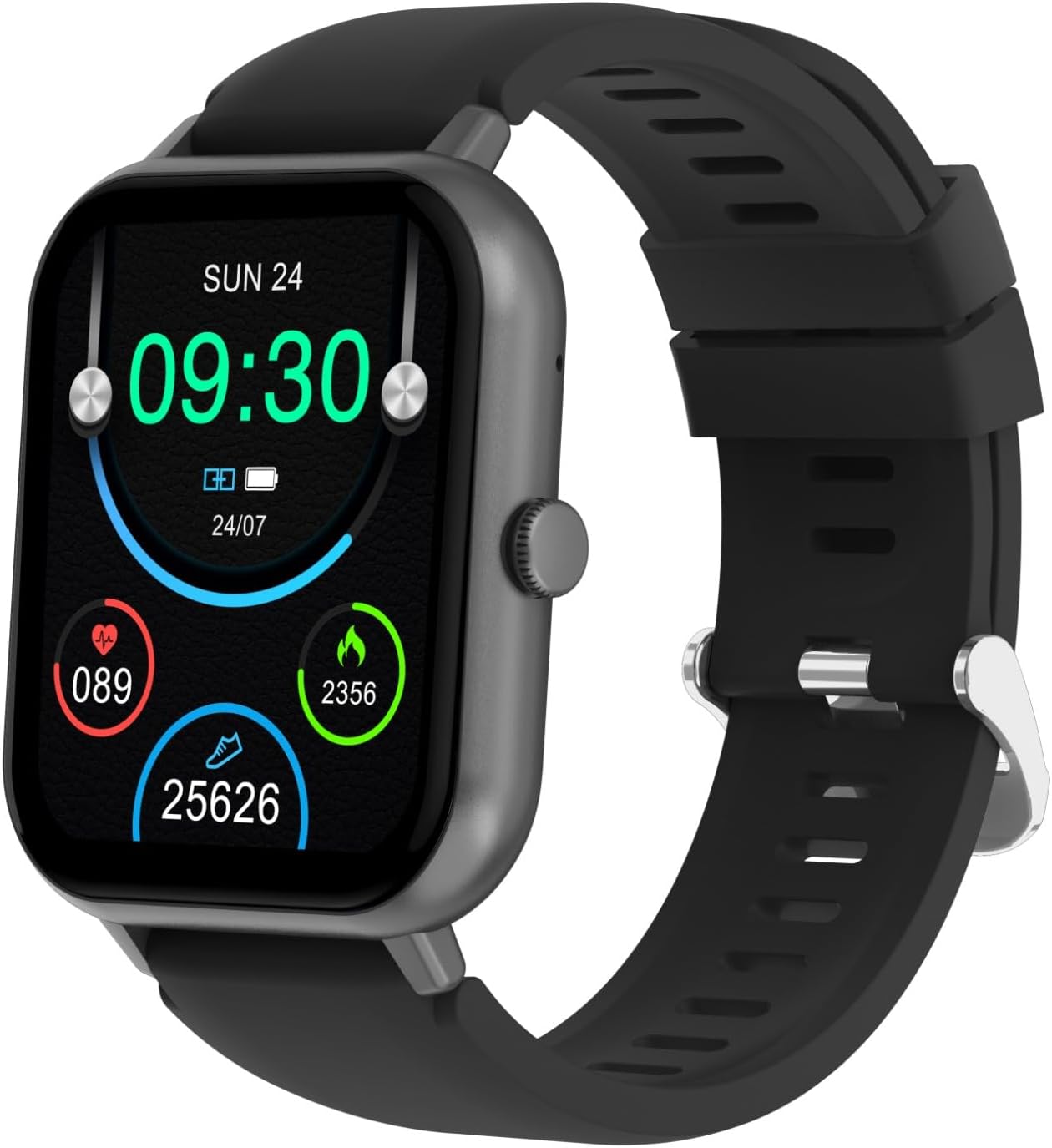
Figure 1: Front view of the SGNICS F57L Smart Watch, displaying the time, date, battery level, heart rate, calories burned, and steps taken on its 1.91-inch HD screen.

Figure 2: Rear view of the SGNICS F57L Smart Watch, showing the heart rate and fitness tracker sensors located on the back panel.

Figure 3: Side profile of the SGNICS F57L Smart Watch, highlighting the physical button and sleek design.
The SGNICS F57L Smart Watch features a 1.91-inch HD touch screen, a durable zinc alloy body, and a comfortable silicone band. It is equipped with advanced sensors for health tracking and supports Bluetooth calling and various sports modes.
Setup
1. Charging the Smart Watch
- Connect the charging cable to the charging contacts on the back of the watch.
- Plug the USB end of the cable into a standard USB power adapter (5V/1A recommended) or a computer's USB port.
- The watch screen will display a charging indicator. A full charge typically takes approximately 2 hours.
2. Downloading the Companion App
To unlock all features and synchronize data, download the official companion app to your smartphone.
- Scan the QR code provided in the quick start guide (if available) or search for "SGNICS Smart Watch" (or similar, specific app name not provided) in your phone's app store (App Store for iOS, Google Play Store for Android).
- Install the app on your smartphone.
3. Pairing with Your Smartphone
- Ensure your smart watch is charged and powered on.
- Enable Bluetooth on your smartphone.
- Open the companion app on your smartphone.
- Follow the in-app instructions to search for and connect to your SGNICS F57L Smart Watch. The watch's Bluetooth name will typically be "F57L" or "SGNICS F57L".
- Confirm the pairing request on both your watch and smartphone.
Operating Instructions
Basic Navigation
- Touch Screen: Swipe left/right, up/down to navigate through menus and features. Tap to select.
- Side Button: Press to wake the screen, return to the home screen, or access the main menu.
Key Features
- Bluetooth Calls & Notifications:
Once paired, the watch allows you to make and receive calls directly from your wrist. All incoming messages and app notifications will be displayed on the watch screen with a vibration alert.
- To answer a call: Tap the green phone icon on the watch screen.
- To reject a call: Tap the red phone icon.
- To view notifications: Swipe down from the home screen or access the notifications menu.
- Health Tracking (24/7):
The watch continuously monitors your heart rate, steps, calories burned, and distance traveled. Access these metrics by swiping through the watch faces or navigating to the health data section in the menu.

Figure 4: Close-up of the SGNICS F57L Smart Watch screen, showing real-time health data including heart rate, calories, and steps.
- Sports Modes (50+):
The watch supports over 50 sports modes, including running, cycling, yoga, and hiking. Select a mode before starting your activity to track specific workout data.
- To start a workout: Navigate to the "Sports" or "Workout" menu, select your desired activity, and tap to begin.
- The watch will record duration, calories, distance, and other relevant metrics.
- Customizable Watch Faces (DIY UI):
Personalize your watch face through the companion app. Choose from hundreds of pre-designed options or create your own using photos.
- Life Assistant Features:
The watch includes various utility functions:
- AI Voice Assistant: Activate through the watch to ask questions, set reminders, or control smart devices (requires smartphone connection).
- Music Playback Control: Control music playing on your smartphone (play, pause, skip tracks).
- Stopwatch & Countdown: Access these tools from the utilities menu.
- Calculator: Perform basic calculations on your wrist.
- Weather Display: View current weather conditions (requires app synchronization).
- Remote Photography: Use your watch as a remote shutter for your smartphone camera.
- Find Phone: Trigger an alert on your paired smartphone to locate it.
Maintenance
Cleaning
- Wipe the watch screen and body with a soft, lint-free cloth.
- For stubborn dirt, slightly dampen the cloth with water. Avoid using harsh chemicals or abrasive materials.
- Ensure the charging contacts are clean and dry before charging.
Storage
- Store the watch in a cool, dry place away from direct sunlight and extreme temperatures.
- If storing for an extended period, charge the watch to approximately 50% to preserve battery health.
Water Resistance
The SGNICS F57L Smart Watch has a certain level of water resistance. It is generally suitable for daily use like hand washing or light rain. Avoid wearing it during swimming, showering, or diving, as prolonged exposure to water or high-pressure water jets may cause damage.
Troubleshooting
- Watch will not power on:
Ensure the watch is fully charged. Connect it to the charging cable and a power source for at least 10 minutes before attempting to power it on again.
- Cannot pair with smartphone:
- Ensure Bluetooth is enabled on your smartphone.
- Make sure the watch is within Bluetooth range (typically 10 meters or 33 feet).
- Restart both your watch and smartphone.
- Clear the Bluetooth cache on your phone or "forget" the device if it was previously paired.
- Ensure the companion app has necessary permissions (location, Bluetooth).
- Notifications not appearing:
- Verify that the watch is successfully paired with your smartphone.
- Check notification settings within the companion app to ensure app notifications are enabled for the desired applications.
- Ensure your phone's notification settings allow the companion app to display notifications.
- Inaccurate health data:
- Ensure the watch is worn snugly on your wrist, about one finger's width above the wrist bone.
- Keep the sensor area on the back of the watch clean.
- Avoid excessive movement during heart rate measurements.
Specifications
| Feature | Detail |
|---|---|
| Brand | SGNICS |
| Model Name | F57L |
| Color | Black |
| Material | Zinc (Body) |
| Screen Size | 1.91 inches HD Touch Screen |
| Connectivity | Bluetooth |
| Sports Modes | 50+ |
| Health Tracking | Heart Rate, Steps, Calories, Distance |
| Compatible Devices | Smartphones (Android/iOS) |
| Included Components | Smart Watch, Band, Charging Cable, User Manual |
Warranty and Support
Warranty Information
The SGNICS F57L Smart Watch comes with a 60-day warranty from the date of purchase. This warranty covers manufacturing defects. It does not cover damage caused by misuse, accidents, unauthorized modifications, or normal wear and tear. Please retain your proof of purchase for warranty claims.
Customer Support
For technical assistance, warranty claims, or any questions regarding your SGNICS F57L Smart Watch, please contact SGNICS customer support. Refer to the product packaging or the official SGNICS website for the most current contact information.
When contacting support, please be prepared to provide your product model (F57L) and a detailed description of the issue.