
1. Introduction
The SGNICS Smart Watch F57L is a versatile activity tracker designed to integrate seamlessly with your daily life. Featuring a 1.91-inch HD touch screen, Bluetooth call functionality, and over 50 sport modes, this device helps monitor your health and fitness activities. It is compatible with both Android and iOS phones, offering a range of smart features including notifications and a virtual assistant.
2. What's Included
Upon unboxing your SGNICS Smart Watch F57L, please verify that all the following components are present:
- 1 x SGNICS Smart Watch F57L
- 1 x Watch Band
- 1 x Charging Cable
- 1 x User Manual (this document)
3. Setup Guide
3.1. Charging the Device
Before initial use, fully charge your SGNICS Smart Watch F57L. Connect the provided charging cable to the charging port on the back of the watch and plug the USB end into a standard USB power adapter (not included) or a computer's USB port. The watch display will indicate charging status.

Image: Rear view of the SGNICS Smart Watch F57L, highlighting the heart rate sensor and magnetic charging contacts. Ensure these contacts align with the charging cable for proper power delivery.
3.2. Installing the Companion App and Pairing
- Download the App: Search for the official SGNICS companion app (or the app specified in the watch's initial setup screen) on your smartphone's app store (Google Play Store for Android or Apple App Store for iOS).
- Enable Bluetooth: Ensure Bluetooth is enabled on your smartphone.
- Open the App: Launch the installed companion app and follow the on-screen instructions to create an account or log in.
- Pair the Watch: Within the app, navigate to the device pairing section. The app will search for available devices. Select "SGNICS F57L" from the list. Confirm the pairing request on both your phone and the watch if prompted.
- Complete Setup: Follow any remaining prompts in the app to set up personal information, notification preferences, and other settings.
4. Operating Instructions
4.1. Basic Navigation
The SGNICS Smart Watch F57L features a 1.91-inch HD touch screen for intuitive interaction.
- Swipe Up/Down: Scroll through menus and notifications.
- Swipe Left/Right: Access quick functions or different watch faces.
- Tap: Select an item or confirm an action.
- Press Side Button: Typically returns to the home screen or activates a specific function (e.g., power on/off with a long press).

Image: A close-up view of the SGNICS Smart Watch F57L's vibrant 1.91-inch HD display, showing the current time, date, and various health metrics like heart rate and step count.
4.2. Health Monitoring
The watch automatically tracks various health metrics throughout the day.
- 24-Hour Activity Tracking: Monitors steps, distance, and calories burned.
- Heart Rate Monitoring: Provides continuous heart rate data.
- Sleep Tracking: Analyzes sleep patterns, including deep and light sleep stages.
View detailed health data and trends within the companion app on your smartphone.
4.3. Sport Modes
The SGNICS F57L supports over 50 sport modes to accurately track your workouts.
- Access Sport Modes: Swipe on the watch face to find the 'Workout' or 'Sport Modes' icon and tap to enter.
- Select Activity: Choose your desired activity (e.g., running, cycling, yoga).
- Start Tracking: Tap 'Start' to begin recording your workout data.
- End Tracking: Tap 'Pause' or 'Stop' to end the session. Data will sync to your app.
4.4. Calls and Notifications
Once paired with your smartphone, the watch allows for convenient communication.
- Bluetooth Calls: Make and receive calls directly from your wrist without needing to take out your phone.
- Notifications: Receive alerts for incoming calls, text messages, and app notifications via vibration and on-screen display. Manage notification settings through the companion app.
4.5. Virtual Assistant and Other Features
The watch includes a virtual assistant and several utility functions:
- Virtual Assistant: Interact with your virtual assistant to ask questions, set reminders, or control smart devices (requires compatible smart home setup).
- Music Playback Control: Control music playing on your smartphone.
- Remote Photography: Use the watch as a remote shutter for your phone's camera.
- Pedometer, Stopwatch, Countdown, Calculator, Weather Display: Access these tools directly from the watch.
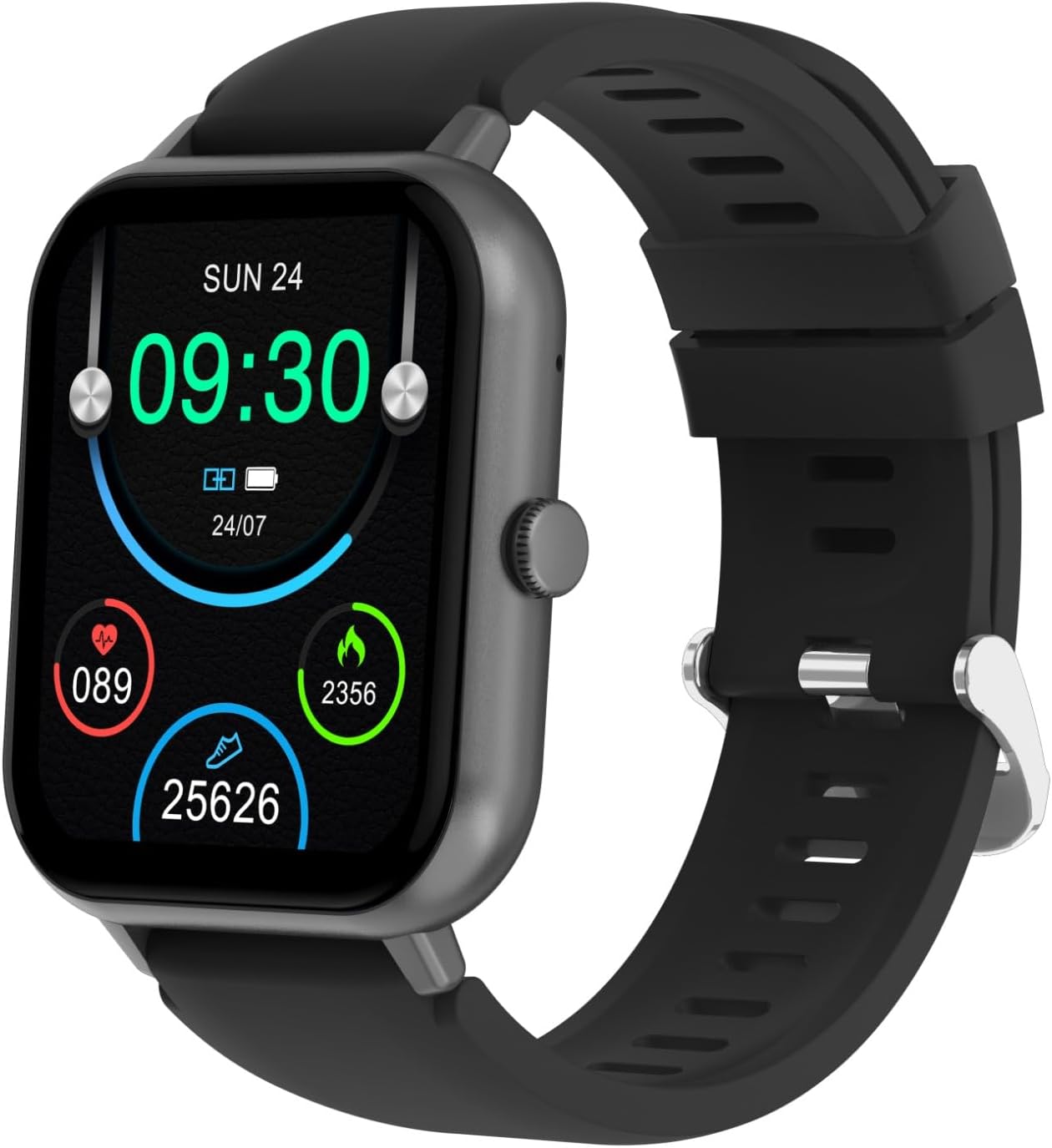
Image: The SGNICS Smart Watch F57L displayed on a wrist, showcasing its sleek design, black band, and the full watch face with active display elements.
5. Maintenance
5.1. Cleaning
Regularly clean your watch to ensure optimal performance and hygiene.
- Wipe the screen and body with a soft, lint-free cloth.
- For stubborn dirt, slightly dampen the cloth with water. Avoid harsh chemicals or abrasive materials.
- Clean the sensor area on the back of the watch to maintain accurate readings.
5.2. Water Resistance
While the watch is designed to be resistant to scratches, specific water resistance ratings (e.g., IP67, IP68) are not provided. It is recommended to avoid prolonged submersion in water, hot water, or exposure to high-pressure water jets to prevent damage.

Image: Side profile of the SGNICS Smart Watch F57L, illustrating its slim design and the single functional button located on the right side of the watch casing.
6. Troubleshooting
If you encounter issues with your SGNICS Smart Watch F57L, refer to the following common solutions:
- Watch not turning on: Ensure the watch is fully charged. Connect it to the charging cable and a power source.
- Cannot pair with phone: Make sure Bluetooth is enabled on your phone and the watch. Restart both devices and try pairing again through the companion app. Ensure the app has necessary permissions.
- Inaccurate health data: Ensure the watch is worn snugly on your wrist, not too tight or too loose. Clean the sensors on the back of the watch.
- Notifications not appearing: Check notification settings in both your phone's system settings and the companion app. Ensure the watch is connected via Bluetooth.
- Touch screen unresponsive: Restart the watch. If the issue persists, ensure the screen is clean and dry.
For further assistance, please contact SGNICS customer support.
7. Specifications
| Feature | Detail |
|---|---|
| Brand Name | SGNICS |
| Model Name | F57L |
| Color | Black |
| Material | Zinc |
| Display | 1.91'' HD Touch Screen |
| Operating System | Wear OS 2.0 |
| Connectivity Technology | Bluetooth |
| Special Features | Activity Tracker, Bluetooth Call, 50+ Sport Modes, Virtual Assistant |
| GPS | No GPS |
| Included Components | Smart Watch F57L, Band, Charging Cable, User Manual |
| Manufacturer | SGNICS |
| Model Year | 2024 |
| Target Audience | Teens, Seniors, Adults |
8. Warranty and Support
8.1. Warranty Information
The SGNICS Smart Watch F57L comes with a 60-day warranty from the date of purchase. This warranty covers manufacturing defects. Please retain your proof of purchase for warranty claims.
8.2. Customer Support
For technical support, warranty claims, or any other inquiries, please refer to the contact information provided on the SGNICS official website or your purchase documentation.