
1.1 Package Contents
Verify that all items are present in your package:
- 1 x SGNICS F57L Smart Watch
- 1 x Watch Band
- 1 x Charging Cable
- 1 x User Manual (this document)
Model: F57L
This manual provides detailed instructions for the setup, operation, and maintenance of your SGNICS F57L Smart Watch. Please read this manual thoroughly to ensure proper use and to fully utilize all features of your device.
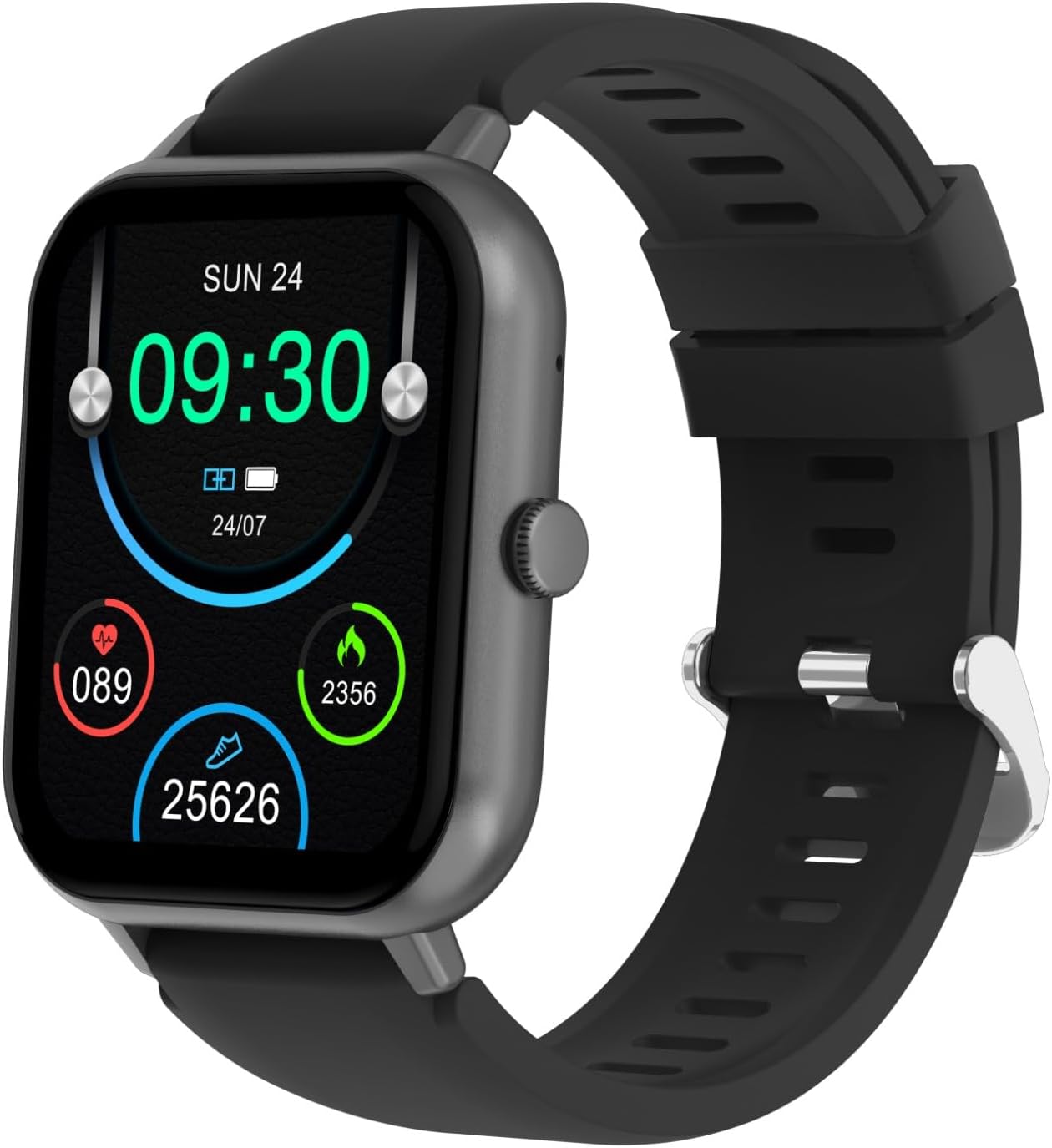
Image: Front view of the SGNICS F57L Smart Watch, displaying the time, date, battery status, heart rate, calorie count, and step count. The watch features a black strap and a rectangular grey casing.
Verify that all items are present in your package:
Before first use, fully charge your smart watch. Connect the magnetic charging cable to the charging contacts on the back of the watch and plug the USB end into a standard USB power adapter (not included).

Image: Rear view of the SGNICS F57L Smart Watch, highlighting the heart rate sensor and magnetic charging contacts. This area is used for health tracking and charging the device.
A full charge typically takes approximately 2 hours. The watch display will indicate charging status.
To unlock the full functionality of your SGNICS F57L Smart Watch, download and install the companion application on your smartphone. Search for the app name (usually mentioned in the quick start guide or on the watch screen during initial setup) in the Apple App Store (for iOS devices) or Google Play Store (for Android devices).
Alternatively, scan the QR code provided in the quick start guide or on the watch itself to directly download the app.
Once paired, the watch will synchronize time and data with your phone.

Image: Close-up of the SGNICS F57L Smart Watch display, illustrating the clear 1.91-inch HD screen with time, date, and various activity metrics like heart rate, calories burned, and steps taken.

Image: Side view of the SGNICS F57L Smart Watch, highlighting the single physical button on the right side of the watch casing, used for navigation and control.
After successfully pairing your watch with your smartphone via Bluetooth, you can make and receive calls directly from your watch.
Ensure notification permissions are enabled in the companion app and your phone's settings. Your watch will vibrate and display incoming messages and app notifications.
The SGNICS F57L Smart Watch continuously monitors various health metrics.
For detailed historical data and insights, refer to the companion app.
The watch supports over 50 sport modes to track your workouts accurately.
Workout data will synchronize with the companion app for review.
Personalize your watch by changing the watch face.
Your SGNICS F57L Smart Watch includes several utility features:
Regular cleaning helps maintain the watch's appearance and functionality.
The SGNICS F57L Smart Watch is designed with a certain level of water resistance. Refer to the specifications section or product packaging for the exact IP rating. Generally, it is suitable for daily use like hand washing or light rain, but it is not recommended for swimming, showering with hot water, or diving.
Avoid exposing the watch to hot water, steam, or high-pressure water jets, as this can compromise the water resistance seals.
| Issue | Possible Solution |
|---|---|
| Watch does not turn on | Ensure the watch is fully charged. Connect to the charger for at least 30 minutes. |
| Unable to pair with phone |
|
| No notifications received |
|
| Inaccurate health data |
|
| Feature | Detail |
|---|---|
| Model Name | F57L |
| Brand | SGNICS |
| Screen Size | 1.91 Inches |
| Connectivity Technology | Bluetooth |
| Wireless Communication Standard | Bluetooth |
| Material | Zinc (casing) |
| Color | Black |
| GPS | No GPS |
| Included Components | Smart Watch F57L, Band, Charging Cable, User Manual |
The SGNICS F57L Smart Watch comes with a 60-day warranty from the date of purchase. This warranty covers manufacturing defects. It does not cover damage caused by misuse, accidents, unauthorized modifications, or normal wear and tear. Please retain your proof of purchase for warranty claims.
If you encounter any issues or have questions not covered in this manual, please contact SGNICS customer support. Refer to the product packaging or the companion app for specific contact details (e.g., email address, website). When contacting support, please provide your product model (F57L) and a detailed description of the issue.
Ask about setup, troubleshooting, compatibility, parts, safety, or missing instructions. Manuals+ will review the question and use this page’s manual context to help answer it.