
SGNICS F57L
Smart Watch User Manual
Model: F57L | Brand: SGNICS
Introduction
This manual provides comprehensive instructions for the SGNICS F57L Smart Watch. It covers setup, operation, maintenance, and troubleshooting to ensure you get the most out of your device. The F57L Smart Watch is designed to enhance your daily life with features such as Bluetooth calling, a 1.91-inch HD touch screen, and extensive fitness tracking capabilities.
Key features include:
- 24-Hour Automatic Health Tracking with advanced sensors.
- Wrist Calls & Notification support for convenient communication.
- 1.91'' HD Screen with highly responsive touch sensitivity and customizable DIY UI.
- Over 50 Sports Modes for comprehensive activity tracking.
- Integrated Virtual Assistant and various life features like pedometer, music control, and weather display.
Package Contents
Upon opening the package, please verify that all components are present:
- 1 x Smart Watch F57L
- 1 x Watch Band
- 1 x Charging Cable
- 1 x User Manual (this document)
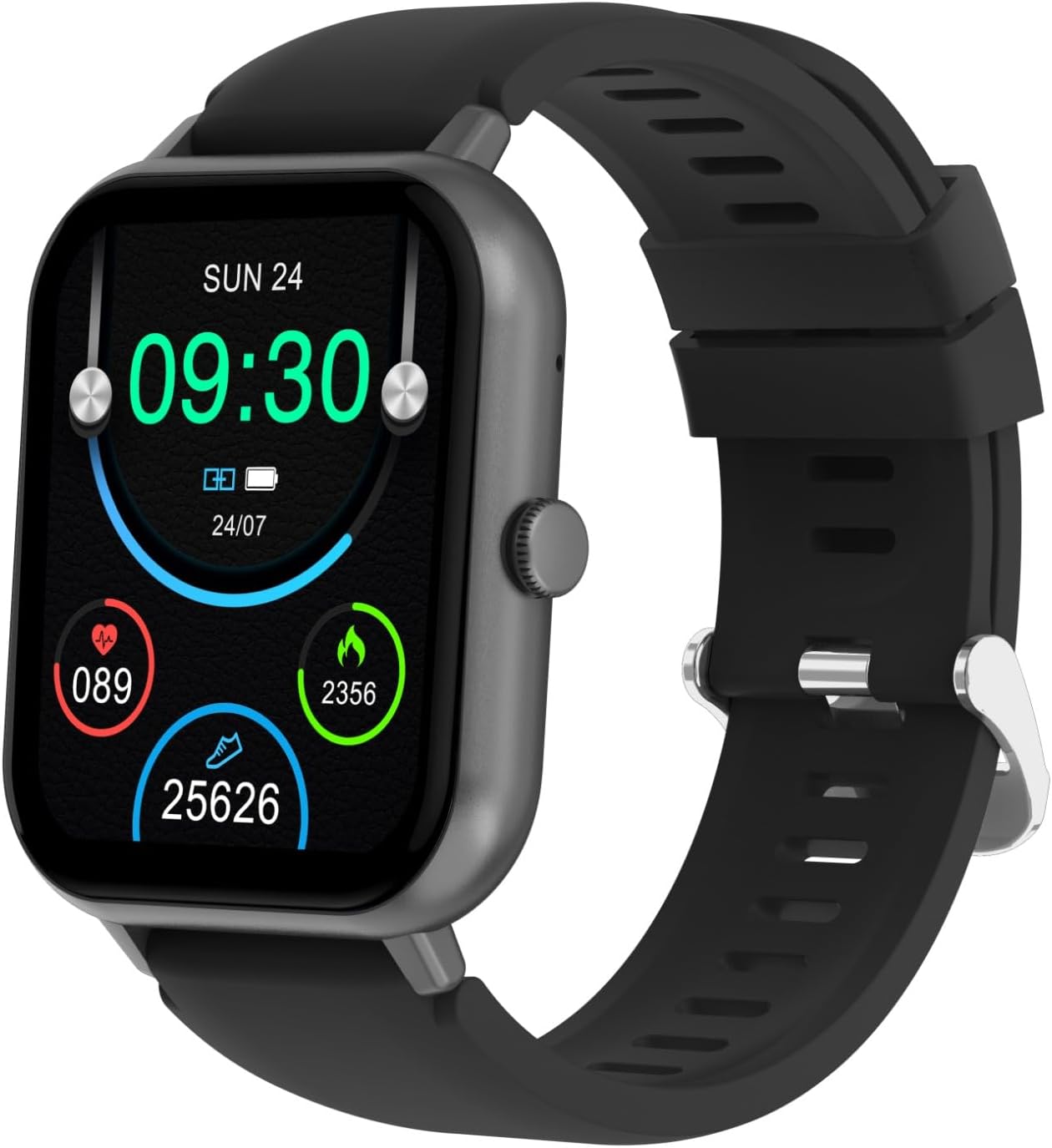
Figure 1: SGNICS F57L Smart Watch and its components. The image displays the watch face with time, date, and various health metrics.
Setup
1. Charging the Device
Before first use, fully charge the smart watch. Connect the magnetic charging cable to the charging points on the back of the watch and plug the USB end into a standard USB power adapter (not included) or a computer's USB port.
- A full charge typically takes approximately 2 hours.
- The watch display will show the charging progress.

Figure 2: Rear view of the smart watch, highlighting the heart rate sensor and magnetic charging contacts.
2. App Installation and Pairing
To unlock the full functionality of your smart watch, download and install the companion application on your smartphone (Android or iOS).
- Scan the QR code provided in the quick start guide (or search for the app name in your phone's app store).
- Open the app and follow the on-screen instructions to create an account or log in.
- Ensure Bluetooth is enabled on your smartphone.
- In the app, navigate to "Device" or "Add Device" and select your smart watch from the list of available devices (e.g., "F57L").
- Confirm the pairing request on both your phone and the watch.
Once paired, the watch will synchronize time and data with your phone.
Operating Instructions
Basic Navigation
- Touch Screen: Swipe left/right to navigate between main functions, swipe up/down for notifications or quick settings. Tap to select.
- Side Button: Press to wake the screen, return to the home screen, or access the app menu.

Figure 3: Detailed view of the smart watch display, illustrating the clarity and information presented.
Bluetooth Calls & Notifications
After successful Bluetooth pairing, you can manage calls and receive notifications directly on your watch.
- Making Calls: Access the dialer or contact list on the watch to initiate calls.
- Receiving Calls: Answer or reject incoming calls directly from your wrist.
- Notifications: All messages and app notifications from your paired phone will be displayed on the watch screen and accompanied by a vibration alert.
Health Tracking
The smart watch continuously monitors your health data.
- 24-Hour Activity Tracking: Automatically tracks steps, distance, calories burned, and active minutes throughout the day.
- Heart Rate Monitoring: Provides real-time heart rate data.
- Sleep Monitoring: Tracks sleep patterns and quality (requires wearing the watch during sleep).
Sports Modes
The watch supports over 50 sports modes to accurately track your workouts.
- Navigate to the "Sports" section on your watch.
- Select your desired activity (e.g., running, cycling, yoga).
- The watch will record duration, calories, and other relevant metrics for your chosen sport.
Customization and Other Features
- DIY UI / Watch Faces: Customize your watch face through the app with hundreds of available options or create your own.
- Virtual Assistant: Access your phone's AI voice assistant directly from the watch for quick commands and queries.
- Life Assistant Features: Includes stopwatch, countdown timer, calculator, weather display, music playback control, and remote camera control.
Maintenance
Cleaning and Care
- Wipe the watch and band regularly with a soft, damp cloth.
- Avoid using harsh chemicals or abrasive cleaners.
- Ensure the charging contacts are clean and dry before charging.
Storage
When not in use for extended periods, store the watch in a cool, dry place. It is recommended to charge the watch periodically to maintain battery health.
Troubleshooting
Common Issues and Solutions
| Problem | Possible Cause / Solution |
|---|---|
| Watch does not turn on. | Battery may be depleted. Connect to charger and allow it to charge for at least 10 minutes before attempting to power on. |
| Cannot pair with phone. | Ensure Bluetooth is enabled on both devices. Make sure the watch is discoverable. Restart both the watch and phone, then try pairing again. Check if the app is updated. |
| Notifications are not received. | Verify that the watch is connected via Bluetooth. Check app notification permissions on your phone. Ensure notifications are enabled within the watch's companion app settings. |
| Inaccurate health data. | Ensure the watch is worn snugly on your wrist, not too loose or too tight. Clean the sensor on the back of the watch. Avoid excessive movement during measurements. |
Specifications
| Feature | Detail |
|---|---|
| Brand Name | SGNICS |
| Model Name | F57L |
| Color | Black |
| Material | Zinc |
| Screen Size | 1.91 Inches |
| Connectivity Technology | Bluetooth |
| Special Feature | Advanced Health Tracking, Camera Control, Voice Assistant |
| Target Audience | Teens, Seniors, Adults |
| Included Components | 1 * Band, 1 * Charging Cable, 1 * Smart Watch F57L, 1 * User Manual |
Warranty and Support
Warranty Information
The SGNICS F57L Smart Watch comes with a 60-day warranty from the date of purchase, covering manufacturing defects. This warranty does not cover damage caused by misuse, accidents, unauthorized modifications, or normal wear and tear.
Customer Support
For technical assistance, warranty claims, or any other inquiries, please contact SGNICS customer support through the contact information provided on the official SGNICS website or through your point of purchase. Please have your product model number (F57L) and purchase details ready when contacting support.
Related documentsF57L


Ask a question about this manual
Ask about setup, troubleshooting, compatibility, parts, safety, or missing instructions. Manuals+ will review the question and use this page’s manual context to help answer it.