
UML0 N8
UML0 N8 Cordless Vacuum Cleaner Instruction Manual
Model: N8 | Brand: UML0
1. Introduction
The UML0 N8 Cordless Vacuum Cleaner is designed for efficient and versatile cleaning in your home. Its lightweight design, powerful suction, and long battery life make it ideal for tackling various messes on hardwood floors, low-pile carpets, furniture, and even inside your car. This manual provides essential information for safe operation, maintenance, and troubleshooting to ensure optimal performance of your new vacuum cleaner.
2. Package Contents
Please check the package contents carefully. If any items are missing or damaged, please contact customer support.
- N8 Vacuum cleaner host with battery
- Retractable metal tube
- Motorized brush head with roller brush
- 2-in-1 brush (dusting brush and crevice tool)
- Power adapter
- Wall mount & screws
- Cleaning gadget
- Extra Filter
- User manual
- Quick Start Guide
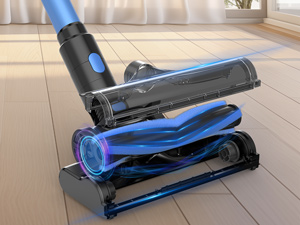
Image: All components of the UML0 N8 Cordless Vacuum Cleaner laid out.
3. Setup and Assembly
3.1 Assembling the Vacuum
- Insert the retractable metal tube into the main motor unit until it clicks securely.
- Attach the motorized brush head to the other end of the metal tube. Ensure it clicks into place.
- For handheld use, detach the metal tube and directly attach the 2-in-1 tool (dusting brush or crevice tool) to the main motor unit.
3.2 Charging the Battery
The N8 vacuum cleaner features a 6-cell 2200mAh large-capacity rechargeable battery. It takes approximately 4-4.5 hours to be fully charged.
- Connect the power adapter to the charging port on the main motor unit.
- Plug the adapter into a wall outlet. The battery indicator lights will show charging status.
- Alternatively, use the wall mount for convenient storage and charging.

Image: Step-by-step assembly of the vacuum cleaner.

Image: The vacuum cleaner configured for handheld use with the crevice tool.

Image: The vacuum cleaner mounted on the wall bracket for storage and charging.
Video: Demonstrates the installation and assembly of the motorized brush head.
4. Operating Instructions
4.1 Powering On/Off and Suction Modes
The N8 vacuum cleaner offers two suction modes: Eco-mode and Max mode. You can easily switch between modes with a single button.
- Press the power button to turn the vacuum cleaner ON.
- Press the mode selection button to toggle between Eco-mode (standard suction) and Max mode (super strong suction).
- Press the power button again to turn the vacuum cleaner OFF.

Image: The vacuum cleaner in action on a carpeted surface, demonstrating its powerful suction.
4.2 Versatile Cleaning
The N8 is designed for multi-surface cleaning and can be adapted for various tasks:
- Floor Cleaning: Use the motorized brush head for effective cleaning on hardwood floors, tile, marble, and low-pile carpets. The V-shaped rolling brush helps reduce hair entanglement.
- Under Furniture: The flexible motorized brush head supports lateral rotation from 0° to 165° and vertical rotation from 0° to 90°, allowing it to lie flat to 180° for easy cleaning under furniture. Four LED lights illuminate dark corners.
- Handheld Cleaning: Detach the metal tube and use the main motor unit with the 2-in-1 tool for cleaning uneven or fabric surfaces (dusting brush) and hard-to-reach areas like corners and crevices (crevice tool).

Image: The vacuum cleaner's flexible head allows it to reach under furniture for thorough cleaning.

Image: The vacuum cleaner used in handheld mode with various attachments for versatile cleaning.
Video: Demonstrates the UML0 N8 Cordless Vacuum Cleaner's performance on various surfaces including hardwood floors and carpets.
5. Maintenance
5.1 Emptying the Dust Cup
To maintain optimal suction, empty the dust cup regularly, especially when it reaches the MAX fill line.
- Hold the main motor unit over a trash bin.
- Press the one-click empty button to release the bottom flap and empty the contents.
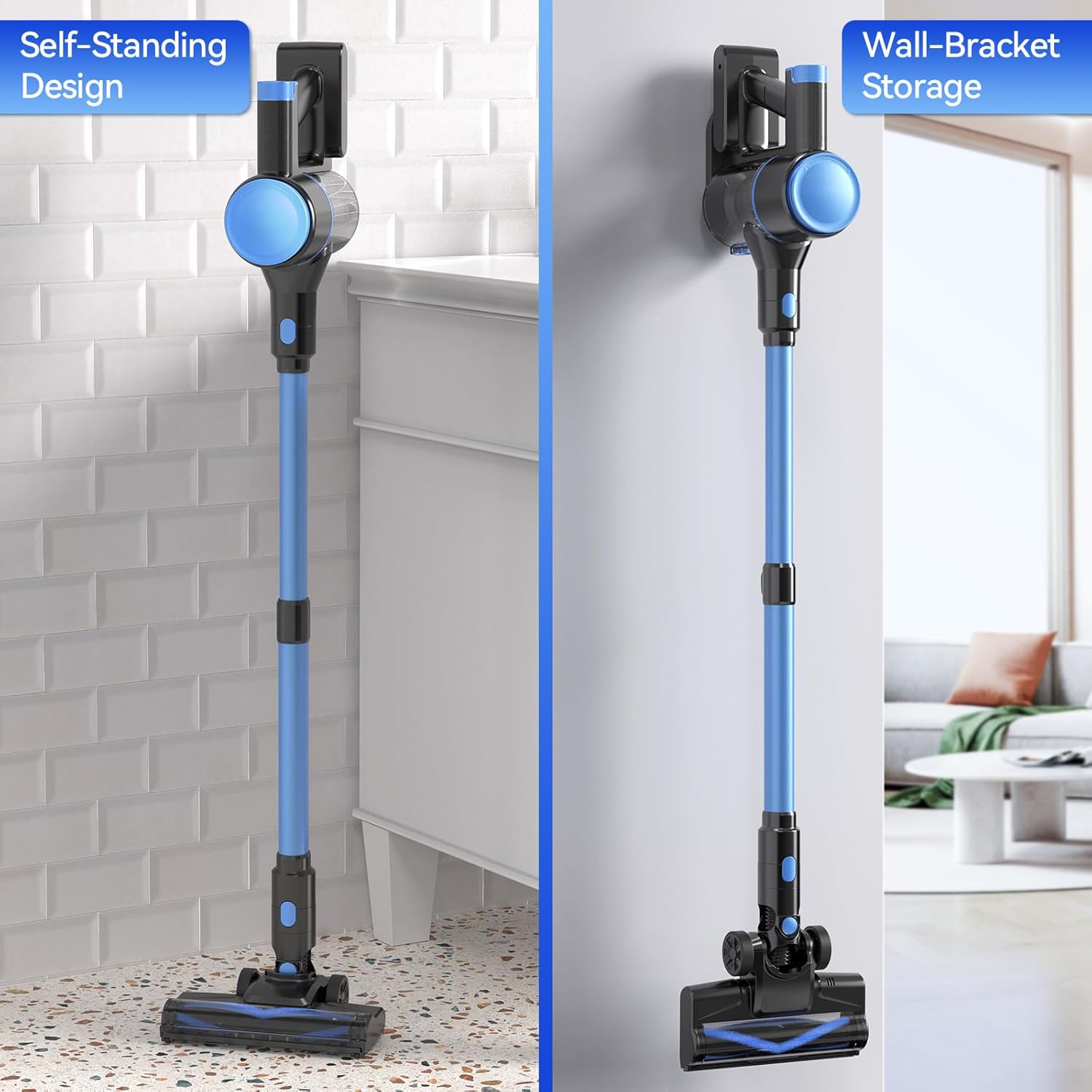
Image: Demonstrates the one-click dust cup emptying feature.
5.2 Cleaning the Filter
The N8 features an upgraded 5-stage complete sealed filtration system with reusable and washable filters. For best performance, clean the filter regularly.
- Twist off the filter assembly from the main motor unit.
- Remove the filter components.
- Wash the filter components with cold water. Ensure they are completely dry before reassembling and reinserting into the vacuum.
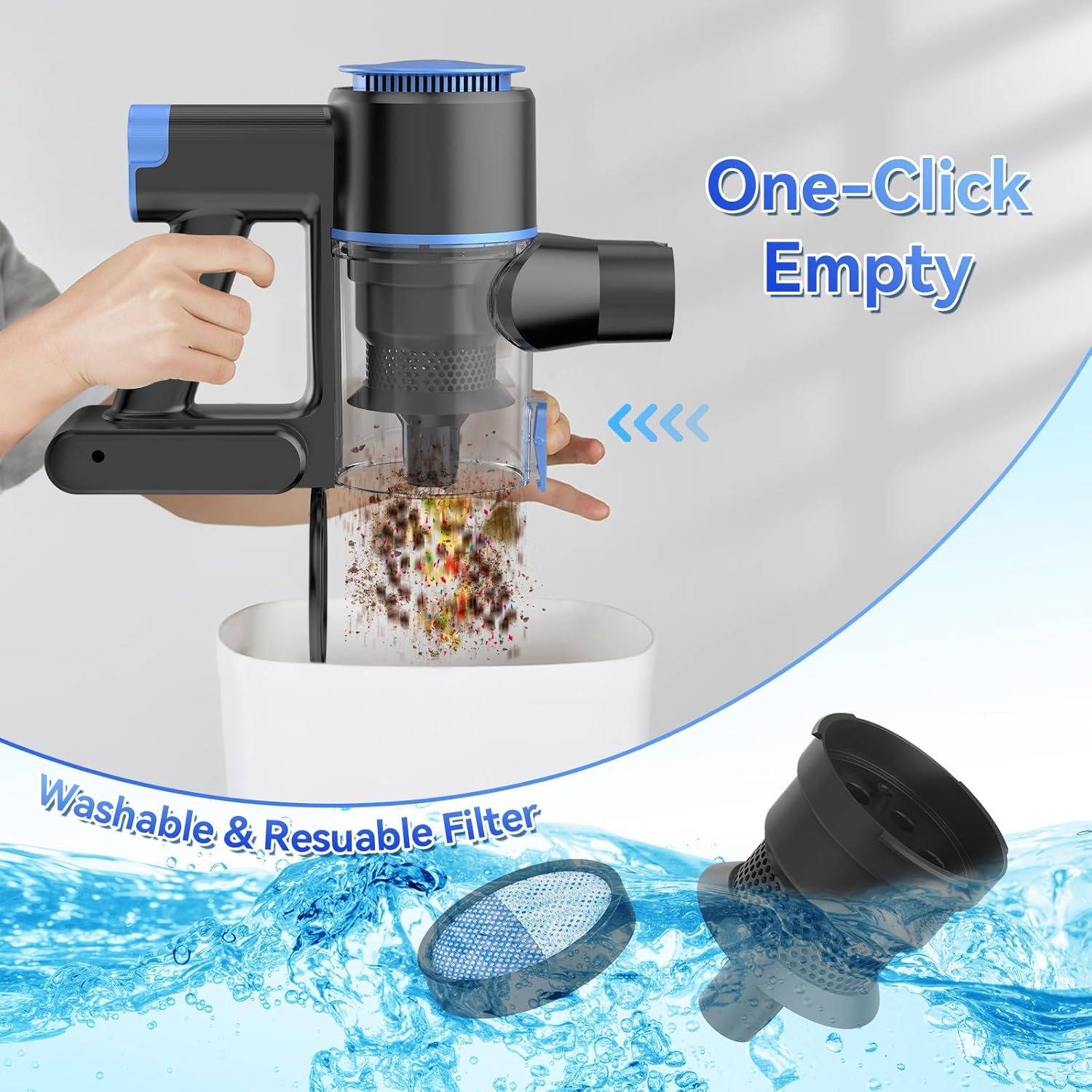
Image: Diagram illustrating the 5-stage high-efficiency filtration system.
Video: Demonstrates the installation and cleaning process of the filter.
6. Troubleshooting
| Problem | Possible Cause | Solution |
|---|---|---|
| Vacuum not turning on | Battery is low or depleted. | Charge the battery fully (approx. 4-4.5 hours). |
| Reduced suction power | Dust cup is full. Filter is clogged. Brush head is obstructed. | Empty the dust cup. Clean the filter thoroughly. Check the brush head for tangled hair or debris and clear any obstructions. |
| Motorized brush not rotating | Brush head is jammed by debris or hair. | Turn off the vacuum and remove any obstructions from the brush roll. |
| Short runtime | Battery not fully charged. Using Max mode continuously. | Ensure battery is fully charged before use. Use Eco-mode for longer cleaning sessions. |
7. Specifications
| Feature | Detail |
|---|---|
| Brand | UML0 |
| Model Name | N8 Cordless Stick Vacuum Cleaner |
| Color | Blue |
| Battery | 6-cell 2200mAh Lithium-Ion |
| Runtime | Up to 40 minutes (Standard mode) |
| Charging Time | 4-4.5 hours (270 minutes) |
| Suction Modes | 2 (Eco-mode & Max mode) |
| Wattage | 145 watts |
| Filter Type | 5-Stage High-Efficiency Filtration System (Reusable & Washable) |
| Dust Cup Capacity | 700 Milliliters |
| Item Weight | 2.9 lbs (main body), 6.2 pounds (total package) |
| Product Dimensions | 16.9"L x 9.7"W x 7"H |
| Special Features | Self-Standing Design, Flexible Motorized Brush with 4 LED Lights, 2-in-1 Tool, Detachable Metal Tube |
8. Warranty and Support
For warranty information, technical support, or any inquiries regarding your UML0 N8 Cordless Vacuum Cleaner, please refer to the contact details provided in the Quick Start Guide or visit the official UML0 website.
UML0 US Seller: UML0 US
Ask a question about this manual
Ask about setup, troubleshooting, compatibility, parts, safety, or missing instructions. Manuals+ will review the question and use this page’s manual context to help answer it.