
isinwheel SK14
isinwheel SK14 Electric Bike User Manual
Model: SK14
1. Setup
This section provides step-by-step instructions for assembling your isinwheel SK14 Electric Bike. Please ensure all components listed in the 'Included Components' section are present before beginning assembly.
1.1 Unboxing and Component Check
Carefully remove all components from the packaging. It is recommended to retain the original packaging for any future shipping needs.

Figure 1: All components of the isinwheel SK14 Electric Bike laid out for assembly.
The following video demonstrates the unboxing and initial setup steps:
Video 1: Unboxing and initial assembly steps for the isinwheel SK14 Electric Bike.
1.2 Front Wheel Installation
- Ensure the tire is adequately inflated. The recommended pressure is typically found on the tire sidewall.
- Align the front wheel with the front fork.
- Insert the front axle through the wheel hub and fork dropouts.
- Secure the axle with the provided nuts and washers using the wrench. Tighten firmly to ensure stability.
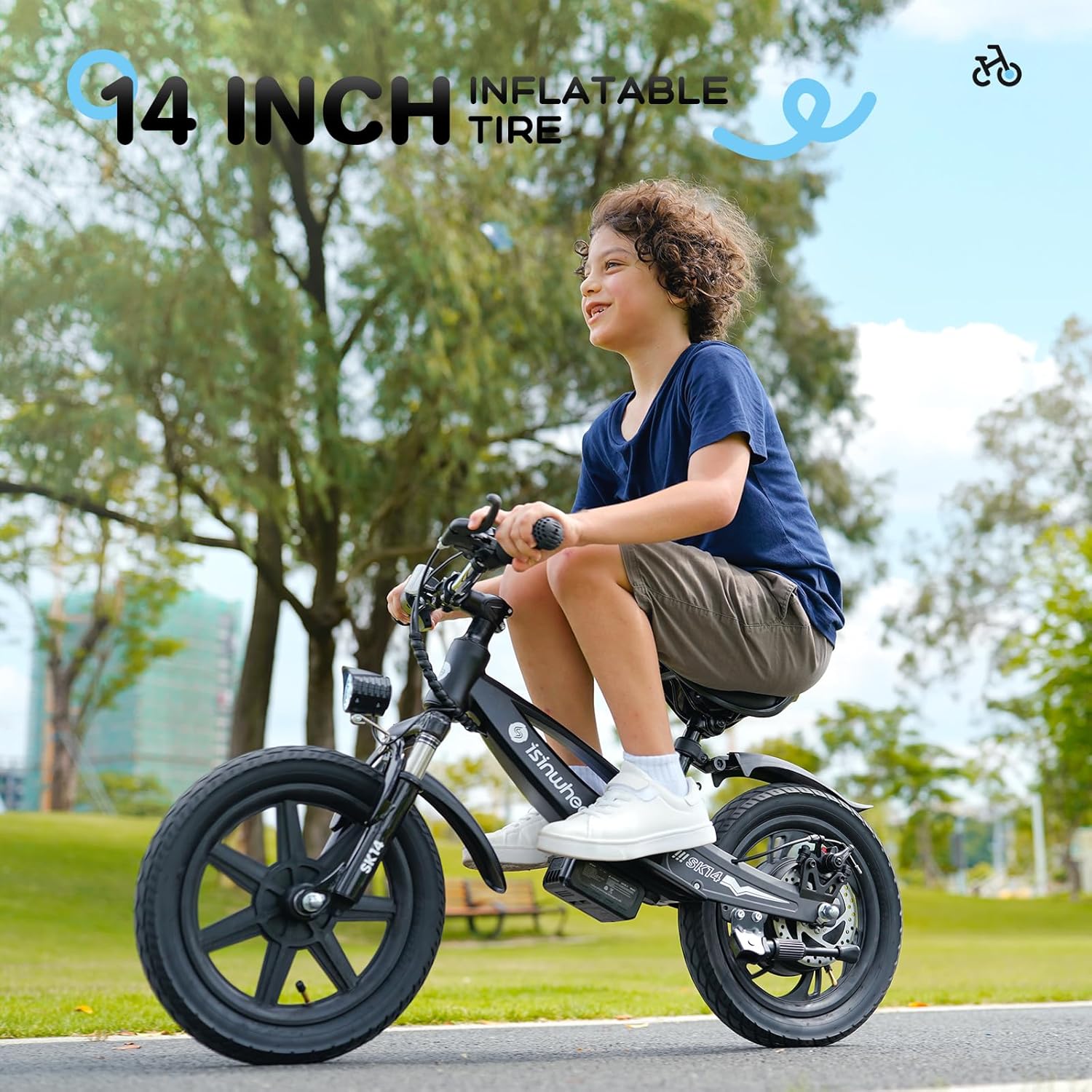
Figure 2: The 14-inch inflatable tire provides a smooth ride and is crucial for proper operation.
1.3 Handlebar Installation
- Loosen the bolts on the handlebar stem using the hex key.
- Position the handlebar into the stem, ensuring it is centered and straight.
- Tighten the stem bolts evenly to secure the handlebar in place.
- Ensure all cables (brake, throttle) are routed correctly and not pinched.

Figure 3: The handlebar assembly with the integrated super bright headlight.
1.4 Seat and Rear Fender Installation
- Attach the rear fender to the designated mounting points on the bike frame.
- Insert the seat post into the seat tube on the bike frame.
- Adjust the seat height to a comfortable and safe position for the rider.
- Secure the seat post clamp firmly.

Figure 4: The adjustable seat and rear fender ensure comfort and protection during rides.
1.5 Battery Installation
- Locate the battery compartment on the bike frame.
- Align the battery with the magnetic connection points.
- Gently push the battery into place until it clicks securely.
- Ensure the battery is fully seated before operation.

Figure 5: The removable battery provides convenience for charging and storage.
2. Operating the Electric Bike
Familiarize yourself with the controls and features of your isinwheel SK14 Electric Bike before riding.
2.1 Power On/Off and Speed Control
- To power on the bike, press the power button on the LED display. The display will illuminate, showing battery level and current speed mode.
- To start moving, press the throttle finger paddle. The bike offers three speed gears: 3mph, 6mph, and 10mph. These can be switched using the controls on the handlebar.
- To power off, press and hold the power button until the display turns off.

Figure 6: The clear LED display and simple controls allow for easy operation and monitoring of speed and power.
2.2 Braking System
The SK14 is equipped with a dual braking system for enhanced safety: an E-Brake and a Disc Brake. To engage the brakes, firmly squeeze the brake levers on the handlebar. Both brakes should be applied simultaneously for optimal stopping power.
2.3 Headlight Operation
The super bright headlight is integrated into the front of the bike. It automatically activates when the bike is powered on, ensuring visibility and safety, especially in low-light conditions.
3. Maintenance
Regular maintenance ensures the longevity and safe operation of your isinwheel SK14 Electric Bike.
3.1 Battery Charging
The removable battery can be charged separately from the bike. Connect the charger to a standard power outlet and then to the battery's charging port. The indicator light on the charger will show the charging status. Ensure the battery is fully charged before each ride for optimal performance.
Figure 7: The removable battery connected to its charger.
3.2 Tire Pressure
Regularly check the tire pressure to ensure it matches the recommended PSI (pounds per square inch) indicated on the tire sidewall. Proper tire pressure is essential for ride comfort, efficiency, and safety.
3.3 Cleaning and Storage
Clean the bike regularly with a damp cloth. Avoid using high-pressure water jets directly on electrical components. Store the bike in a cool, dry place, away from direct sunlight and extreme temperatures. If storing for extended periods, ensure the battery is partially charged (around 50-70%) and recharge it periodically.
4. Troubleshooting
This section addresses common issues you might encounter with your isinwheel SK14 Electric Bike.
| Problem | Possible Cause | Solution |
|---|---|---|
| Bike does not power on | Battery not installed correctly; Battery is depleted; Power button not pressed correctly. | Ensure battery is securely connected; Charge the battery fully; Press and hold the power button firmly. |
| Motor not engaging | Throttle not pressed; Speed mode set to 0; Loose electrical connection. | Ensure throttle is pressed; Check LED display for speed mode and adjust if necessary; Inspect connections or contact support. |
| Battery not charging | Charger not connected properly; Faulty charger or battery. | Ensure charger is securely plugged into both outlet and battery; Try a different outlet; Contact customer service for replacement. |
If you encounter issues not listed here or if the suggested solutions do not resolve the problem, please contact isinwheel customer support.
5. Specifications
- Bike Type: Balance Bike
- Age Range: 3-6 Years
- Brand: isinwheel
- Number of Speeds: 3
- Color: Black
- Wheel Size: 14 Inches
- Frame Material: Aluminum
- Suspension Type: Rear
- Special Feature: Swappable battery
- Brake Style: Disc
- Item Weight: 22 Pounds
- Model Name: SK14
- Power Source: Electric motor
- Wattage: 250W
- Maximum Weight Recommendation: 154 Pounds
- Assembly Required: Yes
6. Warranty & Support
isinwheel provides a 365-day quality assurance for your SK14 Electric Bike. This warranty covers manufacturing defects and issues with key components such as the motor and battery.
For any product issues, questions, or to claim warranty service, please contact the isinwheel after-sales team. They offer 24/7/365 customer services online to assist you promptly.
In case of battery or other accessory problems, isinwheel aims for immediate reissue rather than lengthy repairs, ensuring minimal downtime for your child's enjoyment.
For support, please visit the official isinwheel store or contact their customer service channels as provided in your purchase documentation.
Ask a question about this manual
Ask about setup, troubleshooting, compatibility, parts, safety, or missing instructions. Manuals+ will review the question and use this page’s manual context to help answer it.