
1. Important Safety Instructions
Before using the pofluany Power Waver Vibration Plate Machine, please read and understand all safety instructions. Failure to follow these instructions may result in injury or damage to the product.
- Consult a physician before starting any new exercise program, especially if you have pre-existing medical conditions.
- Keep children and pets away from the machine during operation.
- Ensure the machine is placed on a flat, stable, and non-slip surface.
- Do not use the machine if you are pregnant, have a pacemaker, or suffer from severe heart conditions, epilepsy, or acute thrombosis.
- Maximum user weight is 300 lbs (136 kg). Do not exceed this limit.
- Always hold onto a stable support if you feel unsteady during use.
- Unplug the machine from the power outlet when not in use or before cleaning.
2. Product Components
The pofluany Power Waver Vibration Plate Machine package includes the following items:
- Vibration Plate Machine
- Remote Control
- Resistance Bands (2)
- Power Cord
- User Manual

Image: Overview of the pofluany Power Waver Vibration Plate Machine, including the main unit, remote control, and two resistance bands.
3. Setup Instructions
- Unpacking: Carefully remove all components from the packaging. Retain packaging for future storage or transport.
- Placement: Place the vibration plate machine on a firm, level, and non-slip surface. Ensure there is adequate space around the machine for safe operation. The machine features anti-slip suction cups on the base for stability.
- Power Connection: Insert the power cord into the machine's power input port, then plug the other end into a standard electrical outlet.
- Attaching Resistance Bands: If desired, attach the resistance bands to the designated anchor points on the sides of the machine. Ensure they are securely fastened.

Image: The base of the vibration plate machine, highlighting the four anti-slip suction cups designed for enhanced stability during use.
4. Operating Instructions
4.1 Control Panel and Remote Control
The machine can be operated using either the integrated LED touch screen control panel or the included wireless remote control.
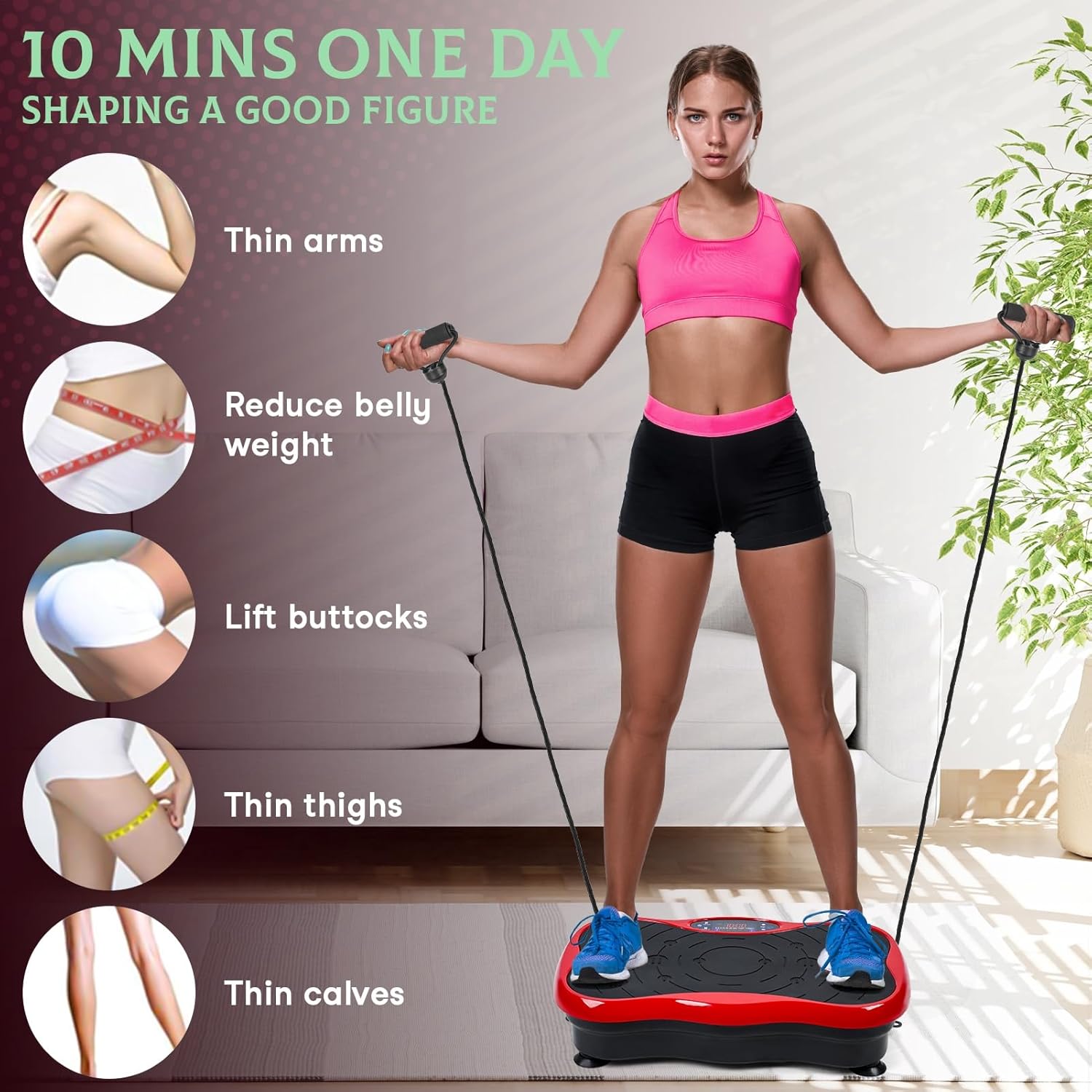
Image: Detailed view of the machine's LED control panel, displaying time, speed, and program selections (P1-P5).
- Power Button: Turns the machine on or off.
- Start/Stop Button: Initiates or pauses the vibration.
- Speed Adjustment (+/-): Increases or decreases the vibration speed (levels 1-99).
- Program (P) Button: Cycles through pre-set programs (P1, P2, P3, P4, P5).
- Time Display: Shows the remaining workout time.
4.2 Modes of Operation
- Manual Mode: Allows you to manually adjust the vibration speed from 1 to 99. Use the speed adjustment buttons on the control panel or remote.
- Smart Mode (Pre-set Programs): The machine offers 5 pre-set programs (P1-P5), each with different vibration frequencies and durations. Select a program using the 'P' button.

Image: A user demonstrating the machine, with callouts indicating adjustable speed (0-180, note: product specs state 1-99), 5 pre-set programs, remote controls, and a maximum load of 300 lbs.
4.3 Using Resistance Bands
The included resistance bands can be attached to the machine to incorporate upper body exercises during your vibration workout. Hold the handles and perform various arm and shoulder movements while standing or sitting on the plate.

Image: A user performing exercises with the resistance bands while standing on the vibration plate, illustrating how to target different body areas.
4.4 Exercise Postures and Intensity
Adjusting your foot placement on the vibration plate can vary the intensity of the vibration. Wider stances generally result in higher intensity.

Image: A visual guide demonstrating three foot positions on the vibration plate: 'Run' (wide stance for higher intensity), 'Jog' (medium stance), and 'Walk' (narrow stance for lower intensity).
For optimal results, it is recommended to use the machine for approximately 10 minutes per session.
5. Maintenance
- Cleaning: Wipe the machine with a soft, damp cloth after each use. Do not use abrasive cleaners or solvents. Ensure the machine is unplugged before cleaning.
- Storage: Store the machine in a cool, dry place away from direct sunlight and moisture. Its compact size allows for easy storage under furniture or in a closet.
- Inspection: Periodically check the power cord and resistance bands for any signs of wear or damage. If any damage is found, discontinue use and contact customer support.
6. Troubleshooting
- Machine does not power on:
- Ensure the power cord is securely plugged into both the machine and a working electrical outlet.
- Check if the power outlet is functional by plugging in another device.
- Remote control is not working:
- Check and replace the batteries in the remote control.
- Ensure there are no obstructions between the remote control and the machine's receiver.
- Vibration is weak or inconsistent:
- Verify that the speed setting is appropriate for your desired intensity.
- Ensure the machine is on a flat, stable surface.
If you encounter issues not listed here or if the problem persists, please contact customer support.
7. Specifications
| Feature | Specification |
|---|---|
| Brand | pofluany |
| Model | B0DCBMS69Q |
| Material | Plastic |
| Color | Red |
| Product Dimensions (L x W x H) | 20.87" x 12.2" x 5.12" (53cm x 31cm x 13cm) |
| Maximum Weight Recommendation | 300 Pounds (136 kg) |
| Controls Type | Remote, LED Touch Screen |
| Display Type | LED |
| Speed Levels | 1-99 |
| Operation Modes | Manual, 5 Pre-set Programs |
| Power Source | Corded Electric |
| Included Components | Vibration Plate, Remote Control, Resistance Bands |
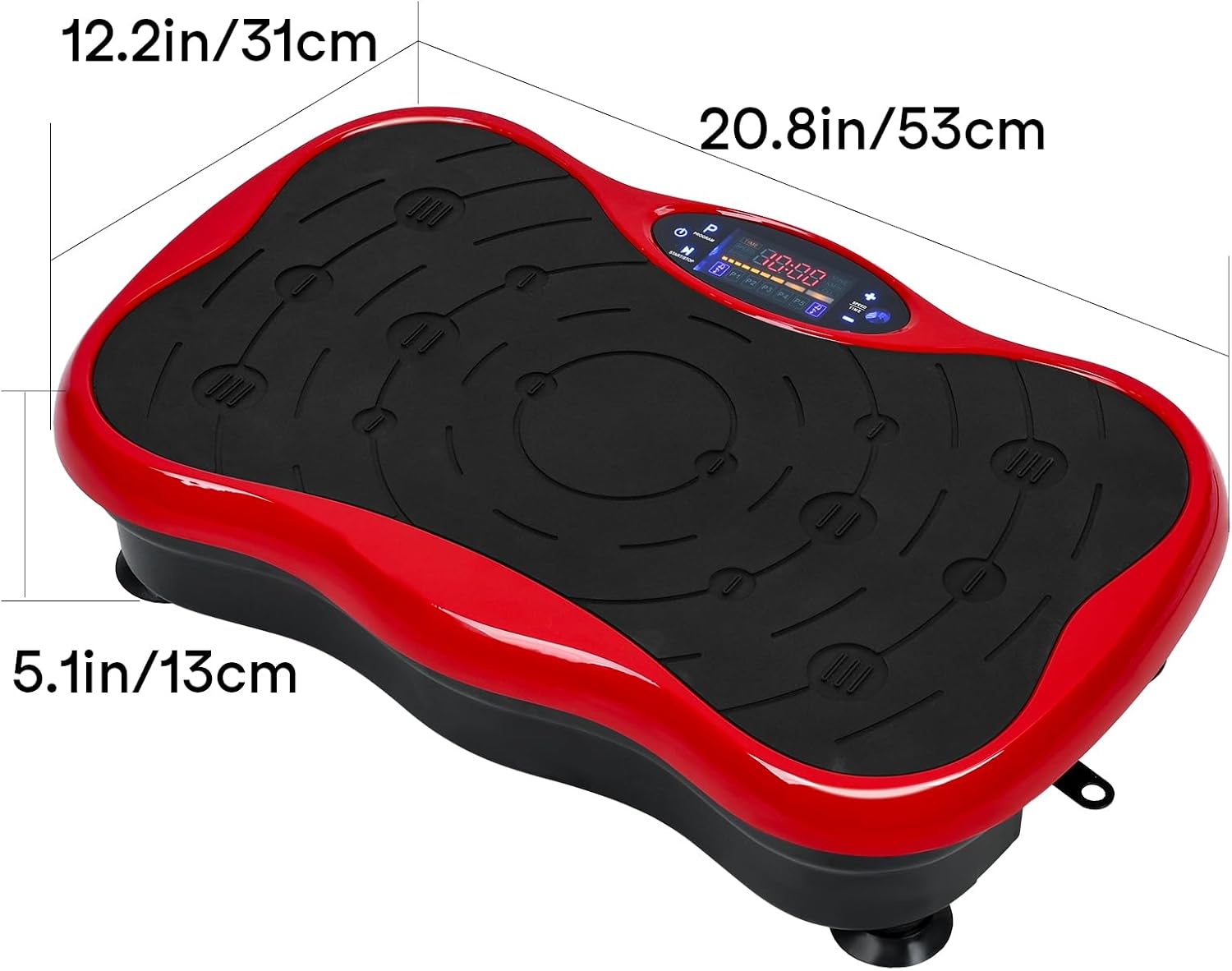
Image: A visual representation of the machine's dimensions, indicating a length of 20.8 inches (53cm), width of 12.2 inches (31cm), and height of 5.1 inches (13cm).
8. Warranty and Support
For warranty information, product support, or to report any issues, please contact the manufacturer, pofluany, directly through their official customer service channels. Please have your product model number (B0DCBMS69Q) and purchase details available when contacting support.