1. Product Overview
The LEZYNE Zecto Drive Bicycle Front Light is a compact, high-visibility light designed for cycling safety. It features ultra-bright LEDs and multiple light modes to ensure visibility in various conditions.
Key Features:
- High-performance visibility with up to 250 lumens.
- Durable and lightweight construction with a machined aluminum faceplate.
- IPX7 Waterproofing standards for all-weather use.
- Highly disruptive Daytime Flash mode for maximum daylight visibility.
- Intelligent Power Indicator displays battery runtime.
- Versatile 2-in-1 clip and strap mounting system.
- USB-C rechargeable (cable not included for 250+ model).
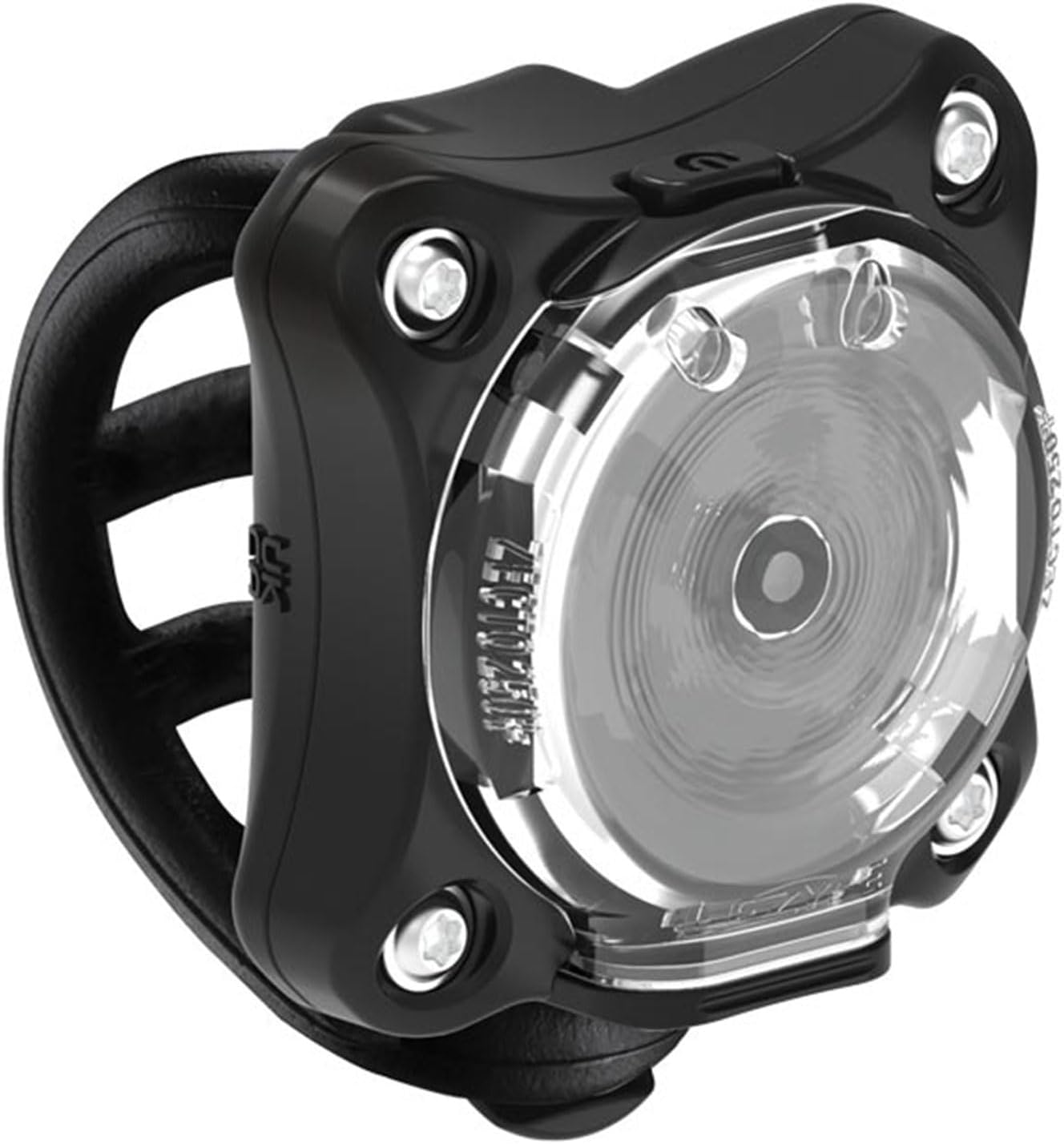
Image 1: Front view of the LEZYNE Zecto Drive Bicycle Light, showcasing its compact design and clear lens.
2. Setup and Installation
Mounting the Light:
The Zecto Drive features a unique 2-in-1 clip and strap mounting system for easy attachment.
- Identify a suitable mounting location on your bicycle, such as handlebars or seatpost.
- Utilize the integrated silicone rubber strap to securely fasten the light. Ensure the strap is taut to prevent movement during rides.
- Alternatively, use the clip system to attach the light to compatible loops or bags.

Image 2: Side view of the LEZYNE Zecto Drive light, illustrating the flexible silicone mounting strap.

Image 3: Rear view of the LEZYNE Zecto Drive, showing the integrated clip for alternative mounting options.
3. Operating Instructions
Powering On/Off and Mode Selection:
The Zecto Drive features a single button for operation.
- To turn the light ON, press and hold the power button for approximately 2 seconds.
- To cycle through the various light modes (Blast, Enduro, Economy, Flash 1, Flash 2, Flash 3, Day Flash for Zecto Drive; Economy, Enduro, Day Flash, Flash, Femto, Pulse for Zecto Drive 250+), briefly press the power button.
- To turn the light OFF, press and hold the power button for approximately 2 seconds.
Light Modes and Runtimes (Zecto Drive 250 Lumens / USB-C):
| Mode | Lumens | Runtime (H:Min) |
|---|---|---|
| Economy | 40 | 8:30 |
| Enduro | 80 | 5:00 |
| Day Flash | 250 | 22:00 |
| Flash | 75 | 10:00 |
| Femto | 20 | 40:00 |
| Pulse | 75 | 7:00 |
Note: Runtimes are approximate and may vary based on environmental conditions and battery health.

Image 4: Visual representation of the Zecto Drive 250+ light modes, lumens, and corresponding runtimes.
Power Indicator:
The intelligent Power Indicator displays the battery runtime status, increasing side visibility. Refer to the light's LED indicator for battery level.
4. Charging and Maintenance
Charging the Battery:
The LEZYNE Zecto Drive is USB-C rechargeable. A charging cable is not included with the Zecto Drive 250+ model.
- Locate the USB-C charging port on the light. This port is designed to be waterproof.
- Connect a compatible USB-C cable to the light and plug the other end into a USB power source (e.g., computer, wall adapter).
- The power indicator LED will show charging status. Refer to the product's specific charging indicator behavior for full charge notification.
Waterproofing:
The Zecto Drive is rigorously tested to IPX7 Waterproofing standards, meaning it can withstand immersion in water up to 1 meter for 30 minutes. Ensure the charging port cover is securely closed before exposure to water.

Image 5: The LEZYNE Zecto Drive light with water droplets, demonstrating its IPX7 waterproof rating.
5. Specifications
| Specification | Detail |
|---|---|
| Brand | LEZYNE |
| Model | Zecto Drive 250 Lumens / USB-C |
| Max Lumens | 250 |
| Max Runtime | 40 hours (Femto mode) |
| Recharge Type | Waterproof USB-C |
| Water Resistance Level | IPX7 Waterproof |
| Item Weight | 48 Grams |
| Mounting Type | Handlebar Mount (2-in-1 clip and strap) |
| Material | Plastic with machined aluminum faceplate |
| Color | Black |
6. Troubleshooting
Light Not Turning On:
- Ensure the battery is charged. Connect the light to a USB-C power source and allow it to charge for at least 30 minutes.
- Verify that the power button is being pressed and held for the required duration (approx. 2 seconds) to activate the light.
Short Battery Life:
- Check the selected light mode. Higher lumen modes consume battery faster. Consider using lower lumen or flash modes for extended runtime.
- Ensure the light is fully charged before each use.
- Battery performance can degrade over time. If issues persist, contact customer support.
Light Flickering or Malfunctioning:
- Ensure the light is securely mounted and not experiencing excessive vibration.
- Check for any debris or moisture in the charging port. Clean if necessary and ensure the cover is sealed.
- Perform a soft reset by holding the power button for an extended period (e.g., 10 seconds) or allowing the battery to fully drain and then recharging.
7. Official Product Video
Watch the official LEZYNE LED Lights video for a comprehensive overview of the product range and features, including the Zecto Drive.
Video 1: Official LEZYNE LED Lights video, demonstrating the features and benefits of various LEZYNE bike lights, including the Zecto Drive. This video highlights the importance of daytime visibility and the robust design of LEZYNE products.
8. Warranty and Support
For warranty information and customer support, please refer to the official LEZYNE website or contact their customer service directly. Keep your proof of purchase for any warranty claims.
Visit the official LEZYNE Store: LEZYNE Store on Amazon


