
1. Important Safety Instructions
Before operating the VERPAL Under Desk Treadmill, please read and understand all safety instructions. Failure to follow these instructions may result in injury or damage to the product.
- Placement: Place the treadmill on a flat, stable surface. Ensure adequate clear space around the treadmill for safe operation and emergency dismount.
- Power: Connect the treadmill to a properly grounded outlet. Do not use extension cords or adapters. Unplug the treadmill when not in use or before cleaning/maintenance.
- User Weight: Do not exceed the maximum user weight capacity of 386 lbs (175 kg).
- Children and Pets: Keep children and pets away from the treadmill during operation.
- Footwear: Always wear appropriate athletic footwear when using the treadmill.
- Emergency Stop: Familiarize yourself with the emergency stop function.
- Medical Conditions: Consult a physician before starting any exercise program, especially if you have pre-existing medical conditions.
- Maintenance: Perform regular maintenance as described in this manual to ensure safe operation.
2. Product Overview
The VERPAL Under Desk Treadmill (Model T0001001-B) is a compact walking pad designed for home and office use, featuring an auto-incline function and smart app connectivity.

Image 2.1: VERPAL Under Desk Treadmill in a typical usage scenario, demonstrating its compact design and suitability for under-desk use.
Key Features:
- Auto Incline: Adjustable incline from 0-9% via remote control or app.
- High Capacity: Supports users up to 386 lbs (175 kg).
- Quiet Operation: Powered by a 2.5HP low-noise motor.
- Smart APP Connectivity: Compatible with Fitshow, Kinomap, Zwift, and Apple Health for enhanced workout tracking and plans.
- LED Display: Shows key metrics including speed, calories, incline, time, and distance.
- Shock Absorption: Features a 5-layer professional non-slip running belt with shock-absorbing pads for joint protection.
- Compact and Mobile: Built-in wheels for easy storage and portability.
3. Setup
Follow these steps to set up your VERPAL Under Desk Treadmill:
- Unboxing: Carefully remove the treadmill from its packaging. Retain packaging materials for future transport or storage.
- Placement: Choose a flat, stable, and spacious area for the treadmill. Ensure there is at least 2 feet (60 cm) of clear space behind the treadmill and 1 foot (30 cm) on each side.
- Power Connection: Plug the power cord into the treadmill's power input, then into a standard 120V (or local equivalent) grounded electrical outlet. Ensure the power switch is in the 'OFF' position before plugging in.
- Initial Inspection: Check for any visible damage or loose parts. If any issues are found, do not operate the treadmill and contact customer support.
4. Operating Instructions
4.1 Power On/Off
- To power on, flip the main power switch located near the power cord input to the 'ON' position. The LED display will illuminate.
- To power off, flip the main power switch to the 'OFF' position.
4.2 Using the Remote Control
The included remote control allows for easy adjustment of speed and incline.

Image 4.1: The treadmill's LED display showing workout data and the remote control for adjustments.
- Start/Stop: Press the 'Start/Stop' button to begin or end your workout.
- Speed Adjustment: Use the '+' and '-' buttons to increase or decrease the walking speed (range: 0-4 MPH).
- Incline Adjustment: Use the incline '+' and '-' buttons to adjust the incline angle (range: 0-9%).
4.3 Auto Incline Function
The auto-incline feature allows you to vary your workout intensity.

Image 4.2: Visual representation of the auto-incline feature, demonstrating how different incline levels affect exercise intensity and calorie expenditure.
- The incline can be adjusted from 0% (flat) to 9% (steepest) using the remote control or the connected app.
- Adjusting the incline can target different muscle groups and increase calorie expenditure.
4.4 Smart APP Connectivity
Enhance your workout experience by connecting the treadmill to compatible fitness applications.

Image 4.3: The treadmill's integration with various fitness applications for tracking and interactive workouts.
- Download App: Download the 'Fitshow' app from your device's app store. The treadmill is also compatible with Kinomap, Zwift, and Apple Health.
- Pairing: Enable Bluetooth on your smartphone or tablet. Open the Fitshow app and follow the on-screen instructions to pair with your VERPAL treadmill.
- Features: Once connected, you can access course training, realistic running tracks, real-time data recording, and custom workout plans.
5. Maintenance
Regular maintenance ensures the longevity and safe operation of your treadmill.
5.1 Cleaning
- Frequency: Clean the treadmill regularly, especially after each use.
- Method: Wipe down the console, frame, and running belt with a damp cloth. Do not use abrasive cleaners or solvents.
- Dust: Periodically vacuum around and under the treadmill to prevent dust buildup.
5.2 Running Belt Lubrication
The running belt requires periodic lubrication to reduce friction and extend its lifespan.
- Frequency: Lubricate the belt every 3 months or after 50 hours of use, whichever comes first.
- Procedure:
- Turn off and unplug the treadmill.
- Carefully lift one side of the running belt.
- Apply a small amount of silicone lubricant (specifically designed for treadmills) in a thin line along the center of the deck, underneath the belt.
- Repeat on the other side.
- Plug in the treadmill and run it at a slow speed (e.g., 1 MPH) for 5 minutes to distribute the lubricant evenly.
5.3 Running Belt Adjustment
If the running belt becomes off-center or slips, it may need adjustment.
- Off-Center Belt: If the belt drifts to one side, use the provided Allen wrench to turn the adjustment bolt on the side it drifted towards, a quarter turn clockwise. Run the treadmill for 1-2 minutes and re-check. Repeat until centered.
- Slipping Belt: If the belt slips during use, turn both adjustment bolts a quarter turn clockwise. Run the treadmill for 1-2 minutes and re-check. Repeat until the slipping stops. Do not overtighten.
6. Troubleshooting
Refer to this section for common issues and their solutions.
| Problem | Possible Cause | Solution |
|---|---|---|
| Treadmill does not power on. | Power cord not plugged in; Power switch off; Circuit breaker tripped. | Ensure power cord is securely plugged in. Turn power switch to 'ON'. Check household circuit breaker. |
| Running belt slips. | Belt too loose; Insufficient lubrication. | Adjust belt tension (see Section 5.3). Lubricate the running belt (see Section 5.2). |
| Belt drifts to one side. | Belt alignment issue. | Adjust belt alignment (see Section 5.3). |
| Unusual noise during operation. | Loose parts; Lack of lubrication; Foreign object. | Check all bolts and screws for tightness. Lubricate belt. Inspect for any objects under the belt. |
| Remote control not responding. | Dead batteries; Remote out of range. | Replace remote control batteries. Ensure remote is pointed towards the treadmill's receiver. |
7. Specifications
Detailed technical specifications for the VERPAL Under Desk Treadmill (Model T0001001-B).
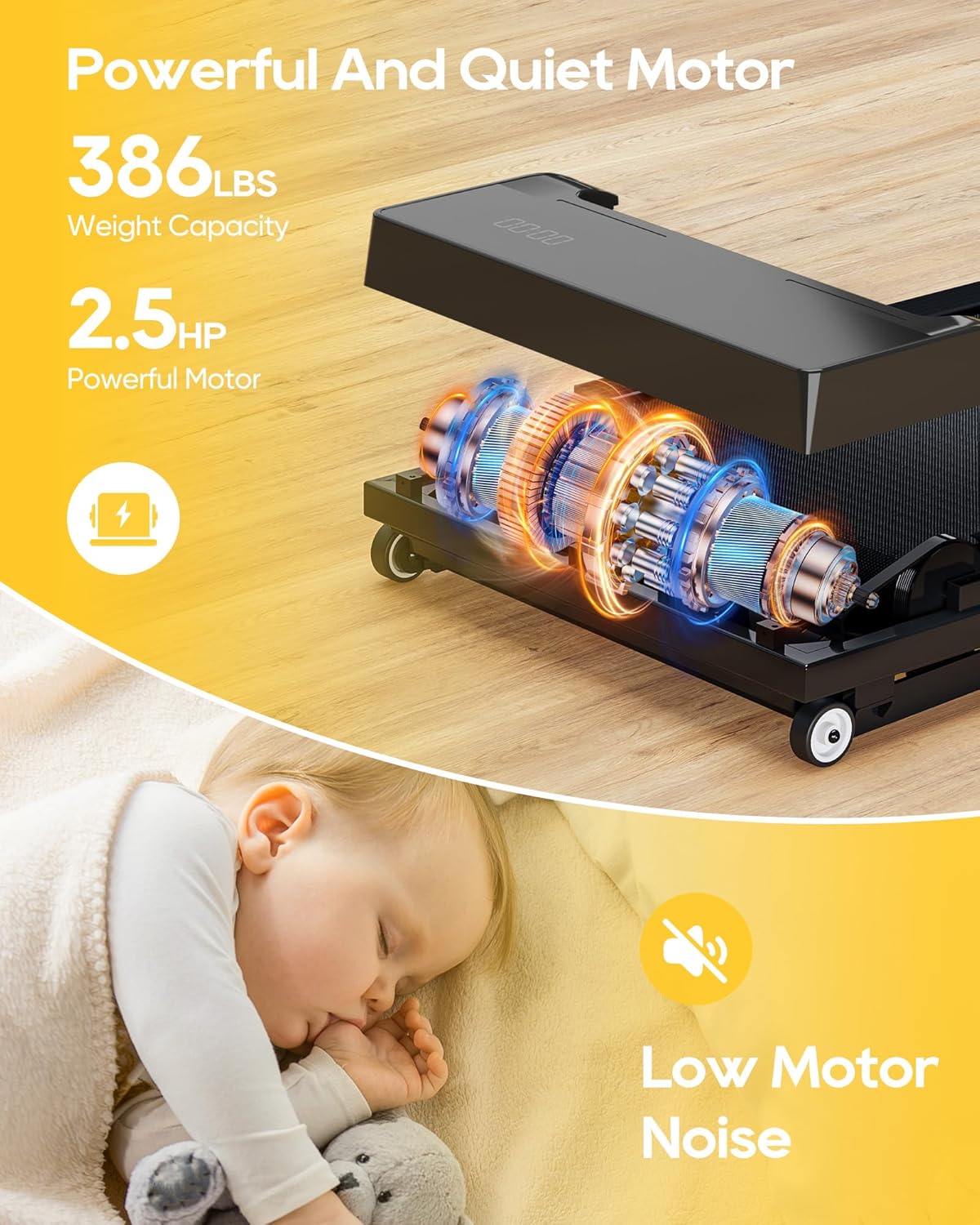
Image 7.1: The treadmill's 2.5HP motor, highlighting its power and quiet operation suitable for home or office environments.
- Model Number: T0001001-B
- Brand: VERPAL
- Product Dimensions: 119.38 x 50.8 x 15.24 cm (47 x 20 x 6 inches)
- Item Weight: 22.68 kg (50 lbs)
- Maximum User Weight Capacity: 386 lbs (175 kg)
- Motor Horsepower: 2.5 HP (280 Kilowatts)
- Speed Range: Up to 4 Miles per Hour
- Incline Range: 0-9% Auto Incline
- Display Type: LED (shows Speed, Calories, Incline, Time, Distance)
- Frame Material: Acrylonitrile Butadiene Styrene (ABS)
- Power Source: Corded Electric
- Special Features: 386lbs Capacity, Auto Incline, Compact Design, Lightweight, Smart APP (Fitshow, Kinomap, Zwift, Apple Health compatible)
- Included Components: Remote Control
8. Warranty and Support
VERPAL is committed to customer satisfaction. If you encounter any issues or have questions regarding your treadmill, please contact our customer service team.
- Customer Service: Our customer service team aims to respond within 24 hours.
- Contact Information: Please refer to the product packaging or the VERPAL official website for the most current customer support contact details.
- Warranty: Specific warranty details are provided with your purchase documentation. Please retain your proof of purchase for warranty claims.