
Introduction
This manual provides essential information for the safe and efficient operation of your amazon basics X20R 20W Bluetooth Soundbar. Please read these instructions carefully before using the product and retain them for future reference.
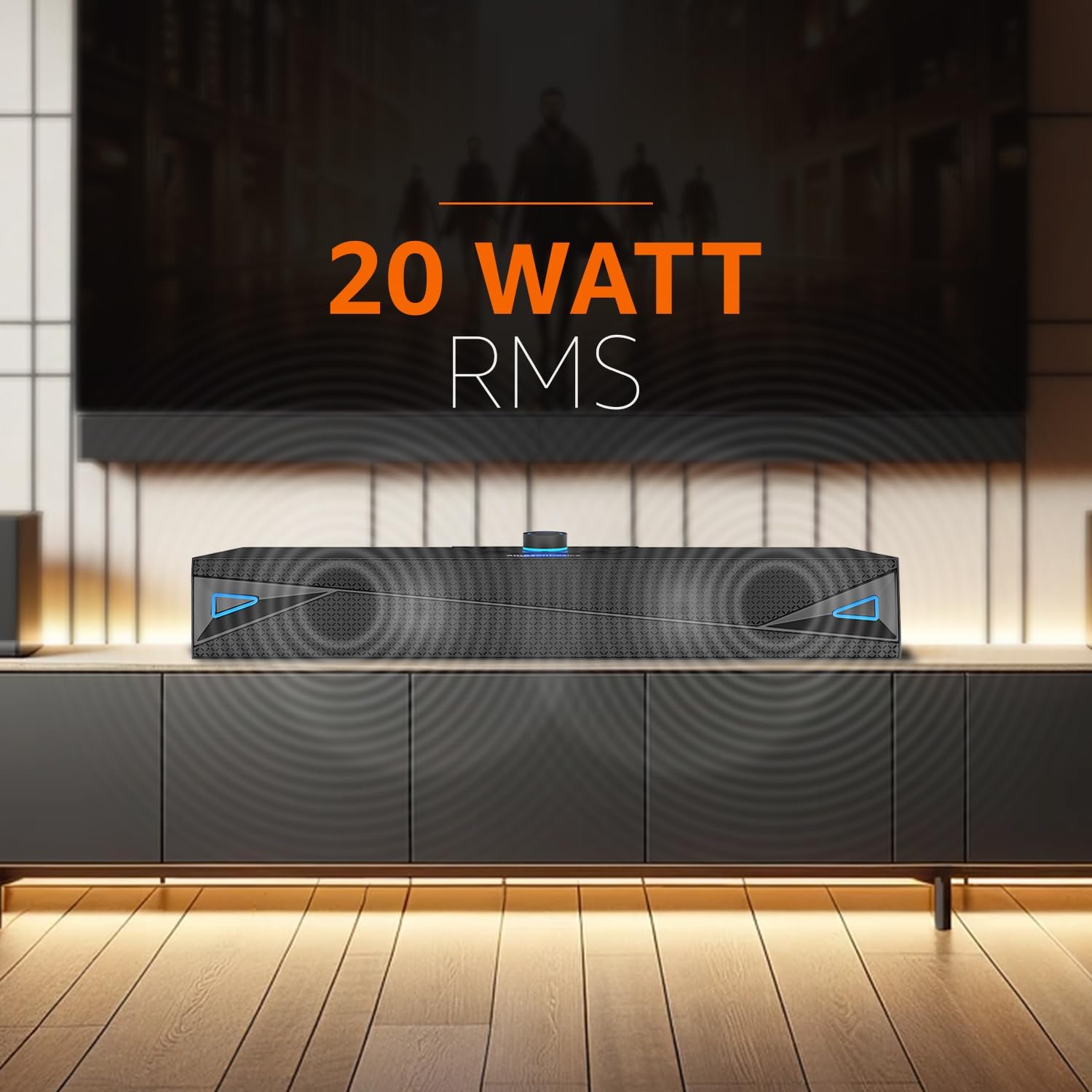
Figure 1: Front view of the amazon basics X20R 20W Bluetooth Soundbar.
What's in the Box
Verify that all components are present upon unpacking:
- 1N Soundbar
- 1N Charging Cable
- 1N AUX Cable
- 1N User Manual
Product Overview
Controls and Indicators

Figure 2: Top panel controls.
The top panel features touch controls for power, volume adjustment, mode selection, and playback. A central knob typically controls volume and may also serve as a power button.
Ports and Connections

Figure 3: Rear panel input ports.
The rear panel provides various connectivity options:
- AUX Input: For connecting devices via a 3.5mm audio cable.
- USB Port: For USB flash drive playback.
- TF Card Slot: For Micro SD card playback.
- Charging Port (12V-1A): For connecting the charging cable.
Setup
- Charging the Soundbar: Connect the provided charging cable to the soundbar's charging port and a suitable power adapter. The LED indicator will show charging status. Ensure the soundbar is fully charged before first use for optimal battery life.
- Placement: Place the soundbar on a stable, flat surface, such as a tabletop, near your television or audio source. Ensure there are no obstructions blocking the sound output.
- Power On: Press and hold the power button (often integrated with the volume knob) on the top panel until the soundbar powers on.
Operating Instructions
Bluetooth Mode
- Power on the soundbar. It will automatically enter Bluetooth pairing mode, indicated by a flashing LED.
- On your device (smartphone, tablet, laptop), enable Bluetooth and search for available devices.
- Select "ABSBX20R" or a similar name from the list. Once connected, the LED indicator will become solid.
- You can now play audio from your device through the soundbar.
AUX Input Mode
- Connect one end of the provided 3.5mm AUX cable to the AUX input port on the soundbar.
- Connect the other end to the audio output jack of your external device (e.g., TV, MP3 player).
- Press the 'Mode' button on the soundbar until AUX mode is selected.
- Adjust the volume on both the soundbar and your connected device.
USB Playback Mode
- Insert a USB flash drive containing audio files into the USB port on the soundbar.
- The soundbar should automatically switch to USB mode. If not, press the 'Mode' button to select it.
- Use the playback controls (play/pause, next/previous track) on the soundbar to manage your music.
Micro TF Card Playback Mode
- Insert a Micro TF (SD) card containing audio files into the TF card slot on the soundbar.
- The soundbar should automatically switch to TF card mode. If not, press the 'Mode' button to select it.
- Use the playback controls on the soundbar to manage your music.
General Controls
- Power On/Off: Press and hold the power button.
- Volume Up/Down: Rotate the volume knob or use dedicated volume buttons.
- Mode Selection: Press the 'Mode' button to cycle through Bluetooth, AUX, USB, and TF card inputs.
- Play/Pause: Press the play/pause button during media playback.
- Next/Previous Track: Use the skip buttons during media playback.
Maintenance
- Cleaning: Use a soft, dry cloth to clean the surface of the soundbar. Do not use liquid cleaners or abrasive materials.
- Storage: When not in use for extended periods, store the soundbar in a cool, dry place away from direct sunlight and extreme temperatures.
- Battery Care: To prolong battery life, avoid fully discharging the battery frequently. Charge the soundbar regularly, even if not in constant use.
- Water Resistance: The product is indicated as waterproof. However, avoid submerging it in water or exposing it to heavy splashes for prolonged periods to prevent damage.
Troubleshooting
| Problem | Possible Cause | Solution |
|---|---|---|
| No power | Battery is depleted; Power cable not connected. | Charge the soundbar; Ensure charging cable is securely connected. |
| No sound | Volume too low; Incorrect input mode; Device not connected properly. | Increase volume on soundbar and source device; Select correct input mode; Reconnect device. |
| Bluetooth pairing failure | Soundbar not in pairing mode; Device too far; Interference. | Ensure soundbar is in pairing mode; Move device closer; Turn off other Bluetooth devices. |
| USB/TF card not playing | Incorrect file format; Card/drive not inserted correctly; Corrupted media. | Ensure audio files are compatible; Reinsert card/drive; Try a different card/drive. |
Specifications
- Model Name: ABSBX20R
- Speaker Type: Soundbar
- Speaker Maximum Output Power: 20 Watts
- Connectivity Technology: Bluetooth 5.3, Auxiliary, USB, Micro TF Card
- Power Source: Battery Powered (2000mAh Lithium Ion)
- Battery Average Life: Up to 9 hours (at 50% volume)
- Control Method: Touch
- Special Features: Built-in Microphone, Portable, USB Port
- Product Dimensions: 6.2 x 41.8 x 7 cm
- Item Weight: 681 g
- Color: Grey
- Is Waterproof: Yes
- Included Components: Soundbar, Charging Cable, AUX Cable, User Manual
Warranty and Support
This product comes with a Limited Warranty. For detailed warranty terms and conditions, please refer to the warranty information provided with your purchase or contact amazon basics customer support.
For further assistance, troubleshooting, or product inquiries, please visit the official amazon basics store or contact their customer service channels.
amazon basics Store: https://www.amazon.in/stores/amazonbasics/page/6EBA15C5-8084-4DBC-937C-A6F6FDE0A8C7