
1. Introduction
The One For All HDTV Indoor Antenna Model 15520 is designed to receive free over-the-air television broadcasts in 1080P and 4K resolutions. This antenna offers a reception range of up to 30 miles and features multi-directional reception capabilities, along with 3G/4G/LTE signal filtering for clear picture quality. This manual provides instructions for proper setup, operation, and maintenance of your antenna.

Image 1.1: One For All HDTV Indoor Antenna (black side).
2. Package Contents
Please verify that all items are present in the package:
- One For All HDTV Indoor Antenna (Model 15520)
- 10ft Coaxial Cable (attached to antenna)
- External Signal Booster

Image 2.1: Antenna with attached coaxial cable.
3. Setup
3.1 Antenna Placement
Optimal antenna placement is crucial for best reception. Consider the following:
- High Location: Place the antenna as high as possible, ideally on a wall or near a window.
- Clear Path: Ensure there are minimal obstructions between the antenna and broadcast towers. Large metal objects, concrete walls, and other electronic devices can interfere with the signal.
- Dual Color Design: The antenna features a dual-color (white/black) design, allowing you to choose the side that best blends with your home decor.
- Thin Profile: The antenna is ultra-thin (approximately 1mm thick), making it discreet and easy to mount.

Image 3.1: The antenna's ultra-thin profile.
3.2 Connecting the Antenna
- Locate the 'Antenna In' or 'RF In' port on the back of your television.
- Connect the coaxial cable from the One For All antenna to this port. Ensure the connection is secure.
- If using the external signal booster, connect it inline between the antenna's coaxial cable and the TV's 'Antenna In' port. The booster typically requires power via a USB connection (check booster instructions for details).
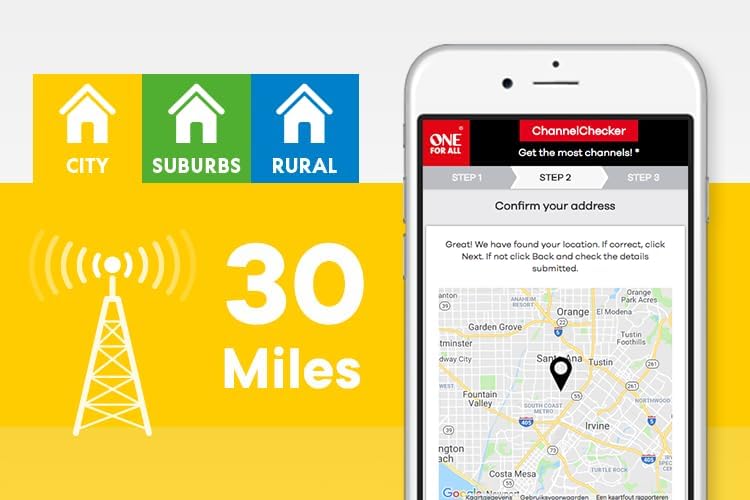
Image 3.2: Coaxial cable connection point on the antenna.
3.3 Scanning for Channels
After connecting the antenna, you must perform a channel scan on your television:
- Turn on your television and select the correct input source (usually 'TV' or 'Antenna').
- Access your TV's menu settings. Look for options like 'Channel Setup', 'Auto Program', 'Channel Scan', or 'Antenna Scan'.
- Initiate the channel scan. This process may take several minutes.
- Once the scan is complete, your TV will display the available channels.
3.4 Using the One For All Assistant App
For assistance with antenna placement and channel availability, you can use the One For All Assistant app. This app helps identify local broadcast towers and suggests optimal antenna positioning for your location.

Image 3.3: One For All ChannelChecker app interface.
4. Operating the Antenna
4.1 Channel Reception
The One For All HDTV Indoor Antenna features multi-directional 360° reception, which means it does not need to be pointed in a specific direction to receive signals. This technology helps minimize blind spots and improves the reception of available channels.

Image 4.1: Illustration of 360-degree reception.
4.2 Signal Filtering
The antenna incorporates active noise reduction filters, including 3G/4G/LTE filters. These filters help to reduce interference from cellular signals, ensuring a clearer and more stable television signal.
5. Maintenance
The One For All HDTV Indoor Antenna requires minimal maintenance:
- Cleaning: Wipe the antenna gently with a soft, dry cloth to remove dust. Do not use liquid cleaners or abrasive materials.
- Placement: Avoid placing the antenna in direct sunlight, near heat sources, or in areas with high humidity.
- Cable Care: Ensure the coaxial cable is not kinked or pinched, as this can affect signal quality.
6. Troubleshooting
If you experience issues with your antenna, refer to the following troubleshooting steps:
| Problem | Possible Cause | Solution |
|---|---|---|
| No channels or poor picture quality | Antenna not connected properly, poor placement, TV not scanned, signal interference. |
|
| Fewer channels than expected | Antenna placement, distance from broadcast towers, local terrain. |
|
| Intermittent signal loss | External interference, weather conditions. |
|
7. Specifications
- Model Number: 15520
- Product Dimensions: 10.24 x 0.58 x 4.8 inches
- Item Weight: 8.1 ounces
- Reception Range: Up to 30 miles
- Coaxial Cable Length: 10 feet
- Supported Resolutions: 1080P, 4K
- Special Feature: Lightweight, Multi-directional 360° reception, 3G/4G/LTE filter
- Color: Black/White (reversible)
- Compatible Devices: Television
- Manufacturer: UEI
8. Warranty and Support
For information regarding warranty coverage and technical support, please refer to the official One For All website or contact their customer service directly. Contact details are typically provided in the product packaging or on the manufacturer's website.
Online Support: Visit the One For All website for FAQs, product registration, and further assistance.


