
Hamilton Beach HBF1925
Hamilton Beach HBF1925 Commercial Upright Refrigerator User Manual
Model: HBF1925
1. Product Overview
The Hamilton Beach HBF1925 is a 19.2 cubic feet commercial upright refrigerator designed for robust performance in food service environments. This stainless steel unit offers ample storage and features designed for efficiency and security.

Figure 1.1: Front view of the Hamilton Beach HBF1925 Commercial Upright Refrigerator, showcasing its stainless steel finish and sleek design.
Key Features:
- Spacious Storage: Provides ample capacity of 543 liters or 19.2 cubic feet for storing a variety of items.
- Door Ajar Alarm: Alerts users if the door is left open, helping to maintain internal temperature and save energy.
- Door Lock: Enhances security for stored contents.
- Adjustable Shelves: Allows for flexible organization of different sized items.
- Energy Efficient: Designed to minimize power consumption.
2. Important Safety Information
Please read all safety instructions carefully before operating the appliance to prevent injury or damage. Keep this manual for future reference.
- Ensure the refrigerator is placed on a stable, level surface.
- Do not block ventilation openings in the appliance enclosure or in the built-in structure.
- Do not use mechanical devices or other means to accelerate the defrosting process, other than those recommended by the manufacturer.
- Do not damage the refrigerant circuit.
- Do not use electrical appliances inside the food storage compartments of the appliance, unless they are of the type recommended by the manufacturer.
- Unplug the appliance before cleaning or performing maintenance.
- This appliance is intended for commercial use only.
3. Setup and Installation
The Hamilton Beach HBF1925 is designed for freestanding installation. Proper setup is crucial for optimal performance and longevity.
3.1 Unpacking
- Carefully remove all packaging materials, including tape and protective films.
- Inspect the refrigerator for any shipping damage. Report any damage immediately to your dealer.
- Retain packaging materials for potential future transport or service.
3.2 Placement
- Place the refrigerator on a strong, level floor capable of supporting its weight when fully loaded.
- Ensure adequate clearance around the unit for proper ventilation. Maintain at least 4 inches (10 cm) from walls and other appliances.
- Avoid direct sunlight or proximity to heat sources (e.g., ovens, radiators) as this can affect cooling efficiency.

Figure 3.1: Dimensional diagram of the refrigerator, indicating its width, depth, and height for proper placement planning.
3.3 Electrical Connection
- Connect the refrigerator to a dedicated, grounded electrical outlet with the correct voltage and amperage as specified on the rating label.
- Do not use extension cords or adapter plugs.
4. Operating Instructions
4.1 Initial Startup
- After plugging in, allow the refrigerator to stand for at least 2-4 hours before loading with contents. This allows refrigerants to settle.
- The internal temperature will gradually decrease to the set point.
4.2 Temperature Control
The refrigerator features an electronic temperature control panel located at the top of the unit.
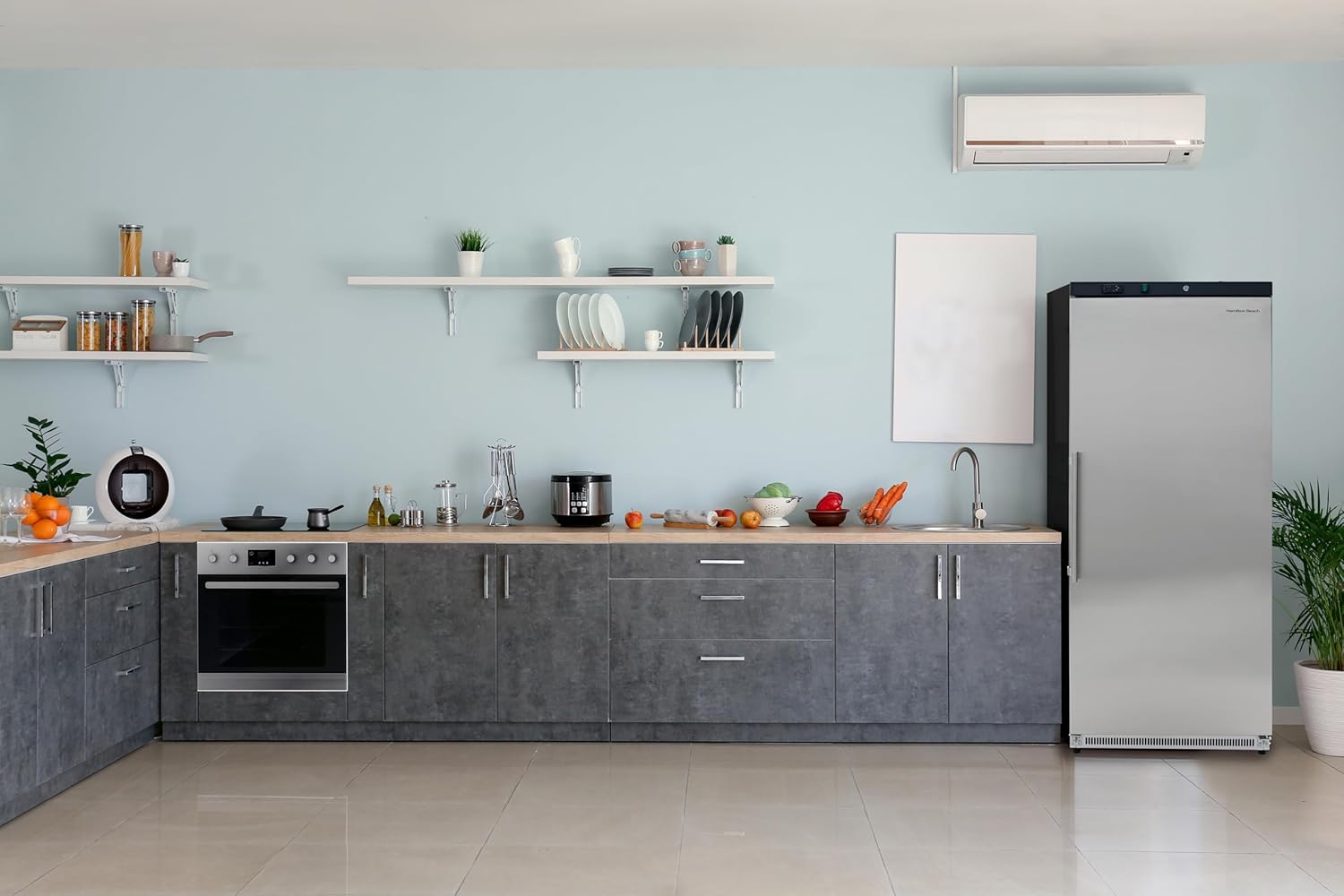
Figure 4.1: Close-up view of the digital temperature display and control buttons located on the top front of the refrigerator.
- Use the control buttons to adjust the desired temperature. Refer to the display for the current internal temperature.
- The recommended operating temperature for most commercial food storage is between 34°F and 40°F (1°C and 4°C).
4.3 Door Ajar Alarm
If the refrigerator door is left open for an extended period, an audible alarm will sound to alert you. Close the door fully to silence the alarm and prevent temperature fluctuations.
4.4 Door Lock
The unit is equipped with a door lock for securing contents. Use the provided key to lock and unlock the door as needed.
4.5 Adjustable Shelves
The wire shelves can be repositioned to accommodate items of various heights. To adjust, lift the shelf slightly, pull it out, and reinsert it into the desired slots.

Figure 4.2: Interior view of the refrigerator, showing the multiple slots for adjusting the height of the wire shelves.
5. Care and Maintenance
Regular cleaning and maintenance will ensure the efficient operation and extend the lifespan of your refrigerator.
5.1 Cleaning the Interior
- Unplug the refrigerator before cleaning.
- Clean the interior with a solution of mild detergent and warm water. Avoid abrasive cleaners or solvents.
- Wipe dry thoroughly after cleaning.
5.2 Cleaning the Exterior
- Wipe the exterior stainless steel surfaces with a soft cloth and a stainless steel cleaner or mild detergent.
- For the black side panels, use a damp cloth.
- Do not use abrasive pads or cleaners that could scratch the finish.
5.3 Defrosting
This unit features a manual defrost system. Frost buildup on the interior walls can reduce cooling efficiency.
- When frost accumulation reaches approximately 1/4 inch (6 mm) thick, unplug the unit and remove all contents.
- Leave the door open to allow the frost to melt naturally. Place towels at the bottom to absorb water.
- Do not use sharp objects or heating devices to remove frost.
- Once defrosted, clean and dry the interior before plugging the unit back in and returning contents.
5.4 Condenser Coil Cleaning
Periodically clean the condenser coils located at the back or bottom of the unit to ensure efficient operation. Dust and debris can accumulate and hinder cooling.

Figure 5.1: Rear view of the refrigerator, highlighting the lower section where the condenser coils are typically located, often behind a protective grate.
- Unplug the refrigerator.
- Use a vacuum cleaner with a brush attachment or a stiff brush to remove dust and lint from the coils.
- Clean at least once every six months, or more frequently in dusty environments.
6. Troubleshooting Guide
Before contacting service, please check the following common issues and solutions:
| Problem | Possible Cause | Solution |
|---|---|---|
| Refrigerator does not operate. | No power; power cord unplugged; circuit breaker tripped. | Check power supply; ensure cord is securely plugged in; reset circuit breaker. |
| Temperature is not cold enough. | Door left open; excessive door openings; warm food loaded; condenser coils dirty; thermostat set too high. | Ensure door is closed; minimize door openings; allow warm food to cool before storing; clean condenser coils; adjust thermostat to a lower setting. |
| Excessive noise. | Unit not level; objects vibrating against the unit; fan obstruction. | Level the unit using adjustable feet; ensure nothing is touching the back or sides; check for obstructions around fan. |
| Door Ajar Alarm sounds frequently. | Door not closing properly; door gasket dirty or damaged. | Check for obstructions preventing door closure; clean or inspect door gasket for damage. |
7. Product Specifications
| Feature | Detail |
|---|---|
| Model Number | HBF1925 |
| Capacity | 19.2 Cubic Feet (543 Liters) |
| Product Dimensions (D x W x H) | 27.4" x 30.6" x 74.4" |
| Weight | 200 Pounds (approx.) |
| Color | Silver (Stainless Steel) |
| Configuration | Full-Sized Freezerless |
| Installation Type | Freestanding |
| Number of Doors | 1 |
| Defrost System | Manual |
| Special Features | Adjustable Shelves, Door Ajar Alarm, Door Lock, Energy Efficient, Large Capacity |
| Manufacturer | Curtis International Ltd |
8. Warranty and Support
8.1 Product Warranty
For information regarding the product warranty, please refer to the warranty card included with your purchase or contact Hamilton Beach customer support. Protection plans are also available for extended coverage.
- 2-Year Protection Plan: Available for extended coverage.
- 3-Year Protection Plan: Available for extended coverage.
- Complete Protect: A monthly plan covering eligible past and future purchases.
8.2 Customer Support
If you require assistance with your Hamilton Beach HBF1925 refrigerator, please contact customer support. You can find contact information on the Hamilton Beach official website or through your retailer.
For general inquiries or to explore other products, visit the official Hamilton Beach store: Hamilton Beach Store on Amazon
Ask a question about this manual
Ask about setup, troubleshooting, compatibility, parts, safety, or missing instructions. Manuals+ will review the question and use this page’s manual context to help answer it.