
1. Introduction
Thank you for choosing the DYNASONIC Portable Karaoke Machine Model 025. This device combines a powerful Bluetooth speaker with karaoke functionality, including two microphones, for an enjoyable audio experience. This manual provides essential information for safe and efficient use of your new karaoke machine.
2. Package Contents
Please check the package for the following items:
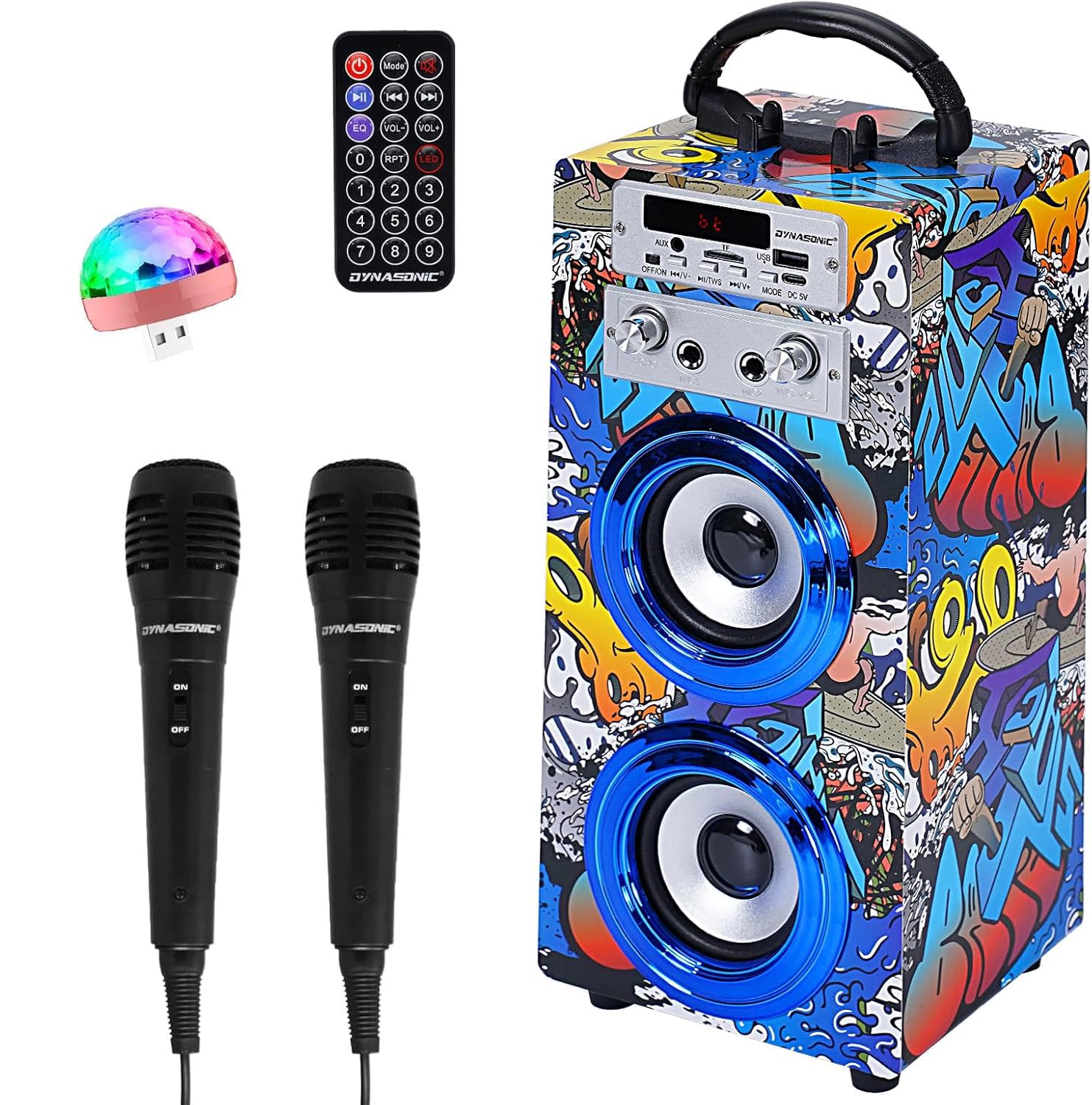
- 1 x DYNASONIC Portable Karaoke Machine (Model 025)
- 2 x Microphones
- 1 x Remote Control
- 1 x USB Charging Cable
- 1 x AUX Cable
- 1 x USB Light
3. Product Overview
3.1 Controls and Ports
Familiarize yourself with the various controls and connection ports on your karaoke machine:

- Power Switch: Turns the device on or off.
- Mode Button: Switches between Bluetooth, USB, SD, and AUX input modes.
- Volume Control: Adjusts the main speaker volume.
- Microphone Volume: Adjusts the volume of the connected microphones.
- Echo Effect: Controls the echo level for microphone input.
- USB Port: For USB flash drive playback and connecting the USB light.
- SD Card Slot: For SD card playback.
- AUX Input: For connecting external audio devices via the AUX cable.
- Microphone Jacks: Connect the two included microphones.
- Charging Port: Connect the USB charging cable here.
4. Setup
4.1 Charging the Device
Before first use, fully charge the karaoke machine. Connect the USB charging cable to the charging port on the device and the other end to a standard USB power adapter (not included) or a computer USB port. The charging indicator will show the charging status.
4.2 Powering On/Off
To power on the device, slide the Power Switch to the 'ON' position. To power off, slide it to the 'OFF' position.
4.3 Connecting Microphones
Insert the microphone cables into the designated microphone jacks on the karaoke machine. Ensure they are securely connected.
5. Operating Instructions
5.1 Bluetooth Mode
The device supports Bluetooth connectivity for wireless audio streaming.
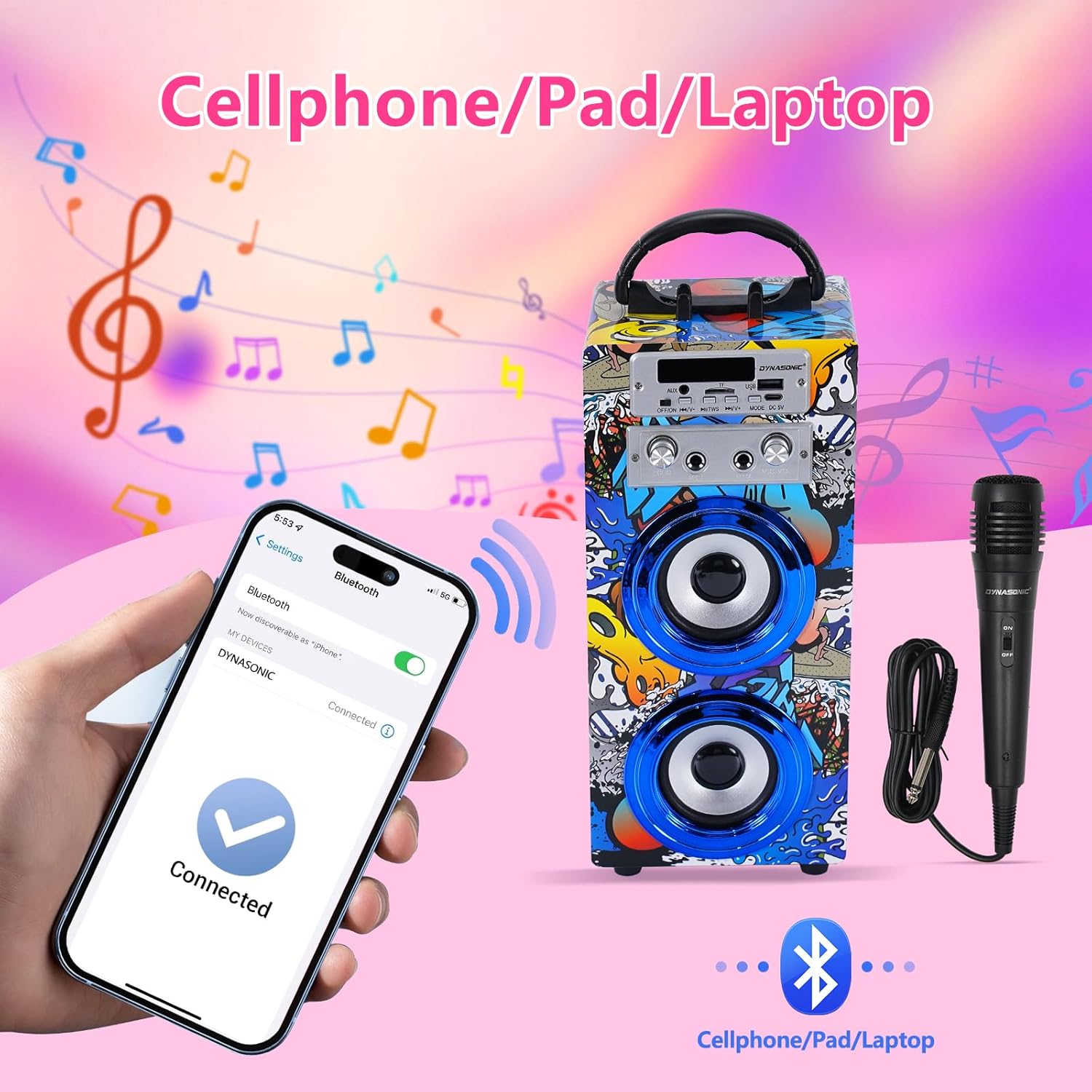
- Power on the karaoke machine. It will automatically enter Bluetooth pairing mode, indicated by an audible prompt or flashing LED.
- On your mobile phone, tablet, or laptop, enable Bluetooth and search for available devices.
- Select "DYNASONIC" from the list of devices. Once connected, you will hear a confirmation sound.
- You can now play music wirelessly from your connected device.
5.2 USB/SD Card Playback
To play audio from a USB flash drive or SD card:
- Insert a USB flash drive into the USB port or an SD card into the SD card slot.
- Press the 'Mode' button until the device switches to USB or SD card mode.
- The device will automatically detect and play compatible audio files. Use the playback controls (Play/Pause, Next/Previous) on the device or remote control.

5.3 AUX Input
To connect an external audio device via AUX:
- Connect one end of the AUX cable to the AUX input port on the karaoke machine.
- Connect the other end to the audio output jack of your external device (e.g., smartphone, MP3 player).
- Press the 'Mode' button until the device switches to AUX mode.
- Play audio from your external device.
5.4 Microphone Usage
Once microphones are connected:
- Adjust the Microphone Volume knob to control the microphone output level.
- Adjust the Echo Effect knob to add an echo to your voice for a karaoke effect.
5.5 TWS (True Wireless Stereo) Function
The TWS function allows you to connect two DYNASONIC karaoke machines (Model 025) for a stereo sound experience. (Requires two identical units).
- Ensure both karaoke machines are powered on and in Bluetooth mode, but not connected to any other device.
- On one of the machines, press and hold the TWS button (if available, or a specific mode button combination as per product design) until you hear a pairing sound.
- The two machines will automatically pair with each other.
- Once paired, connect your mobile device to one of the karaoke machines via Bluetooth as described in section 5.1. Audio will now play through both speakers in stereo.
5.6 Remote Control
The included remote control provides convenient access to various functions:

- Mode: Switches input sources (Bluetooth, USB, SD, AUX).
- Play/Pause: Starts or pauses playback.
- Previous/Next: Skips to the previous or next track.
- VOL+/VOL-: Adjusts the main volume.
- EQ: Cycles through equalizer presets.
- LED: Controls the integrated USB light.
- Number Buttons: For direct track selection (in USB/SD mode).
5.7 USB Light
Connect the included USB light to the USB port on the karaoke machine. Use the 'LED' button on the remote control to turn the light on or off.
6. Maintenance
6.1 Cleaning
Wipe the exterior of the device with a soft, dry cloth. Do not use abrasive cleaners or solvents. Ensure no liquids enter the device.
6.2 Storage
When not in use, store the karaoke machine in a cool, dry place away from direct sunlight and extreme temperatures. Keep it away from dust and moisture.
7. Troubleshooting
If you encounter issues with your DYNASONIC Portable Karaoke Machine, please refer to the following common problems and solutions:
| Problem | Possible Cause | Solution |
|---|---|---|
| No power | Battery is depleted. | Charge the device using the USB charging cable. |
| No sound from speaker | Volume is too low or muted. Incorrect mode selected. | Increase the main volume. Press the 'Mode' button to select the correct input source. |
| Microphone not working | Microphone not connected properly. Microphone volume is too low. | Ensure microphones are securely plugged in. Increase the Microphone Volume knob. |
| Bluetooth pairing failed | Device is too far from the speaker. Speaker is already connected to another device. | Ensure the device is within 10 meters. Disconnect from other devices and try pairing again. |
| USB/SD card not playing | Incorrect file format. Card/drive not inserted correctly. | Ensure audio files are in a compatible format. Reinsert the USB drive or SD card. Press 'Mode' to select the correct source. |
8. Specifications
| Feature | Detail |
|---|---|
| Brand | DYNASONIC |
| Model Number | 025 |
| Connectivity Technology | Bluetooth |
| Compatible Devices | Mobile phones, Laptops |
| Special Features | Echo Effect, Integrated Microphone, Portable, Rechargeable |
| Media Type | SD, USB |
| Connector Type | AUX |
| Power Source | Battery Powered |
| Battery Composition | Lithium-ion |
| Number of Speakers | 2 |
9. Warranty and Support
9.1 Warranty Information
This DYNASONIC karaoke machine comes with a quality guarantee. For specific warranty terms and conditions, please refer to the documentation included with your purchase or contact DYNASONIC customer support.
9.2 Customer Support
For any questions, technical assistance, or support needs, please contact DYNASONIC customer service through the retailer where the product was purchased or visit the official DYNASONIC website for contact information.


