
1. Introduction
The I0DO Blood Hunter Light is a high-intensity LED flashlight specifically designed to assist hunters in tracking wounded game. Its specialized light spectrum enhances the visibility of blood trails and spots, making recovery easier in low-light conditions. This manual provides essential information for the proper setup, operation, and maintenance of your device.

This blood tracking light utilizes a specific wavelength filter that makes red blood stand out clearly against various surfaces, even in challenging environments. This technology significantly improves the chances of successfully tracking wounded prey.

2. Product Features
- High-Intensity LED Light: Utilizes an ultra-bright LED to illuminate blood trails and spots.
- Long Battery Life: Designed for energy efficiency, ensuring extended use without frequent recharging.
- Waterproof and Durable Construction: Built to withstand various weather conditions and rugged outdoor use.
- Adjustable Focus: Allows adjustment from a wide flood beam to a concentrated spot for optimal visibility.
- Compact and Lightweight Design: Easy to carry and handle during tracking expeditions.
- Versatile Wavelength: Emits a specific light wavelength effective at revealing blood signatures.
- Easy On/Off Switch: Provides quick and convenient activation.
- Wide-Angle Beam: Offers broad illumination to increase the chances of spotting trails.
- Ruggedized Design: Protects the flashlight from drops and impacts.
- Ergonomic Grip: Ensures comfortable handling and reduces hand fatigue.
3. Setup
3.1 Battery Installation
The I0DO Blood Hunter Light requires one (1) Lithium Ion battery, which is included. To install or replace the battery:
- Unscrew the tail cap of the flashlight.
- Insert the Lithium Ion battery with the positive (+) end facing towards the head of the flashlight.
- Screw the tail cap back on securely.
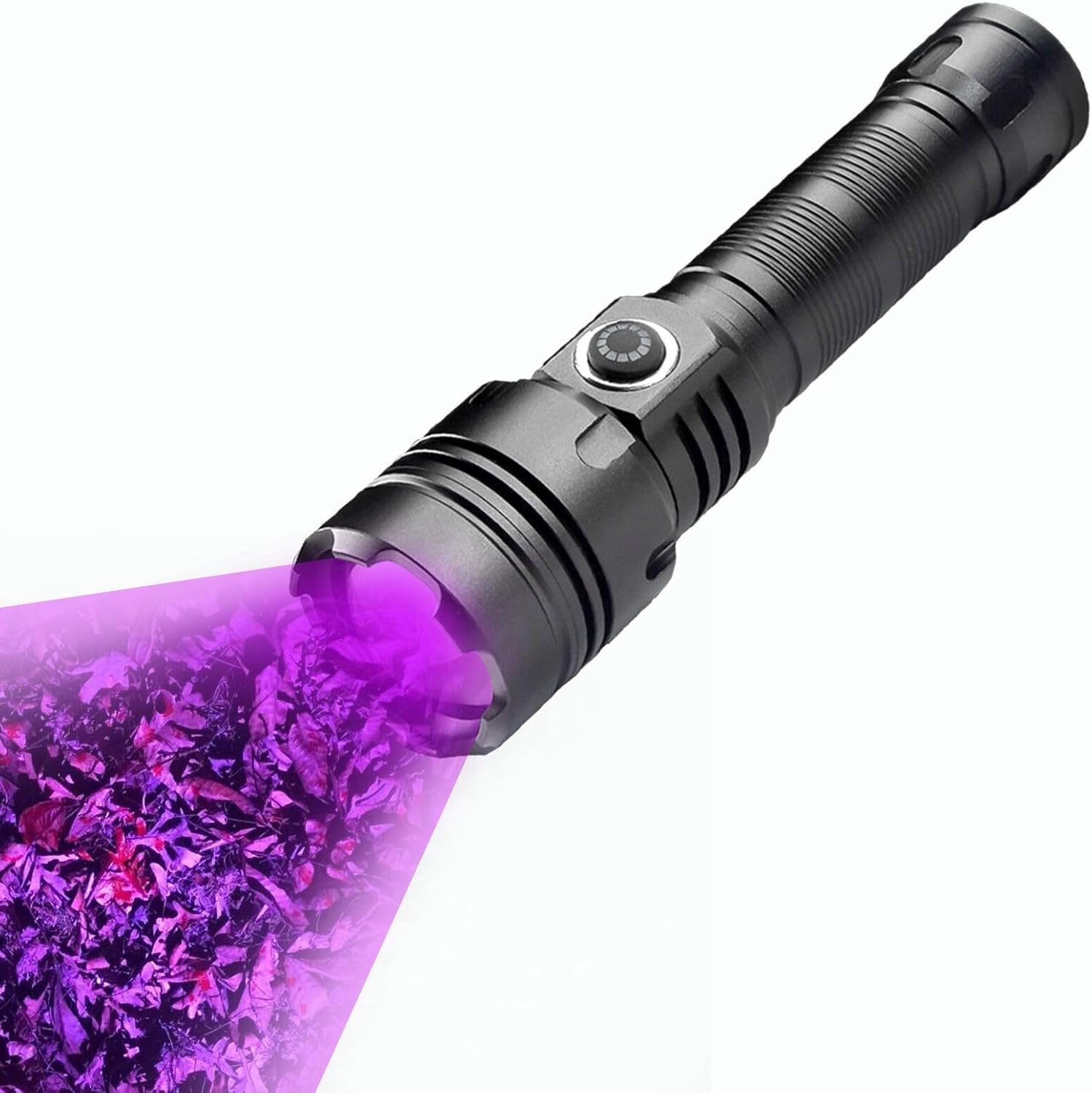
3.2 Initial Charging
Before first use, fully charge the flashlight. The device features a Type-C charging port.
- Locate the Type-C charging port on the flashlight body.
- Connect the provided Type-C USB cable to the flashlight and a suitable USB power source (e.g., wall adapter, computer USB port).
- Observe the charging indicator light. It will typically show a red light during charging and turn green when fully charged.


4. Operating Instructions
4.1 Power On/Off
Press the easy-to-locate power button on the flashlight body to turn the light on or off.
4.2 Adjusting Focus
The flashlight features an adjustable focus mechanism. To change the beam from a wide flood to a concentrated spot:
- Gently pull the lamp head forward to narrow the beam for a concentrated spot.
- Push the lamp head backward to widen the beam for a broader floodlight.

4.3 Blood Tracking Procedure
Follow these steps for effective blood tracking:
- Adjust Focus: Stretch the lamp head to adjust the focus, allowing you to optimize the spot size and intensity for clear visibility.
- Scan Carefully: Trace the blood trail carefully and scan the ground for any signs of blood or droplets.
- Be Patient: Blood trails can sometimes be faint and may require patience to follow. Continue scanning methodically.

5. Maintenance
- Cleaning: Wipe the flashlight body with a soft, damp cloth. Do not use abrasive cleaners or solvents.
- Battery Care: Recharge the battery regularly, especially if the flashlight will not be used for an extended period, to maintain battery health.
- Storage: Store the flashlight in a cool, dry place away from direct sunlight and extreme temperatures.
- Water Resistance: While waterproof, ensure all caps and seals are securely tightened before exposure to water to maintain its integrity.
6. Troubleshooting
- Light Not Turning On:
- Check if the battery is correctly installed with the positive (+) end facing forward.
- Ensure the battery is charged. Refer to Section 3.2 for charging instructions.
- Confirm the tail cap is screwed on tightly.
- Dim Light Output:
- The battery may be low. Recharge the flashlight fully.
- Ensure the lens is clean and free from dirt or smudges.
- Charging Indicator Not Working:
- Verify the charging cable is securely connected to both the flashlight and the power source.
- Try a different USB power source or cable.
7. Specifications
| Feature | Detail |
|---|---|
| Model Number | Blood Hunter Light |
| Brand | I0DO |
| Light Source Type | LED |
| Brightness | 2000 Lumens |
| Power Source | Battery Powered |
| Battery Type | 1 Lithium Ion (included) |
| Voltage | 3.7 Volts |
| Wattage | 30 watts |
| Material | Aluminum |
| Product Dimensions | 5.5"D x 1.2"W x 1.2"H |
| Item Weight | 6.4 ounces |
| Water Resistance Level | Waterproof |
| Special Features | Adjustable Focus, High Power, Impact Resistant, Long Range, Rechargeable |
| UPC | 667763776247 |

8. What's in the Box
The package for your I0DO Blood Hunter Light includes the following components:
- I0DO Blood Hunter Light Flashlight
- Rechargeable Lithium Ion Battery
- Type-C USB Charging Cable
9. Warranty & Support
This product comes with a Limited Warranty. For specific details regarding warranty coverage and claims, please refer to the product packaging or contact I0DO customer support.