Introduction
Thank you for choosing the Bigzzia Gaming Chair. This manual provides essential information for the safe and efficient assembly, operation, and maintenance of your new chair. Please read these instructions carefully before use and retain them for future reference.

Image: The Bigzzia Gaming Chair in pink, showcasing its design and features.
Important Safety Information
Please observe the following safety guidelines to prevent injury or damage to the product:
- Maximum Weight Recommendation: This product has a maximum weight recommendation of 300 lbs. Do not exceed this limit.
- Assembly: Improper assembly can lead to instability or potential risks. Ensure you install the gaming chair according to the provided instructions.
- Stability: Always ensure the chair is on a flat, stable surface before use.
- Movement: Avoid sudden movements or standing on the chair.
- Children: Keep children away from moving parts during adjustment.
Package Contents
Your Bigzzia Gaming Chair package includes all necessary components for assembly. A detailed instruction manual with accessory identification is provided separately.
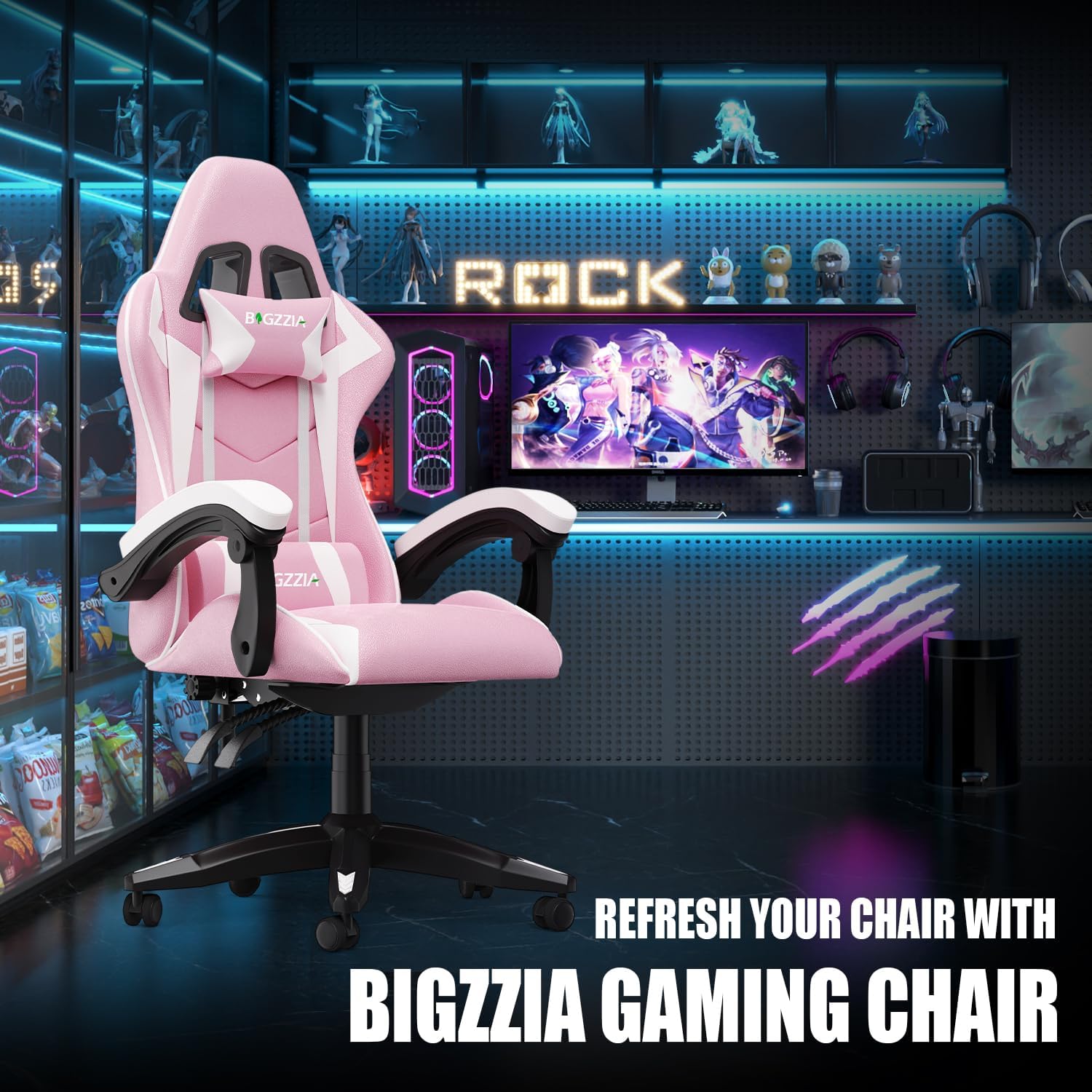
Image: Components of the ergonomic design, including the headrest and lumbar pillow, which are included.
Setup and Assembly
Assembly of the Bigzzia Gaming Chair is designed to be straightforward. Please follow the step-by-step instructions provided in the separate assembly guide included with your package. Ensure all parts are present and undamaged before beginning assembly.
Key Assembly Components:
- 5-Star Base: Provides high load-bearing capacity and stability.
- Gas Lift: SGC-verified class 3 gas lift for height adjustment.
- Casters: Smooth and silent wheels for easy movement.
- Seat and Backrest: Pre-assembled components for quick setup.
- Armrests: Linkage padded armrests for comfort and support.
- Headrest and Lumbar Pillow: Detachable for customized support.

Image: Illustration of the chair's base components, highlighting the reinforced nylon base, smooth wheels, and gas lift.
Operating Instructions
Your Bigzzia Gaming Chair offers multiple adjustment options for personalized comfort.
1. Seat Height Adjustment:
To adjust the seat height, locate the lever on the right side beneath the seat. Pull the lever upwards while seated to lower the chair, or stand up and pull the lever to raise the chair. Release the lever to lock the height in place. The chair offers 4 inches of height customization.
Video: Demonstrates the various adjustable features of the Bigzzia Gaming Chair, including seat height, recline, and swivel.
2. Backrest Recline Adjustment:
The backrest can be adjusted from an upright 90° to a relaxed 155° angle. Locate the recline lever on the left side of the chair. Pull the lever up to unlock the backrest, adjust to your desired angle, and release the lever to lock it. This allows for comfortable positions for working, gaming, or resting.

Image: Visual guide to the adjustable recline function, illustrating different angles for various activities.

Image: Demonstrates the chair's versatility with different recline angles for gaming, reading, and relaxing.
3. 360°-Swivel Seat:
The chair features a 360°-swivel seat, allowing for full rotation and easy movement around your workspace without needing to reposition the entire chair.
4. Linkage Armrests:
The linkage armrests are designed to move with the recline of the backrest, providing continuous support for your arms and preventing elbow strain. They automatically adjust to your sitting position.

Image: Detailed view of the linkage padded armrests, illustrating their design and function.
Video: Overview of the Bigzzia Gaming Chair's features, including the linkage armrests and various adjustments.
Maintenance and Care
To ensure the longevity and appearance of your Bigzzia Gaming Chair, follow these simple maintenance guidelines:
- Cleaning: Wipe clean with a soft, damp cloth. Avoid harsh chemicals or abrasive cleaners that may damage the PU leather.
- Inspection: Periodically check all screws and bolts to ensure they are tight. Re-tighten if necessary.
- Environment: Avoid prolonged exposure to direct sunlight or extreme temperatures, which can cause material degradation.

Image: Illustrates the chair's material composition, emphasizing the ease of cleaning for the PU leather surface.
Troubleshooting
If you encounter any issues with your Bigzzia Gaming Chair, please refer to the following common solutions:
- Instability: Ensure all bolts and screws are securely tightened. Verify the chair is on a level surface.
- Difficulty Adjusting Height/Recline: Check that no obstructions are blocking the levers or mechanisms. Ensure the gas lift is functioning correctly.
- Squeaking Noises: Lubricate moving parts with a silicone-based spray if necessary. Check for loose connections.
If the problem persists, please contact Bigzzia customer support for assistance.
Specifications
| Feature | Detail |
|---|---|
| Brand | Bigzzia |
| Model Name | Pink Bigzzia Gaming Chair |
| Item Model Number | X21F00H006 |
| Color | Pink |
| Product Dimensions | 23.23"D x 11.42"W x 31.1"H |
| Item Weight | 33 pounds |
| Maximum Weight Recommendation | 300 Pounds |
| Material | Leather (PU Leather), Foam |
| Back Style | Solid Back |
| Special Features | Adjustable Height, Arm Rest, Ergonomic, Head Support, Reclining |
| Reclining Position Count | 3 Position (90°-155°) |
| Furniture Base Movement | Swivel (360°) |
| Recommended Uses | Computer, Gaming, Office, Relaxing, Video Game |
| Product Care Instructions | Wipe Clean |

Image: Detailed diagram showing the chair's dimensions and maximum load capacity.
Warranty and Customer Support
Bigzzia is committed to providing excellent after-sale service. If you have any questions, concerns, or require assistance with your gaming chair, please do not hesitate to contact our customer support team.
Information regarding specific warranty terms and conditions, as well as available protection plans, can be found on the product's purchase page or by contacting Bigzzia directly.


