
1. Product Overview
The aigo TK03 True Wireless Earbuds offer a seamless audio experience with Bluetooth 5.4 connectivity, touch controls, and a water-resistant design. This manual provides essential information for optimal use and care of your device.

Image: aigo TK03 True Wireless Earbuds and their transparent charging case.
2. Package Contents
Verify that all items are present in your product package:
- aigo TK03 Earbuds & Charging Case
- USB Charging Cable
- Neck Lanyard
- User Manual
- Gift Box

Image: Illustration of the items included in the aigo TK03 product package.
3. Setup and Pairing
3.1 Initial Charging
Before first use, fully charge the earbuds and charging case. Connect the provided USB charging cable to the charging case and a power source. The charging indicator will provide status.
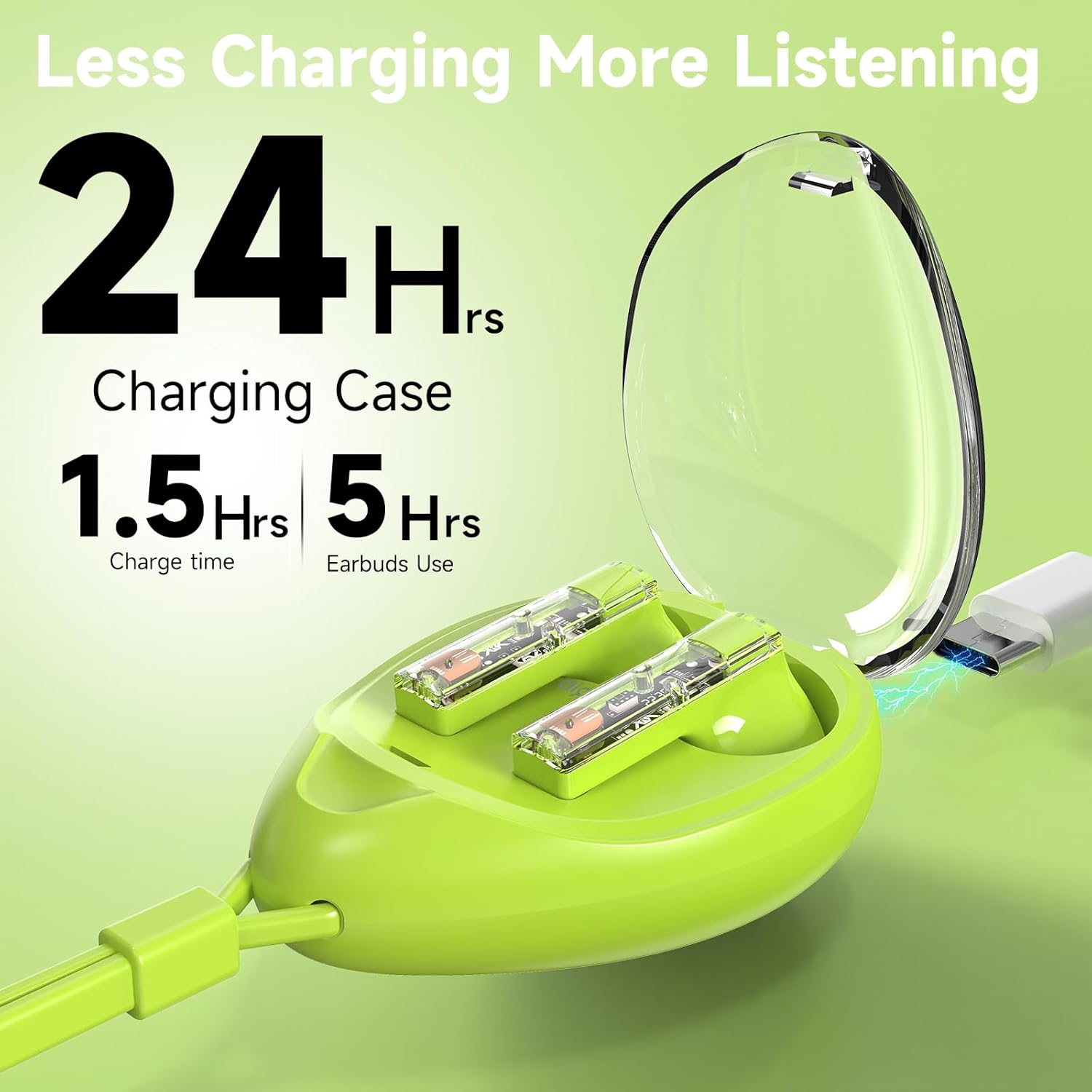
Image: The aigo TK03 charging case being charged via a USB-C cable.
3.2 Bluetooth Pairing
- Ensure the earbuds are charged.
- Open the charging case. The earbuds will automatically power on and enter pairing mode.
- On your device (smartphone, tablet, laptop), navigate to the Bluetooth settings.
- Select "aigo TK03" from the list of available devices to connect.
- Once connected, a confirmation sound will play, and the earbuds are ready for use.
The earbuds feature one-step auto-pairing and wide compatibility with iOS, Android, and Windows devices.

Image: A smartphone displaying Bluetooth pairing options, with 'aigo TK03' highlighted.
4. Operating Instructions
4.1 Touch Controls
The aigo TK03 earbuds feature intuitive touch controls for managing audio playback and calls:
- Play/Pause: Single tap on either earbud.
- Answer/End Call: Single tap on either earbud.
- Next Track: Double tap on the right earbud.
- Previous Track: Triple tap on the left earbud.
- Reject Call: Double tap on either earbud.
- Voice Assistant (Siri/Google Assistant): Long press (2 seconds) on either earbud.
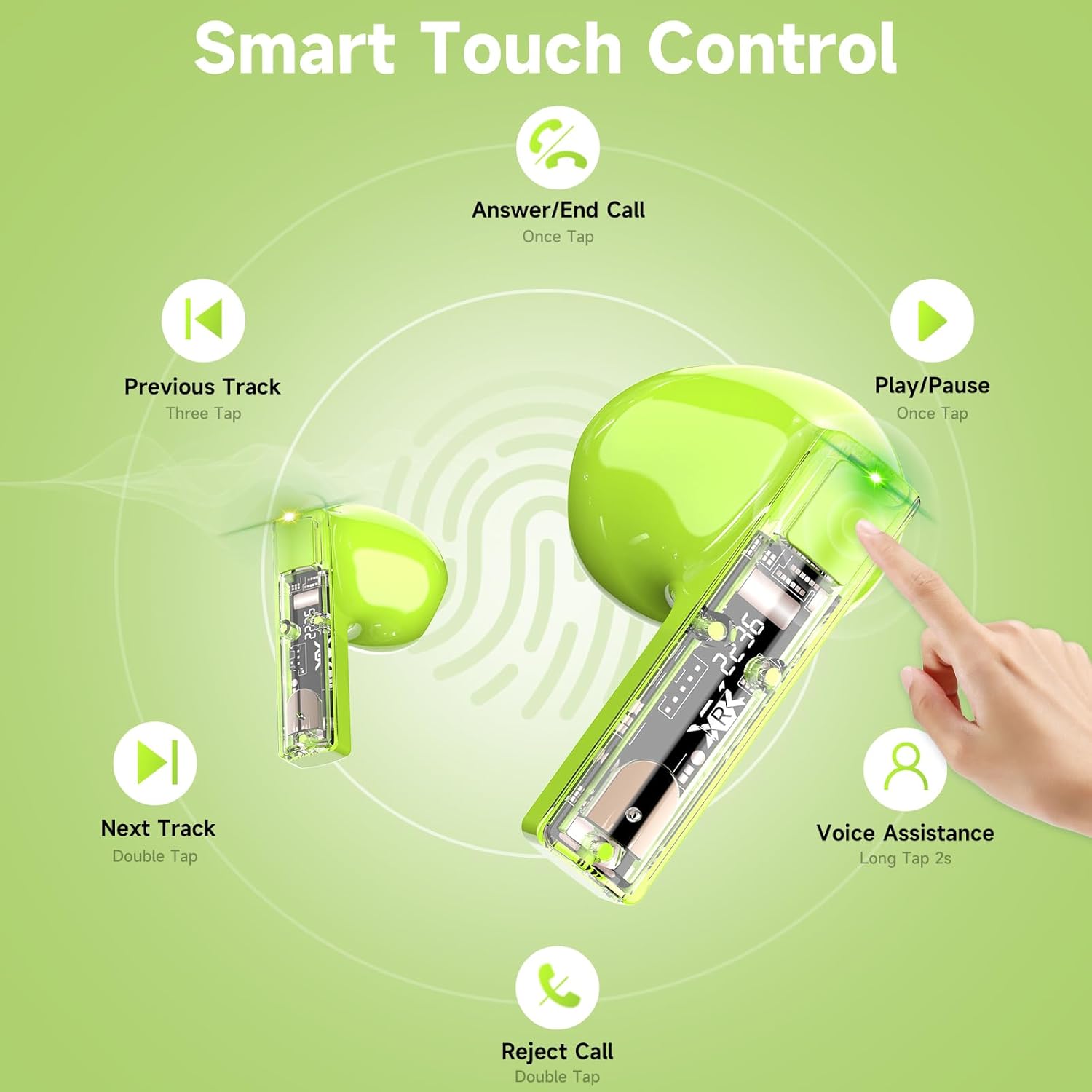
Image: Visual guide to the touch control gestures for the aigo TK03 earbuds.
4.2 Audio Quality and Calls
The earbuds deliver Hi-Fi stereo sound through 13mm dynamic drivers. Equipped with two built-in microphones and noise reduction technology, they are designed to provide clear call quality.

Image: Depiction of the earbud's internal components highlighting Bluetooth 5.4 and call clarity features.
4.3 Wearing the Earbuds
The aigo TK03 earbuds feature a shorter stem design for a comfortable in-ear fit. Ensure they are securely placed in your ears for optimal sound and stability.

Image: A user wearing the aigo TK03 earbuds, showcasing their ergonomic design and comfortable fit.
5. Maintenance and Care
5.1 Water Resistance
The aigo TK03 earbuds are IPX4 water-resistant, meaning they are protected against splashing water from any direction. This makes them suitable for workouts and light rain. They are not designed for submersion in water.

Image: Earbuds with water droplets, demonstrating their water-resistant capabilities.
5.2 Cleaning
To maintain optimal performance and hygiene, regularly clean your earbuds and charging case. Use a soft, dry, lint-free cloth. Avoid using abrasive materials or harsh chemicals. Ensure charging contacts are free of debris.
6. Troubleshooting
If you encounter issues with your aigo TK03 earbuds, refer to the following common solutions:
- No Sound/Connection Issues:
- Ensure earbuds are charged.
- Verify Bluetooth is enabled on your device and "aigo TK03" is selected.
- Try unpairing and re-pairing the earbuds with your device.
- Move closer to your device to ensure you are within the 15-meter Bluetooth range.
- Earbuds Not Charging:
- Check if the charging cable is securely connected to both the case and the power source.
- Ensure the charging contacts on the earbuds and inside the case are clean and free of obstructions.
- Confirm the charging case itself has sufficient power.
- Touch Controls Unresponsive:
- Ensure your fingers are clean and dry when using touch controls.
- Restart the earbuds by placing them in the case and closing it, then reopening.
If problems persist, consult the manufacturer's support resources.
7. Specifications
| Feature | Detail |
|---|---|
| Model Name | TK03 |
| Connectivity Technology | Wireless (Bluetooth 5.4) |
| Bluetooth Range | 15 Meters |
| Audio Driver Type | Dynamic Driver |
| Audio Driver Size | 13 Millimeters |
| Frequency Range | 20 Hz - 20,000 Hz |
| Sensitivity | 70 dB |
| Impedance | 25 Ohm |
| Battery Life (Earbuds) | Up to 5 hours (music playback), 4 hours (call talking) |
| Total Playtime (with Charging Case) | Up to 24 hours |
| Charging Time | 1.5 Hours (for case) |
| Water Resistance Level | IPX4 (Waterproof) |
| Control Type | Touch Control |
| Microphones | 2 (built-in) |
| Item Weight | 4.6 ounces (total package) |
| Carrying Case Weight | 0.8 Ounces |
| Carrying Case Dimensions | 1.29" (L) x 1.84" (W) x 2.5" (H) |

Image: Product dimensions for the aigo TK03 earbuds and charging case.
8. Warranty and Support
8.1 Warranty Information
For details regarding the product warranty, please refer to the warranty card included in your package or contact the retailer/manufacturer directly. Warranty terms may vary based on region and purchase location.
8.2 Customer Support
If you require further assistance or have questions not covered in this manual, please contact aigo customer support through their official website or the retailer from whom you purchased the product.


