
1. Introduction and Overview
Thank you for choosing the OffiGo 79-Inch Executive Electric Standing Desk. This desk is designed to enhance your workspace with its electric height adjustment, spacious desktop, and integrated power solutions. Easily switch between sitting and standing positions to promote a healthier and more productive work environment.
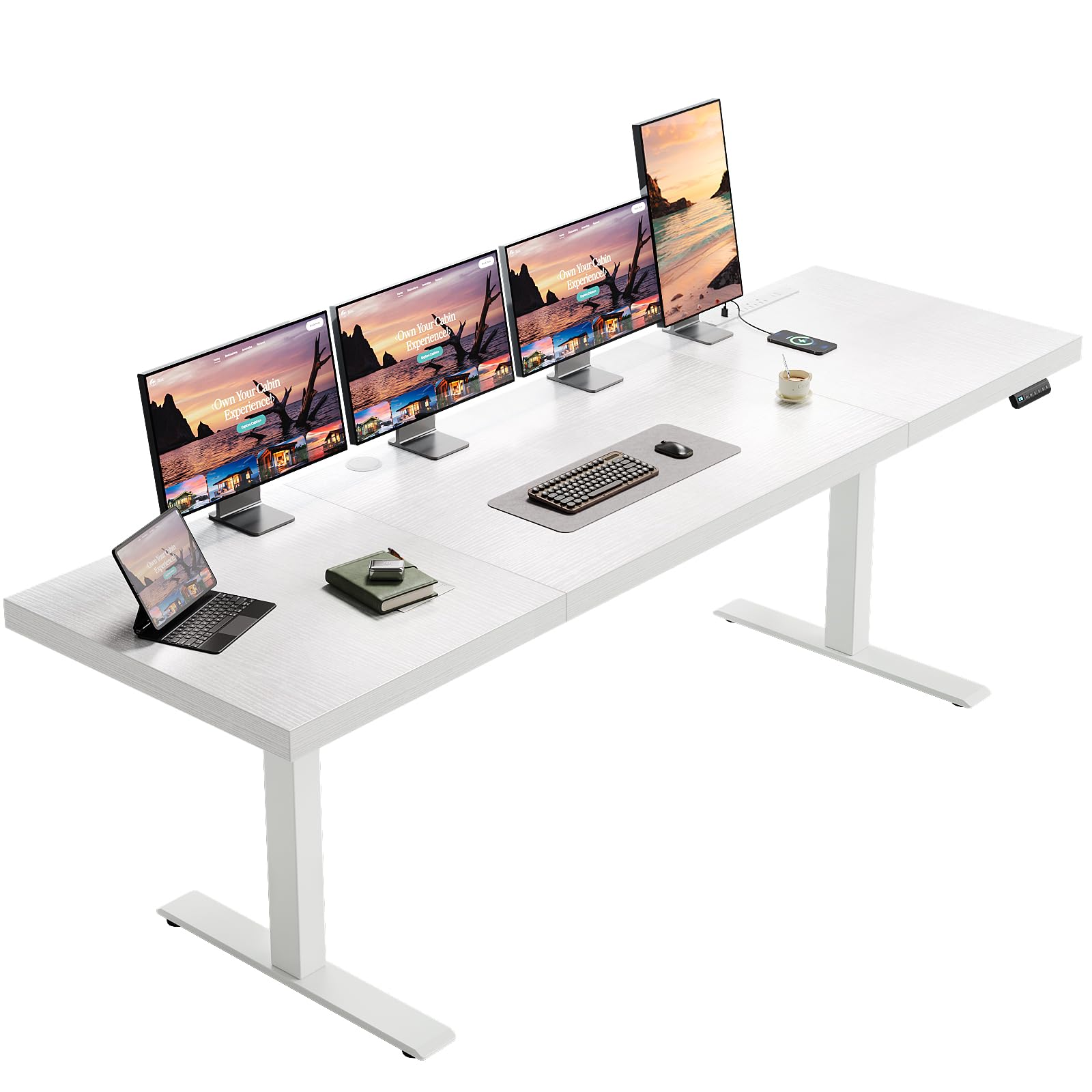
Image: The OffiGo 79-Inch Executive Electric Standing Desk in white, featuring a large desktop with multiple monitors, a laptop, and a charging station. An office chair is positioned next to the desk.
2. Safety Information
- Always follow the assembly instructions carefully.
- Do not exceed the weight limit of 154 lbs (70 kg) for the desktop.
- Keep the desk away from heat sources.
- Do not place heavy objects on the desktop when adjusting the height.
- Always use both hands when adjusting the height to prevent injury.
3. Package Contents
Your OffiGo Electric Standing Desk package includes all necessary parts and tools for assembly. Please verify all components are present and undamaged before proceeding with installation.
- 3-Piece Desktop sections
- Electric lifting columns (legs)
- Control panel with memory presets
- Integrated power outlet strip (3 AC, 2 USB-A, 2 Type-C)
- Cable management grommets
- Side hook for headphones/bags
- Assembly hardware (screws, bolts, etc.)
- Assembly tools (Allen wrench, screwdriver)
- Instruction manual
4. Setup Instructions
Follow these steps for proper assembly of your OffiGo Electric Standing Desk. An installation video is also available for visual guidance.
- Unpack and Inspect: Carefully remove all components from the packaging. Verify that all parts listed in the package contents are present and free from damage.
- Assemble the Legs: Attach the leg components according to the provided diagrams. Ensure the legs are level before proceeding.
- Assemble the Desktop: Connect the 3-piece desktop sections. Ensure there are no gaps and all connections are secure.
- Attach Legs to Desktop: Carefully place the assembled desktop upside down on a soft, clean surface. Attach the leg frames to the desktop using the provided screws. It is recommended to have a second person assist with flipping the desk upright to prevent damage or injury.
- Install Control Panel and Power Strip: Secure the control panel and integrated power strip into their designated slots on the desktop. Connect all necessary cables.
- Cable Management: Utilize the cable management grommets and included clips to organize power cords and other cables for a tidy workspace. Attach the side hook as desired.
- Initial Power-Up: Plug the desk into a power outlet. Press and hold the 'down' button until 'rES' appears on the screen to reset the desk to its lowest position. This ensures proper calibration.
Video: Detailed assembly guide for the OffiGo Electric Standing Desk, demonstrating step-by-step installation of components and initial setup procedures.
5. Operating Instructions
Your electric standing desk offers intuitive controls for seamless operation.
- Height Adjustment: Use the up (^) and down (v) arrow buttons on the control panel to smoothly adjust the desk height from 29.1 inches to 48 inches.
- Memory Presets: The desk features 3 customizable memory presets (1, 2, 3). To save a preferred height, adjust the desk to the desired level, then press the 'S' button followed by the desired preset number (1, 2, or 3). To recall a saved height, simply press the corresponding preset number.
- Integrated Power Outlets: The desktop includes 3 AC outlets (125V/12A), 2 USB-A ports, and 2 Type-C ports (5V/2A) for convenient charging of your devices directly on the desk surface.
- Cable Management: Utilize the two cable management grommets to route and organize your monitor and device cables, maintaining a clean and efficient workspace.
- Headphone Hook: Use the side hook to store headphones or bags, keeping your desk clutter-free.

Image: A visual representation of the OffiGo Electric Standing Desk adjusting its height from a sitting position (29.1 inches) to a standing position (48 inches), highlighting the smooth electric adjustment mechanism.
6. Maintenance
To ensure the longevity and optimal performance of your OffiGo Electric Standing Desk, follow these simple maintenance guidelines:
- Cleaning: Wipe the desktop surface with a soft, damp cloth. Avoid abrasive cleaners or harsh chemicals that could damage the finish.
- Motor Care: Keep the motor and lifting mechanisms free from dust and debris. Do not attempt to lubricate internal components.
- Cable Inspection: Periodically check all power cords and connections for any signs of wear or damage. Replace any damaged cables immediately.
- Weight Distribution: Distribute weight evenly across the desktop to prevent strain on the lifting mechanism.
7. Troubleshooting
If you encounter any issues with your electric standing desk, please refer to the following common problems and solutions. For further assistance, contact customer support.
- Desk Not Adjusting: Ensure all power cables are securely connected and the desk is plugged into a working outlet. Perform a reset by holding the 'down' button until 'rES' appears.
- Uneven Height Adjustment: If one side of the desk is higher than the other, refer to the troubleshooting video for instructions on how to re-align the hexagonal rods and motors.
- Error Codes: If an error code appears on the control panel, consult the user manual or the troubleshooting video for specific meanings and solutions.
Video: Troubleshooting guide for common lifting problems with the electric standing desk, including solutions for uneven height and motor issues.
8. Specifications
| Brand | OffiGo |
| Model | 79 Inch Executive Electric Standing Desk |
| Shape | Rectangular |
| Product Dimensions | 27.5"D x 79"W x 28.3"H |
| Color | White |
| Style | Modern |
| Base Material | Alloy Steel |
| Top Material Type | Engineered Wood |
| Tabletop Thickness | 1.38 Inches |
| Minimum Height | 29.1 Inches |
| Maximum Height | 48 Inches |
| Load Capacity | Up to 154 lbs (70 kg) |
| Special Features | Adjustable Height, Built-In USB Outlet, Electric, Ergonomic, Power Outlets |
| Included Components | Headphone Hook, Keyboard Tray (Note: Desktop is not designed for monitor arm mounting; standard monitor stands are recommended.) |

Image: Detailed dimensions of the OffiGo Electric Standing Desk, illustrating its 79-inch width, 27.6-inch depth, and height adjustment range from 29.1 to 48 inches.
9. Warranty and Support
The OffiGo 79-Inch Executive Electric Standing Desk comes with a Limited Warranty. For specific warranty terms and conditions, please refer to the documentation included in your package or contact customer support.
Our professional customer support team is available to provide responsive pre-sale and after-sale assistance. If you have any questions, require troubleshooting, or need replacement parts, please do not hesitate to contact us through the vendor information provided with your purchase.