
1. Introduction
This manual provides detailed instructions for the installation, operation, and maintenance of your Darawf K6-2 Palm Recognition Smart Door Lock. Please read this manual thoroughly before installation and use to ensure proper function and safety. Keep this manual for future reference.
Safety Information
- Do not attempt to disassemble or repair the lock yourself. Contact qualified personnel for service.
- Use only specified batteries. Incorrect battery types may damage the device.
- Avoid exposing the lock to extreme temperatures or direct water spray.
- Ensure proper installation to prevent damage to the door or lock.
2. Product Overview
The Darawf K6-2 is an advanced smart door lock featuring palm recognition technology for secure and convenient keyless entry. It integrates multiple unlocking methods and smart features for enhanced home security.
Key Features
- Palm Recognition Technology: Utilizes unique palm vein patterns for secure and accurate unlocking, unaffected by surface conditions like sweat or dust.
- Multiple Unlocking Methods: Supports palm recognition, digital code, Bluetooth APP control, and traditional mechanical key.
- Auto-Lock Function: Enhances security by automatically locking the door after a set period.
- Privacy Protection: Palm ID information is stored securely on the device, not in external databases.
- Wide Applicability: Designed for use by individuals of all ages, including children and the elderly, due to stable palm vein characteristics.
Package Contents
Verify that all components are present before beginning installation:
- K6-2 Deadbolt Door Lock (Exterior and Interior Assemblies)
- 2 Standard Mechanical Keys
- Latch Mechanism
- Strike Plate
- Installation Instructions (refer to this manual)
- Programming Instructions (refer to this manual)
- Mounting Screws and Hardware
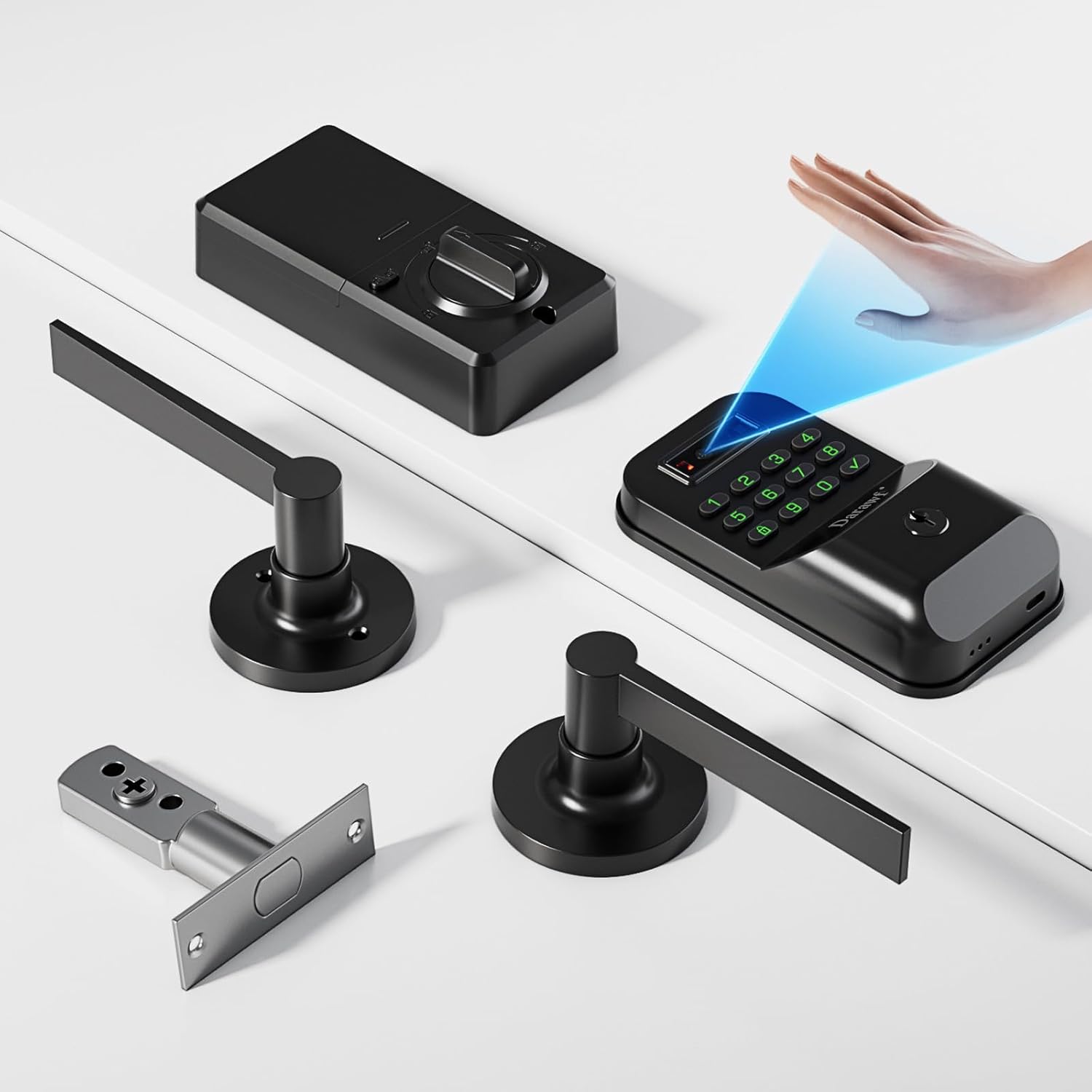
Figure 2.1: Overview of Darawf K6-2 Smart Door Lock components, including the exterior keypad, interior unit, lever handles, and latch mechanism.
3. Installation
Follow these steps carefully to install your Darawf K6-2 Smart Door Lock. Ensure your door meets the specified dimensions before proceeding.
3.1 Door Preparation and Dimensions
Before installation, confirm your door's dimensions are compatible with the lock. The lock is designed for standard door thicknesses and backsets.

Figure 3.1: Detailed dimensions for the lock components and required door hole specifications. Ensure your door has a single hole body for the deadbolt and is compatible with the lever handles.
3.2 General Installation Steps
- Remove Existing Hardware: Carefully remove any existing lock hardware from your door.
- Install Latch: Insert the latch mechanism into the door edge. Ensure the latch bolt faces the correct direction for your door swing.
- Install Exterior Assembly: Place the exterior keypad assembly onto the door, aligning it with the latch and mounting holes.
- Install Interior Assembly: Attach the interior assembly, connecting any necessary cables from the exterior unit. Secure both assemblies with the provided screws.
- Install Lever Handles: Attach the lever handles to both sides of the door, ensuring they operate smoothly.
- Install Strike Plate: Mount the strike plate on the door frame, aligning it with the latch bolt.
- Test Operation: After installation, test all functions of the lock, including mechanical key, keypad, and palm recognition, before closing the door.

Figure 3.2: The Darawf K6-2 Smart Door Lock fully installed on a door, showing the exterior keypad and lever handle.
3.3 Infrared Sensing Considerations
The door lock's camera includes an infrared sensing function. To ensure optimal performance and battery life, avoid placing obstructions within 30 centimeters of the camera for extended periods. Such obstructions can cause continuous infrared sensing, leading to rapid battery depletion.
If an external door or object is present within 50cm of the camera, refer to the application scenarios below:

Figure 3.3: Application Scenario 1: No obstruction within 50cm, direct installation. Application Scenario 2: Obstruction within 50cm, requiring a keyboard style wake-up door lock upgrade via the mobile app to prevent continuous infrared activation.
If an obstruction is present, activate the infrared light by pressing any key on the keypad to wake up the door lock before using palm recognition.
4. Operation
The Darawf K6-2 offers multiple convenient ways to unlock your door.
4.1 Unlocking Methods
- Palm Recognition:
To unlock using palm recognition, simply present your palm to the sensor. The lock identifies your unique vein patterns for quick and secure access. Ensure your palm is within the recognition range (approximately 120mm-250mm from the sensor).
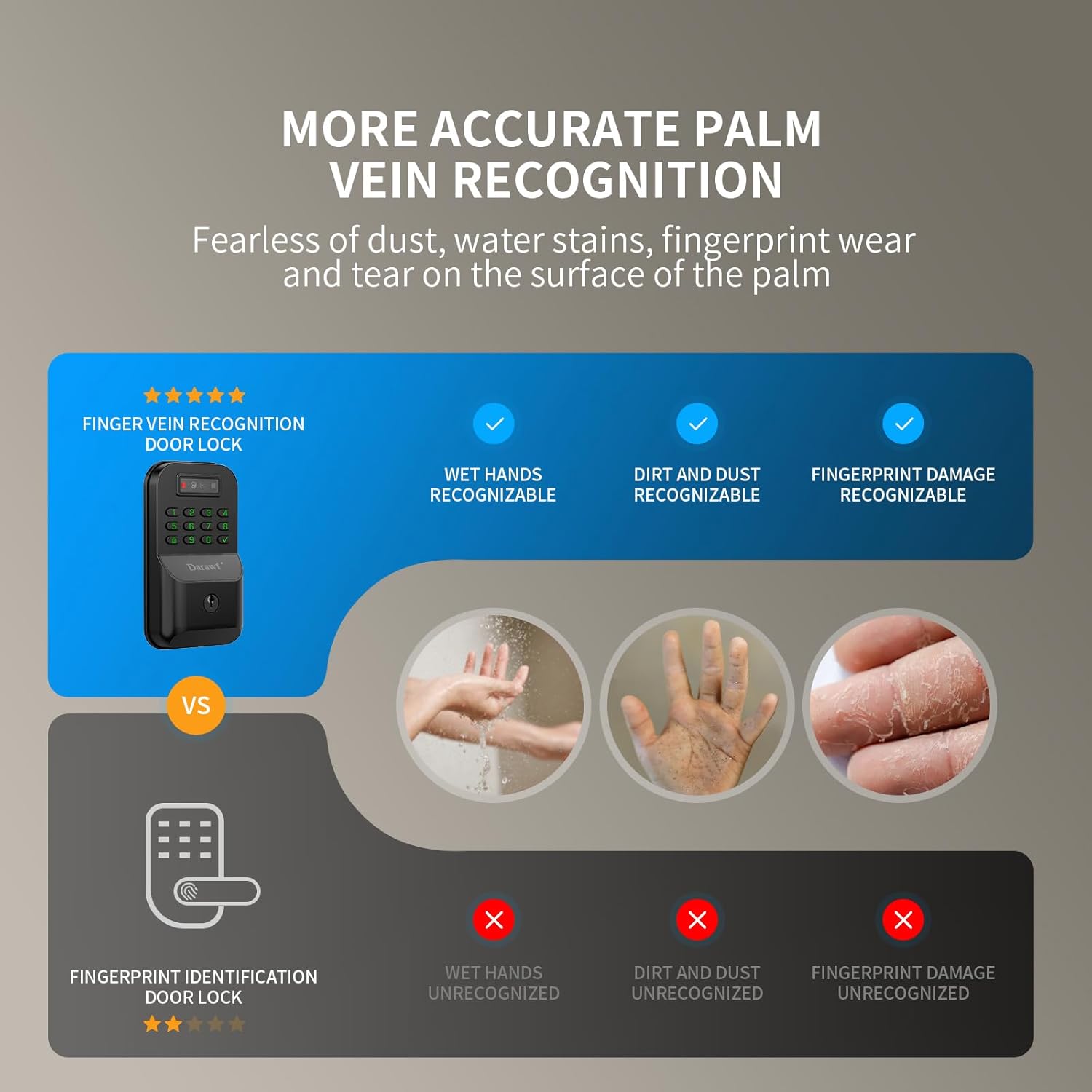
Figure 4.1: Demonstrates the palm recognition unlocking method, showing a hand being scanned by the lock's sensor.
- Digital Code:
Enter your pre-set digital code on the keypad, then press the '#' or 'Enter' key to unlock the door.
- Bluetooth APP Control:
Download the dedicated mobile application (refer to the quick start guide for app details). Pair your smartphone with the lock via Bluetooth to unlock remotely or manage settings.
- Mechanical Key:
In case of battery depletion or electronic malfunction, use one of the provided mechanical keys to unlock the door manually.
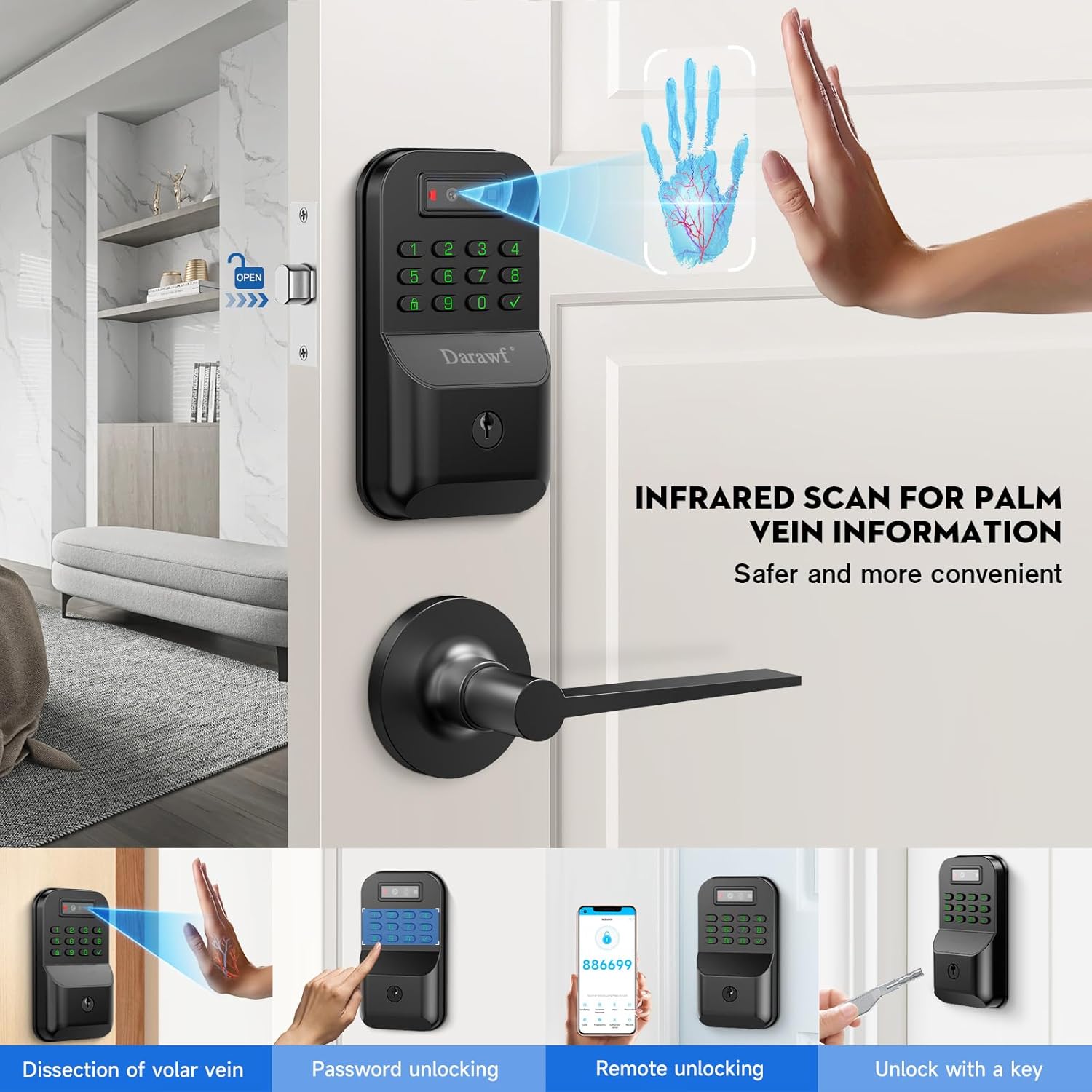
Figure 4.2: Illustration of the multiple unlocking methods available: remote unlocking via app, fingerprint unlocking (though this model uses palm vein), key unlocking, and palmprint unlocking.
4.2 Auto-Lock Function
The lock is equipped with an auto-lock feature that automatically secures the door after a customizable delay. Refer to the mobile application or programming instructions for adjusting auto-lock settings.
5. Maintenance
Regular maintenance ensures the longevity and optimal performance of your smart door lock.
5.1 Cleaning
- Wipe the lock's exterior surfaces with a soft, dry cloth.
- Avoid using abrasive cleaners, solvents, or chemical sprays, as these can damage the finish and electronic components.
- Keep the palm recognition sensor clean and free of debris for accurate scanning.
5.2 Battery Replacement
The Darawf K6-2 lock operates on AA batteries (not included). When the battery level is low, the lock will provide an audible or visual alert. Replace all batteries simultaneously with new, high-quality AA alkaline or lithium batteries. Lithium batteries are recommended for better performance in extreme temperatures and to prevent leakage.
- Locate the battery compartment on the interior assembly of the lock.
- Open the compartment cover.
- Remove old batteries and dispose of them properly.
- Insert new AA batteries, ensuring correct polarity (+/-).
- Close the battery compartment cover.
Note: If the lock continuously reports "low battery" even after replacing with new batteries, this may indicate a malfunction. Refer to the Troubleshooting section or contact customer support.
6. Troubleshooting
This section addresses common issues you might encounter with your Darawf K6-2 Smart Door Lock.
| Problem | Possible Cause | Solution |
|---|---|---|
| Palm recognition fails or is inconsistent. |
|
|
| "Low battery" alert persists after battery replacement. |
|
|
| Infrared sensor activates continuously. |
|
|
| Keypad is unresponsive. |
|
|
7. Specifications
Technical specifications for the Darawf K6-2 Palm Recognition Smart Door Lock:
| Feature | Detail |
|---|---|
| Brand | Darawf |
| Model Name | K6-2 |
| Lock Type | Biometric (Palm Recognition) |
| Special Feature | Palm Recognition, Keyless Entry, Auto Lock, Bluetooth, APP Control, Digital Code |
| Material | Metal |
| Color | Black |
| Product Dimensions (L x W x H) | 12.71 x 8 x 3.62 inches |
| Item Weight | 3.94 pounds |
| Connectivity Protocol | Bluetooth |
| Power Source | AA Batteries (not included) |
| Recommended Uses | Home, Front Door |
8. Warranty and Support
For warranty information and customer support, please refer to the documentation included with your purchase or visit the official Darawf website. Keep your proof of purchase for warranty claims.
If you encounter any issues not covered in this manual, please contact Darawf customer service for assistance.