1. Introduction
Thank you for choosing the Svakom Cici 2. This flexible head slim vibrator is designed for targeted stimulation, featuring multiple vibration modes, intensities, and a warming function. It is also app-compatible for enhanced control. This manual provides essential information for safe and effective use, including setup, operation, maintenance, and troubleshooting.
2. Safety Information
- General safety warnings apply.
- Do not use while sleeping.
- Do not share the device.
- Clean before and after each use.
- Statements regarding dietary supplements have not been evaluated by the FDA and are not intended to diagnose, treat, cure, or prevent any disease or health condition.
3. Package Contents
- 1 x Svakom Cici 2 Flexible Head Slim Vibrator
- 1 x USB Charging Cable
- 1 x User Manual
4. Product Overview
The Svakom Cici 2 features a flexible, ribbed head designed for precise targeting. It offers a range of customizable experiences with multiple vibration modes and intensities, along with a warming function. The device is made from body-safe silicone and is fully waterproof.
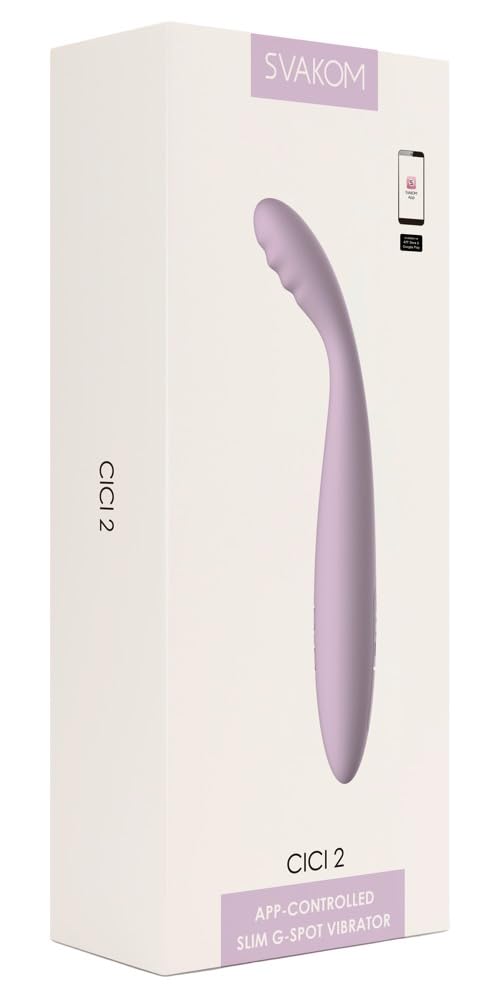
Figure 1: Product Dimensions and Overview. This image illustrates the physical dimensions of the Svakom Cici 2, including its total length, insertable length, width, depth, and largest insertable diameter.
Controls and Components:
- Flexible Head: Designed for targeted stimulation.
- Control Buttons: Two circular buttons located on the body for power, mode, and intensity adjustments.
- Charging Port: Located at the base, covered by a silicone flap for waterproofing.

Figure 2: Front view of the Svakom Cici 2, highlighting the control buttons.

Figure 3: Close-up of the charging port with the protective flap open.
5. Setup
Initial Charging:
- Locate the charging port at the base of the device, covered by a silicone flap.
- Gently open the silicone flap to expose the USB-C charging port.
- Connect the provided USB charging cable to the device and plug the other end into a compatible USB power source (e.g., computer, wall adapter).
- The device will indicate charging status (e.g., LED indicator).
- Allow approximately 2 hours for a full charge. The device comes with a built-in Lithium Polymer battery.
- Once fully charged, disconnect the cable and securely close the silicone flap to maintain waterproofing.
6. Operating Instructions
Power On/Off:
- To power on, press and hold the power button (usually the top button) for 2-3 seconds until the device vibrates or an indicator light appears.
- To power off, press and hold the power button again for 2-3 seconds.
Changing Vibration Modes and Intensity:
- Once powered on, short press the mode button (usually the bottom button) to cycle through the 5 available vibration modes.
- To adjust intensity, short press the power button. Each press will increase the intensity level within the current mode. There are 5 intensity levels.
- The device remembers your preferred settings for next use.
Activating Warming Function:
- Refer to the specific instructions provided with your device for activating the warming function. Typically, this involves a dedicated button press or a combination of button presses.
- The device can warm up to 38 degrees Celsius.
App Compatibility:
The Svakom Cici 2 is app-compatible. Download the official Svakom app from your device's app store to unlock additional control features and customization options. Follow the in-app instructions for pairing your device.
7. Maintenance
Cleaning:
- Always clean the device before and after each use.
- Wash with warm water and a mild, toy-safe soap or a specialized toy cleaner.
- Rinse thoroughly and pat dry with a lint-free cloth.
- Do not use cleaners containing alcohol, petroleum, or acetone, as these can damage the silicone material.
Storage:
- Store the device in a clean, dry, and dust-free environment, away from direct sunlight and extreme temperatures.
- Keep it separate from other toys made of different materials to prevent material degradation.
- The device features a safe lock feature, making it ideal for discreet travel. Consult the product packaging or app for instructions on activating the travel lock.
Waterproofing:
The Svakom Cici 2 has a waterproof design, making it suitable for use in the shower or bath. Ensure the charging port flap is securely closed before exposing the device to water.
8. Troubleshooting
| Problem | Possible Cause | Solution |
|---|---|---|
| Device does not turn on. | Battery is depleted. | Charge the device fully (approx. 2 hours). |
| Device does not charge. | Charging cable or adapter is faulty; port is obstructed. | Try a different USB cable or power source. Ensure the charging port is clean and free of debris. |
| Vibrations are weak or inconsistent. | Low battery; device needs cleaning. | Recharge the device. Clean the device thoroughly. |
| Cannot connect to the app. | Bluetooth is off; app not updated; device not in pairing mode. | Ensure Bluetooth is enabled on your phone. Update the Svakom app. Follow in-app instructions for pairing. |
9. Specifications
- Model Number: 54046810000
- Product Dimensions: 1.93 x 0.98 x 7.01 inches (L x W x H)
- Weight: 11.29 ounces
- Material: Silicone
- Color: Lavender
- Battery: 1 Lithium Polymer battery (included)
- Charging Time: Approximately 2 hours
- Features: 5 Vibration Modes, 5 Intensities, Warming Function (up to 38°C), App Compatible, Waterproof, Memory Function, Travel Lock
- Manufacturer: SVAKOM
10. Warranty and Support
For warranty information and customer support, please refer to the documentation included with your purchase or visit the official SVAKOM website. Keep your proof of purchase for any warranty claims.


