1. Introduction
Thank you for choosing GEUYNAY Open Ear Headphones G77. These innovative bone conduction headphones are designed to provide a comfortable and safe listening experience, allowing you to enjoy high-quality audio while remaining aware of your surroundings. This manual provides detailed instructions for setup, operation, maintenance, and troubleshooting to ensure you get the most out of your new headphones.
Official product overview video for GEUYNAY Bone Conduction Wireless Headphones, highlighting key features and design.
2. What's in the Box
Please check the package contents to ensure all items are present:
- GEUYNAY Open Ear Headphones G77
- Magnetic Charging Cable
- User Manual (this document)
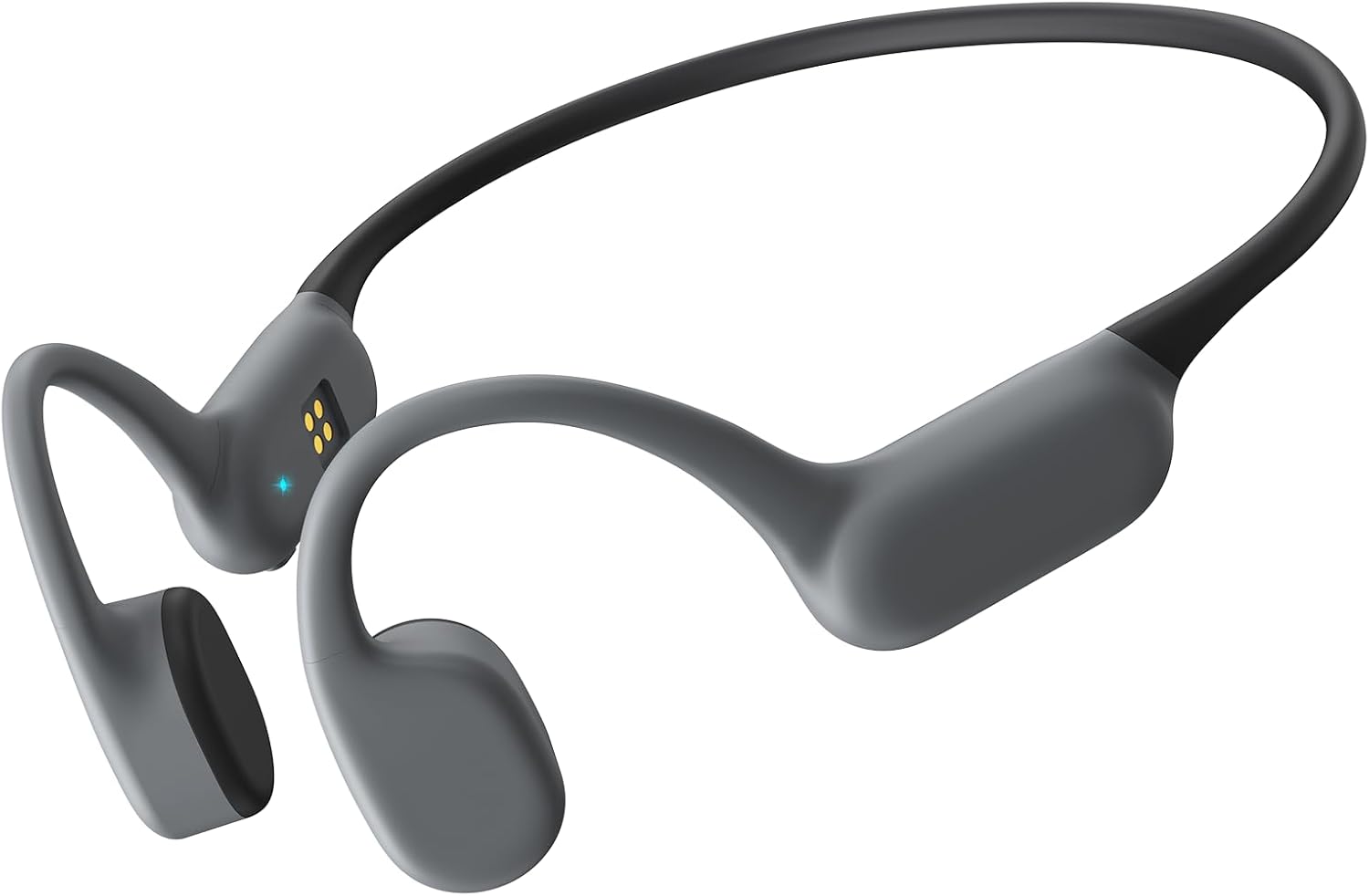
The GEUYNAY Open Ear Headphones G77, showcasing their sleek, lightweight design.
3. Product Overview & Design
The GEUYNAY G77 headphones feature an open-ear design that rests comfortably on your cheekbones, transmitting sound through bone conduction. This allows your ears to remain open to ambient sounds, enhancing safety during outdoor activities.
- Lightweight Design: Weighing only 26g, these headphones are designed for extended wear without discomfort.
- Flexible Titanium Supports: Ensures a secure and adaptable fit for various head shapes.
- 100% Silicone Wrapping: Provides a soft, skin-friendly feel for maximum comfort.
- 360° Bendable Earhooks: Automatically adapt to your head shape for a personalized and secure fit.

A woman wearing the GEUYNAY bone conduction headphones, designed for sports and active lifestyles.

Detail of the 100% silicone wrap on the GEUYNAY headphones, ensuring soft and non-restrictive wear.

The flexible design of the GEUYNAY headphones with 360° bendable earhooks, also highlighting IPX7 waterproof protection.
4. Setup
4.1. Charging the Headphones
Before first use, fully charge your headphones. The G77 features a convenient magnetic charging system.
- Connect the magnetic charging cable to a USB power source (e.g., computer USB port, wall adapter).
- Align the magnetic end of the cable with the charging port on the headphones. The magnets will automatically snap into place.
- The LED indicator on the headphones will show charging status (refer to LED indicator section for details).
- A full charge takes approximately 1.5-2 hours and provides up to 8 hours of playback.

Effortless magnetic charging for your GEUYNAY headphones, ensuring a secure connection.
4.2. Bluetooth Pairing
The G77 headphones utilize Bluetooth 5.4 for a stable and high-quality connection.
- Ensure the headphones are powered off.
- Press and hold the Multi-function Button (usually the power button) until the LED indicator flashes red and blue alternately, indicating pairing mode.
- On your device (smartphone, tablet, computer), enable Bluetooth and search for available devices.
- Select "GEUYNAY G77" (or similar name) from the list of devices.
- Once connected, the LED indicator will turn solid blue or flash blue slowly, and you will hear a confirmation tone.

The GEUYNAY G77 headphones feature advanced Bluetooth 5.4 technology for extended battery life, stable connection, and enhanced sound quality.
5. Operating Instructions
5.1. Power On/Off
- Power On: Press and hold the Multi-function Button for 3 seconds.
- Power Off: Press and hold the Multi-function Button for 5 seconds.
5.2. Music Playback
- Play/Pause: Press the Multi-function Button once.
- Next Track: Double-press the Volume + button.
- Previous Track: Double-press the Volume - button.
- Volume Up: Press the Volume + button.
- Volume Down: Press the Volume - button.

Experience full-spectrum sound quality with GEUYNAY bone conduction headphones, capturing every detail of your audio.
5.3. Call Management
The G77 headphones include a built-in microphone for hands-free calls.
- Answer Call: Press the Multi-function Button once.
- End Call: Press the Multi-function Button once during a call.
- Reject Call: Press and hold the Multi-function Button for 2 seconds.
- Voice Assistant: Triple-press the Multi-function Button to activate your device's voice assistant.
5.4. Usage Scenarios
The open-ear design and durable construction make the G77 suitable for various activities:
- Work: Stay connected and aware in your office environment.
- Fitness: Ideal for running, cycling, and workouts, allowing you to hear traffic and other important sounds.
- Traveling: Enjoy audio while remaining aware of announcements and surroundings.

GEUYNAY headphones are versatile for various activities, including work, fitness, and travel.

Stay motivated and safe during activities like cycling, as the open-ear design allows awareness of your environment.
6. Maintenance
6.1. Cleaning
Regular cleaning helps maintain the headphones' performance and hygiene.
- Wipe the headphones with a soft, damp cloth.
- Do not use harsh chemicals or abrasive cleaners.
- Ensure the charging port is dry before charging.
6.2. Water Resistance (IPX7)
The G77 headphones are IPX7 waterproof, meaning they can withstand submersion in up to 1 meter of water for 30 minutes. This makes them resistant to sweat, rain, and splashes.
- Do not intentionally submerge the headphones for extended periods or beyond specified depth.
- Rinse with fresh water after exposure to saltwater or chlorinated water.
- Allow to air dry completely before charging.
6.3. Storage
Store the headphones in a cool, dry place away from direct sunlight and extreme temperatures.
7. Troubleshooting
If you encounter any issues, please refer to the following common solutions:
| Problem | Possible Cause | Solution |
|---|---|---|
| Cannot Power On | Low battery | Charge the headphones fully. |
| Cannot Pair with Device | Headphones not in pairing mode; Device Bluetooth off; Too far from device | Ensure headphones are in pairing mode (flashing red/blue); Turn on device Bluetooth; Move headphones closer to device (within 10m). |
| No Sound | Volume too low; Not connected; Audio source paused | Increase headphone/device volume; Re-pair headphones; Check audio playback on device. |
| Poor Sound Quality | Interference; Low battery; Device too far | Move away from other wireless devices; Charge headphones; Move closer to device. |
| Charging Issues | Cable not properly connected; Charging port wet/dirty; Faulty cable/adapter | Ensure magnetic cable is securely attached; Clean and dry charging port; Try a different USB port or adapter. |
8. Specifications
| Feature | Detail |
|---|---|
| Model Number | S18 |
| Bluetooth Version | 5.4 |
| Battery Life | Up to 8 hours |
| Waterproof Rating | IPX7 |
| Weight | 26g (approx. 0.92 ounces) |
| Audio Driver Type | Bone Conduction Driver |
| Control Type | Media Control (Remote) |
9. Warranty and Support
GEUYNAY provides a one-year after-sales service covering all manufacturing defects. We are committed to offering timely refunds or replacements for eligible issues.
If you have any questions or require support with your GEUYNAY G77 headphones, please contact our customer service team. We aim to reply within 8 hours.
For the most up-to-date support information and contact details, please visit the official GEUYNAY website or refer to your purchase platform's support section.


