
Fitoncloud 127 Smart Watch
Fitoncloud Smart Watch User Manual
Model: 127 Smart Watch
Brand: Fitoncloud
Introduction
This manual provides comprehensive instructions for setting up, operating, and maintaining your Fitoncloud 2.01” HD Smart Watch. Please read this manual thoroughly before using your device to ensure optimal performance and longevity.

Figure 1: Fitoncloud 2.01" HD Smart Watch (Pink)
What's in the Box
Upon opening the package, please verify that all items listed below are present and in good condition:
- Smart Watch x1
- Magnetic USB Charger Cable x1
- Pink Silicone Band x1
- User Manual x1

Figure 2: Package Contents
Video 1: Unboxing the Fitoncloud Smart Watch, showing the watch, charger, and user manual.
Setup
1. Initial Charging
Before first use, ensure the smartwatch is fully charged. Connect the magnetic USB charger cable to the charging points on the back of the watch. A full charge typically takes about 2 hours.

Figure 3: Charging the Smart Watch
2. App Download and Installation
To unlock all features and synchronize data, download the "Da Fit" app from your phone's app store. You can scan the QR code provided in the manual or on the product packaging to quickly find the app.
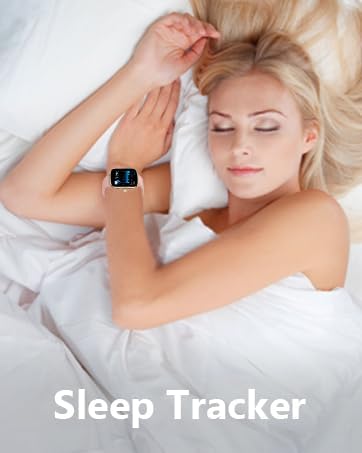
Figure 4: Scan QR Code for Da Fit App
Direct link to app download: http://plus.crrepa.com/app-download/dafit
3. Pairing with Your Phone
- Ensure Bluetooth is enabled on your smartphone.
- Open the "Da Fit" app and follow the on-screen instructions to add a device.
- Select "G127" from the list of available devices to bind.
- Confirm the Bluetooth pairing request on both your phone and the smartwatch.
- Once connected, the watch will synchronize time, date, and language settings from your phone.

Figure 5: Smart Watch Connection Guide
Video 2: Demonstrating the process of connecting the smartwatch to a mobile phone via Bluetooth and the Da Fit app.
4. Bluetooth Calling Setup
To enable direct calls from your smartwatch, ensure "Phone: On" and "Media Audio" are enabled in the watch's Bluetooth settings after initial pairing. This allows you to answer/make calls directly from your wrist.

Figure 6: Bluetooth Call Functionality
Operating Your Smart Watch
Navigation and Watch Faces
The 2.01-inch HD colorful screen offers highly responsive touch sensitivity. Swipe left, right, up, or down to navigate through menus and features. You can customize your watch face from over 100 pre-installed options or upload your favorite photo via the Da Fit app.

Figure 7: Customized Watch Faces

Figure 8: 2.01" HD Ultra High Definition Display
Smart Features
- AI Voice Control: Interact with your watch using voice commands to ask questions, control music playback, check weather, set alarms, and timers.
- Notifications: Receive SMS and app messages from platforms like Text, Facebook, WhatsApp, Instagram, X, Telegram, and TikTok directly on your watch.
- Music Control: Control music playback on your connected phone directly from the watch.
- Remote Camera: Use your watch as a remote shutter for your phone's camera.
- Weather Forecast: Get real-time weather updates on your wrist.
- Breathing Guide: Utilize the breather guide for relaxation exercises.
- Other Tools: Access a calculator, alarm clock, stopwatch, timer, and "Find Phone" feature.

Figure 9: Additional Smart Functions

Figure 10: Message Notifications

Figure 11: AI Voice Assistant
Health Monitoring
The Fitoncloud Smart Watch is equipped with advanced sensors to continuously monitor your health metrics:
- Heart Rate: Real-time heart rate monitoring.
- Blood Oxygen (SpO2): Measures blood oxygen levels.
- Sleep Tracking: Monitors sleep patterns, including awake, REM, light, and restful sleep stages.
- Stress Levels: Provides insights into your stress levels.
- Steps, Distance, Calories: Tracks daily activity metrics.
- Women's Health: Includes features for menstrual cycle tracking and pregnancy preparation.

Figure 12: 24/7 Health Data Monitoring

Figure 13: Sleep Monitoring

Figure 14: Comprehensive Women's Health Care
Note: Health tracking data is for general wellness and fitness purposes only and should not be used as a substitute for professional medical advice or diagnosis.
Sports Modes and Waterproofing
The smartwatch supports over 120 sports modes, allowing you to accurately track your exercise time and calories burned for various activities including Running, Walking, Hiking, Badminton, Boating, Climbing, Cycling, Fitness, Swimming, Yoga, and more.

Figure 15: 120+ Sport Modes Tracking

Figure 16: Multiple Sport Modes
IP67 Waterproof Rating
With an IP67 waterproof rating, the smartwatch is resistant to splashes, sweat, and rain. It can be worn during hand washing or light activities, but it is not recommended for swimming or showering with hot water.

Figure 17: IP67 Waterproof Feature
Battery Life
The Fitoncloud Smart Watch features a 200 mAh battery. A full charge takes approximately 2 hours. With typical usage, the watch can last for 3 days, and up to 25 days on standby.

Figure 18: Battery Life Overview
Specifications
| Feature | Detail |
|---|---|
| Product Dimensions | 6.22 x 3.58 x 0.87 inches |
| Item Weight | 0.035 ounces (1 Grams) |
| Item Model Number | 127 Smart Watch |
| Batteries | 1 Lithium Polymer batteries required (included) |
| Manufacturer | Fitoncloud |
| Country of Origin | China |
| Standing Screen Display Size | 2.01 Inches |
| Memory Storage Capacity | 128 MB |
| Operating System | Android 5.0 & iOS 9.0 Above Smartphone |
| Battery Capacity | 200 Milliamp Hours |
| Connectivity Technology | Bluetooth |
| Wireless Communication Standard | Bluetooth |
| GPS | GPS Via Smartphone |
| Shape | Rectangular |
Troubleshooting
- Connection Issues: Ensure Bluetooth is enabled on your phone and the watch. Restart both devices and try pairing again. Check if the "Da Fit" app has necessary permissions.
- Notifications Not Appearing: Verify that app notifications are enabled in the "Da Fit" app settings and in your phone's system settings for the app. Ensure the watch is connected via Bluetooth.
- Inaccurate Health Data: For best results, wear the watch snugly on your wrist. Note that health tracking features are for reference only and not for medical diagnosis.
- Call Quality: Ensure your phone is within the Bluetooth range (8-10 meters). Check that "Phone: On" and "Media Audio" are enabled in the watch's Bluetooth settings.
- Battery Draining Quickly: Reduce screen brightness, disable unnecessary notifications, and limit continuous health monitoring if not needed.
If you encounter any persistent issues, please refer to the "Unlimited Experience" section in the product's feature bullets for customer service contact information.
Warranty and Support
For any product-related inquiries, technical support, or warranty claims, please contact Fitoncloud customer service representatives through Amazon. We are committed to assisting you year-round.
Ask a question about this manual
Ask about setup, troubleshooting, compatibility, parts, safety, or missing instructions. Manuals+ will review the question and use this page’s manual context to help answer it.