
Introduction
The Memorex MX-PDV200 is a portable dual-screen DVD player designed for entertainment on the go. It features two 10-inch digital screens for synchronized playback, supporting various media formats including DVD, CD, MP3, and JPEG files. This system includes options for USB and SD card playback, a rechargeable battery, and accessories for car installation, making it suitable for travel and home use.
What's Included
The Memorex MX-PDV200 package contains the following items:
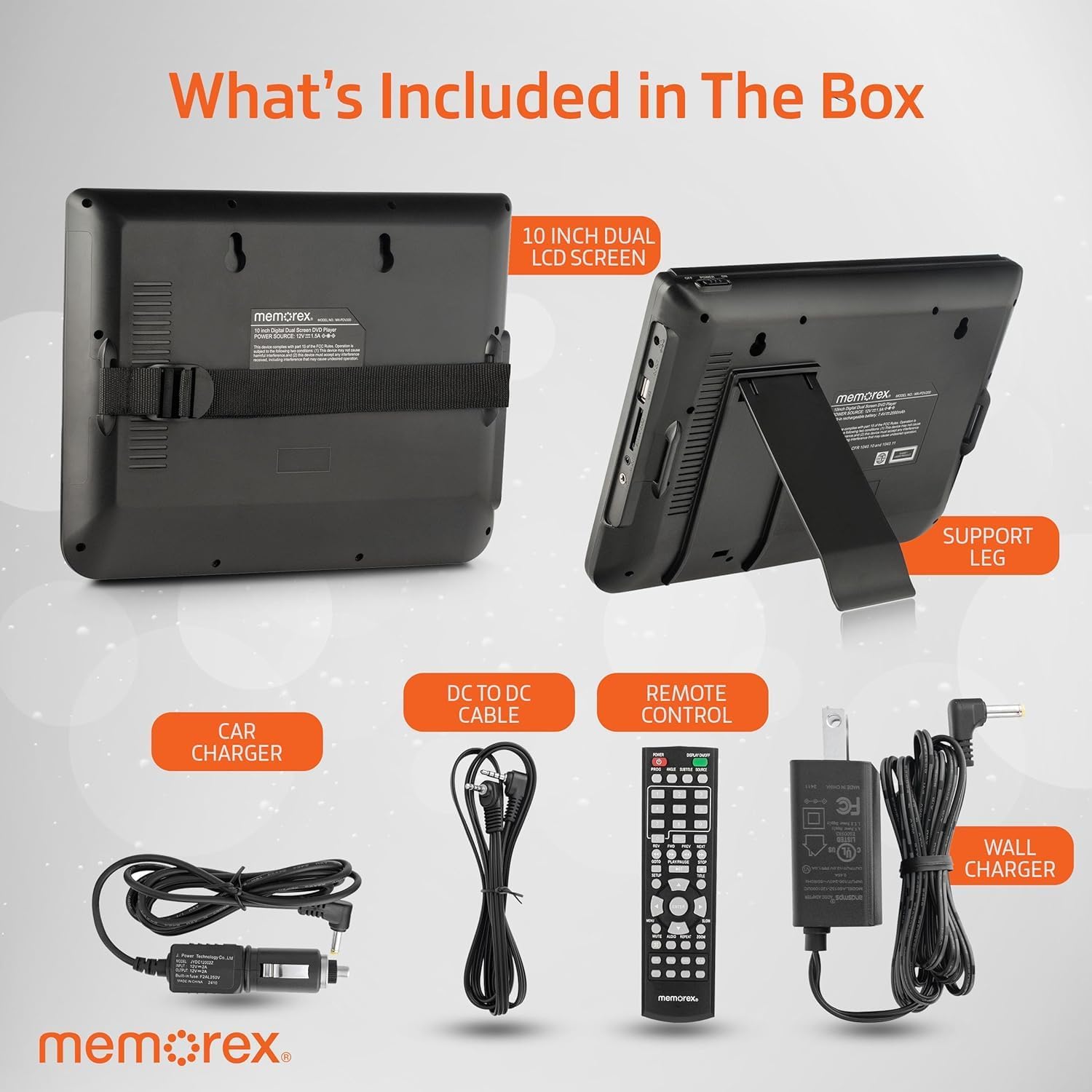
Image: Contents of the Memorex MX-PDV200 package, showing two 10-inch LCD screens, a support leg, car charger, DC to DC cable, remote control, and wall charger.
- Two (2) 10-inch Digital LCD Screens (Master and Slave units)
- AC Adapter (Wall Charger)
- Car Adapter (Car Charger)
- Remote Control
- DC-to-DC Cable (for connecting master and slave units)
- AV Cable
- Mounting Straps (for car headrest installation)
Product Features
- Dual 10-Inch Digital Screens: Provides synchronized playback for a shared viewing experience. The master screen controls playback, and the slave screen mirrors the content.
- Wide Media Compatibility: Supports DVD, CD, DVD±R/DVD±RW, CD-R/RW, MP3, and JPEG files.
- USB and SD Card Slots: Allows direct playback of digital media files from USB drives or SD cards.
- Rechargeable Li-Ion Polymer Battery: Offers up to 3 hours of continuous playback on a single charge, with overheat protection.
- Comprehensive Accessories: Includes all necessary cables and mounting hardware for versatile use in vehicles or at home.
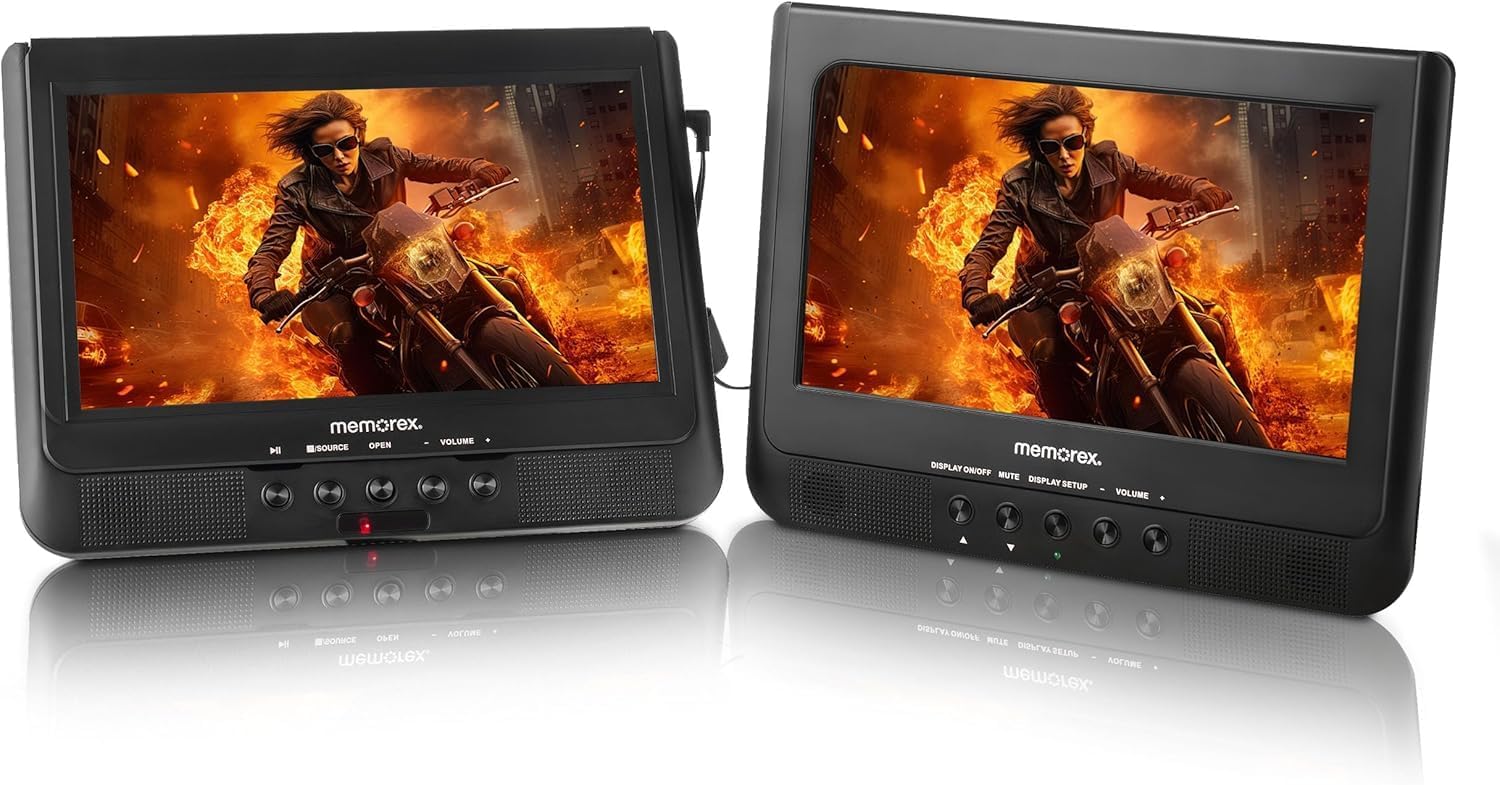
Image: Two Memorex MX-PDV200 10-inch dual screens displaying a movie, shown side-by-side, highlighting the synchronized playback feature.
Setup
Connecting the Dual Screens
To enable synchronized playback, connect the master unit to the slave unit using the provided DC-to-DC cable. Ensure both units are powered on for the slave unit to display content from the master.
Car Mounting
The MX-PDV200 can be securely mounted to car headrests using the included mounting straps or brackets.
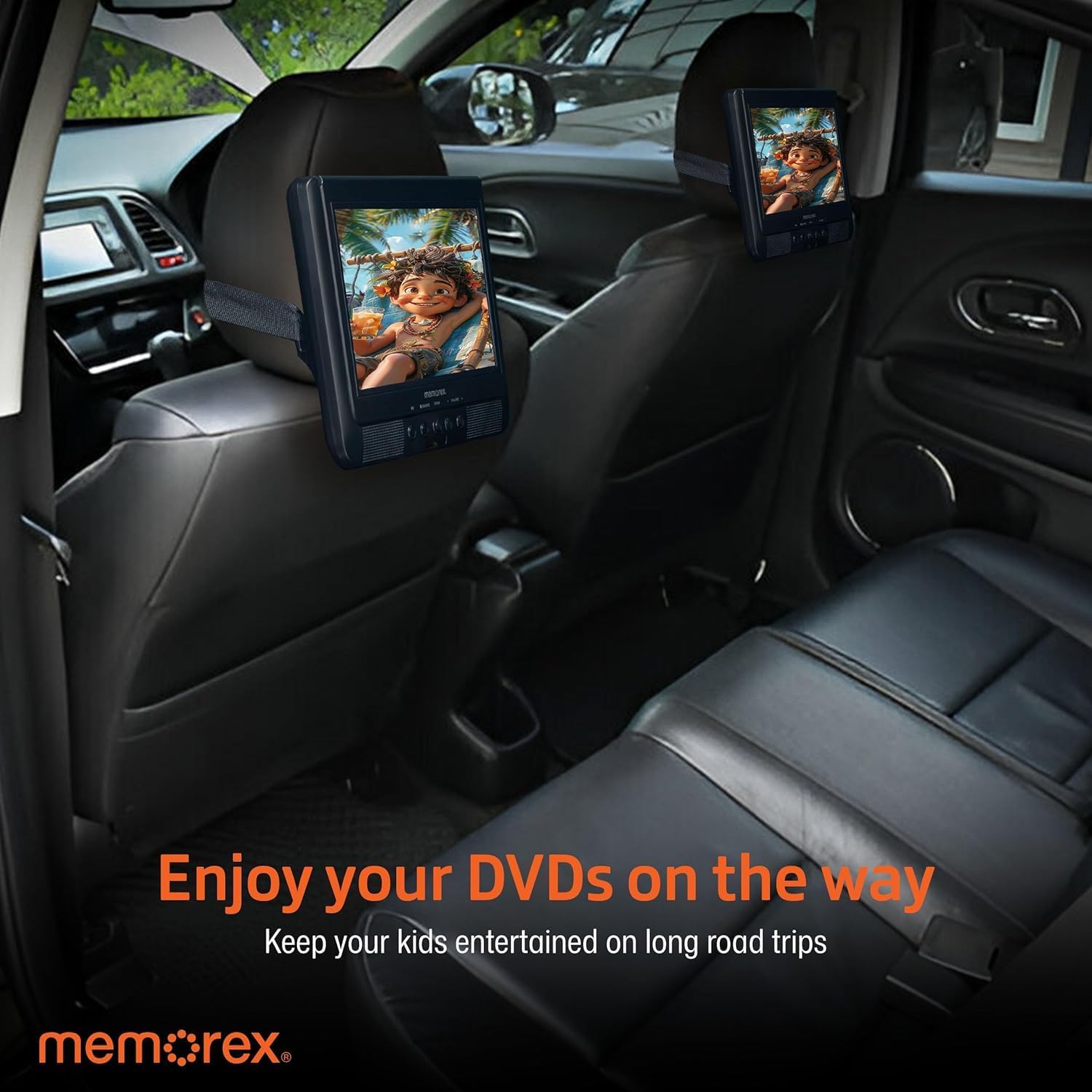
Image: Two Memorex MX-PDV200 DVD players mounted on the back of car seats, providing entertainment for rear passengers during a road trip.
Powering the Device
Use the AC adapter for home use or the car adapter for in-vehicle charging and operation. The built-in rechargeable battery provides portable power for up to 3 hours.
Operation
Media Playback
The player supports various media types:

Image: Memorex MX-PDV200 DVD player displaying a movie, with a remote control and text indicating supported media types: DVD, CD, CD-R, CD-RW, DVD+R, DVD+RW, MP3, JPEG.
- DVD/CD: Open the disc tray, insert a compatible disc, and close the tray. Playback will typically begin automatically.
- USB/SD Card: Insert a USB drive into the USB port or an SD card into the SD card slot. Use the player's menu to navigate and select media files (MP3, JPEG).
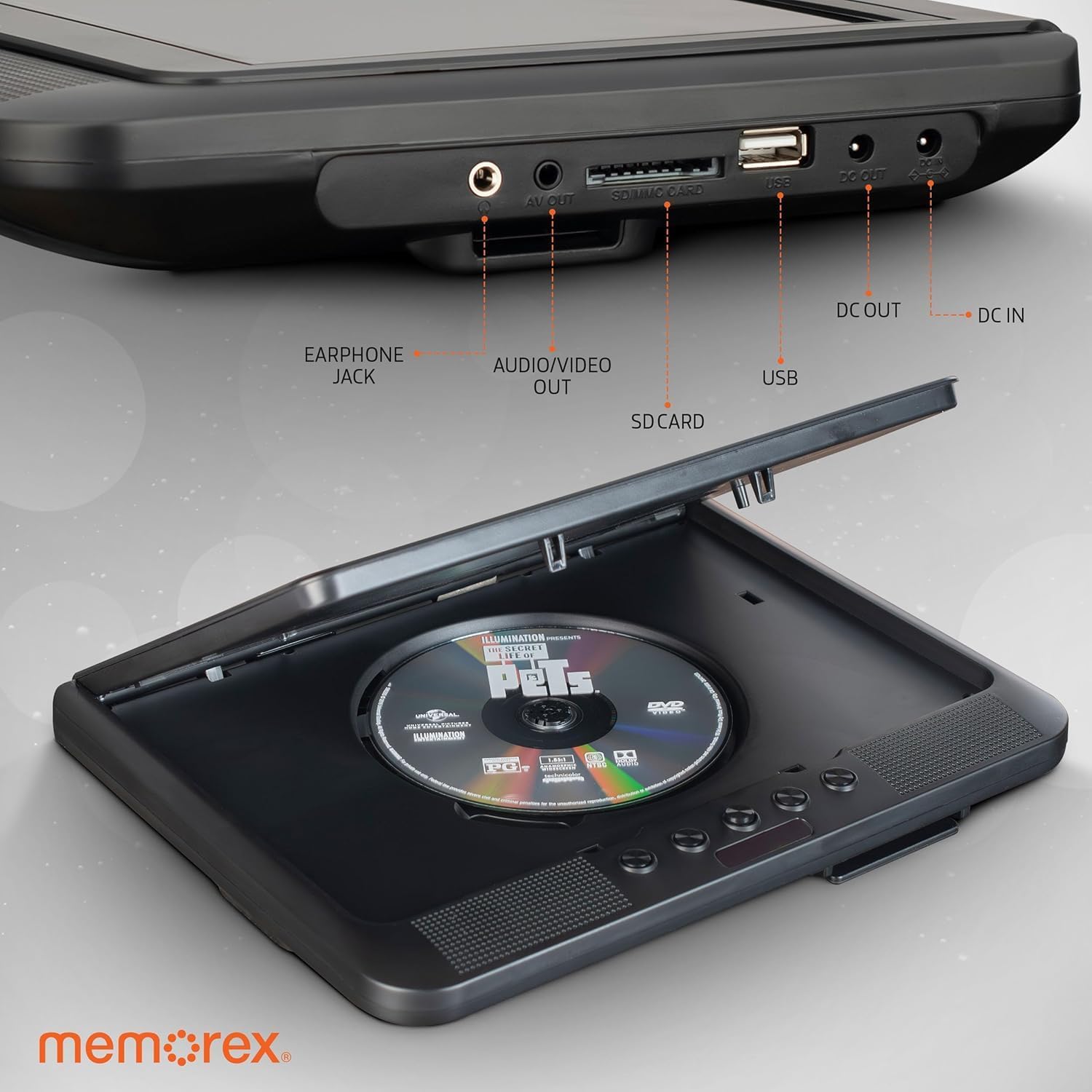
Image: Close-up view of the Memorex MX-PDV200 DVD player's side ports, including earphone jack, AV out, SD/MMC card slot, USB port, DC out, and DC in, with a DVD disc in the open tray.
Using the Remote Control
The included remote control allows for convenient operation of playback functions, volume adjustment, menu navigation, and source selection.
Maintenance
- Keep the device clean by wiping with a soft, dry cloth.
- Avoid exposing the player to extreme temperatures, direct sunlight, or moisture.
- Handle discs and media cards carefully to prevent scratches or damage.
- Store the player and accessories in a safe place when not in use.
Troubleshooting
- No Power: Ensure the AC adapter or car adapter is securely connected and the power outlet is functional. Check the battery charge level.
- No Picture/Sound: Verify that all cables (DC-to-DC, AV) are correctly connected. Ensure the correct input source is selected if connected to an external display. Check volume levels.
- Disc Read Error: Ensure the disc is clean and free of scratches. Try a different disc to confirm the issue is not with the media.
- USB/SD Card Not Recognized: Ensure the USB drive or SD card is inserted correctly and contains compatible media files.
Specifications
| Feature | Specification |
|---|---|
| Brand | Memorex |
| Model Name | MX-PDV200 |
| Screen Size | 10-inch (Dual Screens) |
| Resolution | 640 x 480 pixels |
| Media Type Support | CD, DVD, DVD±R/RW, CD-R/RW, MP3, JPEG |
| Connectivity | USB, SD card, AV cable |
| Audio Output Mode | Stereo |
| Battery Type | Rechargeable Li-Ion Polymer |
| Battery Runtime | Up to 3 hours |
| Special Features | Dual Screen Synchronized Playback |
Warranty and Support
For warranty information and technical support, please refer to the warranty card included in your product packaging or visit the official Memorex website. Keep your purchase receipt as proof of purchase for any warranty claims.


