
Introduction
The 1MORE SonoFlow-Pro Noise Cancelling Headphones (Model HQ51) are designed to deliver an unparalleled audio experience with advanced noise cancellation and extended battery life. This manual provides essential information for setting up, operating, and maintaining your headphones.
Key Features:
- Hi-Res Audio Excellence: Experience unparalleled sound with dual Hi-Res gold certification. The 1MORE SonoFlow Pro noise cancelling headphones use LDAC technology to deliver three times the data of standard Bluetooth, offering rich, detailed audio that brings your music to life.
- Immersive Sound with 40mm Drivers: These over ear bluetooth headphones feature 40mm diamond-like drivers that produce clear, balanced sound with a frequency response up to 40kHz, ensuring you hear every detail, from the deepest bass to the highest treble.
- All-Day Comfort and Fit: Designed with ultra-lightweight materials and soft protein leather ear cushions, SonoFlow Pro over the ear headphones offer an adjustable fit that stays comfortable, even during long listening sessions, making them ideal for work or travel, or just relaxing.
- Advanced QuietMax Noise Cancellation: Block out distractions with QuietMax dual-feed technology, which reduces external noise by more than 42dB. These noise cancelling headphones are ideal for noisy environments like subways, airports, or busy streets.
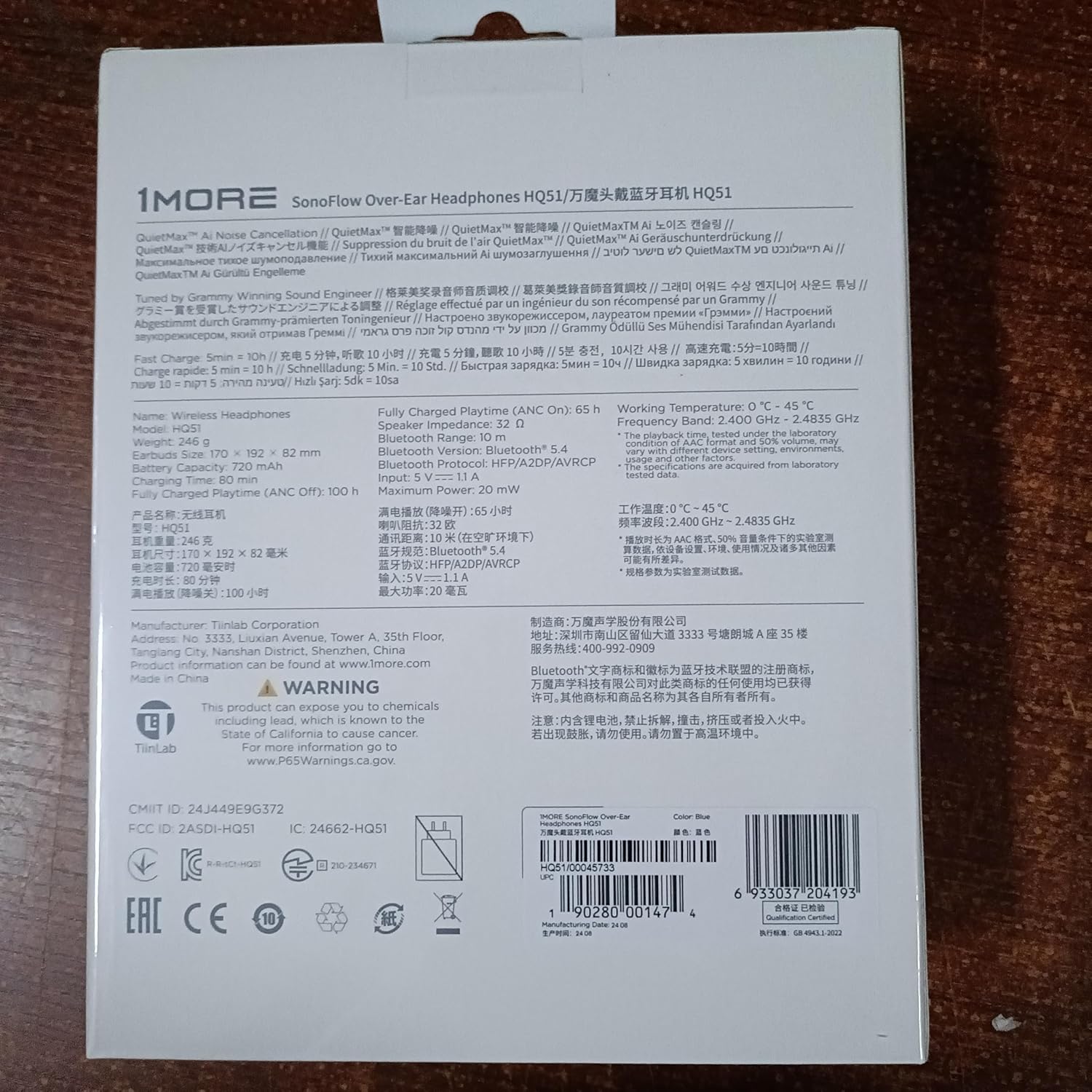
- Long-Lasting Battery with Quick Charge: Keep the music going with up to 100 hours of playtime in standard mode and 65 hours with ANC on. A quick 5-minute charge gives you an extra 10 hours of playtime, ensuring your over ear bluetooth headphones are always ready when you are.
- Precision-Tuned by Grammy-Winning Engineer: Enjoy studio-quality sound wherever you go. These bluetooth headphones over the ear are tuned by Grammy-winning engineer Luca Bignardi to deliver a natural, balanced listening experience, ensuring your music sounds just as the artist intended.
- Crystal Clear Calls with Intelligent Voice Recognition: Whether in a busy office or on the go, 1MORE over the ear headphones ensure your voice is heard clearly. The advanced microphone and AI noise reduction algorithm make every call crisp and clear, no matter the environment.
- Wired and Wireless Flexibility: These over the ear headphones include a 3.5mm audio cable, offering seamless switching between wired and wireless modes. Perfect for audiophiles, content creators, or saving battery, these noise cancelling headphones provide the versatility you need.
- Dual-Device Connection: The HQ51 noise cancelling headphones can connect with two devices at the same time. In the 1MORE app (not 1MORE music), go to settings and select Experimental Features > Dual-device Connections.
What's in the Box
Your 1MORE SonoFlow-Pro headphones package includes:
- 1MORE SonoFlow Pro Headphone
- Carrying Case
- User Manual
- 3.5mm Audio Cable
- Charging Cable
Product Overview
Familiarize yourself with the physical components and controls of your SonoFlow-Pro headphones.

Controls:
The controls are intuitively placed on the right earcup for easy access.

- Volume Up/Down: Short press for volume adjustment.
- Track Forward/Back: Long hold Volume Up for previous track, Long hold Volume Down for next track.
- Multi-function Button (ANC/Transparency): Toggles between ANC (Active Noise Cancellation), Transparent mode, and ANC Off.
- Power/Play/Pause Button: Long press to power on/off. Short press to play/pause music.
Setup
Initial Pairing:
- Ensure your SonoFlow-Pro headphones are fully charged.
- Power on the headphones by long-pressing the power button.
- On your device (smartphone, tablet, laptop), enable Bluetooth and search for "1MORE SonoFlow-Pro".
- Select the headphones to pair. A voice prompt will confirm successful connection.
1MORE App Integration:
For full functionality and customization, download the 1MORE app (not 1MORE Music) from your device's app store.

- Download the "1MORE" app from the App Store or Google Play.
- Open the app and follow the on-screen instructions to connect your HQ51 headphones.
- The app allows for firmware updates, custom EQ settings, and control over listening modes.
Operating Instructions
Listening Modes:
The SonoFlow-Pro headphones offer versatile listening modes to suit your environment.
- Active Noise Cancellation (ANC): Reduces external noise by over 42dB, ideal for noisy environments.
- Transparent Mode: Allows you to hear your surroundings without removing the headphones, useful for conversations or awareness.
- ANC Off: Standard listening mode without noise cancellation or transparency.
Toggle between these modes using the dedicated button on the right earcup or through the 1MORE app.
Playback and Calls:
- Play/Pause: Short press the Power/Play/Pause button.
- Answer/End Call: Short press the Power/Play/Pause button.
- Reject Call: Long press the Power/Play/Pause button.
- Volume Adjustment: Short press Volume Up (+) or Volume Down (-) buttons.
Battery and Charging
The SonoFlow-Pro headphones offer exceptional battery life and fast charging capabilities.
- Playtime (ANC Off): Up to 100 hours on a single charge.
- Playtime (ANC On): Up to 65 hours on a single charge.
- Fast Charge: A 5-minute charge provides approximately 10 hours of playtime.

Use the provided USB-C charging cable to charge your headphones. The LED indicator will show charging status.
Connectivity
Your headphones support the latest Bluetooth technology and versatile connection options.
- Bluetooth 5.4: Ensures stable and efficient wireless connection.
- LDAC Support: For Hi-Res Wireless Audio transmission, delivering superior sound quality.
- Multi-Point Connection: Connect to two devices simultaneously (e.g., laptop and phone). Pause media on one device to play on the other. Incoming calls will automatically switch.
- Wired Connection: Use the included 3.5mm audio cable for wired listening. Note: Headphones must be powered on for wired listening with ANC/EQ features.

Sound Quality
The 1MORE SonoFlow-Pro headphones are engineered for exceptional audio performance.
- 40mm Diamond-Like Carbon (DLC) Dynamic Drivers: Deliver clear, balanced sound across a wide frequency range (20 Hz - 40,000 Hz).
- Hi-Res Audio & LDAC: Certified for Hi-Res Audio, supporting LDAC codec for high-fidelity wireless sound.
- Customizable EQ: Use the 1MORE app to select from 12 preset EQs or create your own custom sound profile with the 10-band equalizer.


Maintenance and Care
- Keep the headphones clean by wiping them with a soft, dry cloth.
- Avoid exposing the headphones to extreme temperatures, humidity, or liquids. The headphones are not water resistant.
- Store the headphones in their protective carrying case when not in use to prevent damage.
- Avoid dropping or subjecting the headphones to strong impacts.
Troubleshooting
Common Issues and Solutions:
| Problem | Solution |
|---|---|
| Headphones won't power on. | Ensure the headphones are charged. Connect to a power source using the USB-C cable. |
| Cannot pair with device. | Make sure Bluetooth is enabled on your device and the headphones are in pairing mode. Try forgetting the device in your Bluetooth settings and re-pairing. |
| No sound or low volume. | Check headphone and device volume levels. Ensure headphones are correctly paired. If using wired, ensure the cable is fully inserted and headphones are powered on for full features. |
| Poor call quality. | Ensure the microphone is not obstructed. Avoid very noisy environments. Disconnect from other paired devices if experiencing interference. |
| App connection issues. | Close and reopen the 1MORE app. Ensure Bluetooth is active and headphones are connected to your device. |
Specifications
| Feature | Detail |
|---|---|
| Model Name | SonoFlow Pro (HQ51) |
| Noise Control | Active Noise Cancellation (QuietMax ANC) |
| Connectivity Technology | Wireless (Bluetooth 5.4), Wired (3.5 mm Jack) |
| Audio Codecs | LDAC, SBC, AAC |
| Frequency Response | 20 Hz - 40,000 Hz |
| Audio Driver Size | 40mm Diamond-Like Carbon (DLC) Dynamic Driver |
| Playtime (ANC Off) | Up to 100 hours |
| Playtime (ANC On) | Up to 65 hours |
| Fast Charge | 5 minutes charge for 10 hours playtime |
| Weight | 0.53 Kilograms (1.16 pounds) |
| Material | Faux Leather |
| Water Resistance Level | Not Water Resistant |
Warranty and Support
1MORE products come with a limited warranty. For detailed warranty information, product support, or to contact customer service, please visit the official 1MORE website or refer to the warranty card included in your product packaging.
For further assistance, you may also refer to the contact information provided in the 1MORE app under 'Settings' > 'Support'.


