
ETURBEV VFD004M21A, VFD007M21A, VFD015M21A
Contents
ETURBEV VFD-M Series Inverter User Manual
Models: VFD004M21A, VFD007M21A, VFD015M21A
1. Introduction
This manual provides comprehensive instructions for the installation, operation, maintenance, and troubleshooting of the ETURBEV VFD-M Series Inverter. This series includes models VFD004M21A, VFD007M21A, and VFD015M21A, designed for various industrial applications requiring precise motor control.

Front and side view of the ETURBEV VFD-M Series Inverter, showing the control panel with display, buttons, and a rotary knob. Ventilation grilles are visible on the side.
2. Safety Information
Always observe the following safety precautions to prevent personal injury or damage to the equipment.
- Electrical Hazard: Ensure power is disconnected before installation, wiring, or maintenance. Only qualified personnel should perform electrical work.
- Grounding: Properly ground the inverter and motor to prevent electric shock.
- Ventilation: Install the inverter in a well-ventilated area to prevent overheating. Do not block ventilation openings.
- Environment: Avoid installation in areas with excessive dust, moisture, corrosive gases, or direct sunlight.
- Emergency Stop: Implement an external emergency stop circuit for safety.
3. Setup and Installation
Follow these steps for proper installation of your VFD-M Series Inverter.
- Unpacking and Inspection: Carefully remove the inverter from its packaging. Inspect the unit for any signs of physical damage during transit. Report any damage to your supplier immediately.
- Mounting Location: Select a mounting location that is stable, free from vibrations, and provides sufficient space for heat dissipation. Ensure the ambient temperature is within the specified operating range.
- Mounting Procedure: Securely mount the inverter vertically using appropriate screws and mounting brackets. Ensure it is firmly attached to a non-flammable surface.
- Wiring Connections:
- Power Input (R, S, T): Connect the 220V AC power supply to the designated input terminals.
- Motor Output (U, V, W): Connect the motor leads to the inverter's output terminals.
- Grounding (PE): Connect the ground terminal of the inverter to a reliable earth ground.
- Control Wiring: Connect external control signals (e.g., start/stop, speed reference, fault signals) as per your application requirements and the inverter's wiring diagram.

Angled view of the ETURBEV VFD-M Series Inverter, highlighting the control panel and the ventilation grilles on the side. The 'DELTA' logo is visible on the top right, indicating compatibility or component origin.
4. Operating Instructions
This section details the basic operation and parameter settings for the VFD-M Series Inverter.
4.1 Basic Operation
- Power On: After completing all wiring, apply power to the inverter. The digital display on the control panel should illuminate.
- Initial Parameter Check: Verify basic parameters such as motor rated voltage, current, frequency, and acceleration/deceleration times. Refer to the detailed programming manual for specific parameter codes.
- Start/Stop: Use the 'RUN' button on the control panel to start the motor and the 'STOP' button to halt it. Alternatively, external control signals can be used if configured.
- Speed Adjustment: Adjust the motor speed using the rotary knob on the control panel or through external analog/digital inputs, depending on the configured control mode.
4.2 Control Panel Overview
The control panel features a digital display, function buttons, and a rotary knob for parameter setting and monitoring.
- Display: Shows operating status, frequency, current, voltage, and error codes.
- MODE/ENTER: Used to switch between display modes and confirm parameter settings.
- UP/DOWN Arrows: Used to navigate menus and adjust parameter values.
- RUN: Starts the motor.
- STOP/RESET: Stops the motor and resets fault conditions.
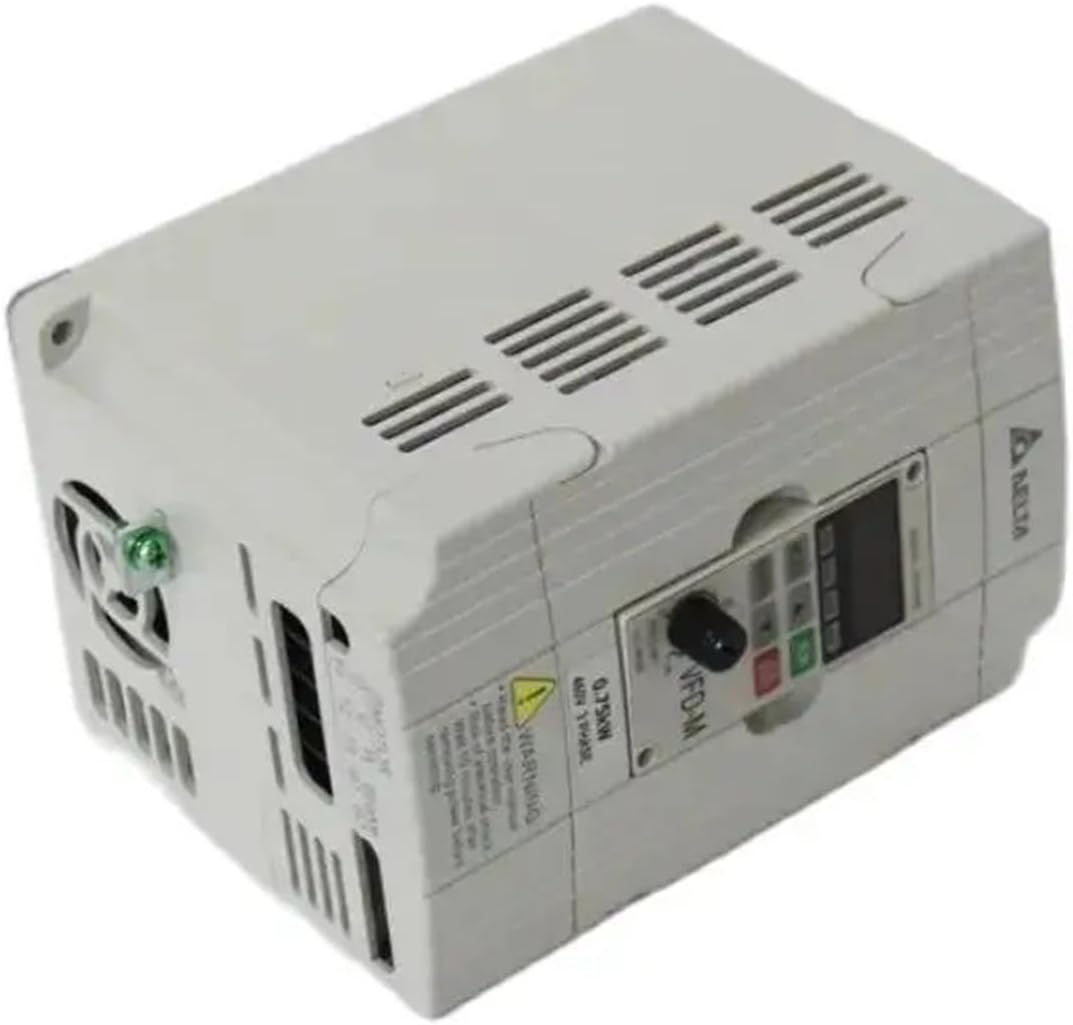
Top-down angled view of the ETURBEV VFD-M Series Inverter, showing the top surface with ventilation slots and a partial view of the control panel. The overall compact design is evident.
5. Maintenance
Regular maintenance is crucial for ensuring the long-term reliability and optimal performance of your VFD-M Series Inverter.
- Cleaning: Periodically clean the inverter's exterior and ventilation grilles to prevent dust accumulation, which can impede cooling. Use a soft, dry cloth. Do not use liquid cleaners.
- Fan Inspection: Check the cooling fan(s) for proper operation and cleanliness. Replace fans if they are noisy or not functioning correctly.
- Terminal Tightness: Annually inspect all wiring terminals to ensure they are tight. Loose connections can cause overheating and damage.
- Environmental Check: Verify that the operating environment remains within specified temperature and humidity limits.
- Capacitor Life: Power capacitors have a finite lifespan. While not user-serviceable, be aware that performance degradation over many years may indicate capacitor aging.
6. Troubleshooting
This section provides solutions for common issues encountered during the operation of the VFD-M Series Inverter. For complex problems, contact technical support.
| Problem | Possible Cause | Solution |
|---|---|---|
| Inverter not powering on | No input power; Blown fuse; Internal fault | Check power supply and connections. Inspect external fuses. If problem persists, contact support. |
| Motor not running / No output | Incorrect parameter settings; External stop signal active; Motor wiring error | Verify motor parameters (frequency, voltage, current). Check control wiring for stop signals. Confirm motor connections. |
| Overcurrent (OC) fault | Motor overload; Short circuit in motor wiring; Rapid acceleration/deceleration | Reduce load. Check motor and wiring for shorts. Increase acceleration/deceleration times. |
| Overvoltage (OV) fault | Input voltage too high; Rapid deceleration with high inertia load | Check input voltage. Increase deceleration time or consider a braking resistor. |
| Overheat (OH) fault | Insufficient ventilation; High ambient temperature; Blocked cooling fan | Ensure proper ventilation. Clean heatsink and fan. Reduce ambient temperature if possible. |
7. Specifications
Technical specifications for the ETURBEV VFD-M Series Inverter.
- Brand: ETURBEV
- Series: VFD-M Series Inverter
- Models: VFD004M21A, VFD007M21A, VFD015M21A
- Input Voltage: 220V AC
- Power Output: 0.4KW, 0.7KW, 1.5KW (depending on model)
- Product Dimensions: Approximately 1.18 x 0.79 x 0.79 inches (30 x 20 x 20 mm)
- Item Weight: Approximately 1.76 ounces (50 grams)
- Manufacturer: ETURBEV
- Assembly Required: No
- Number of Pieces: 1

Rear view of the ETURBEV VFD-M Series Inverter, showing the mounting points and a label with product information and certifications. The robust casing is visible.
8. Warranty and Support
ETURBEV products are manufactured to high-quality standards. For specific warranty terms and conditions, please refer to the documentation included with your purchase or visit the official ETURBEV website. Warranty coverage typically includes defects in materials and workmanship under normal use.
For technical assistance, troubleshooting beyond this manual, or warranty claims, please contact ETURBEV customer support. Have your product model number and purchase date ready when contacting support.
Contact Information: Please refer to your product packaging or the official ETURBEV website for the most current contact details.
Documents and downloads
Ask a question about this manual
Ask about setup, troubleshooting, compatibility, parts, safety, or missing instructions. Manuals+ will review the question and use this page’s manual context to help answer it.