
1. Introduction
Thank you for purchasing the BYKISTOK B7873-RGB 13-inch Flush Mount Ceiling Fan with RGB Light. This manual provides essential information for the safe installation, operation, and maintenance of your new ceiling fan. Please read it thoroughly before installation and keep it for future reference.
This compact, bladeless ceiling fan features a reversible mute motor, RGB LED lighting, and dimmable functionality. It is designed for indoor use in various small spaces such as bedrooms, kids' rooms, and offices.
2. Safety Instructions
- Always turn off the power at the circuit breaker before installation or servicing.
- All wiring must be in accordance with national and local electrical codes. If you are unfamiliar with wiring, consult a qualified electrician.
- Ensure the mounting structure can support the weight of the fan (approximately 5.21 pounds).
- Do not bend the fan blades or attempt to modify the fan in any way.
- Keep hands and objects clear of the fan blades during operation.
- This product is for indoor use only and is not water-resistant.
3. Package Contents
Verify that all components are present before beginning installation:
- 1 x BYKISTOK B7873-RGB Ceiling Fan Unit
- 1 x Remote Control
- 1 x Light Kit (integrated)
- Mounting Hardware (screws, wire nuts, etc.)
- User Manual
4. Setup and Installation
Most functional parts of this ceiling fan are pre-assembled for quick installation. Follow these steps carefully:
- Turn off Power: Before starting, ensure the power supply to the installation area is turned off at the main circuit breaker.
- Prepare Mounting Location: Securely attach the mounting bracket to a ceiling joist or an approved electrical junction box capable of supporting the fan's weight.
- Wiring: Connect the fan's electrical wires to the household wiring according to local electrical codes. Typically, this involves connecting live, neutral, and ground wires. Use the provided wire nuts to secure connections.
- Mount the Fan: Carefully lift the fan unit and attach it to the mounting bracket. Ensure all screws are tightened securely.
- Restore Power: Once installation is complete and all connections are secure, restore power at the circuit breaker.


5. Operating Instructions
Your BYKISTOK ceiling fan can be controlled via the included remote control or the "FAN LAMP PRO" mobile application.
5.1 Remote Control Functions
The remote control allows you to adjust various settings:
- Power On/Off: Turns the fan and light on or off.
- Fan Speed: Select from 6 fan speeds.
- Light On/Off: Controls the main LED light.
- Light Color Temperature (CCT): Cycle through Warm White (3000K), Natural White (4500K), and Cool White (6500K).
- Dimmable Brightness: Adjust the main light brightness from 10% to 100%.
- RGB Light Control: Activate and cycle through various RGB colors. The RGB light can be controlled separately from the main light.
- Reversible Motor: Switch between Summer mode (downward airflow for cooling) and Winter mode (upward airflow for air circulation).
- Timer: Set a 2-hour timer for automatic shutdown.
- Memory Function: The fan remembers your last light and fan settings.
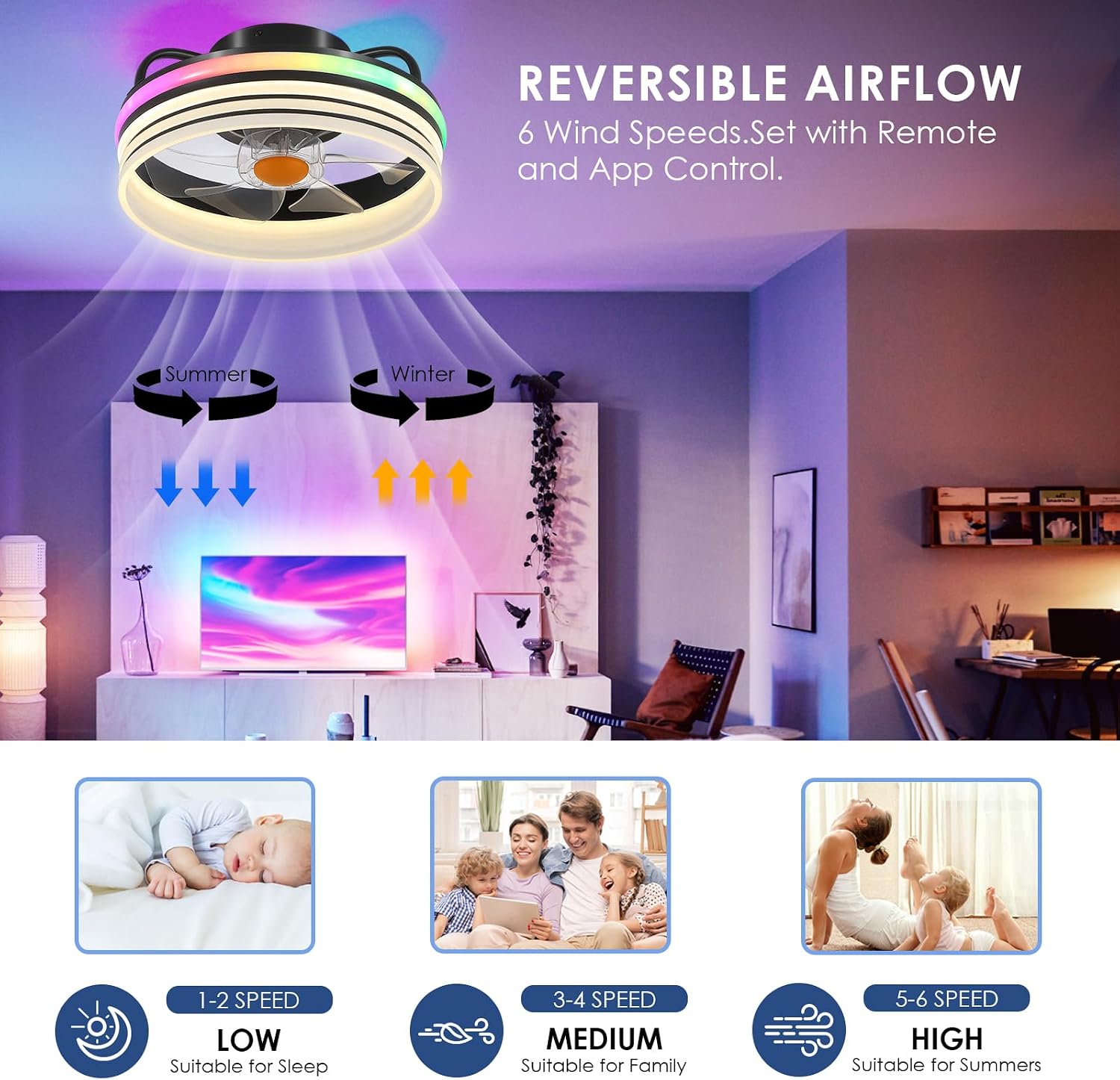


5.2 App Control (FAN LAMP PRO)
Download the "FAN LAMP PRO" application to your smartphone for additional control options. The app allows for comprehensive control over fan speed, light dimming, timer settings, and reversing the rotation direction from your mobile device.
6. Maintenance
Regular maintenance ensures optimal performance and longevity of your ceiling fan.
- Cleaning: Use a soft, damp cloth to clean the fan's exterior. Do not use abrasive cleaners or solvents, as they may damage the finish. Ensure power is off before cleaning.
- Blade Cleaning: Although bladeless in design, the internal fan blades can accumulate dust. Use a soft brush or compressed air to gently clean the internal components if accessible.
- Tighten Fasteners: Periodically check all screws and fasteners to ensure they are secure.
7. Troubleshooting
If you encounter issues with your ceiling fan, refer to the following common problems and solutions:
| Problem | Possible Cause | Solution |
|---|---|---|
| Fan does not start | No power supply; Loose wiring; Remote control battery dead. | Check circuit breaker; Verify wiring connections; Replace remote control battery. |
| Light does not turn on | No power supply; Loose wiring; LED module failure. | Check power; Verify wiring; Contact customer support if LED module is faulty. |
| Remote control not working | Dead battery; Obstruction between remote and receiver; Remote not paired. | Replace battery; Ensure clear line of sight; Refer to pairing instructions (if applicable, not detailed in current data). |
| Fan is noisy | Loose mounting screws; Internal obstruction. | Tighten all mounting screws; Ensure no foreign objects are inside the fan housing. |
8. Specifications
| Feature | Detail |
|---|---|
| Brand | BYKISTOK |
| Model Name | B7873-RGB |
| Color | 13" RGB Stripe |
| Material | Acrylic, Metal, Plastic |
| Product Dimensions | 12 x 8 x 8 inches |
| Item Weight | 5.21 pounds |
| Power Source | AC |
| Light Source Type | LED |
| Light Color | RGB, Warm White, Cool White, Daylight |
| Control Method | Remote Control, App Control |
| Fan Speeds | 6 |
| Special Features | LED Light, Reversible Motor, Dimmable, Timer, Memory Function |
| Mounting Type | Ceiling Mount |
| Recommended Room Size | 100-215 sq. ft. |

9. Warranty and Support
BYKISTOK is committed to product quality. If your RGB fandelier has any quality defects, please feel free to reach out to us. Our customer service team will respond within 24 hours to assist you.
Please retain your proof of purchase for any warranty claims.