
1. Introduction
Thank you for purchasing the Paladone Gudetama Icon Light. This flexible rubber egg 3D lamp is designed to provide a soft, ambient light. Please read this manual carefully to ensure proper setup, operation, and maintenance of your product.

The Paladone Gudetama Icon Light in its off state, positioned on a shelf. This image illustrates the product's appearance when not in use.
2. Safety Information
- This product is intended for indoor use only.
- Do not expose the light to water or excessive moisture.
- Keep out of reach of small children. This is not a toy.
- Use only the specified battery type (3x AAA batteries, not included).
- Do not mix old and new batteries, or different types of batteries.
- Remove batteries if the product is not used for an extended period.
- Dispose of used batteries responsibly according to local regulations.
3. Setup
3.1 Battery Installation
- Locate the battery compartment on the underside of the Gudetama Icon Light.
- Open the battery compartment cover.
- Insert 3x AAA batteries, ensuring correct polarity (+/-) as indicated inside the compartment.
- Close the battery compartment cover securely.
3.2 Placement
Place the Gudetama Icon Light on a flat, stable surface. Ensure it is not near heat sources or in direct sunlight, which could affect its material or battery life.

The Gudetama Icon Light placed on a white shelf, ready for use. This image demonstrates a typical placement for the product.
4. Operating Instructions
4.1 Turning On/Off and Adjusting Brightness
The Gudetama Icon Light features a touch-sensitive activation. To operate:
- To Turn On: Gently press down on the top of the Gudetama figure. The light will illuminate at its lowest brightness setting.
- To Adjust Brightness: Press down on the Gudetama figure again to cycle through different brightness levels. The light has multiple intensity settings.
- To Turn Off: Continue pressing until the light turns off.

A hand is shown pressing the top of the Gudetama Icon Light, demonstrating the touch activation method to turn the light on or adjust its brightness.
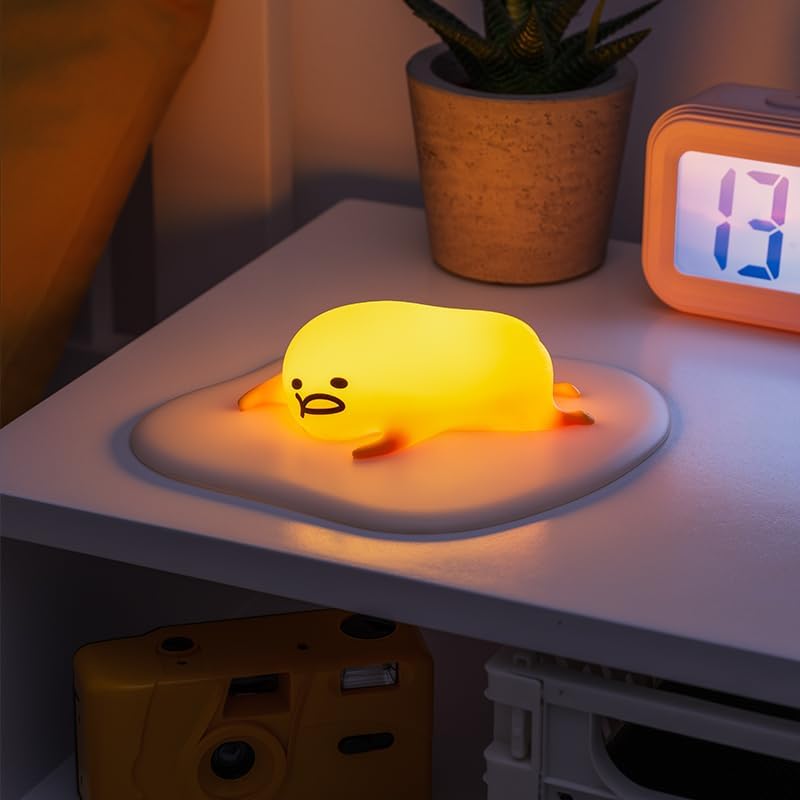
The Gudetama Icon Light fully illuminated, emitting a soft yellow glow. This image shows the product in its operational state.
5. Maintenance
5.1 Cleaning
To clean the Gudetama Icon Light, gently wipe it with a soft, dry cloth. Do not use abrasive cleaners, solvents, or immerse the product in water.
5.2 Battery Replacement
When the light dims or stops functioning, it is time to replace the batteries. Follow the battery installation steps in Section 3.1.
6. Troubleshooting
- Light does not turn on:
- Ensure batteries are inserted correctly with the proper polarity.
- Replace with fresh AAA batteries.
- Light flickers or is dim:
- Replace with fresh AAA batteries.
- Touch sensor is unresponsive:
- Ensure your hand is clean and dry.
- Replace batteries if they are low.
7. Specifications
| Model Number | 12897 |
| Dimensions (D x W x H) | 15.9D x 18W x 4.4H centimetres |
| Item Weight | 0.21 Kilograms |
| Power Source | Battery Powered (3x AAA, not included) |
| Light Source Type | LED |
| Control Method | Touch / Push Button |
| Material | Silicone / Rubber |
| Indoor/Outdoor Usage | Indoor |
8. Warranty and Support
This product is covered by a standard manufacturer's warranty. For specific warranty details, please refer to the packaging or contact your retailer. If you encounter any issues not covered in the troubleshooting section, please contact Paladone customer support through their official website or your point of purchase for assistance.
Manufacturer: Paladone