
Introduction
This manual provides detailed instructions for the safe and effective use of your Lamicall Magsafe Airplane Phone Holder, Model STRL02-US-B-GM. Please read this guide thoroughly before using the product to ensure proper setup, operation, and maintenance. This device is designed to securely hold your smartphone in various environments, including airplane seatbacks, desks, and luggage handles, offering a hands-free viewing experience.
What's in the Box
- 1 x Lamicall Magsafe Airplane Phone Holder
- 1 x Hex Wrench
- 1 x Metal Ring (for non-MagSafe devices)
- 1 x User Guide (this document)
Setup Instructions
- Attaching the Holder to a Surface:
Identify a suitable surface such as an airplane seatback tray table, a desk edge, or a luggage handle. Open the clamp by pressing the release button and extend the jaws. Position the holder firmly onto the desired surface and release the button to secure the clamp. Ensure the clamp is stable and does not wobble.

Image: The phone holder securely clamped to an airplane seatback, providing a hands-free viewing solution.

Image: A detailed view of the clamp mechanism, illustrating how it expands and retracts to grip various surfaces.
- Attaching Your Phone:
- For MagSafe Compatible Phones/Cases: Simply align your MagSafe-compatible iPhone (iPhone 12 series and newer) or phone with a MagSafe case to the magnetic ring on the holder. The strong magnets will securely attach your phone.
- For Non-MagSafe Phones/Cases: Use the included metal ring. Peel off the adhesive backing and carefully center the metal ring on the back of your phone or phone case. Press firmly for 30 seconds to ensure a strong bond. Once the metal ring is attached, you can magnetically connect your phone to the holder.
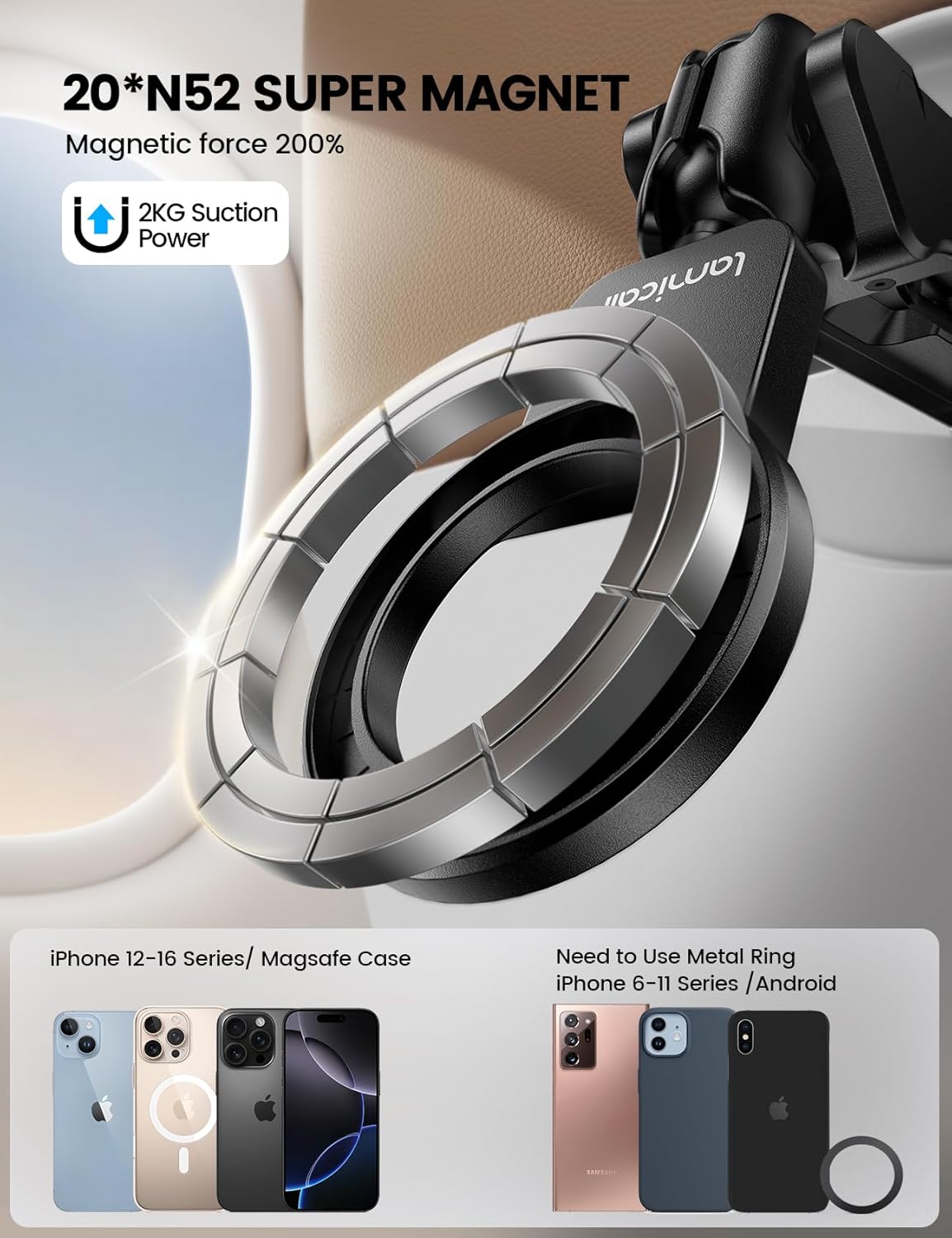
Image: An illustration demonstrating direct MagSafe phone attachment and the use of the metal ring for non-MagSafe devices.

Image: A visual guide comparing how MagSafe-enabled phones attach versus phones requiring the adhesive metal ring.
- Adjusting the Ball Joint Tightness:
The holder features a 360° rotating ball joint for flexible viewing angles. If the joint feels too loose or too stiff, use the included hex wrench to adjust the screw located at the base of the ball joint. Turn clockwise to tighten for more stability, or counter-clockwise to loosen for easier adjustment.

Image: A hand using the provided hex wrench to adjust the tightness of the ball joint on the phone holder for desired flexibility.
Operating Instructions
- Adjusting Viewing Angle: Once your phone is attached, rotate the phone 360° or tilt it using the ball joint to achieve your desired viewing angle. The design allows for both portrait and landscape orientations.
- Versatile Placement:
The holder can be used in various settings:
- Airplane Travel: Clamp it to the seatback tray table for hands-free entertainment during flights.
- Desktop Use: Fold out the integrated stand to use it as a desktop phone stand for video calls, watching content, or general use.
- Luggage Handle: Attach it to your luggage handle for convenient viewing while waiting or moving.
- Other Surfaces: The clamp can also be used on kitchen cabinets, bedside tables, or other suitable surfaces up to 2 inches thick.

Image: The phone holder configured as a stable desktop stand, supporting a smartphone for hands-free use at a desk.

Image: The phone holder clamped onto a luggage handle, providing a convenient viewing angle for a smartphone during travel.
- Portability: The holder features a foldable design, making it compact and easy to store in your bag or pocket when not in use.

Image: A person placing the folded Lamicall phone holder into a bag, illustrating its compact and portable design.
Compatibility
The Lamicall Magsafe Airplane Phone Holder is designed for broad smartphone compatibility:
- MagSafe Compatible Devices: Directly compatible with iPhone 12, 13, 14, 15, 16, 17 series (Pro, Pro Max, Plus, mini models) and any smartphone equipped with a MagSafe-compatible case.
- Non-MagSafe Devices: Compatible with all other smartphones, including various iPhone models (e.g., iPhone 11, SE, 8, 7, XR, X, XS, 6, 5 series) and Android phones (e.g., Samsung Galaxy S series, Note series, Google Pixel), when used with the included adhesive metal ring.
- The clamp mechanism accommodates surfaces up to approximately 2 inches (5 cm) in thickness.
Maintenance
- Cleaning: Wipe the holder with a soft, dry cloth. Avoid using abrasive cleaners or solvents.
- Joint Adjustment: Periodically check the tightness of the ball joint. If it becomes too loose, use the provided hex wrench to tighten the screw for optimal stability.
- Storage: When not in use, fold the holder into its compact form and store it in a clean, dry place.
Troubleshooting
| Problem | Possible Cause | Solution |
|---|---|---|
| Phone does not attach securely. | Not a MagSafe-compatible phone/case, or metal ring is not properly attached/aligned. | Ensure your phone or case is MagSafe compatible. If not, apply the included metal ring correctly to the center of your phone or case. Ensure the metal ring is clean and free of debris before attachment. |
| Holder feels unstable or wobbly. | Clamp not fully secured, or ball joint is too loose. | Re-secure the clamp to the surface, ensuring a tight grip. Use the hex wrench to tighten the ball joint screw if it feels loose. |
| Difficulty adjusting viewing angle. | Ball joint is too tight. | Use the hex wrench to slightly loosen the ball joint screw until it moves smoothly but still holds position. |
Specifications
- Model: STRL02-US-B-GM
- Brand: Lamicall
- Color: Black
- Item Weight: 5.9 ounces (approximately 167 grams)
- Package Dimensions: 5.28 x 2.56 x 2.13 inches (13.4 x 6.5 x 5.4 cm)
- Material: Durable ABS plastic and metal components
- Magnetic Strength: Features 20 powerful N52 magnets for secure phone attachment.
- Clamp Opening: Up to approximately 2 inches (5 cm)
- Adjustability: 360° rotating ball head
- Compatibility: All smartphones (MagSafe compatible directly, others with included metal ring)
Safety Information
- Keep magnets away from sensitive electronic devices, credit cards, or other items that may be affected by magnetic fields.
- Ensure the holder is securely clamped before attaching your phone to prevent accidental drops.
- Do not overtighten screws, as this may damage the product.
- This product is not a toy. Keep out of reach of small children.
Warranty and Support
Lamicall products are designed for quality and durability. For any questions, technical support, or warranty inquiries, please contact Lamicall customer service through their official website or the retailer where the product was purchased. Please have your model number (STRL02-US-B-GM) and purchase information ready.
For more information, visit the Lamicall Store on Amazon.