
VOCA V340
VOCA V340 Big Button Flip Phone User Manual
Model: V340
1. Introduction
Thank you for choosing the VOCA V340 Big Button Flip Phone. This manual provides comprehensive instructions to help you get started, operate, and maintain your device. The VOCA V340 is designed for ease of use, featuring large buttons, a loud volume, and essential functions like an SOS button, making it ideal for users seeking simplicity and reliability.
Key Features
- Lightweight and Compact Design: Weighing only 90g and with a thickness of 18mm, the V340 is easy to carry and hold.
- SOS Button: A dedicated SOS button on the back allows for immediate emergency calls to pre-set contacts.
- Low Battery SMS Notification: Automatically sends an SMS to emergency contacts when the battery level drops to 15%.
- Photo Contacts: Assign photos to contacts for easy identification.
- Volume Boost: Increase earpiece volume during calls for improved audibility.
- 4G LTE Connectivity: Supports modern network standards for reliable communication.
- FM Radio & Flashlight: Convenient built-in utilities.

Image: The VOCA V340 flip phone displayed open, alongside icons representing its key features: 4G LTE connectivity, high volume, SOS emergency function, FM radio, camera, and built-in flashlight.
2. Safety Information
Please read this section carefully before using your phone to ensure safe and proper operation. Keep this manual for future reference.
- Do not expose the phone to extreme temperatures, direct sunlight, or high humidity.
- Avoid dropping or subjecting the phone to severe impact.
- Use only VOCA-approved batteries and accessories.
- Do not attempt to disassemble or modify the phone. This will void the warranty.
- Keep the phone away from medical devices, including pacemakers, as it may interfere with their operation.
- Dispose of the phone and battery responsibly according to local regulations.
3. Setup
3.1 Package Contents
Before you begin, please check the package contents. You should find the following items:
- VOCA V340 Flip Phone
- Battery (1 LR44 - included)
- Charging Dock
- Power Adapter (not explicitly listed but implied for charging dock)
- User Manual (this document)
3.2 Inserting the SIM Card and Battery
- Open the back cover of the phone.
- Carefully insert your 4G LTE SIM card into the designated slot. Ensure the gold contacts face downwards and the notched corner aligns correctly.
- Insert the battery into its compartment, ensuring the contacts align with those on the phone.
- Replace the back cover until it clicks securely into place.
3.3 Charging the Phone
Before first use, fully charge the phone. The V340 comes with a convenient charging dock.
- Connect the power adapter to the charging dock.
- Plug the power adapter into a wall outlet.
- Place the VOCA V340 phone into the charging dock, ensuring it sits firmly and the charging indicator on the phone illuminates.
- A full charge typically takes a few hours. The charging indicator will change or turn off when charging is complete.
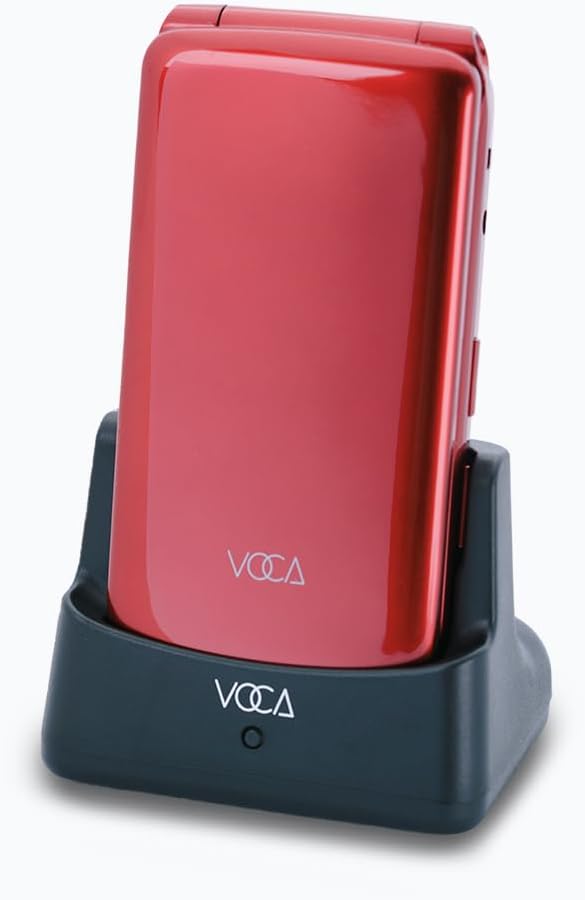
Image: The VOCA V340 flip phone, in red, is shown securely placed within its black charging dock, ready for charging.
4. Operating Instructions
4.1 Power On/Off
- To Power On: Open the flip and press and hold the Power/End Call button (red button) until the screen lights up.
- To Power Off: Open the flip, press and hold the Power/End Call button until a power-off option appears on the screen, then confirm.
4.2 Making and Receiving Calls
- Making a Call: Dial the number using the keypad and press the Call button (green button).
- Receiving a Call: Open the flip or press the Call button when the phone rings.
- Ending a Call: Close the flip or press the Power/End Call button.
4.3 SOS Emergency Button
The SOS button is located on the back of the phone. It allows you to quickly contact pre-set emergency numbers.
- Setting SOS Numbers: Navigate to the SOS settings in the phone's menu to add up to 5 emergency contacts.
- Activating SOS: In an emergency, press and hold the SOS button for a few seconds. The phone will automatically dial the first SOS contact. If unanswered, it will proceed to dial the next contact in the list.
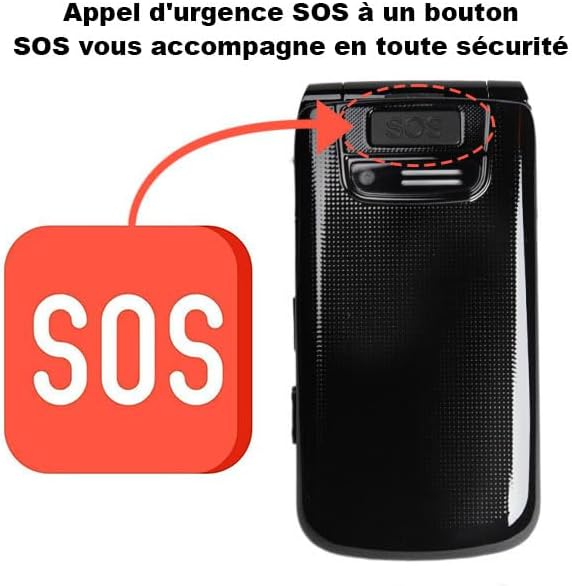
Image: A close-up view of the back of the VOCA V340 phone, highlighting the prominent SOS emergency button.
4.4 Speed Dial
Assign frequently called numbers to speed dial keys (M1, M2, M3) for quick access.
- Setting Speed Dial: Go to the phone's settings or contacts menu to assign numbers to M1, M2, and M3 keys.
- Using Speed Dial: Press and hold the assigned M1, M2, or M3 key to dial the corresponding contact.
4.5 Volume Adjustment
During a call, you can adjust the earpiece volume using the dedicated volume buttons on the side of the phone. For an extra boost, press the volume up button repeatedly.
4.6 Photo Contacts
Enhance your contact list by assigning photos to your contacts, making it easier to identify callers.
- Adding Photo Contacts: In the contacts menu, select a contact and choose the option to add a photo. You can use the phone's camera to take a new picture or select one from the gallery.
4.7 Eye Protection Mode
The V340 features an eye protection mode that helps reduce eye strain by changing the font color to green and dimming the screen brightness.
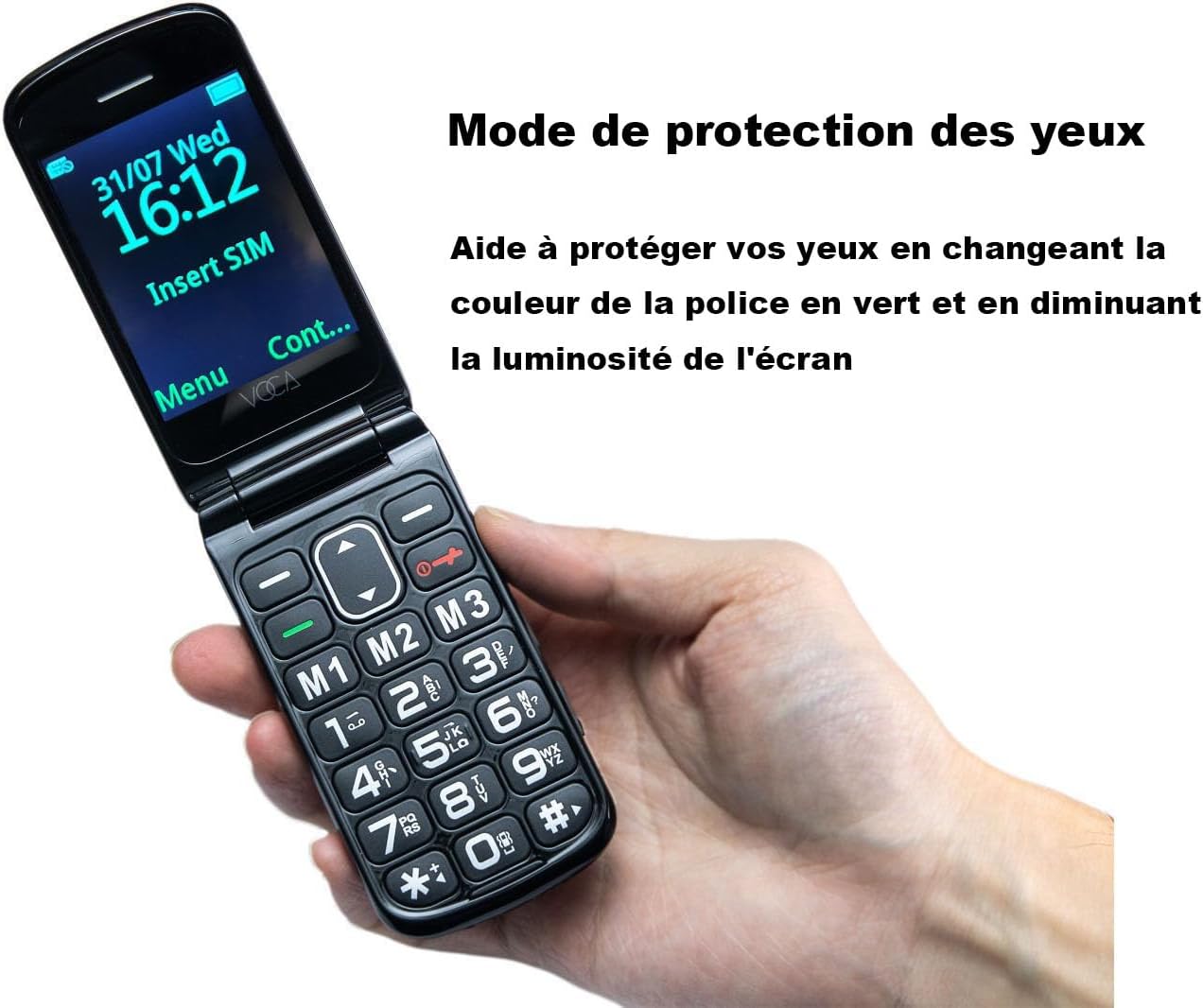
Image: A hand holding the VOCA V340 flip phone, which displays a message on its screen indicating 'Eye Protection Mode' is active, with text in green to illustrate the feature.
4.8 Flashlight and FM Radio
The phone includes a built-in flashlight and FM radio for added convenience.
- Flashlight: Typically activated by a dedicated button on the side of the phone or through the menu.
- FM Radio: Access the FM radio application from the main menu. You may need to plug in headphones (3.5mm jack) to act as an antenna.

Image: The VOCA V340 flip phone is shown open, highlighting its side features including the 3.5mm headphone jack, volume/FM radio button, and the built-in flashlight.
5. Maintenance
5.1 Cleaning Your Phone
To keep your phone in optimal condition:
- Wipe the phone regularly with a soft, dry cloth.
- Do not use liquid cleaners or aerosols.
- Keep the charging port and speaker grilles free of dust and debris.
5.2 Battery Care
Proper battery care extends the life of your phone's battery:
- Avoid fully discharging the battery frequently.
- Do not leave the phone connected to the charger for extended periods after it is fully charged.
- Store the phone in a cool, dry place if not used for a long time.
- The phone features a low battery SMS notification. When the battery level reaches 15%, it will automatically send an SMS to up to 3 pre-set emergency contacts, reminding them to check on the phone's charge.
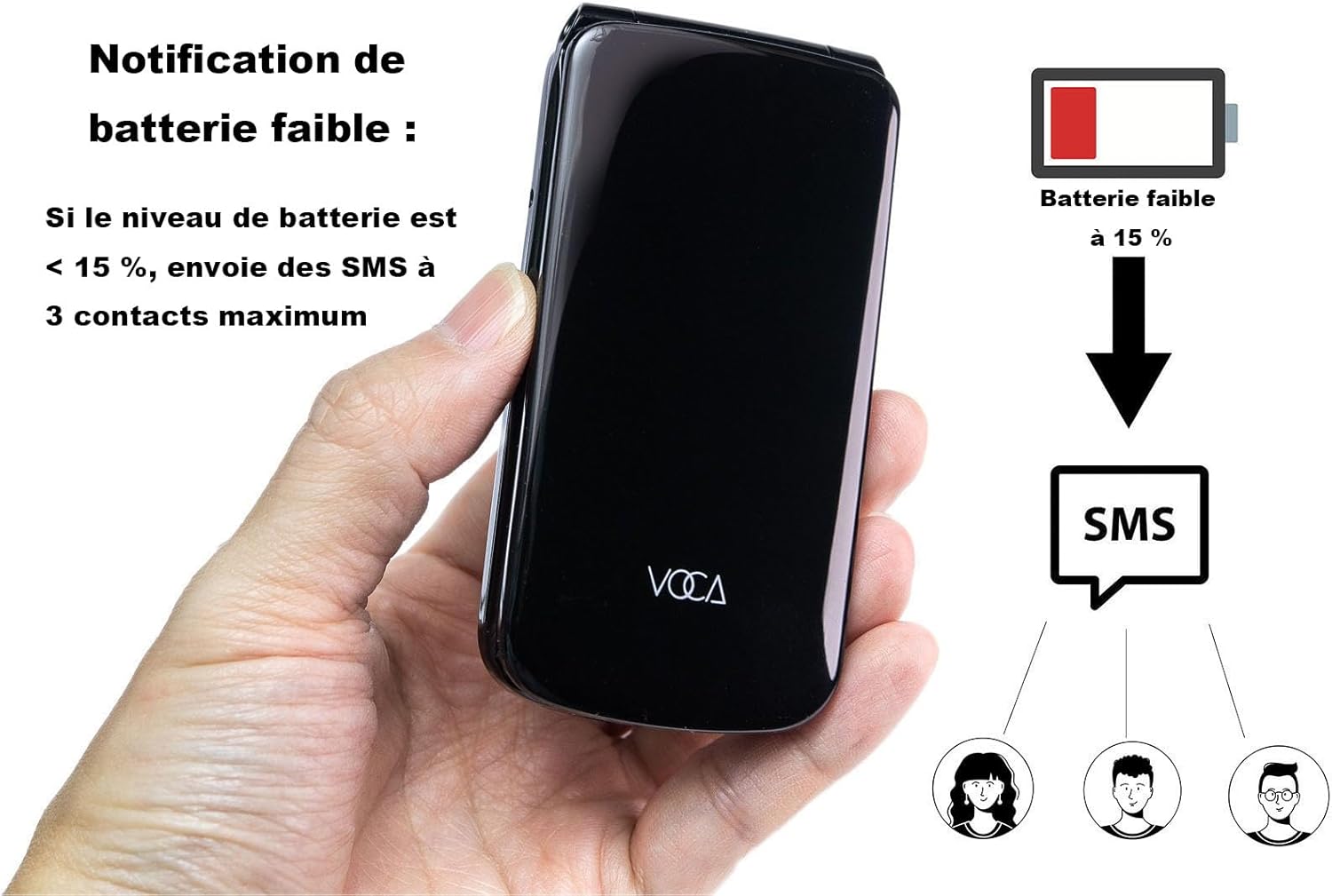
Image: A visual representation of the VOCA V340 phone's low battery notification feature, showing that when the battery level drops to 15%, an SMS is automatically sent to up to three emergency contacts.
6. Troubleshooting
If you encounter issues with your VOCA V340, try the following solutions:
| Problem | Possible Cause / Solution |
|---|---|
| Phone does not power on | Battery is discharged. Charge the phone for at least 30 minutes. Ensure battery is correctly inserted. |
| Cannot make/receive calls | No SIM card inserted or SIM card not properly seated. Check network signal strength. Contact your service provider. |
| Poor call quality | Weak network signal. Move to an area with better reception. Ensure earpiece/microphone are not blocked. |
| Battery drains quickly | Excessive usage. Background applications (if any). Old battery (consider replacement). |
| SOS button not working | SOS numbers not set up. Ensure numbers are valid and contacts are saved. |
7. Specifications
Detailed technical specifications for the VOCA V340 Flip Phone:
| Feature | Specification |
|---|---|
| Brand | VOCA |
| Model Number | V340 |
| Screen Size | 5.9 inches |
| Wireless Carrier | Unlocked |
| Wireless Network Technology | GSM, LTE (4G) |
| Battery Composition | Lithium-ion |
| Battery Capacity | 1000 mAh |
| Standby Time | Approx. 370 hours |
| Talk Time | Approx. 300 minutes |
| Weight | 90g |
| Thickness | 18mm |
| Human Interface Input | Buttons, Dial |
| Included Components | Battery |

Image: A hand holding the VOCA V340 flip phone, with graphics indicating its lightweight design at 90g and a battery capacity of 1000mAh.
8. Warranty and Support
Information regarding specific warranty terms and conditions for the VOCA V340 is not provided in the product data. For warranty claims, technical support, or inquiries about spare parts and software updates, please contact VOCA customer service directly through their official website or the retailer where the product was purchased.
Please note that information on spare parts availability and guaranteed software updates is currently unavailable.
Related Documents - V340
 |
VOCA V140 User Manual - Comprehensive Guide This user manual provides detailed instructions for the VOCA V140 mobile phone, covering setup, keypad functions, messaging, call handling, and special features like the SOS button and battery notifications. Optimized for search engines. |
 |
VOCA V543 Product Information and Specifications Detailed product information for the VOCA V543, including manufacturer, production, and compliance details. |
 |
VOCA Phone Case - Product Information and Warnings Detailed information about the VOCA Phone Case, including origin, manufacturer, batch number, and important warnings regarding usage and cleaning. |
 |
VOCA VP16 Product Information and Safety Warnings Information about the VOCA VP16, including manufacturer details, production date, and essential safety warnings regarding usage, disassembly, and environmental protection. |
 |
SILVERCREST SEAD 1800 B1 - Uređaj za konzerviranje voća i pravljenje džemova Ovaj SILVERCREST SEAD 1800 B1 je električni uređaj za konzerviranje voća i pravljenje džemova, idealan za pripremu domaćih konzervi i džemova kod kuće. Uputstvo pruža detaljne informacije o bezbednosti, upotrebi, receptima i održavanju. |