
1. Product Overview
The FABATO Queen Size Bed Base (Model HB015) is designed for comfort and functionality, featuring a sturdy metal frame, a headboard with integrated storage, and a built-in charging station. This bed base includes four large-capacity drawers for convenient storage and is engineered for a noiseless experience. It accommodates a queen-size mattress without the need for a box spring.

Figure 1: Overall dimensions and key components of the FABATO Queen Size Bed Base.
Key features include:
- Integrated Charging Station: Headboard includes 2 AC outlets, 1 USB port, and 1 Type-C port.
- Ample Storage: Four large-capacity drawers (two underbed, two in headboard sides).
- Sturdy Construction: 13 durable metal frames for stability and support.
- No Box Spring Required: Designed for direct mattress placement.
- Noiseless Design: Engineered to minimize noise during use.
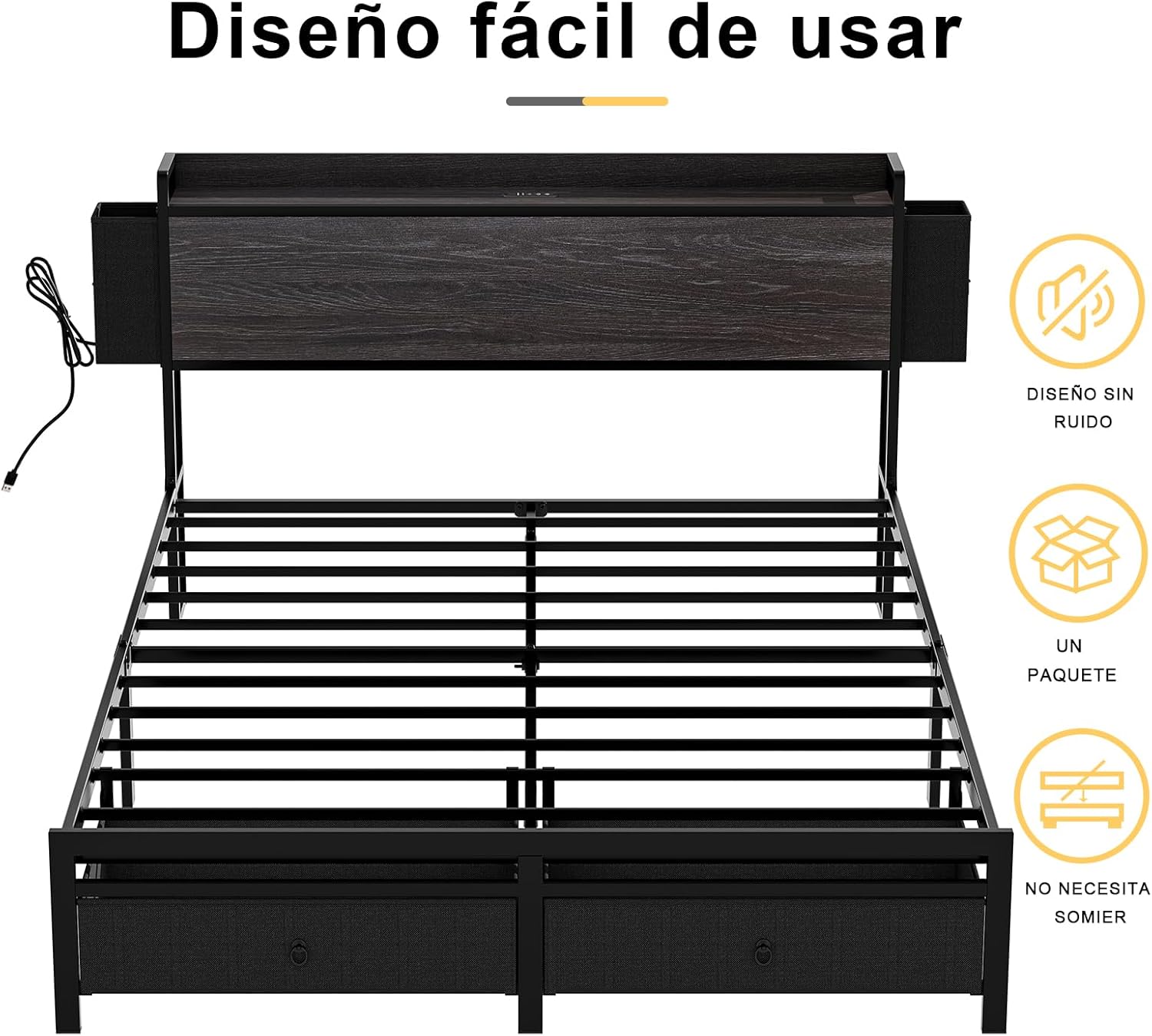
Figure 2: Design features emphasizing ease of use and convenience.
2. Setup and Assembly
This bed frame is designed for straightforward assembly. It is recommended that two people assemble the unit. All necessary tools and clear accessory numbers are provided in the package. Please follow the detailed installation instructions included with your product for a smooth assembly process.
- Unpack Components: Carefully remove all parts from the packaging and verify against the parts list in the instruction manual.
- Prepare Workspace: Ensure you have sufficient space to assemble the bed frame.
- Follow Step-by-Step Guide: Refer to the included manual for specific assembly steps, paying close attention to diagrams and hardware identification.
- Secure All Connections: Ensure all bolts and screws are tightened securely to ensure stability and prevent noise.
- Install Drawers: Assemble and insert the storage drawers as per the instructions.
If you encounter any difficulties during installation, please refer to the contact information in the 'Support' section for assistance.
3. Operation
3.1 Charging Station
The headboard features a built-in charging station for your electronic devices. To use:
- Ensure the bed base's power cord is securely plugged into a functional wall outlet.
- Connect your devices to the available 2 AC outlets, 1 USB port (5V/2A), or 1 Type-C port (5V/2A).

Figure 3: Detail of the headboard charging station with various ports.
3.2 Storage Drawers
The bed base includes four storage drawers for organizing your belongings:
- Underbed Drawers: Two large-capacity drawers located at the foot of the bed. These drawers are equipped with wheels for easy retrieval and storage of items like clothing, bedding, or shoes.
- Headboard Side Drawers: Two additional storage drawers are integrated into the sides of the headboard. These are ideal for smaller, frequently accessed items such as books, phones, or personal accessories.

Figure 4: Underbed storage drawers with wheels for easy access.

Figure 5: Headboard side storage drawers for convenient access to smaller items.
4. Maintenance
Proper maintenance ensures the longevity and performance of your FABATO bed base.
- Cleaning: Wipe the metal frame and engineered wood surfaces with a soft, damp cloth. Avoid harsh chemicals or abrasive cleaners that could damage the finish.
- Drawer Care: Periodically check the drawer wheels for smooth operation. Clean any dust or debris that may accumulate.
- Connection Check: Every few months, inspect all bolts and screws to ensure they remain tight. Re-tighten if necessary to maintain stability and prevent squeaking.
- Power Cord: Ensure the power cord for the charging station is not pinched or damaged.
5. Troubleshooting
If you encounter any issues with your bed base, refer to the following common solutions:
- Bed Frame Squeaking/Noise:
- Ensure all assembly bolts and screws are securely tightened. Loose connections are a common cause of noise.
- Verify that the mattress is properly seated on the metal slats.
- Charging Station Not Working:
- Check if the bed base's main power cord is firmly plugged into a working wall outlet.
- Test the outlet with another device to confirm it has power.
- Ensure your device's charging cable is fully inserted into the port.
- Drawers Not Sliding Smoothly:
- Check for any obstructions under or around the drawer wheels.
- Ensure the drawers are correctly aligned on their tracks or within the bed frame.
If these steps do not resolve the issue, please contact customer support.
6. Specifications

Figure 6: Underbed clearance and material details.
| Feature | Detail |
|---|---|
| Model Number | HB015 |
| Size | Queen |
| Material | Engineered Wood, Metal |
| Product Dimensions (L x W x H) | 88.43" x 60.04" x 38.11" (224 cm x 152.5 cm x 96.5 cm) |
| Maximum Weight Recommendation | 454 Kilograms (1000 lbs) |
| Charging Ports | 2 AC Outlets, 1 USB Port (5V/2A), 1 Type-C Port (5V/2A) |
| Included Components | Bed Frame, Headboard, 4 Storage Drawers, Assembly Hardware |
| Assembly Required | Yes |
| Color | Black |
7. Warranty and Support
For warranty information or customer support, please refer to the documentation included with your purchase or contact FABATO customer service directly. When contacting support, please have your model number (HB015) and purchase details readily available.