
Introduction
Thank you for choosing the TROTEC AirgoClean 170+ Air Purifier. This manual provides essential information for the safe and efficient operation, setup, and maintenance of your device. Please read these instructions carefully before first use and keep them for future reference.

Image: The TROTEC AirgoClean 170+ Air Purifier, showcasing its modern design.
Safety Instructions
Always observe the following safety precautions when operating the device:
- Read all instructions before using the appliance.
- Do not operate the appliance with a damaged cord or plug.
- Keep the appliance away from water and moisture.
- Ensure the air inlet and outlet are not blocked.
- Unplug the appliance before cleaning or performing maintenance.
- This appliance is not intended for use by persons (including children) with reduced physical, sensory or mental capabilities, or lack of experience and knowledge, unless they have been given supervision or instruction concerning use of the appliance by a person responsible for their safety.
Product Features
The TROTEC AirgoClean 170+ Air Purifier offers advanced features for improved indoor air quality:
- Efficient 3-in-1 Filter System: Combines a pre-filter, HEPA filter, and activated carbon filter to effectively remove pollen, fine dust, allergens, and odors.
- Integrated PM2.5 Sensor: Provides real-time air quality monitoring with a color and value display.
- 360° Air Distribution: Ensures omnidirectional clean air circulation throughout the room.
- Low Energy Consumption: Designed for economical continuous operation.
- Compact Design: Powerful performance in a space-saving unit with simple controls.
- Quiet Operation: Operates at a low noise level, ideal for bedrooms and quiet environments.

Image: Detailed view of the 3-stage filtration system.
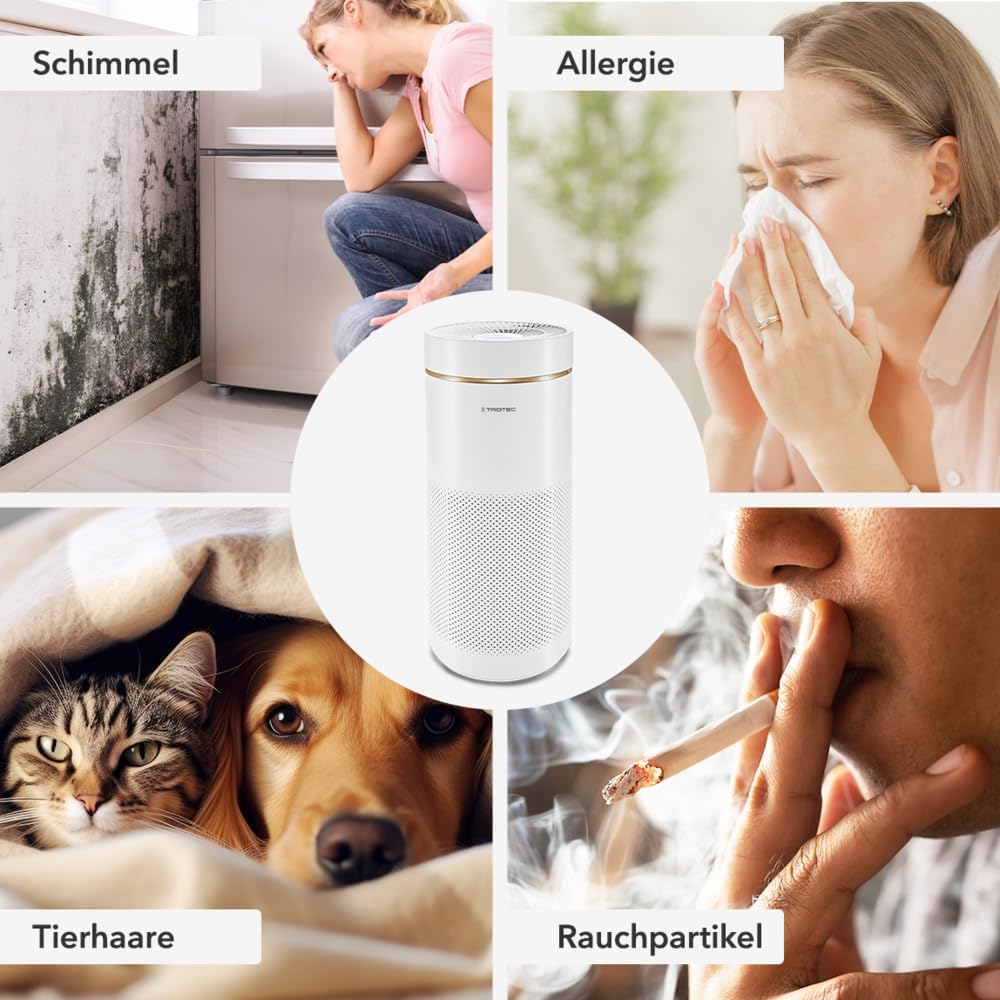
Image: Examples of air pollutants the purifier addresses, including mold, allergens, pet dander, and smoke particles.
Setup and Initial Use
Before operating your AirgoClean 170+ air purifier, follow these steps to ensure proper setup:
- Remove the device cover: Gently twist and lift the top cover of the air purifier.
- Remove filter packaging: The filter comes sealed in plastic packaging. Remove this packaging completely before use. Failure to do so will prevent the device from functioning correctly.
- Insert the filter: Place the unwrapped 3-in-1 filter into the designated compartment inside the device. Ensure it is seated correctly.
- Replace the device cover: Align the top cover and twist it back into place until it is securely fastened.
- Position the device: Place the air purifier on a flat, stable surface, ensuring adequate space around it for optimal air circulation.
- Connect to power: Plug the power cord into a suitable electrical outlet.

Image: Visual guide for filter installation and device assembly.

Image: Important reminder to remove all filter packaging before operation.
Operation
The AirgoClean 170+ features a user-friendly control panel. Refer to the control panel image for button identification.
Control Panel

Image: Control panel with PM2.5 display and air quality indicators.
- Power Button: Press to turn the device ON or OFF.
- Mode Selection: Cycle through different operating modes (e.g., Automatic, Manual, Sleep).
- Fan Speed: Adjust the fan speed manually when in manual mode.
- Timer Function: Set a timer for automatic shutdown.
- Air Quality Display: The integrated PM2.5 sensor provides real-time air quality readings.
- Green: Very Good Air Quality
- Blue: Good Air Quality
- Red: Poor Air Quality
- Sleep Mode: Activates ultra-quiet operation and dims display lights for undisturbed rest.
Noise Levels

Image: Noise level comparison, highlighting the quiet sleep mode.
The AirgoClean 170+ is designed for quiet operation, especially in Sleep Mode, where it operates at approximately 20 dB, comparable to a soft whisper.
Maintenance
Regular maintenance ensures optimal performance and extends the lifespan of your air purifier.
Filter Replacement
The 3-in-1 filter system has a limited lifespan and should be replaced periodically. The device may indicate when a filter change is due. Refer to the "Setup and Initial Use" section for filter access and replacement steps.
- Pre-filter: Captures large particles like dust and pet hair. This layer can often be gently cleaned with a vacuum cleaner to extend its life, but the entire 3-in-1 filter should still be replaced as recommended.
- HEPA Filter: Traps fine particles, allergens, pollen, and bacteria. This filter cannot be washed and must be replaced.
- Activated Carbon Filter: Absorbs odors, gases, and volatile organic compounds. This filter cannot be washed and must be replaced.
Always use genuine TROTEC replacement filters to maintain performance and warranty.
Cleaning the Device
- Always unplug the device before cleaning.
- Wipe the exterior of the air purifier with a soft, damp cloth. Do not use abrasive cleaners or solvents.
- Ensure no water enters the device's internal components.
- Clean the air inlet and outlet grilles regularly to prevent dust buildup.
Troubleshooting
If you encounter issues with your AirgoClean 170+, refer to the following common problems and solutions:
| Problem | Possible Cause | Solution |
|---|---|---|
| Device does not turn on. | No power supply; power cord not properly connected. | Check if the power cord is securely plugged into the outlet and the device. Ensure the power outlet is functional. |
| Poor air purification performance. | Filter is dirty or clogged; filter packaging not removed. | Check if the filter packaging has been removed. Replace the filter if it is dirty. Ensure air inlets/outlets are not blocked. |
| Unusual noise during operation. | Filter not installed correctly; foreign object inside. | Ensure the filter is seated properly. Unplug the device and check for any foreign objects. |
| Air quality indicator always red/poor. | High level of pollutants; sensor dirty. | Allow the device to run longer. Clean the PM2.5 sensor area gently with a dry cloth. |
If the problem persists after attempting these solutions, please contact customer support.
Specifications
| Brand | TROTEC |
| Model Number | 1580001042 (AirgoClean 170+) |
| Color | White |
| Dimensions (L x W x H) | 29.2 x 29.2 x 66.3 cm |
| Weight | 6.5 Kilograms |
| Noise Level | 20 Decibels (in Sleep Mode) |
| Filter Type | HEPA (3-in-1 system) |
| Recommended Floor Area | Up to 42 square meters |
| Control Method | Touch Control |
| Power Source | Corded Electric |

Image: Product dimensions and power cord length.
Warranty and Support
For warranty information, technical support, or to purchase replacement parts and filters, please contact TROTEC customer service or visit their official website. Keep your purchase receipt as proof of purchase for warranty claims.
Contact Information: Refer to the TROTEC official website or your purchase documentation for the most up-to-date contact details.


