
1. Introduction
Thank you for choosing the HOMCOM Executive Office Chair. This manual provides essential information for the safe assembly, operation, and maintenance of your new chair. Please read it thoroughly before use and retain it for future reference.
Safety Information
- The product should not be used by individuals weighing more than 264 pounds (120 kg).
- Ensure stability when using the tilting feature.
- Keep all packaging materials away from children.
- Do not stand on the chair.
- Use only as intended for office seating.
2. Product Features
The HOMCOM Executive Office Chair is designed for comfort and functionality, featuring:
- 6-Point Vibration Massage: Integrated massage points to help reduce body fatigue.
- Heated Lumbar Support: Provides warmth to the lower back for relaxation.
- Reclining Backrest: Adjustable backrest up to 125° for various positions (working, watching, relaxing).
- Tilt Function: Allows for rocking motion, with adjustable tension.
- Adjustable Seat Height: Customize height from 17.75" to 21.75" to match your desk and posture.
- Padded Armrests: Offers comfortable support for your arms.
- Velvet-Feel Fabric: Skin-friendly and breathable material for enhanced comfort.
- High-Back Design: Provides neck, back, and lower lumbar support.
- 360° Swivel: For flexible and convenient movement.
- Sturdy Base: Ensures stable and reliable seating.

Figure 2.1: Key features of the HOMCOM Executive Office Chair.
3. Setup & Assembly
Assembly of this chair is required. Please refer to the separate assembly instructions included in your package for detailed, step-by-step guidance. Ensure all components are present and undamaged before beginning assembly.

Figure 3.1: Assembled HOMCOM Executive Office Chair.
4. Operating Instructions
4.1. Massage and Heat Functions
The chair features a six-point vibration massage system and heated lumbar support, controlled by a remote. The remote can be stored in the side pocket of the chair.
- Power On/Off: Use the power button on the remote to activate or deactivate the massage and heat functions.
- Massage Modes: Select from various massage modes using the remote.
- Intensity: Adjust the vibration intensity to your preference.
- Timer: Set a timer for the duration of the massage session.
- Heat Setting: Activate or adjust the lumbar heat function.

Figure 4.1: Remote control for vibration massage and heated lumbar support.
4.2. Height Adjustment
To adjust the seat height:
- Locate the lever on the side of the chair, typically beneath the seat.
- To raise the seat, lift the lever while taking your weight off the seat.
- To lower the seat, lift the lever while remaining seated.
- Release the lever to lock the seat at the desired height.
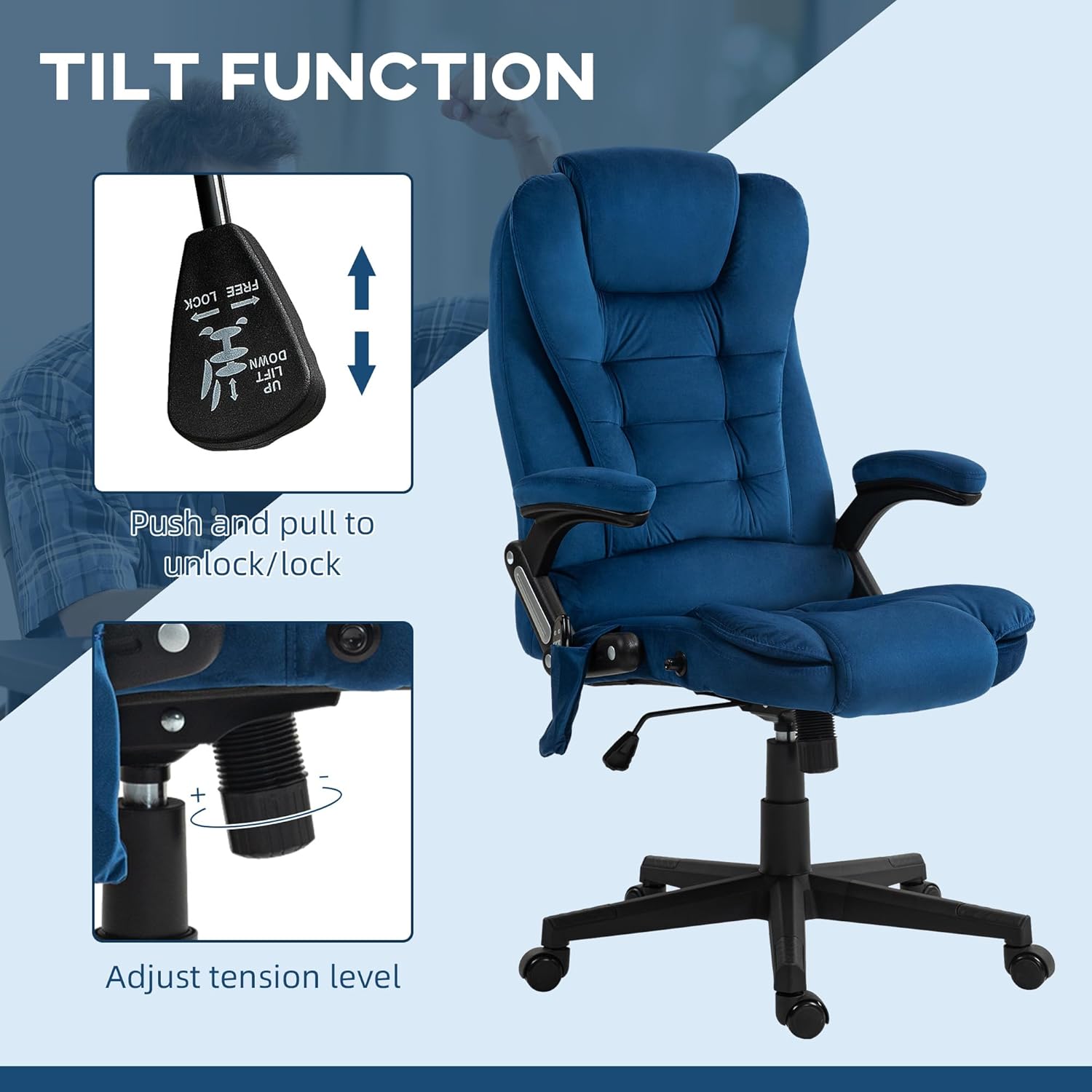
Figure 4.2: Seat height adjustment mechanism.
4.3. Tilt Function
The chair's tilt function allows for a comfortable rocking motion. You can lock the chair in an upright position or allow it to tilt freely.
- Lock/Unlock Tilt: Push the lever (often the same as the height adjustment lever) inwards to lock the chair in an upright position, or pull it outwards to allow tilting.
- Adjust Tilt Tension: Rotate the round knob located underneath the seat, towards the front. Turn clockwise to increase tension (making it harder to tilt) or counter-clockwise to decrease tension (making it easier to tilt).

Figure 4.3: Tilt function lever and tension adjustment.
4.4. Reclining Backrest
The backrest can be reclined up to 125 degrees for various activities.
- Locate the reclining lever on the side of the chair, typically below the armrest.
- Pull the lever upwards to unlock the backrest.
- Lean back to the desired angle.
- Release the lever to lock the backrest in position.
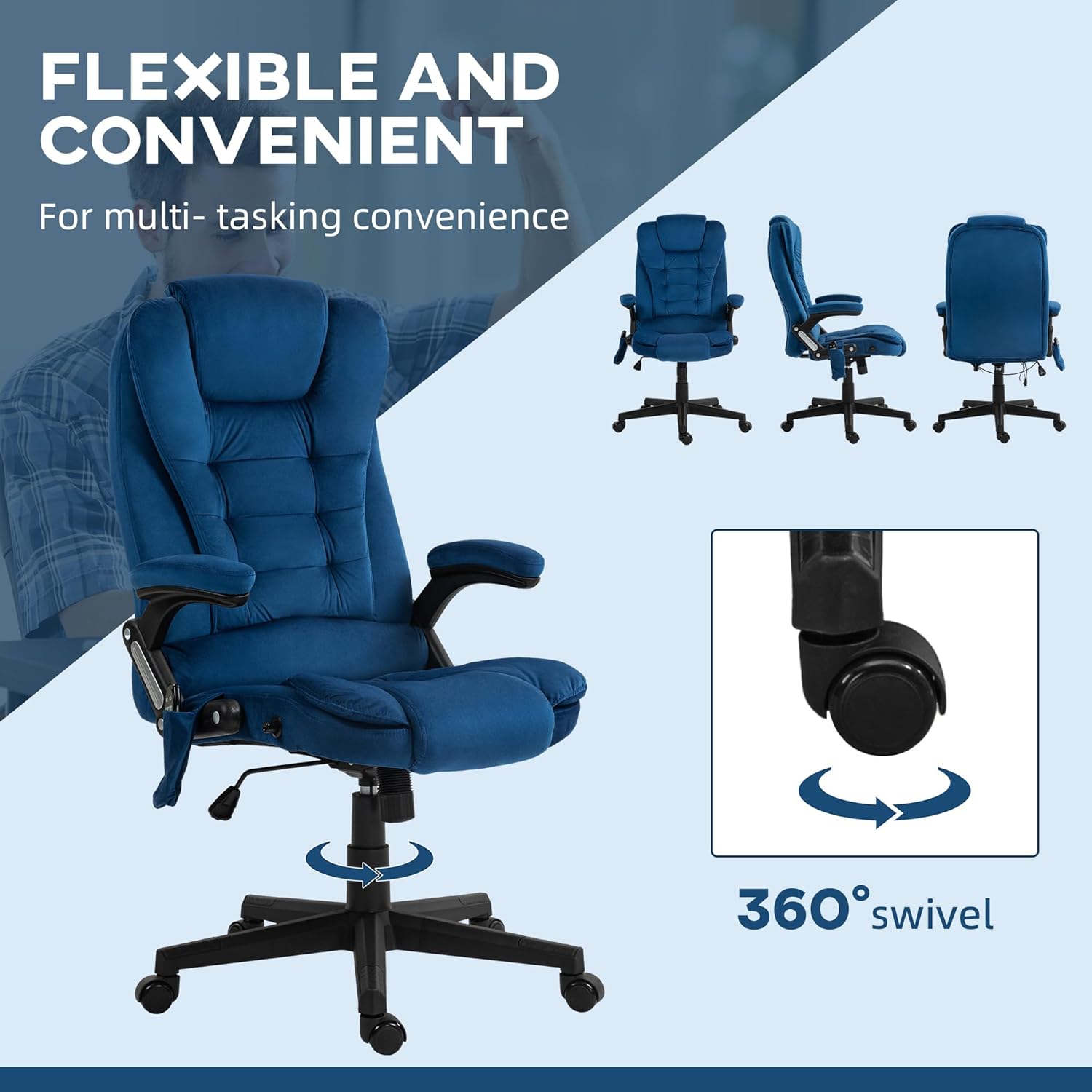
Figure 4.4: Backrest reclining mechanism.
5. Maintenance & Care
Proper care will extend the life and appearance of your HOMCOM Executive Office Chair.
- Cleaning: Wipe clean with a damp cloth. Avoid harsh chemicals or abrasive cleaners that may damage the velvet fabric.
- Inspection: Periodically check all bolts and screws to ensure they are tight. Retighten if necessary.
- Moving: When moving the chair, lift it rather than dragging it to prevent damage to the base or floor.
6. Troubleshooting
If you encounter any issues with your chair, please refer to the following common solutions:
- Chair Squeaks: Check and tighten all assembly bolts. Applying a small amount of silicone lubricant to moving parts (e.g., gas lift, tilt mechanism) may help.
- Massage/Heat Not Working: Ensure the remote control is properly connected and the power adapter is securely plugged into a working electrical outlet. Check for any visible damage to the wiring.
- Difficulty Adjusting Height: Ensure the height adjustment lever is fully engaged or disengaged as required. If the gas lift is unresponsive, it may need replacement.
- Chair Wobbles: Verify that all base components are correctly assembled and tightened. Ensure the chair is on a flat, even surface.
For persistent issues or concerns not addressed here, please contact HOMCOM customer support.
7. Specifications
| Feature | Detail |
|---|---|
| Brand | HOMCOM |
| Model Number | 921-171V86DB |
| Color | Drak Blue |
| Material | Velvet (100% polyester), Foam, Nylon (Frame) |
| Overall Dimensions (D x W x H) | 28"D x 25.5"W x 43.25"-47.25"H |
| Seat Size (W x D) | 20.5"W x 19.75"D |
| Adjustable Seat Height | 17.75"-21.75" |
| Backrest Interior Height | 28 Inches |
| Arm Height | 29.5 Inches |
| Maximum Weight Recommendation | 264 Pounds (120 kg) |
| Features | 6-Point Vibration Massage, Heated Lumbar, Reclining (125°), Tilt Function, Adjustable Height, Swivel Base |
| Included Components | Remote Control |
| Assembly Required | Yes |

Figure 7.1: Detailed product dimensions.
8. Warranty & Support
For warranty information, product support, or to purchase replacement parts, please refer to the documentation included with your purchase or visit the official HOMCOM website. Please have your model number (921-171V86DB) and purchase date available when contacting support.