1. Safety Information
Please read all instructions carefully before assembly and use. Retain this manual for future reference.
- Weight Limit: Do not exceed the maximum weight recommendation of 264 pounds (120 kg).
- Stability: Ensure the chair is on a stable, level surface before use. When using the reclining or tilting features, ensure proper balance to prevent tipping.
- Electrical Components: The massage and heating functions are electrical. Do not expose the remote control or power cord to water or excessive moisture. Disconnect from power when not in use or before cleaning.
- Children and Pets: Keep children and pets away from the chair's moving parts and electrical components.
- Assembly: Follow all assembly instructions precisely. Do not use power tools for assembly unless specifically instructed, as this may damage components.
- Inspection: Regularly inspect all bolts and screws to ensure they are tight. Re-tighten if necessary.
- Intended Use: This chair is designed for indoor office use. Do not use it for purposes other than its intended design.
2. Package Contents
Verify that all components are present before beginning assembly. If any parts are missing or damaged, contact customer support.
- Backrest
- Seat Cushion
- Armrests (2)
- Gas Lift Cylinder
- Base (5-star)
- Casters (5)
- Mechanism Plate
- Remote Control with Power Adapter
- Hardware Pack (screws, washers, Allen wrench)
- Instruction Manual
3. Assembly Instructions
Refer to the included manual for detailed step-by-step assembly. The following provides a general overview.
- Attach Casters to Base: Insert the five casters into the holes at the end of each leg of the 5-star base. Push firmly until they click into place.
- Insert Gas Lift: Place the gas lift cylinder into the center hole of the assembled base.
- Attach Mechanism Plate to Seat: Secure the mechanism plate to the underside of the seat cushion using the provided screws. Ensure the front of the mechanism faces the front of the seat.
- Attach Armrests: Fasten the armrests to the sides of the seat cushion and the backrest using the designated screws. Ensure they are oriented correctly.
- Connect Backrest to Seat: Align the backrest with the seat and secure it using the remaining screws.
- Place Assembled Seat onto Gas Lift: Carefully place the assembled seat and backrest onto the gas lift cylinder, ensuring it is centered and stable.
- Connect Power: Plug the remote control cable into the chair's port and connect the power adapter to a suitable electrical outlet.

4. Operating Instructions
4.1. Height Adjustment
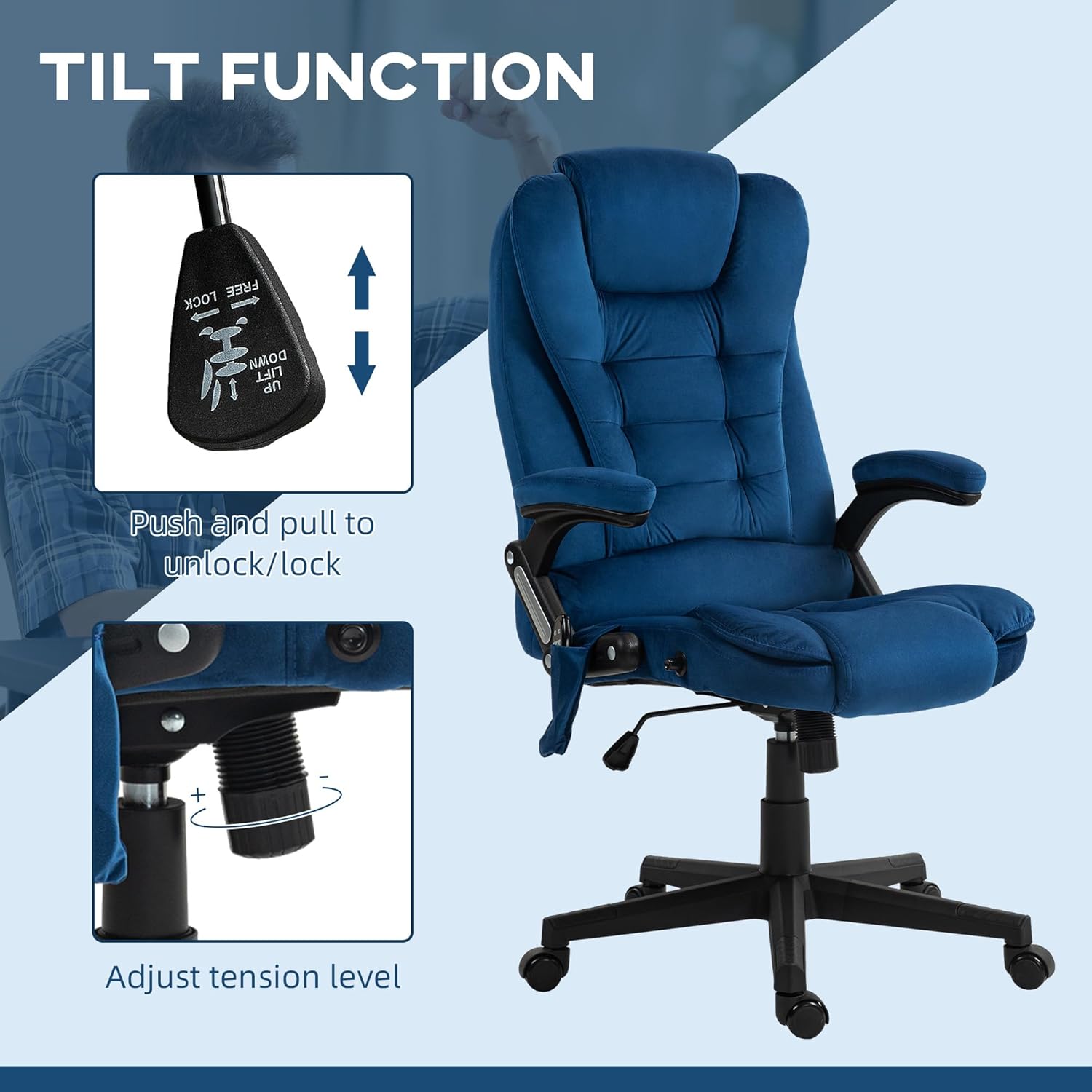
To adjust the seat height, locate the lever on the right side under the seat. While seated, pull the lever up to lower the seat. To raise the seat, stand up slightly and pull the lever up. Release the lever to lock the height.
4.2. Reclining Function
The chair features a 125° reclining backrest. To recline, pull the lever on the left side of the chair upwards and lean back to your desired angle. Release the lever to lock the backrest in position. To return to an upright position, pull the lever and lean forward.

4.3. Tilt Function
To enable the tilt function, pull the same lever used for height adjustment (on the right side) outwards. The chair will then allow for a rocking motion. Push the lever inwards to lock the chair in an upright position. The tension of the tilt can be adjusted by rotating the round knob located under the front of the seat.

4.4. Swivel Function
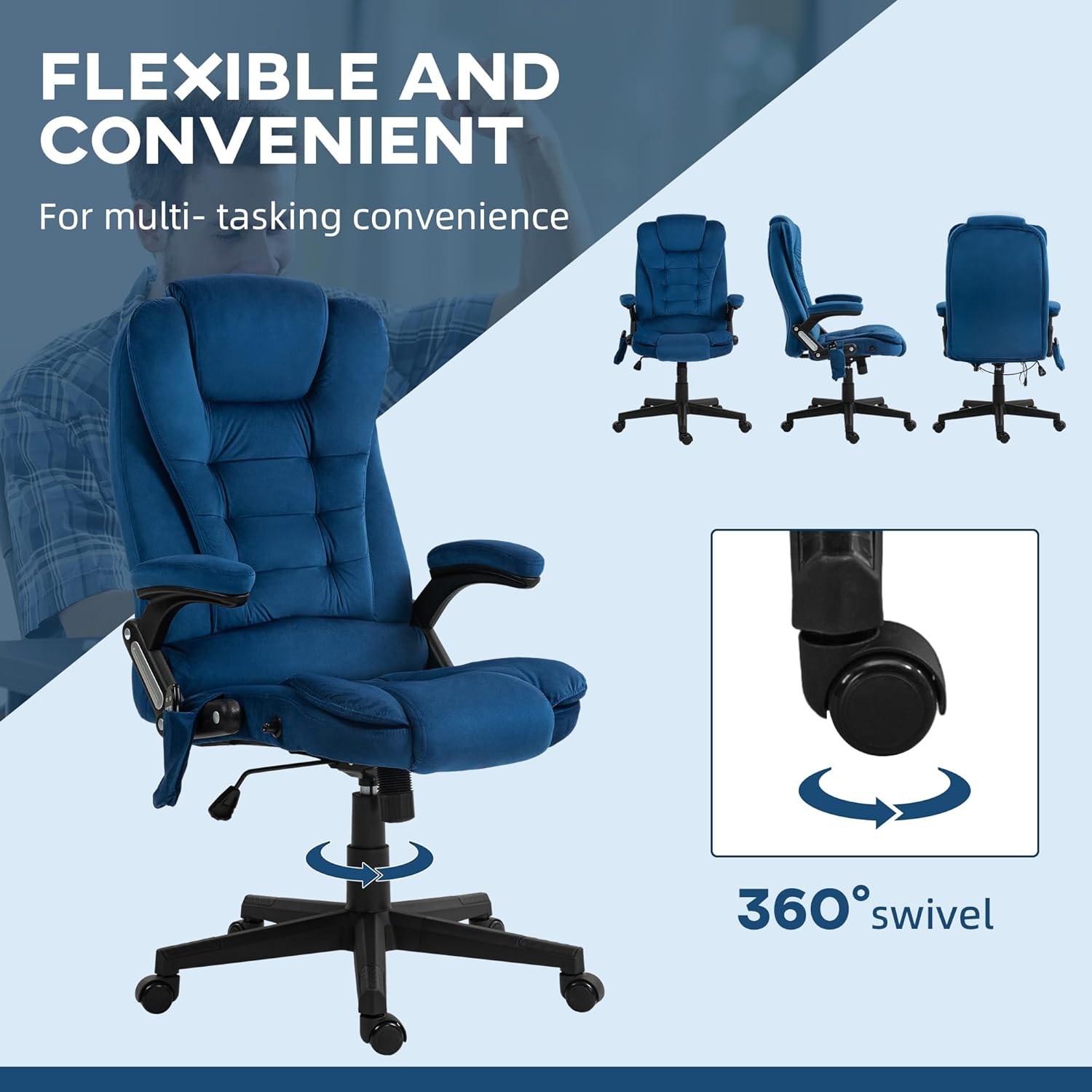
The chair is equipped with a 360° swivel function, allowing for easy rotation without moving the base.
4.5. Vibration Massage and Heat Function
The chair features a six-point vibration massage system and a lumbar heating element, controlled by the included remote. The remote can be stored in the side pocket of the chair.
- Power On/Off: Press the power button on the remote to activate or deactivate the massage and heat functions.
- Massage Modes: Select from various massage modes (M1, M2, M3) to customize the vibration pattern.
- Intensity: Adjust the vibration intensity (Low, Medium, High) to your preference.
- Target Zones: Choose specific areas for massage, such as the back, lumbar, or thighs.
- Heat Function: Activate the heat function for soothing warmth in the lumbar area.
- Timer: Set a timer for the duration of the massage session.

5. Maintenance
- Cleaning: Wipe clean with a damp cloth. For velvet-feel fabric, use a soft brush or vacuum cleaner to remove dust and debris. Avoid harsh chemicals or abrasive cleaners.
- Regular Inspection: Periodically check all screws and bolts to ensure they are securely tightened. Re-tighten as needed to maintain stability and safety.
- Storage: Store the chair in a dry, cool place away from direct sunlight and extreme temperatures.
6. Troubleshooting
| Problem | Possible Cause | Solution |
|---|---|---|
| Chair does not adjust height. | Gas lift lever not engaged or gas lift cylinder faulty. | Ensure the lever is fully pulled up. If the issue persists, the gas lift may need replacement. |
| Massage/Heat function not working. | Power cord disconnected, remote control battery low (if applicable), or internal wiring issue. | Check if the power adapter is securely plugged into the chair and the wall outlet. Ensure the remote control is functioning. If problems continue, contact customer support. |
| Chair feels unstable or wobbly. | Loose screws or casters not fully inserted. | Inspect and re-tighten all assembly screws. Ensure all casters are firmly seated in the base. |
| Squeaking noise during movement. | Loose connections or friction between parts. | Tighten all screws. Apply a small amount of silicone lubricant to moving parts if necessary, avoiding contact with fabric. |
7. Specifications
| Brand | HOMCOM |
| Model Name | Massage Office Chair |
| Model Number | 921-171V86DB |
| Color | Drak Blue |
| Material | Velvet (100% polyester), Foam fill |
| Product Dimensions (Overall) | 28"D x 25.5"W x 43.25"-47.25"H |
| Seat Dimensions | 20.5"W x 19.75"D x 17.75"-21.75"H (adjustable height) |
| Backrest Height | 28 Inches (interior) |
| Arm Height | 29.5 Inches |
| Maximum Weight Recommendation | 264 Pounds (120 kg) |
| Item Weight | 39.4 Pounds (17.87 kg) |
| Special Features | 6-Point Vibration Massage, Lumbar Heat, Adjustable Height, Reclining Backrest (125°), Tilt Function, 360° Swivel, Padded Armrests, Remote Control |
| UPC | 196393041918 |

8. Warranty & Support
For warranty information, technical support, or to order replacement parts, please contact HOMCOM customer service. Refer to your purchase documentation for specific warranty terms and contact details.
Manufacturer: Aosom LLC
Website: www.aosom.com (General manufacturer website, specific product support may vary)


