
GTS-5
Generic GTS-5 Bluetooth Smartwatch User Manual
Model: GTS-5
1. Introduction
This manual provides instructions for the Generic GTS-5 Bluetooth Smartwatch. The GTS-5 is designed to integrate with Android 4.4+ and iOS 9.0+ devices, offering communication and health tracking functionalities. It features a 2.0-inch TFT color screen with 240*282 resolution.
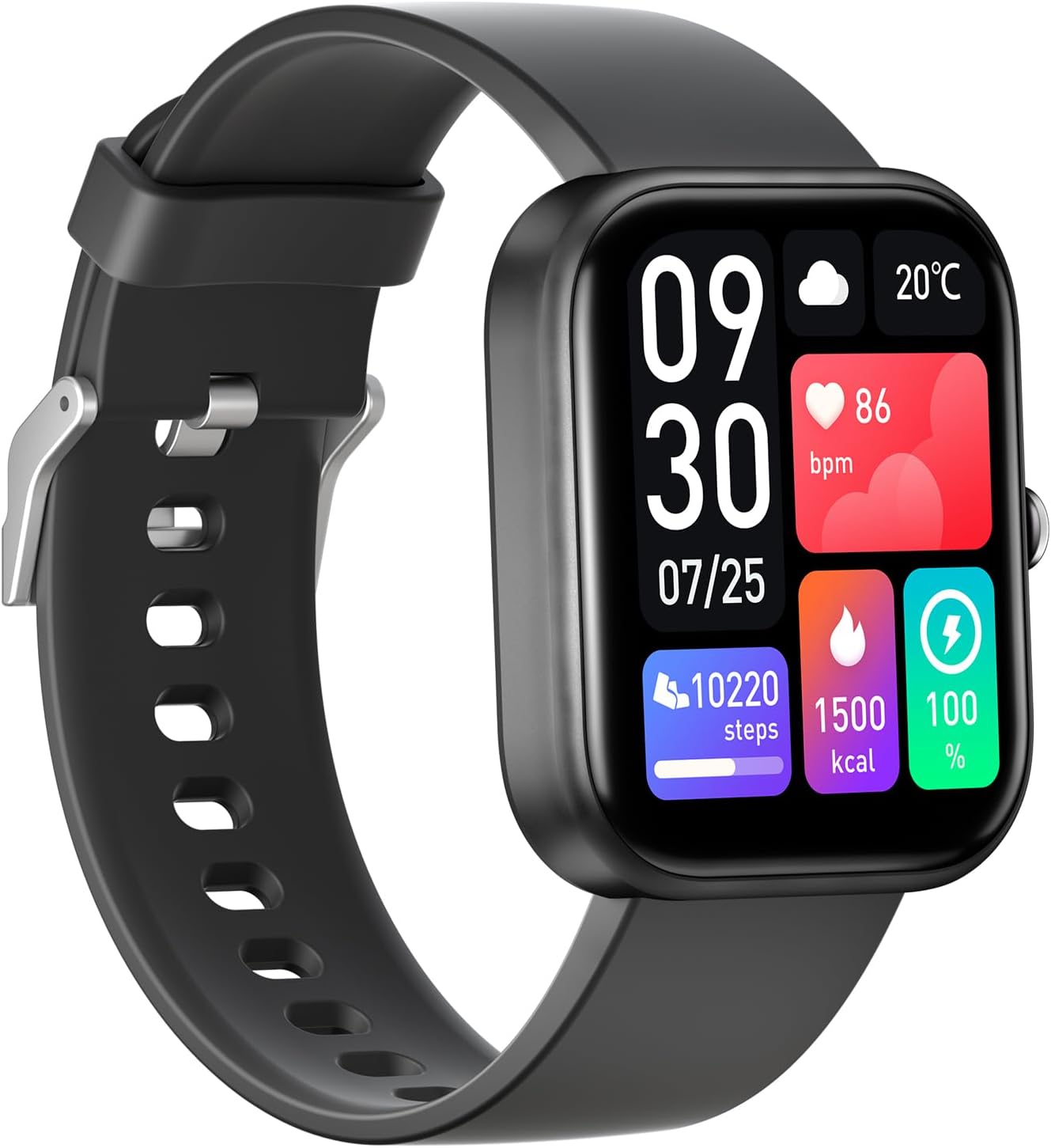
Image 1.1: The GTS-5 Smartwatch with its display showing various metrics.
2. What's in the Box
Upon opening the product packaging, please ensure all the following items are present:
- GTS-5 Bluetooth Smartwatch
- USB Charging Cable
- Instruction Leaflet
3. Setup
3.1. Charging the Smartwatch
Before initial use, fully charge your GTS-5 smartwatch. Connect the provided USB charging cable to the charging contacts on the back of the watch and to a standard USB power source.

Image 3.1: The GTS-5 Smartwatch connected to its magnetic charging cable.
3.2. App Download and Installation
To access all features of your smartwatch, download the "Runmefit" application on your smartphone.
- Search for "Runmefit" on the Google Play Store (for Android devices) or the Apple App Store (for iOS devices).
- Alternatively, scan the QR code provided in the instruction leaflet or on the product packaging to directly download the app.
- Install the application on your smartphone.
3.3. Pairing with Your Smartphone
Follow the instructions within the Runmefit app to pair your GTS-5 smartwatch with your smartphone. Ensure Bluetooth is enabled on your phone during the pairing process.
4. Operating Instructions
4.1. Basic Navigation
The GTS-5 smartwatch features a full-touch 2.0-inch TFT screen. Swipe left, right, up, or down to navigate through menus and access different functions. Press the side button to return to the home screen or wake the device.

Image 4.1: Examples of the Runmefit OS interface on the GTS-5 smartwatch.
4.2. Making Calls and Sending Texts
Utilizing BT5.2 technology, the GTS-5 allows you to make and receive calls directly from your wrist when connected to your smartphone. You can also view and respond to text messages and notifications from various applications.
4.3. Fitness Tracking
The smartwatch offers 100 sport modes to track various physical activities. It records steps, calories burned, and distance. When paired with the Runmefit app, GPS tracking can be utilized for outdoor activities.

Image 4.2: Sports health monitoring features, including activity tracking and GPS route display via the app.
4.4. Health Monitoring
The GTS-5 includes sensors (LC11S for heart rate and SC7A20E G-Sensor) for monitoring various health metrics:
- Heart Rate: Continuous monitoring and one-tap measurement.
- Blood Oxygen: One-tap measurement.
- Blood Pressure: One-tap measurement.
- Sleep Tracking: Provides insights into sleep patterns.
WARNING: This product is not a medical device. Measurements are for informational purposes only and should not be used for medical diagnosis. By default, heart rate, blood oxygen, blood pressure, body temperature, and other data are automatically monitored every 15 minutes.
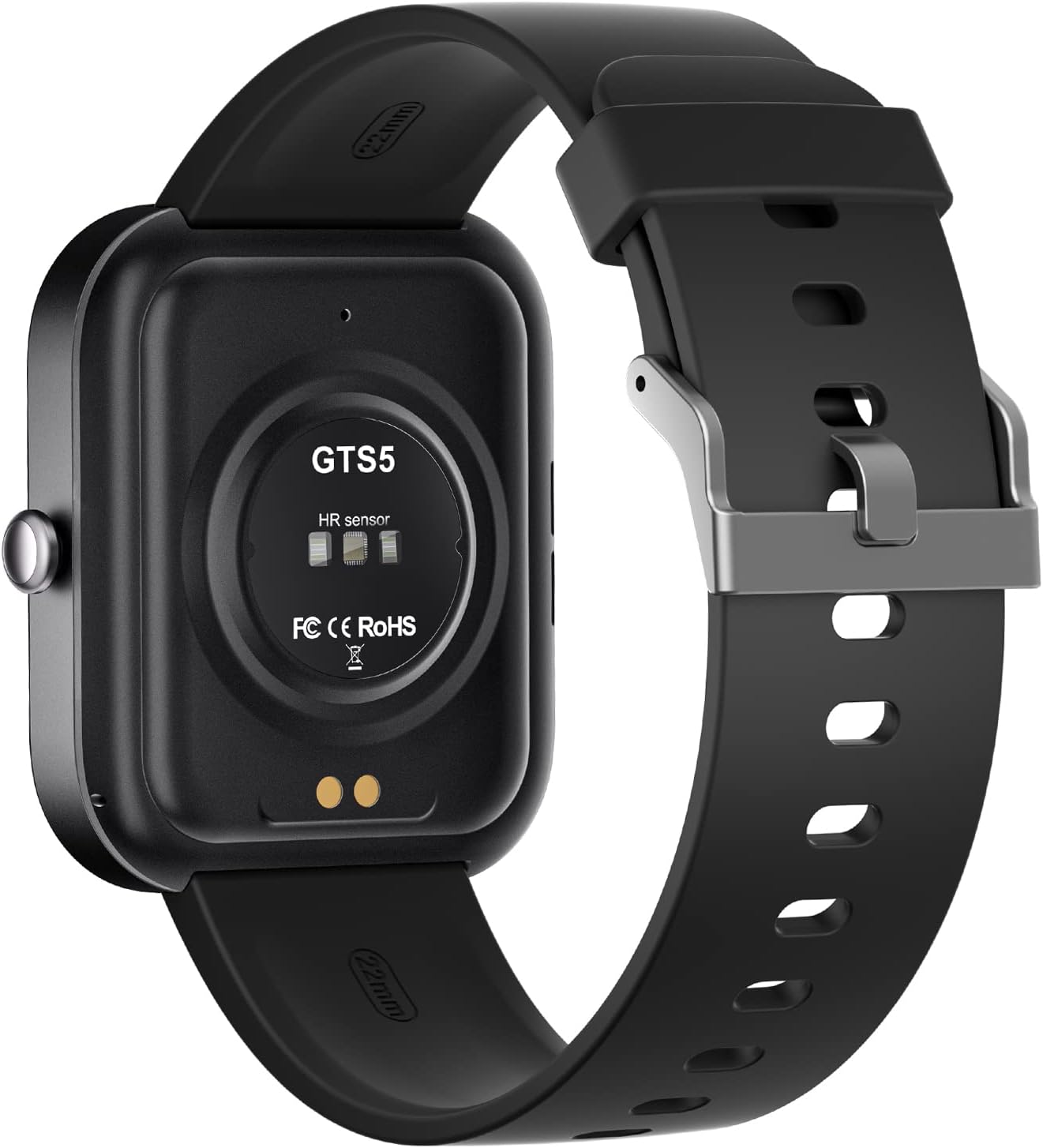
Image 4.3: The rear view of the GTS-5 smartwatch, highlighting the heart rate sensor and charging pins.
4.5. Smart Features
The smartwatch integrates several smart features for daily convenience:
- SOS Emergency Calls: For quick access to emergency contacts.
- Time Reminders: Customizable alerts for various events.
- Voice Assistant: Control functions using voice commands.
- Music Control: Manage music playback on your smartphone.
- Camera Control: Remotely trigger your smartphone's camera.
- Notifications: Receive alerts from social media, messages, and other apps.
- Customizable Watch Faces: Personalize the display to match your style.

Image 4.4: The GTS-5 smartwatch available in different colors, showcasing customizable watch faces.
5. Maintenance
5.1. Cleaning
Wipe the smartwatch regularly with a soft, dry cloth. For stubborn dirt, a slightly damp cloth can be used. Avoid using harsh chemicals or abrasive materials.
5.2. Water Resistance
The GTS-5 smartwatch is rated IP67 waterproof. This means it is protected against dust ingress and can withstand immersion in water up to 1 meter for 30 minutes. It is suitable for daily use, such as hand washing or light rain. Avoid prolonged immersion or use in hot water, saunas, or steam rooms.

Image 5.1: The GTS-5 smartwatch demonstrating its IP67 waterproof capability.
5.3. Storage
When not in use for extended periods, store the smartwatch in a cool, dry place away from direct sunlight and extreme temperatures.
6. Troubleshooting
6.1. Smartwatch Not Turning On
- Ensure the device is fully charged. Connect it to the charger for at least 30 minutes.
- Press and hold the side button for several seconds to attempt a power-on.
6.2. Connectivity Issues (Bluetooth Disconnection)
- Ensure Bluetooth is enabled on your smartphone and the smartwatch is within range.
- Restart both your smartphone and the smartwatch.
- Unpair the device from your phone's Bluetooth settings and re-pair it through the Runmefit app.
- Ensure the Runmefit app is running in the background and has necessary permissions.
6.3. Inaccurate Health Data
- Ensure the smartwatch is worn snugly on your wrist, not too tight or too loose.
- Clean the sensor on the back of the watch.
- Remember that measurements are for informational purposes only and not for medical diagnosis.
6.4. App Not Syncing Data
- Verify that the smartwatch is successfully paired with the app.
- Check your smartphone's internet connection.
- Close and reopen the Runmefit app.
- Ensure the app has all required permissions on your smartphone.
7. Specifications
| Feature | Detail |
|---|---|
| Model Number | GTS-5 |
| Brand | Generic |
| Screen Size | 2.0 Inches |
| Display Type | TFT Color Screen |
| Resolution | 240*282 |
| Connectivity | Bluetooth 5.2, Wi-Fi |
| Compatibility | Android 4.4+, iOS 9.0+ |
| Battery Capacity | 350 mAh |
| Water Resistance | IP67 |
| Sensors | LC11S Heart Rate Sensor, SC7A20E G-Sensor |
| Memory Storage Capacity | 64 MB |
| Item Weight | 3.7 ounces |
| Manufacturer | STARMAX |
8. Warranty Information
Specific warranty details for the Generic GTS-5 Smartwatch are not provided in this manual. Please refer to the product packaging, the retailer's website, or contact the manufacturer directly for warranty terms and conditions.
9. Customer Support
For technical assistance, troubleshooting, or further inquiries regarding your GTS-5 Smartwatch, please refer to the contact information provided on the product packaging or the official website of the manufacturer, STARMAX. You may also consult the Runmefit app for in-app support options.
Related Documents - GTS-5
 |
aolon GTS Smart Watch User Manual - Features, Specs, and Setup Comprehensive user manual for the aolon GTS Smart Watch. Learn about its 1.83" large screen, Bluetooth calling, fitness tracking, health monitoring, IP67 water resistance, and setup with the Huafit app. |
 |
Zeblaze GTS 2 Smart Fitness Watch User Manual Comprehensive user manual for the Zeblaze GTS 2 Smart Fitness Watch, covering device operation, charging, app connection, music control, calls, sports modes, settings, and contact information. |
 |
LAMAX BCool Smartwatch: User Manual, Features, and Specifications Comprehensive guide to the LAMAX BCool smartwatch, covering setup, features like heart rate monitoring, activity tracking, notifications, water resistance, and technical specifications. Learn how to pair your watch and use its functions. |
 |
Amazfit GTS 2e User Guide - Smartwatch Features and Operation A comprehensive user guide for the Amazfit GTS 2e smartwatch, covering setup, features, health monitoring, workout tracking, app usage, and device settings. Learn how to pair your watch, manage notifications, use various health sensors, and customize your experience. |
 |
Vortex Pro User Manual - Cactus Smartwatch Comprehensive user manual for the Cactus Vortex Pro smartwatch, detailing setup, features like heart rate monitoring, sports modes, Bluetooth calls, and app compatibility for iOS and Android. |
 |
Zeblaze Stratos 2 Smartwatch User Manual and Specifications This document provides comprehensive instructions, specifications, and safety guidelines for the Zeblaze Stratos 2 smartwatch. Learn how to set up, pair, operate, charge, and maintain your device. |